

College ERP
Free Open Source College Enterprise Resource Planner (ERP) web application, developed for the interaction between students, staff, and the admin (HoD) of our college. The application is designed to streamline and automate various processes within the college,.
[Live Demo](https://syncx.pythonanywhere.com) • [Report Bug](https://github.com/Ansarimajid/College-ERP/issues) • [Request Feature](https://github.com/Ansarimajid/College-ERP/issues) The project is written primarily in JavaScript, distributed under the MIT License license, first published in 2022. Key topics include: attendance-system, college, college-erp, college-management-system, college-project.
🎓 College ERP System
Enterprise Resource Planning Solution for Educational Institutions




Live Demo • Report Bug • Request Feature
</div>📋 Table of Contents
- About
- Features
- Demo Credentials
- Technology Stack
- Installation
- Screenshots
- Roadmap
- Contributing
- Support
🎯 About
College ERP is a comprehensive Enterprise Resource Planning system designed specifically for educational institutions. Built with Python and Django, this full-stack web application streamlines administrative tasks, student management, and staff operations in one unified platform.
✨ Why Choose This ERP?
- 🚀 Modern Tech Stack - Built with Django for robust performance
- 📊 Data-Driven Insights - Visual dashboards for performance tracking
- 👥 Multi-Role Support - Separate interfaces for Admin, Staff, and Students
- 🔒 Secure - Role-based access control and authentication
- 📱 Responsive Design - Works seamlessly on all devices
🚀 Features
👨💼 Admin Dashboard
<details> <summary>Click to expand Admin features</summary>- 📈 Analytics Dashboard - Overview charts for student/staff performance, courses, and subjects
- 👥 Staff Management - Complete CRUD operations for staff members
- 🎓 Student Management - Add, update, and delete student records
- 📚 Course Management - Organize and manage academic courses
- 📖 Subject Management - Handle subject assignments and details
- 📅 Session Management - Control academic sessions and terms
- ✅ Attendance Monitoring - View and track student attendance
- 💬 Feedback System - Review and respond to feedback from students/staff
- 🏖️ Leave Management - Approve or reject leave applications
👨🏫 Staff Portal
<details> <summary>Click to expand Staff features</summary>- 📊 Performance Dashboard - Track student progress and subject analytics
- ✏️ Attendance Management - Mark and update student attendance
- 📝 Result Entry - Add and modify student examination results
- 🏖️ Leave Applications - Apply for personal leave
- 💭 Feedback Channel - Send feedback to administration
🎓 Student Portal
<details> <summary>Click to expand Student features</summary>- 📊 Personal Dashboard - View attendance, results, and leave status
- 📅 Attendance Tracking - Monitor class attendance records
- 🎯 Result Portal - Access examination results and grades
- 🏖️ Leave Requests - Submit leave applications
- 💬 Feedback System - Provide feedback to HOD
🔑 Demo Credentials
🌐 Live Demo
Visit: https://syncx.pythonanywhere.com (v2.0.0)
Login Details
| Role | Password | |
|---|---|---|
| 👨🎓 Student | studentone@student.com | studentone |
| 👨🏫 Staff | staffone@staff.com | staffone |
🛠️ Technology Stack
| Category | Technologies |
|---|---|
| Backend | Python, Django Framework |
| Frontend | HTML5, CSS3, JavaScript, Bootstrap |
| Database | SQLite (Development), PostgreSQL (Production Ready) |
| Authentication | Django Auth, Google reCAPTCHA |
| Deployment | PythonAnywhere |
📥 Installation
Prerequisites
Ensure you have the following installed:
- ✅ Git - Version control
- ✅ Python 3.x - Programming language
- ✅ pip - Package manager
Step-by-Step Setup
1️⃣ Clone the Repository
bashgit clone https://github.com/Ansarimajid/College-ERP.git cd College-ERP
2️⃣ Create Virtual Environment
Option A: Using Conda (Recommended)
bashconda env create -f college-erp.yml conda activate Django-env
Option B: Using venv
<details> <summary>Windows</summary></details> <details> <summary>macOS</summary>bashpython -m venv venv source venv/scripts/activate
</details> <details> <summary>Linux</summary>bashpython3 -m venv venv source venv/bin/activate
</details>bashvirtualenv . source bin/activate
3️⃣ Install Dependencies
bashpip install -r requirements.txt
4️⃣ Configure Settings
Open settings.py and update:
pythonALLOWED_HOSTS = ['localhost', '127.0.0.1']
⚠️ Security Note: Never use
ALLOWED_HOSTS = ['*']in production!
5️⃣ Database Setup
bashpython manage.py migrate python manage.py createsuperuser
Follow the prompts to create an admin account.
6️⃣ Run Development Server
bash# Windows python manage.py runserver # macOS/Linux python3 manage.py runserver
🎉 Success! Visit http://127.0.0.1:8000 in your browser
📸 Screenshots
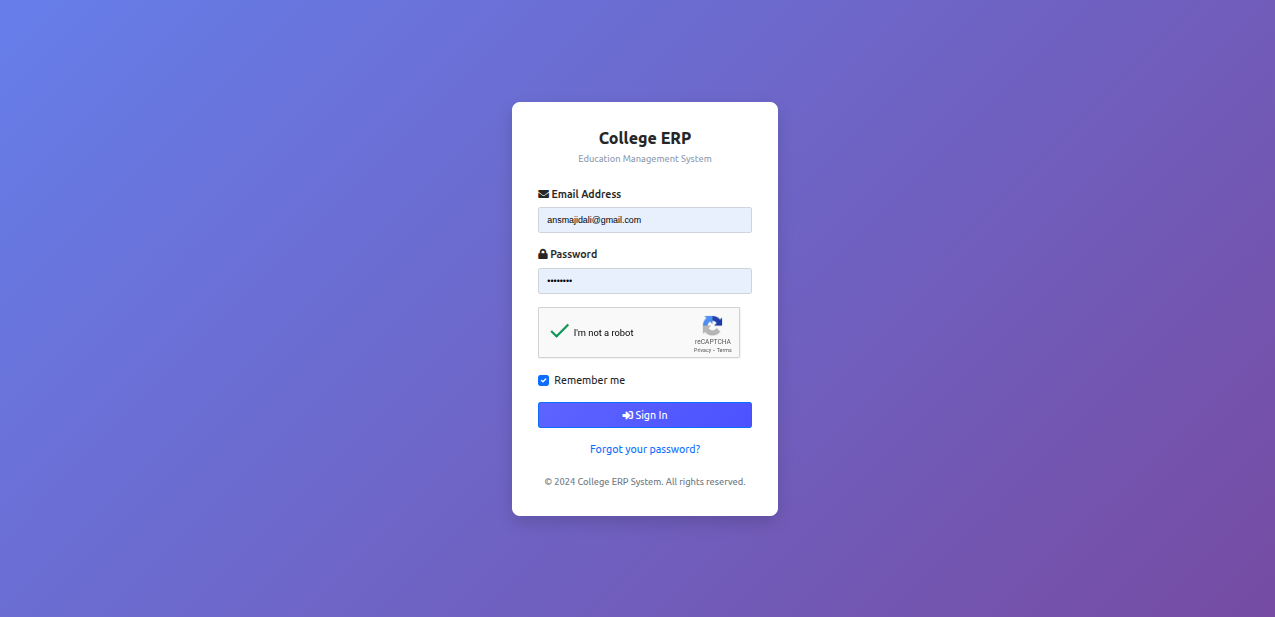
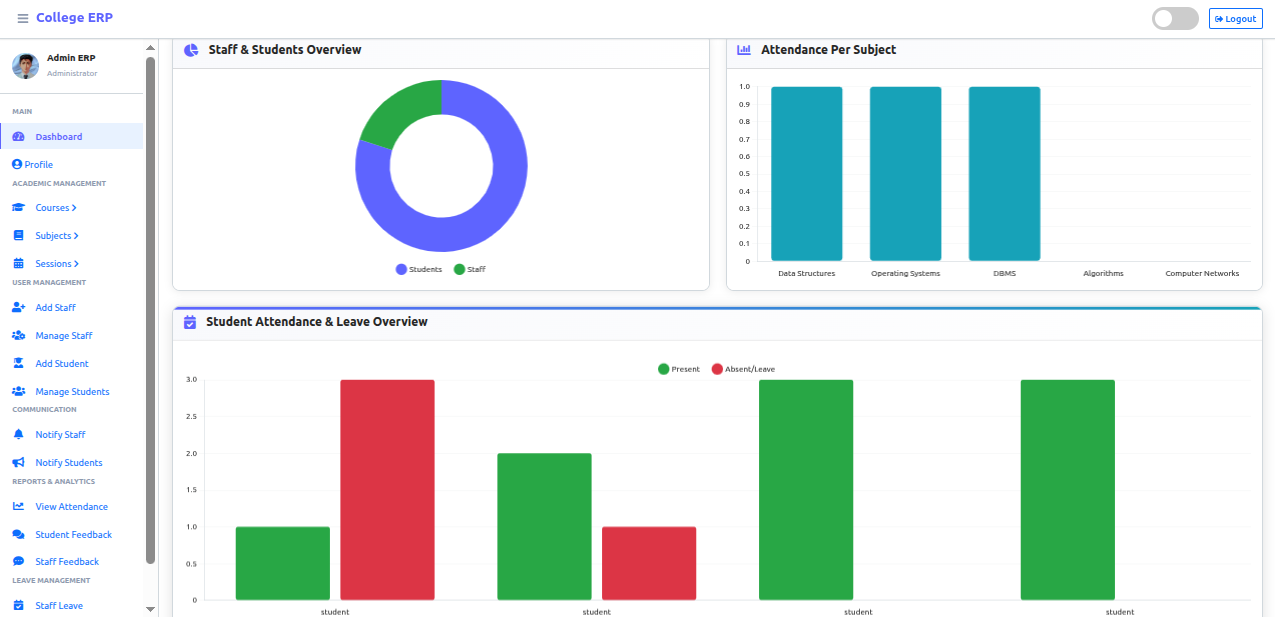
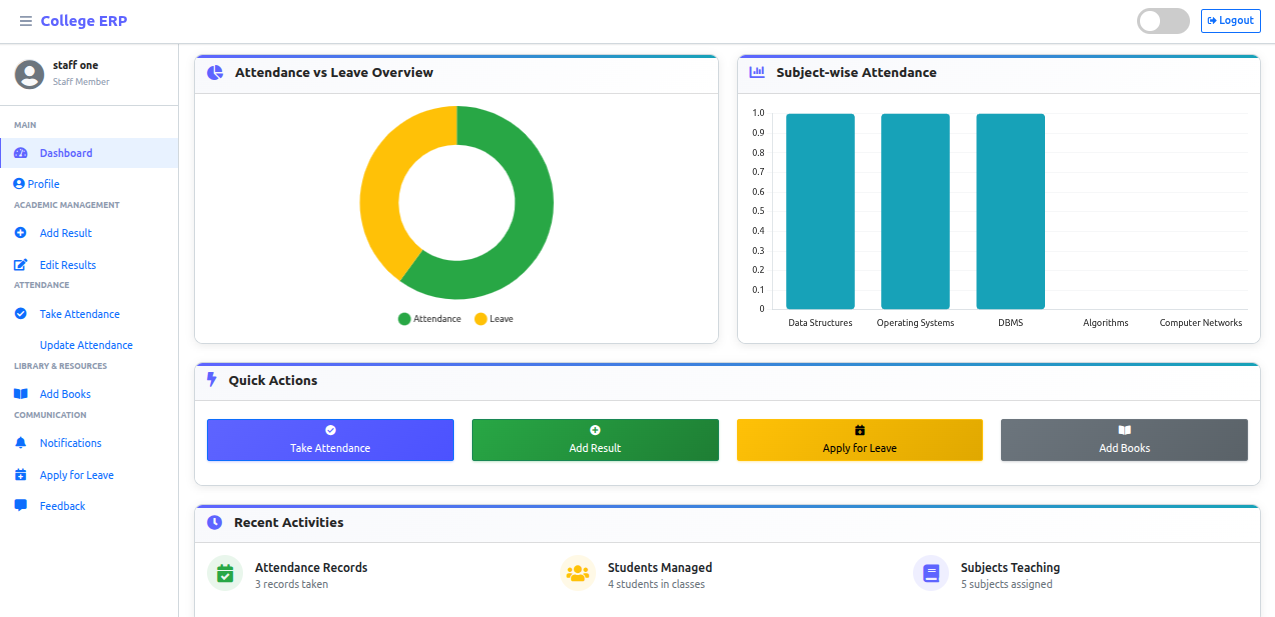
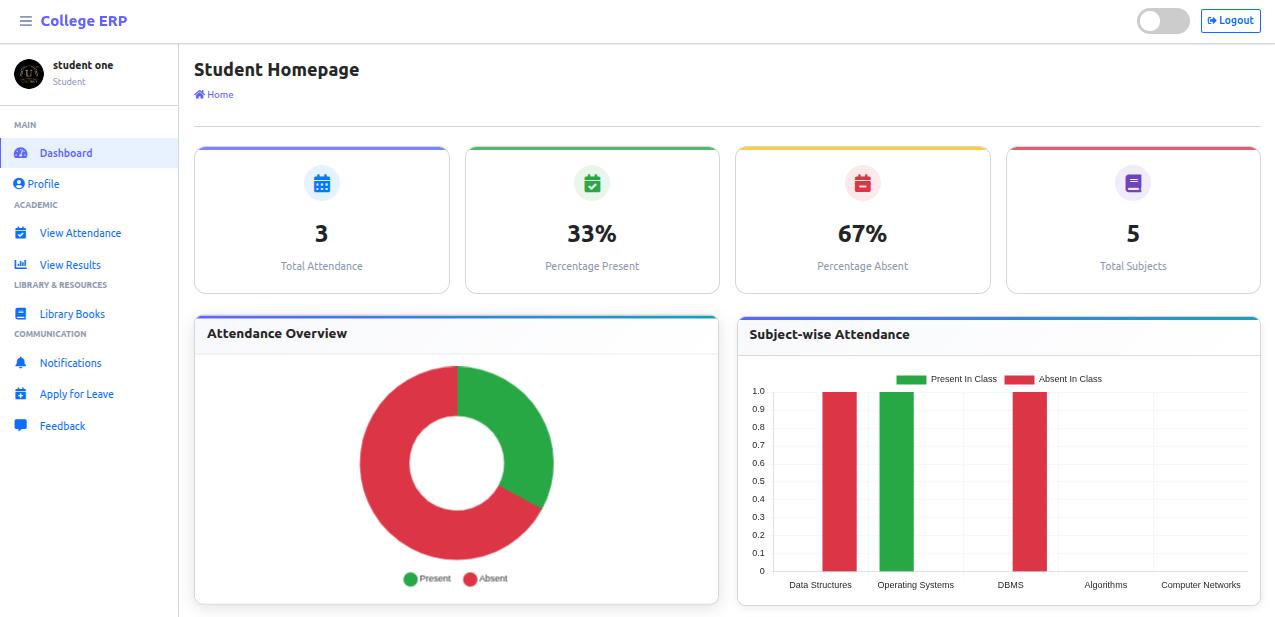
🗺️ Roadmap
✅ Completed Features
- Multi-role authentication system
- Complete CRUD operations for all entities
- Attendance management system
- Result management with CBVs
- Leave application workflow
- Feedback system
- Email notifications
- Google reCAPTCHA integration
- Profile management for all roles
- Dynamic dashboard analytics
- Responsive design
- Password reset functionality
🔜 Upcoming Features
- SMS notifications
- Advanced reporting and analytics
- Online examination module
- Library management system
- Fee management integration
- Timetable generator
- Parent portal
🤝 Contributing
Contributions make the open-source community an amazing place to learn and create. Any contributions you make are greatly appreciated!
- Fork the Project
- Create your Feature Branch (
git checkout -b feature/AmazingFeature) - Commit your Changes (
git commit -m 'Add some AmazingFeature') - Push to the Branch (
git push origin feature/AmazingFeature) - Open a Pull Request
💖 Support the Project
If you find this project helpful, please consider:
- ⭐ Star this repository on GitHub
- 🐛 Report bugs to help improve the project
- 💡 Suggest new features via issues
- 📢 Share with fellow developers
- 👨💻 Contribute to the codebase
Connect with the Developer


📄 License
This project is licensed under the MIT License - see the LICENSE file for details.
📞 Contact & Support
Having issues? Need help?
- 📧 Email: ansmajidali@gmail.com
- 🐛 Issues: GitHub Issues
- 💬 Discussions: GitHub Discussions
<div align="center">
⭐ Star History
Made with ❤️ by Ansari Majid
If this project helped you, consider giving it a star! ⭐
</div>Contributors
Showing top 3 contributors by commit count.


Related Repositories

changeweb/Unifiedtransform
A school management Software

ChurchCRM/CRM
ChurchCRM - A free and open-source Church Management Software (ChMS) to help churches manage their membership data, groups, events, and finances.

francoisjacquet/rosariosis
RosarioSIS Student Information System for school management.

kmhmubin/Face-Recognition-Attendance-System
Face Detection | Recognition | Attendance

amfoss/attendance-tracker
This project is outdated and has been archived for historical reference. Advanced Attendance Recording System for the members of FOSS@Amrita.

OS4ED/openSIS-Classic
openSIS is a commercial grade, secure, scalable & intuitive Student Information System, School Management Software from OS4ED. Has all functionalities to run single or multiple institutions in one installation. Web based, php code, MySQL database.