

SolidsPy
2D-Finite Element Analysis with Python
A simple finite element analysis code for 2D elasticity problems. The code uses as input simple-to-create text files defining a model in terms of nodal, element, material and load data. The project is written primarily in Python, distributed under the MIT License license, first published in 2015. Key topics include: elasticity, fem, finite-element-analysis, finite-element-methods, finite-elements.
SolidsPy: 2D-Finite Element Analysis with Python
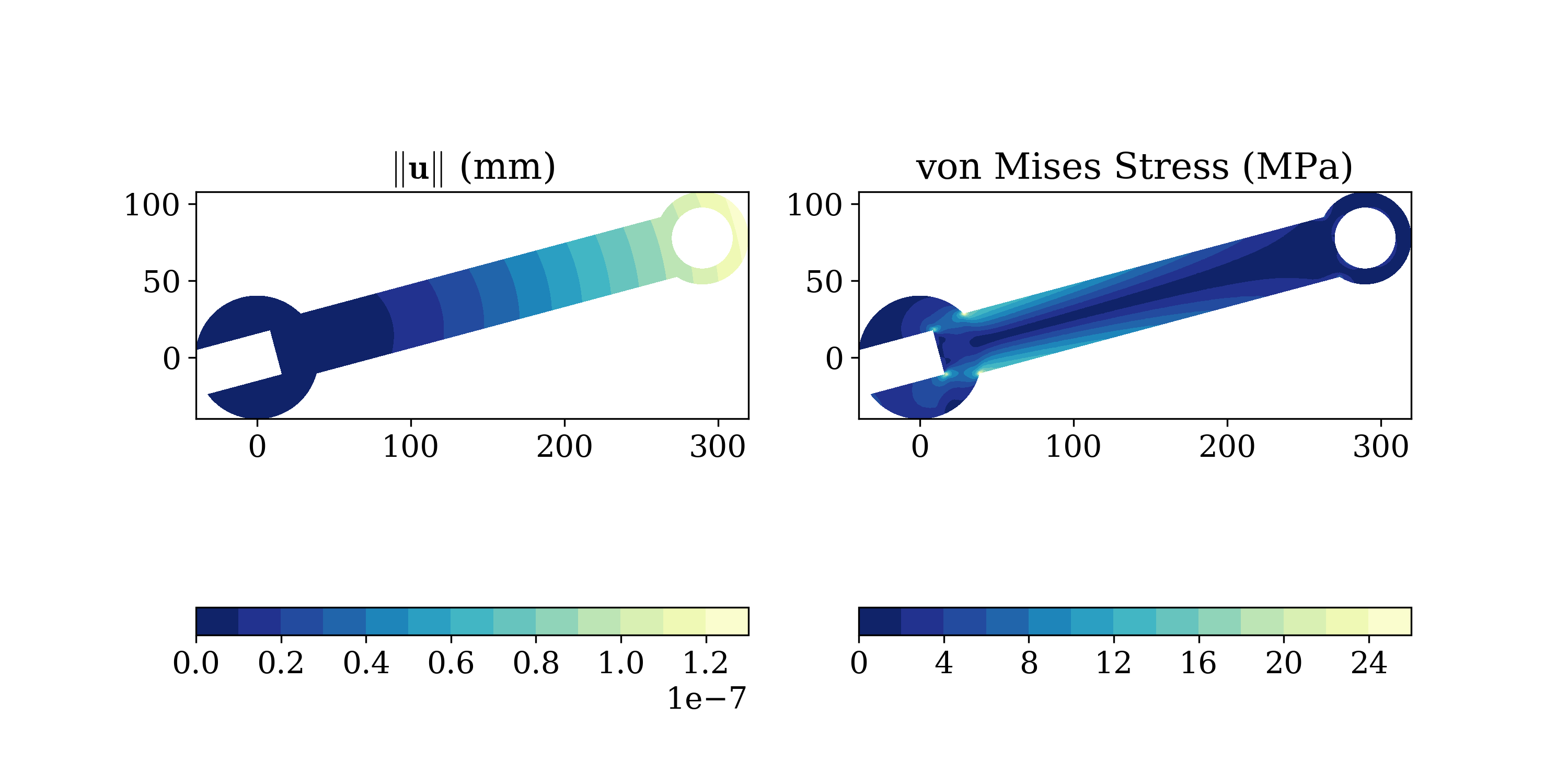



A simple finite element analysis code for 2D elasticity problems. The code uses
as input simple-to-create text files defining a model in terms of nodal,
element, material and load data.
- Documentation: http://solidspy.readthedocs.io
- GitHub: https://github.com/AppliedMechanics-EAFIT/SolidsPy
- PyPI: https://pypi.org/project/solidspy/
- Free and open source software: MIT license
Features
- It is based on an open-source environment.
- It is easy to use.
- The code allows to find displacement, strain and stress solutions
for arbitrary two-dimensional domains discretized into finite
elements and subject to point loads. - The code is organized in independent modules for pre-processing,
assembly and post-processing allowing the user to easily modify it
or add features like new elements or analyses pipelines. - It was created with academic and research purposes.
- It has been used to tech the following courses:
- Introduction to Solid Mechanics.
- Computational Modeling.
- Introduction to the Finite Element Methods.
- Introduction to Soil Mechanics.
Installation
The code is written in Python and it depends on numpy, and scipy and. It
has been tested under Windows, Mac, Linux and Android.
To install SolidsPy open a terminal and type:
pip install solidspy
To specify through a GUI the folder where the input files are stored you will
need to install easygui.
To easily generate the required SolidsPy text files out of a
Gmsh model you will need meshio.
These two can be installed with:
pip install easygui
pip install meshio
How to run a simple model
For further explanation check the docs.
Let's suppose that we have a simple model represented by the following files
(see tutorials/square example
for further explanation).
nodes.txt
    0  0.00  0.00   0  -1
    1  2.00  0.00   0  -1
    2  2.00  2.00   0   0
    3  0.00  2.00   0   0
    4  1.00  0.00  -1  -1
    5  2.00  1.00   0   0
    6  1.00  2.00   0   0
    7  0.00  1.00   0   0
    8  1.00  1.00   0   0
eles.txt
    0   1   0   0   4   8   7
    1   1   0   4   1   5   8
    2   1   0   7   8   6   3
    3   1   0   8   5   2   6
mater.txt
1.0 0.3
loads.txt
    3  0.0  1.0
    6  0.0  2.0
    2  0.0  1.0
Run it in Python as follows:
pythonimport matplotlib.pyplot as plt # load matplotlib from solidspy import solids_GUI # import our package disp = solids_GUI() # run the Finite Element Analysis plt.show() # plot contours
For Mac users it is suggested to use an IPython console to run the example.
License
This project is licensed under the MIT license.
The documents are licensed under Creative Commons Attribution License.
Citation
To cite SolidsPy in publications use
Nicolás Guarín-Zapata, Juan Gomez (2023). SolidsPy: Version 1.1.0
(Version v1.1.0). Zenodo. https://doi.org/10.5281/zenodo.7694030
A BibTeX entry for LaTeX users is
bibtex@software{solidspy, title = {SolidsPy: 2D-Finite Element Analysis with Python}, version = {1.1.0}, author = {Guarín-Zapata, Nicolás and Gómez, Juan}, year = 2023, keywords = {Python, Finite elements, Scientific computing, Computational mechanics}, abstract = {SolidsPy is a simple finite element analysis code for 2D elasticity problems. The code uses as input simple-to-create text files defining a model in terms of nodal, element, material and load data.}, url = {https://github.com/AppliedMechanics-EAFIT/SolidsPy}, doi = {https://doi.org/10.5281/zenodo.7694030} }
Contributors
Showing top 5 contributors by commit count.



Related Repositories

AppliedMechanics-EAFIT/Introductory-Finite-Elements
Introductory course on the Finite Element Method

Raocp/PINN-elastodynamics
physics-informed neural network for elastodynamics problem

matnoel/EasyFEA
EasyFEA is a user-friendly Python library that simplifies finite element analysis.

MemVerge/splash
Splash, a flexible Spark shuffle manager that supports user-defined storage backends for shuffle data storage and exchange

PhysikaTeam/PhysIKA-old
PhysIKA: Physics-based Interactive Kinematics Architecture

penn-graphics-research/DOT
Decomposed Optimization Time Integration (DOT) is a domain-decomposed optimization method for fast, reliable simulation of deformation dynamics. DOT efficiently converges with frame-rate time-steps across a wide range of extreme conditions.