DevAnalyzer
DevAnalyzer helps developers analyze, understand, and optimize their entire development setup — from project structure to SDK and IDE storage — all in one unified tool.
**🌐 [Visit Website](https://coding-meet.github.io/DevAnalyzer/)** The project is written primarily in Kotlin, distributed under the Apache License 2.0 license, first published in 2025. Key topics include: android-studio, compose, compose-desktop, compose-multiplatform, compose-multiplatform-desktop.
🧠 DevAnalyzer
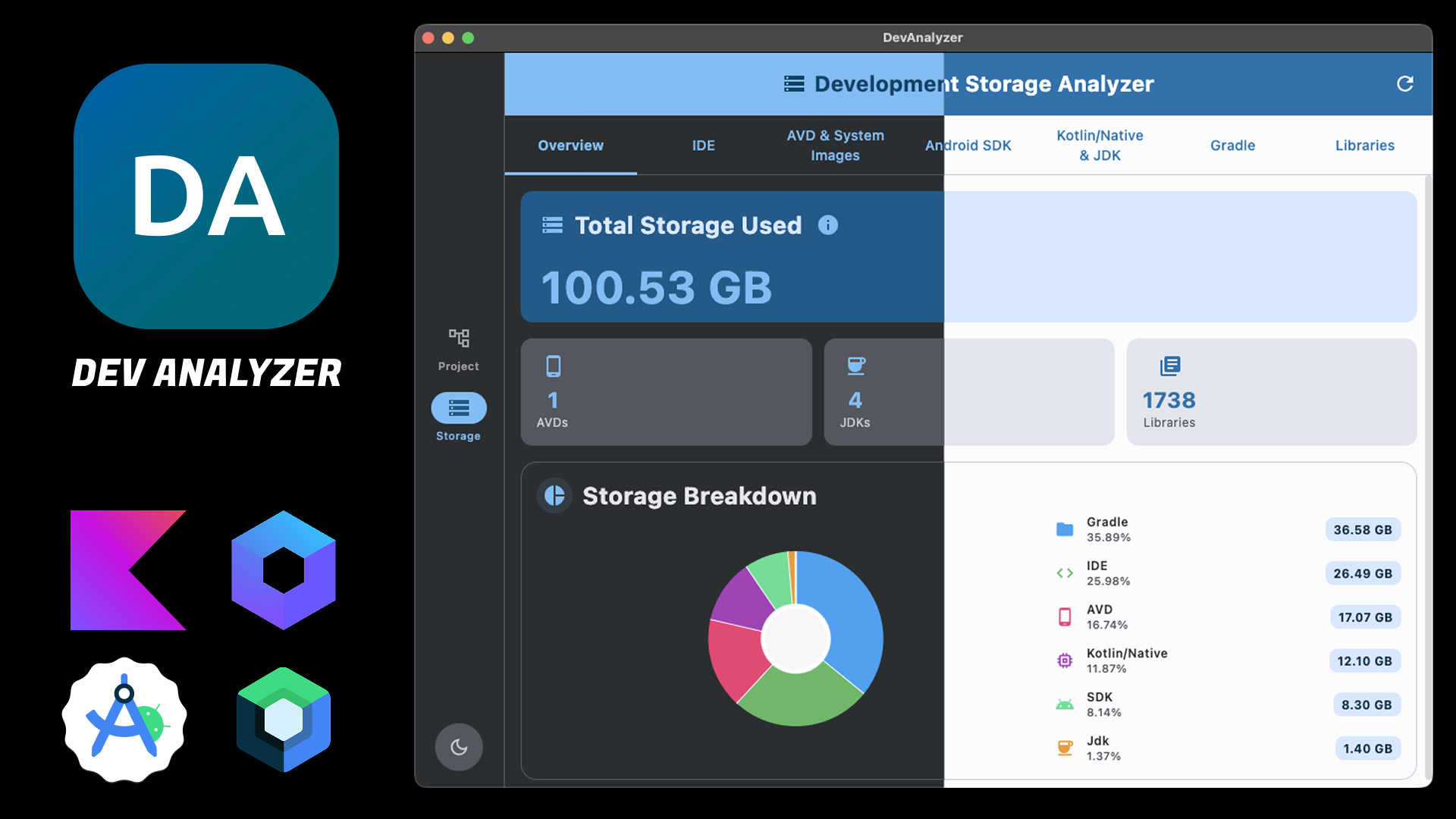
🪄 Overview
DevAnalyzer is a cross-platform desktop application built with Compose Multiplatform and Kotlin Multiplatform (KMP).
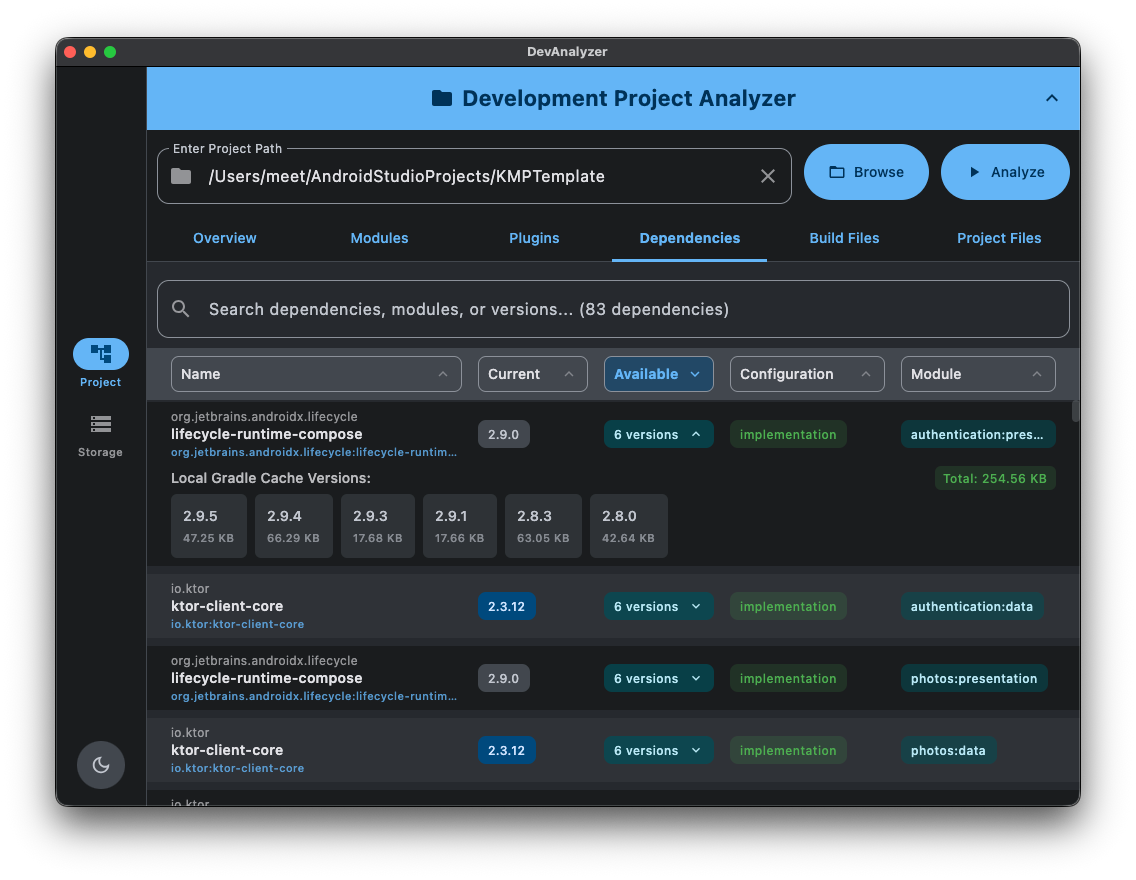
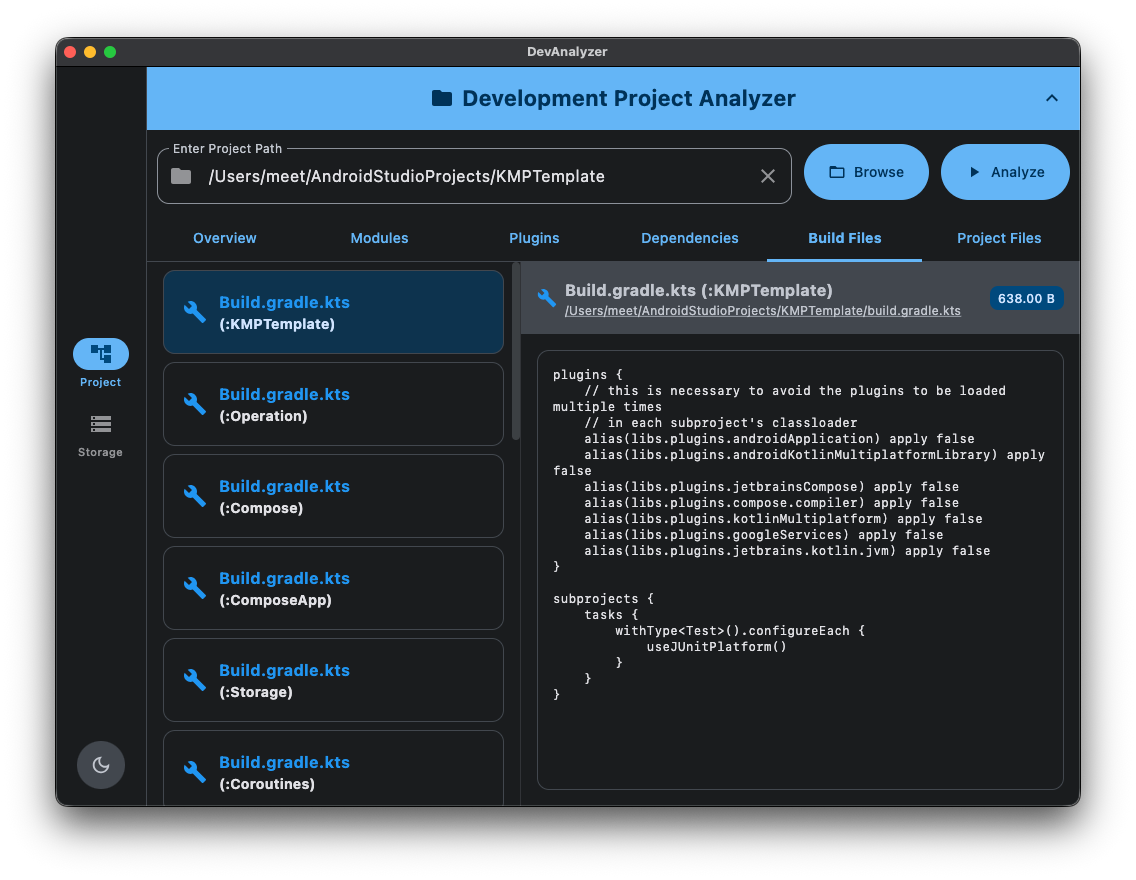
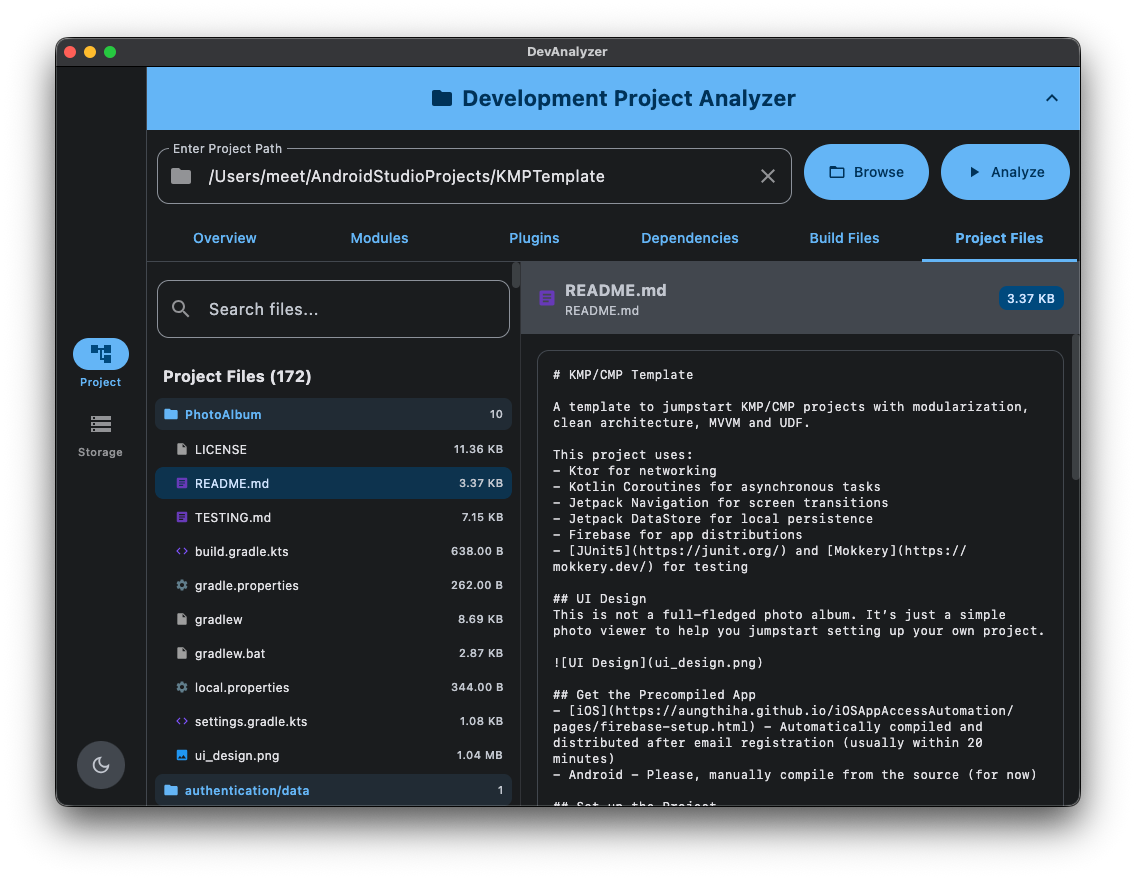
- 🧩 Project Analyzer — Examines project modules, Gradle configurations, applied plugins, dependencies, and related build files.
- 🧹 Clean Build — Scans Android Studio projects for build folders across all modules and enables
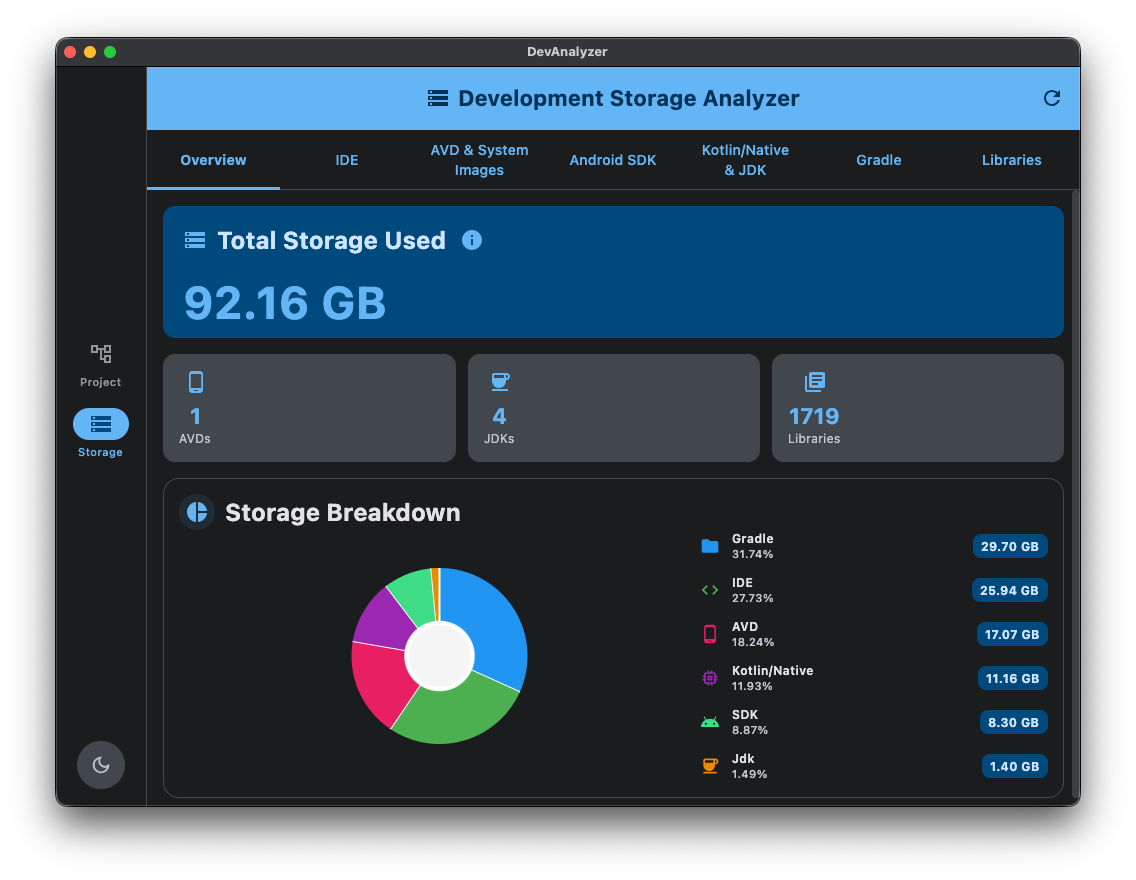
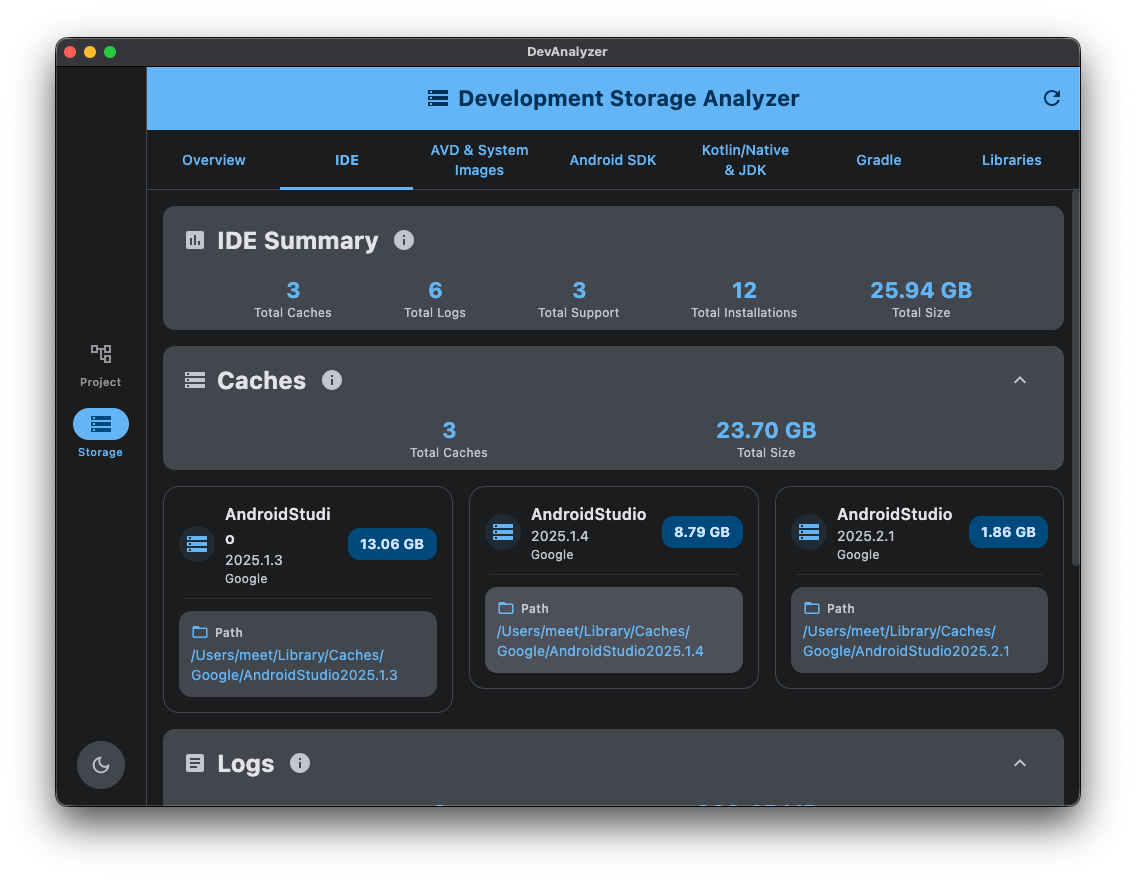
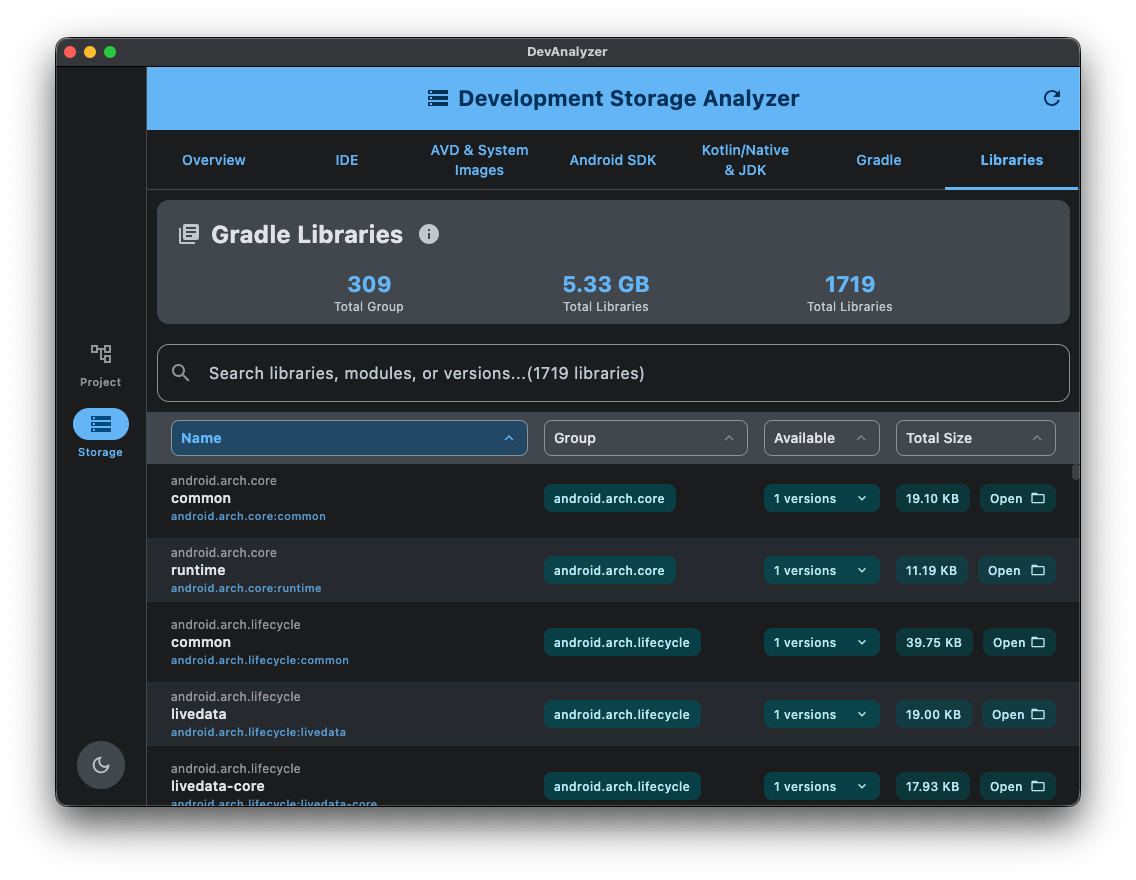
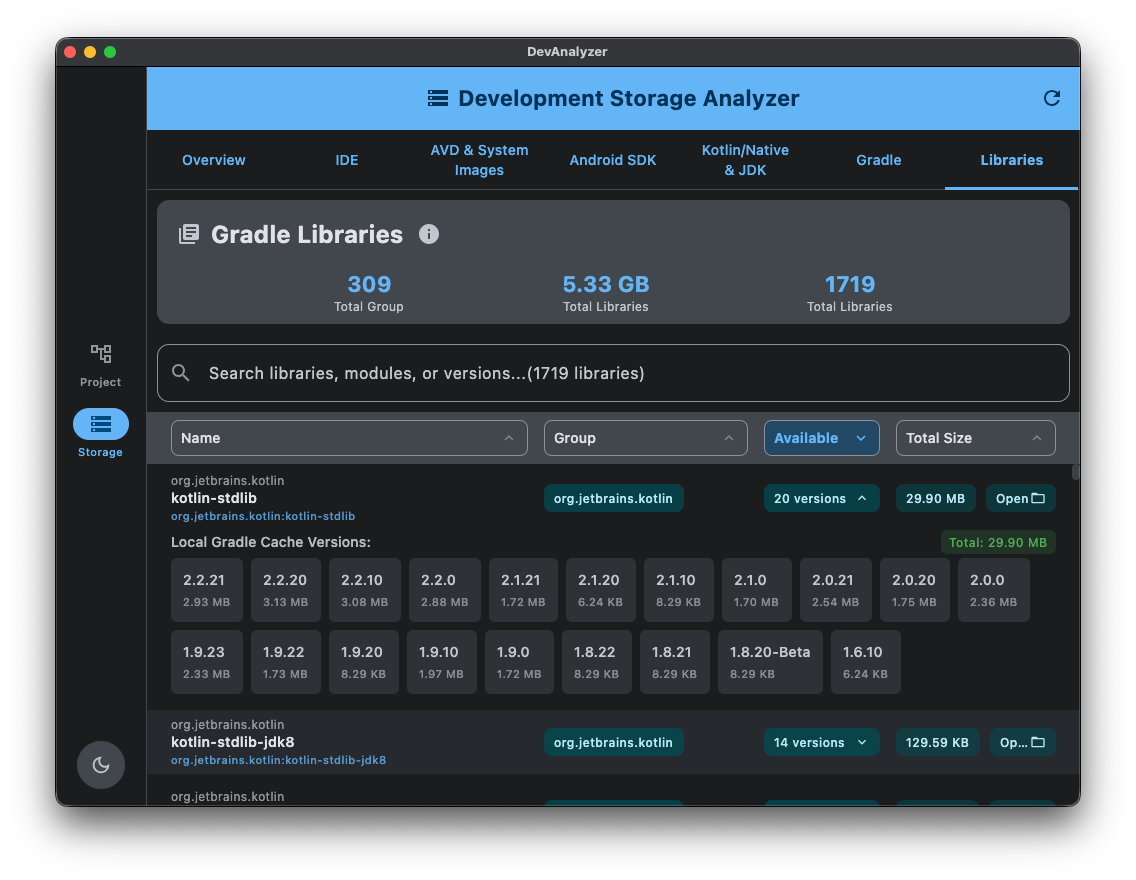
selective deletion to reclaim disk space. - 💾 Storage Analyzer — Scans SDKs, IDE data, Gradle caches, and library directories to visualize overall storage usage.
- ⚙️ Settings — Configure custom paths for Android SDK, Gradle User Home, Kotlin Native, and IDE
locations.
Designed for modern developers, DevAnalyzer helps you understand, analyze, and optimize your entire development ecosystem — all from a single, unified interface.
Built as a desktop-first tool, it runs seamlessly across platforms and can be easily extended to Android, KMP, or backend Kotlin environments.
🚀 Features
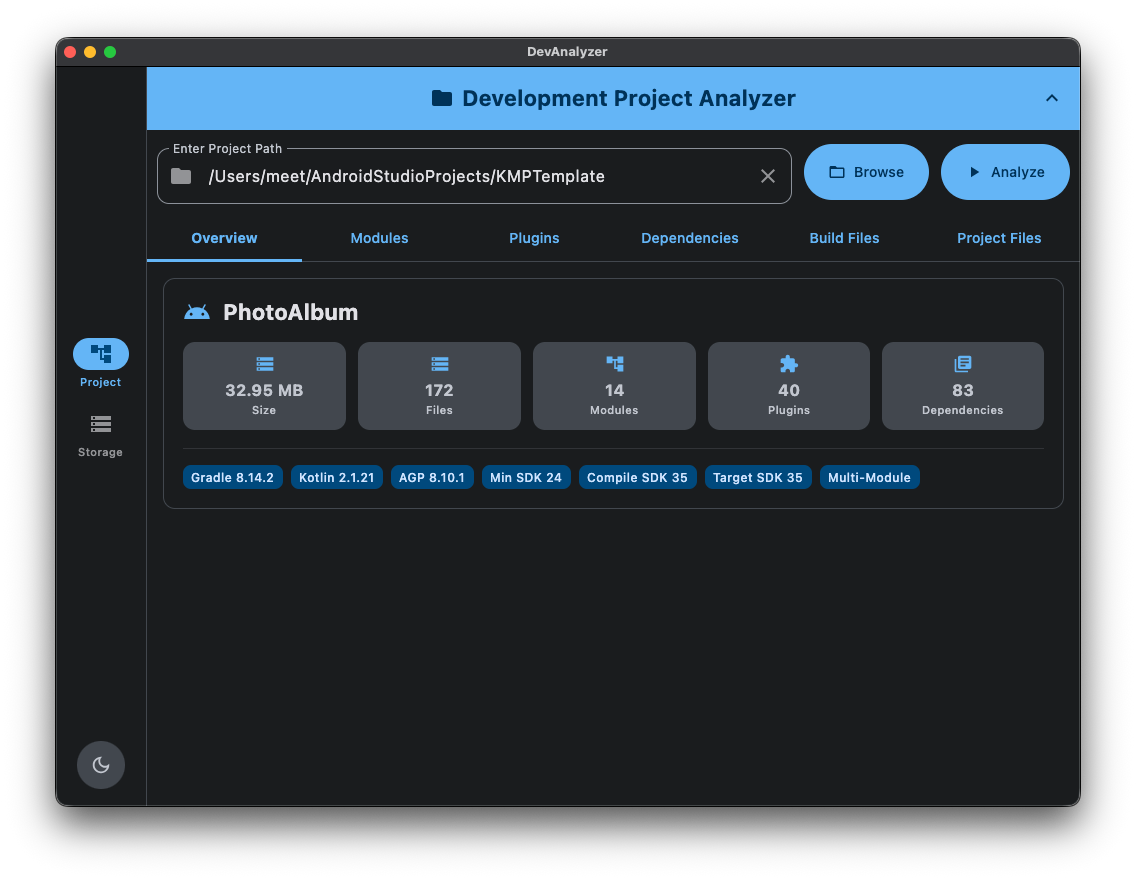
🧩 Project Analyzer
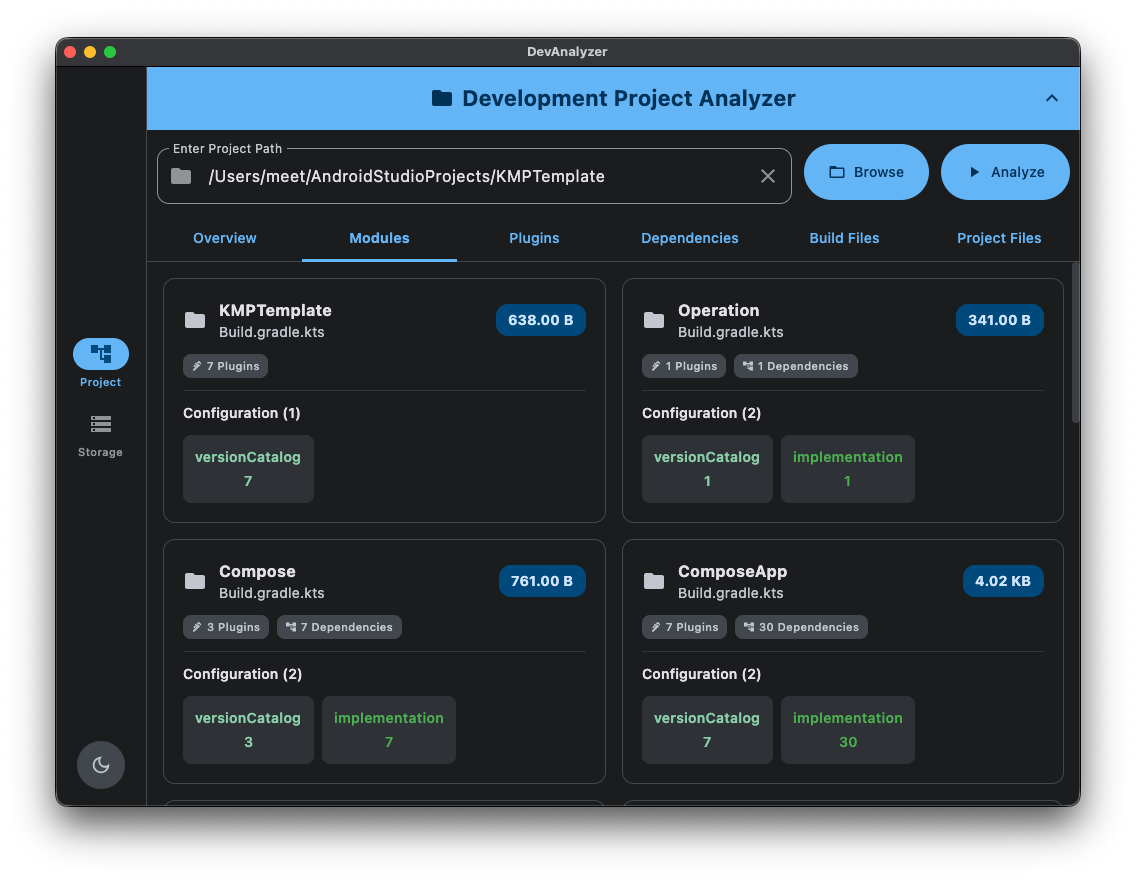
- 🔍 Analyze Gradle modules, plugins, and dependencies.
- 📦 List all applied plugins and version catalogs.
- 📄 View build files and configuration scripts in an organized manner.
- 🧱 Inspect project metadata such as Gradle Kotlin, AGP, Min SDK, Compile SDK, Target SDK, NDK,
CMake and
Multi-Module. - 🧾 Preview all project and Gradle files directly in the app.
🧹 Clean Build
- 🗂️ Scan Android Studio projects for build folders across all modules.
- 📊 Visual project grouping with expandable/collapsible module lists.
- 📏 Real-time size calculation for each module and total space usage.
- ✅ Selective deletion with tri-state checkboxes (project-level and module-level).
- 🎯 Batch operations - Select/Deselect all projects or individual modules.
- ⚠️ Confirmation dialog with 2-column grid layout showing all selected items.
- 🎨 Floating action button with smooth animations for quick delete access.
- 💾 Space recovery tracking - See exactly how much space you'll free up.
💾 Storage Analyzer
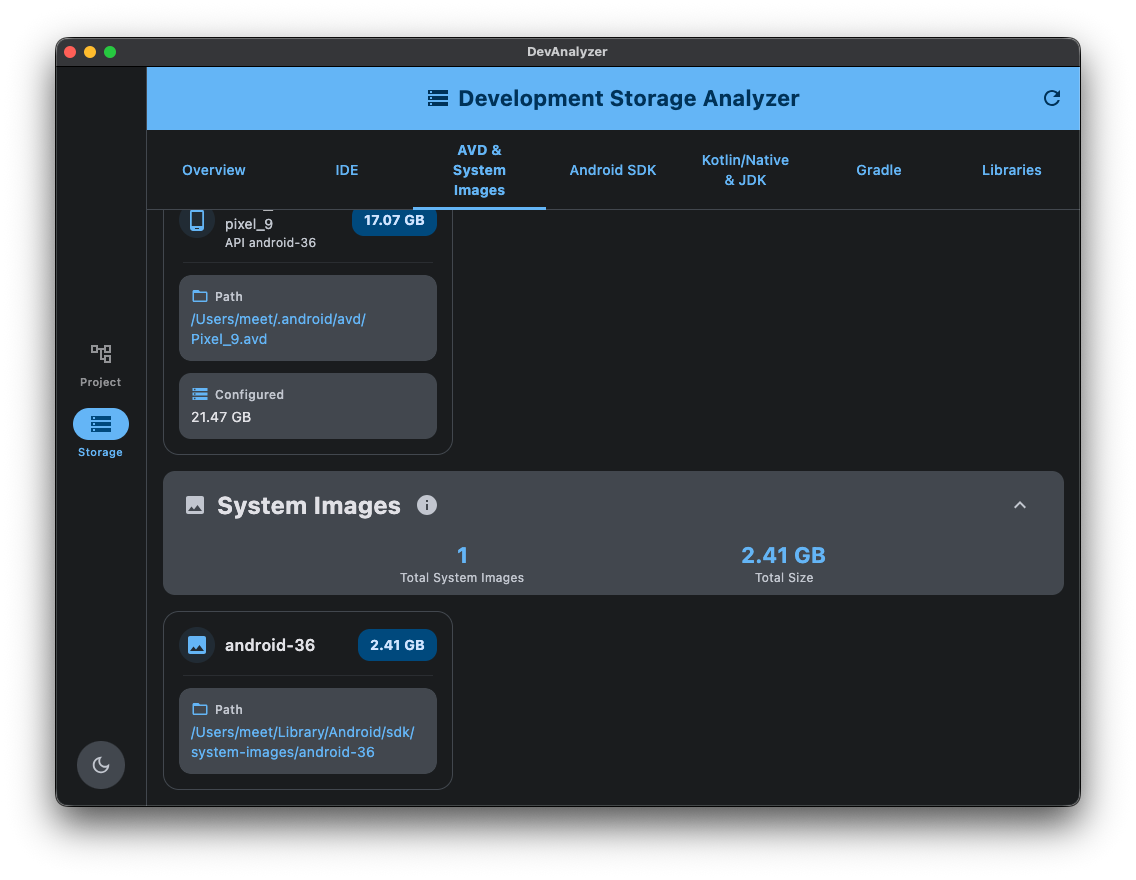
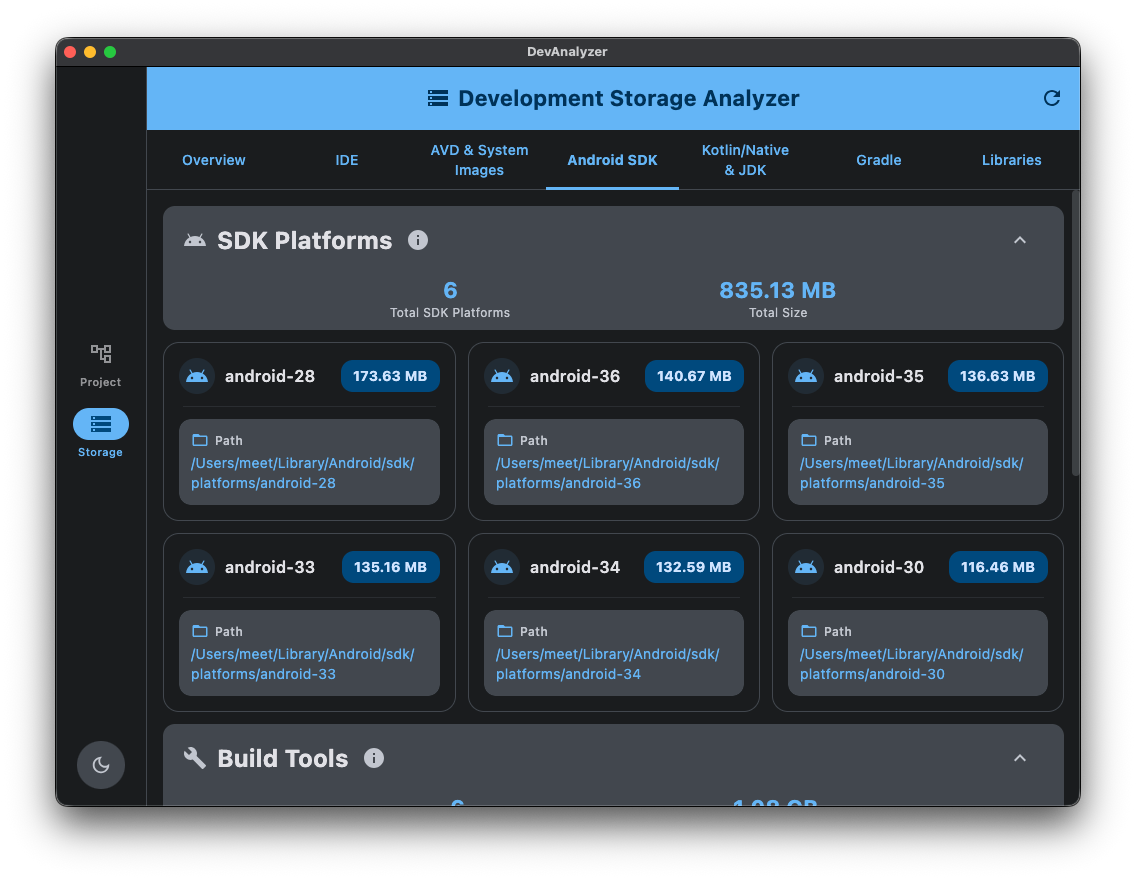
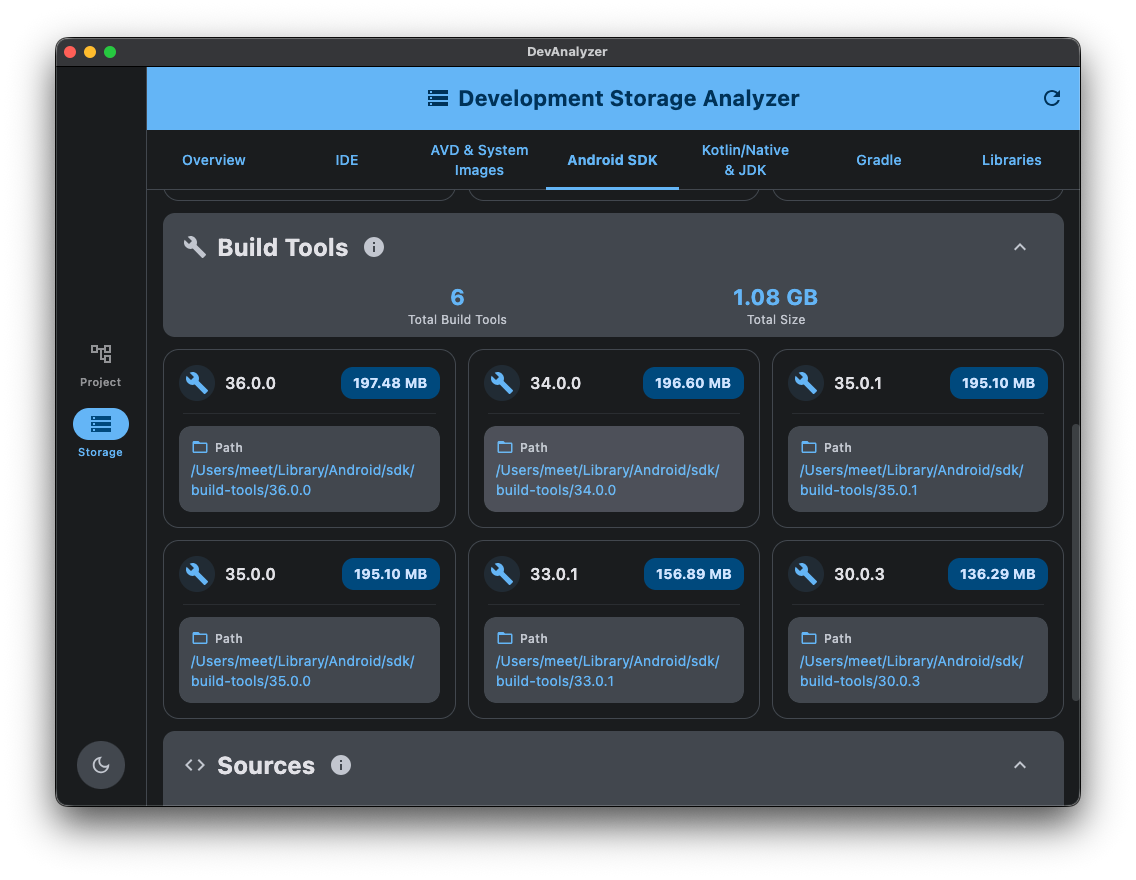
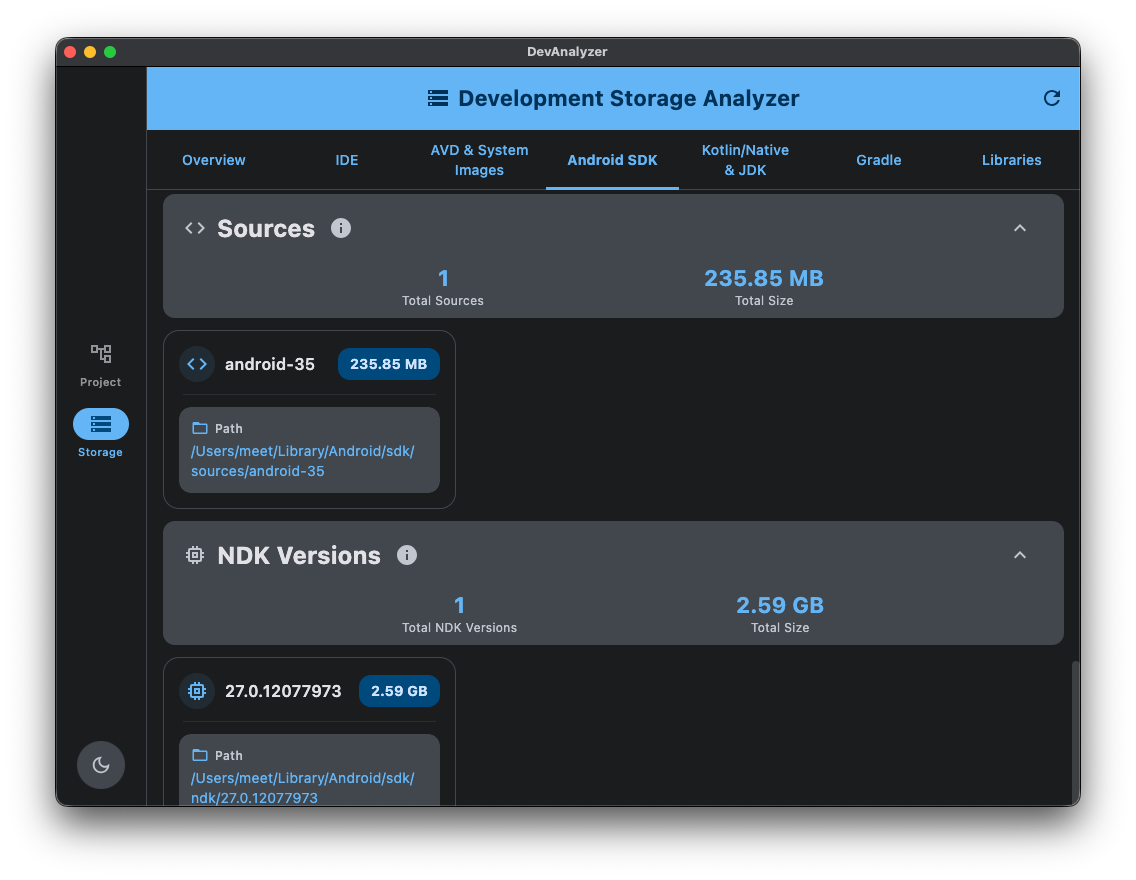
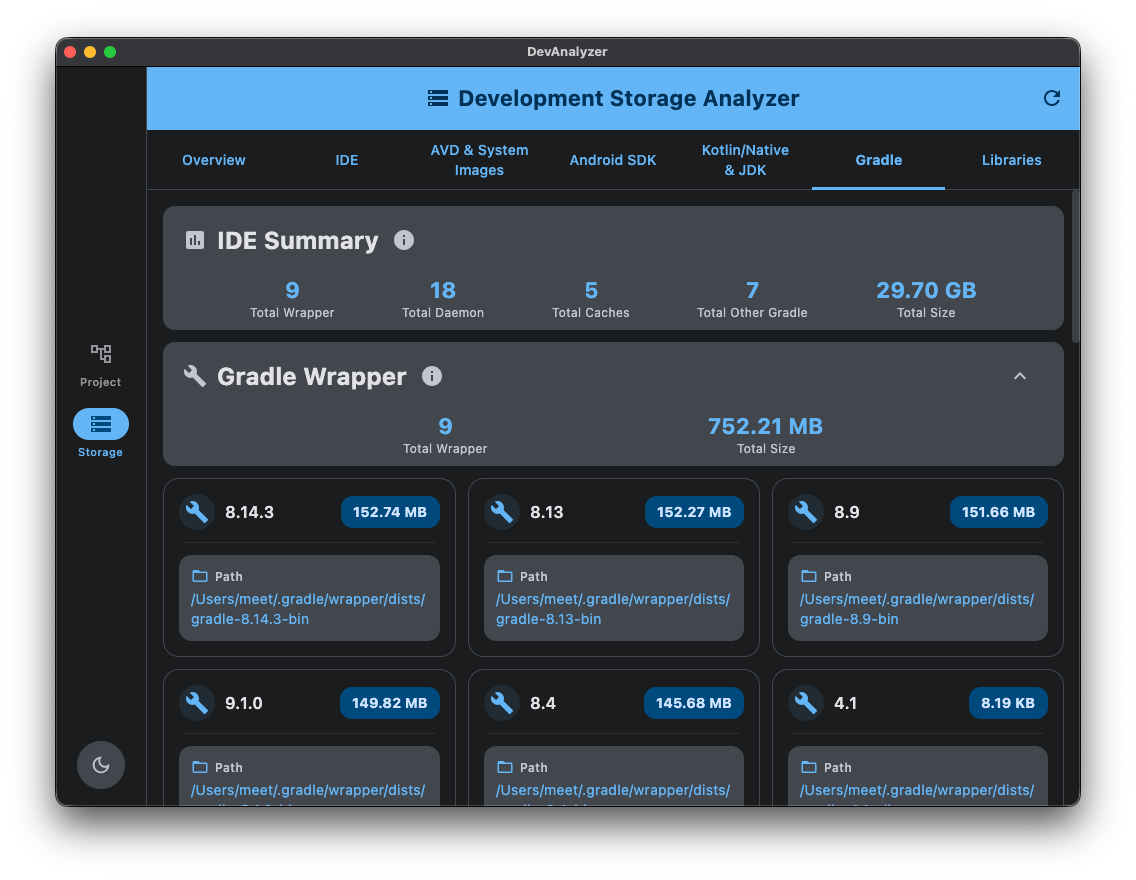
- 💡 Get total storage summaries by component (SDK, IDE, Gradle, Library, etc.).
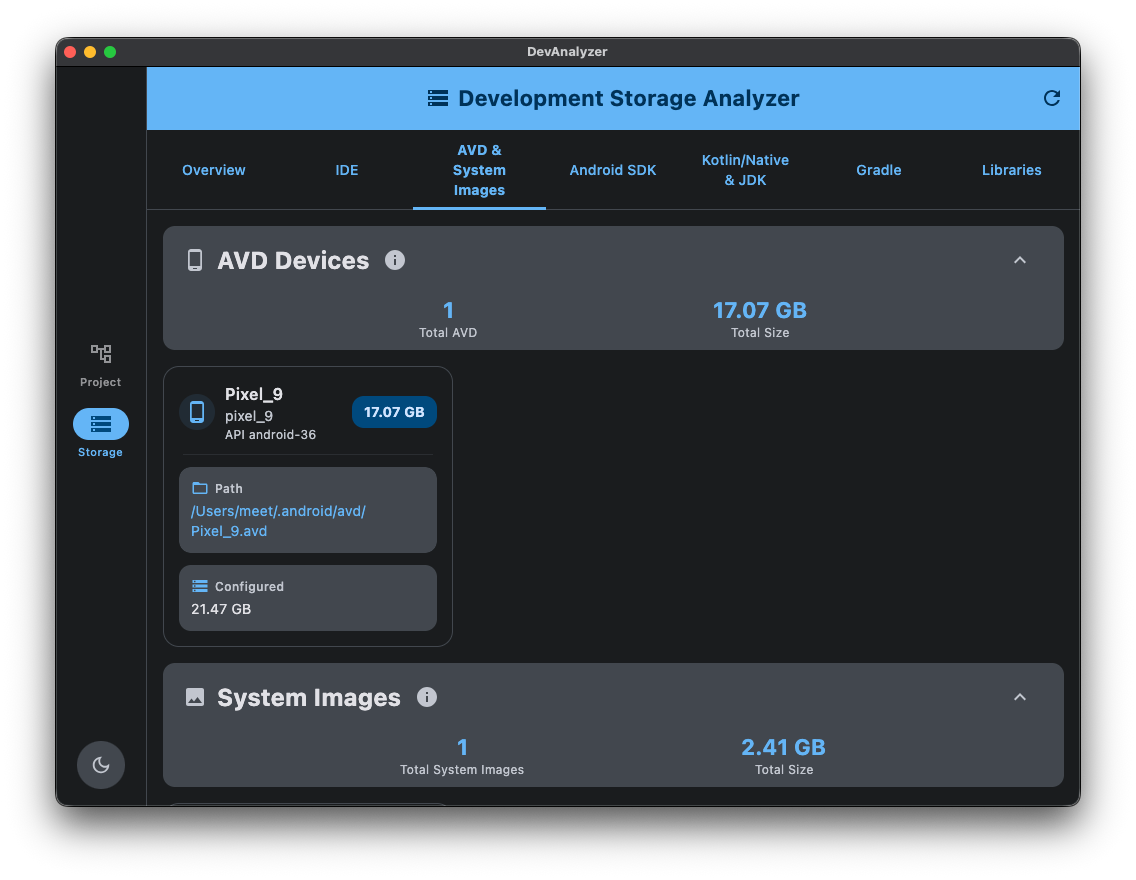
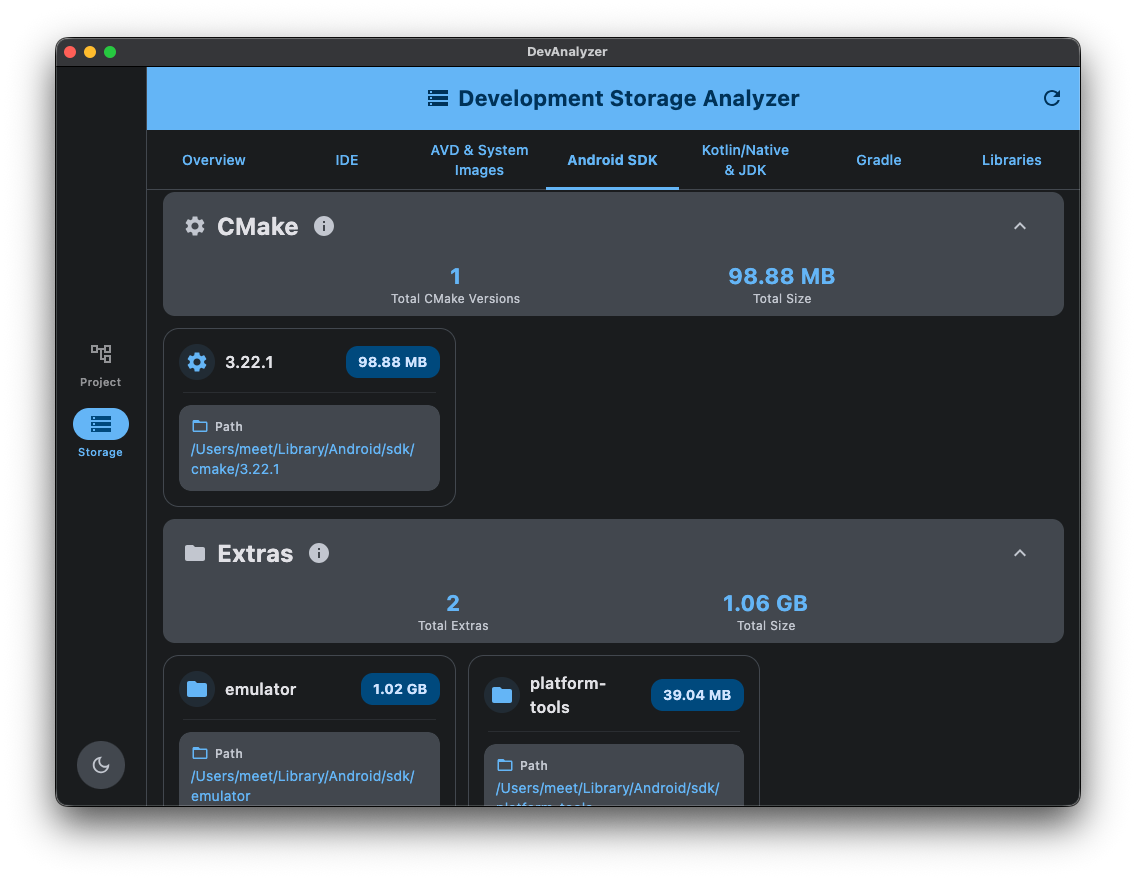
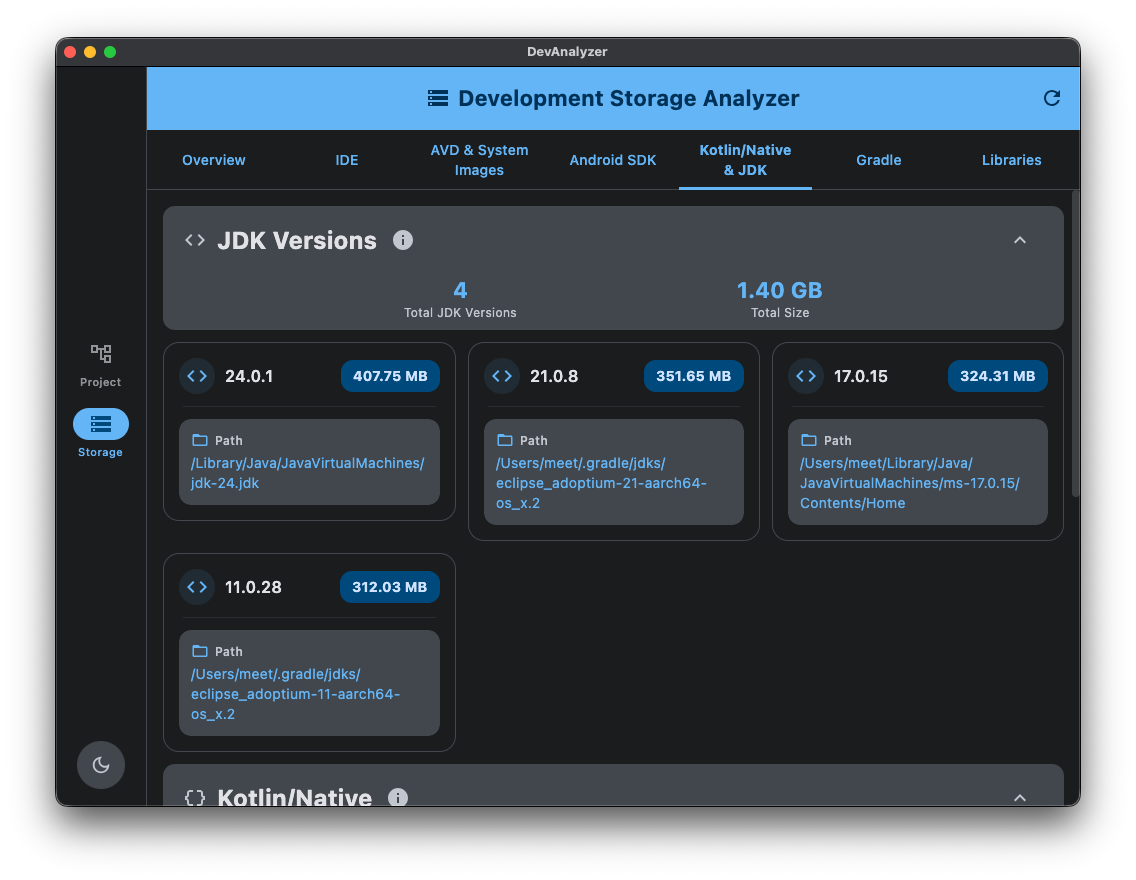
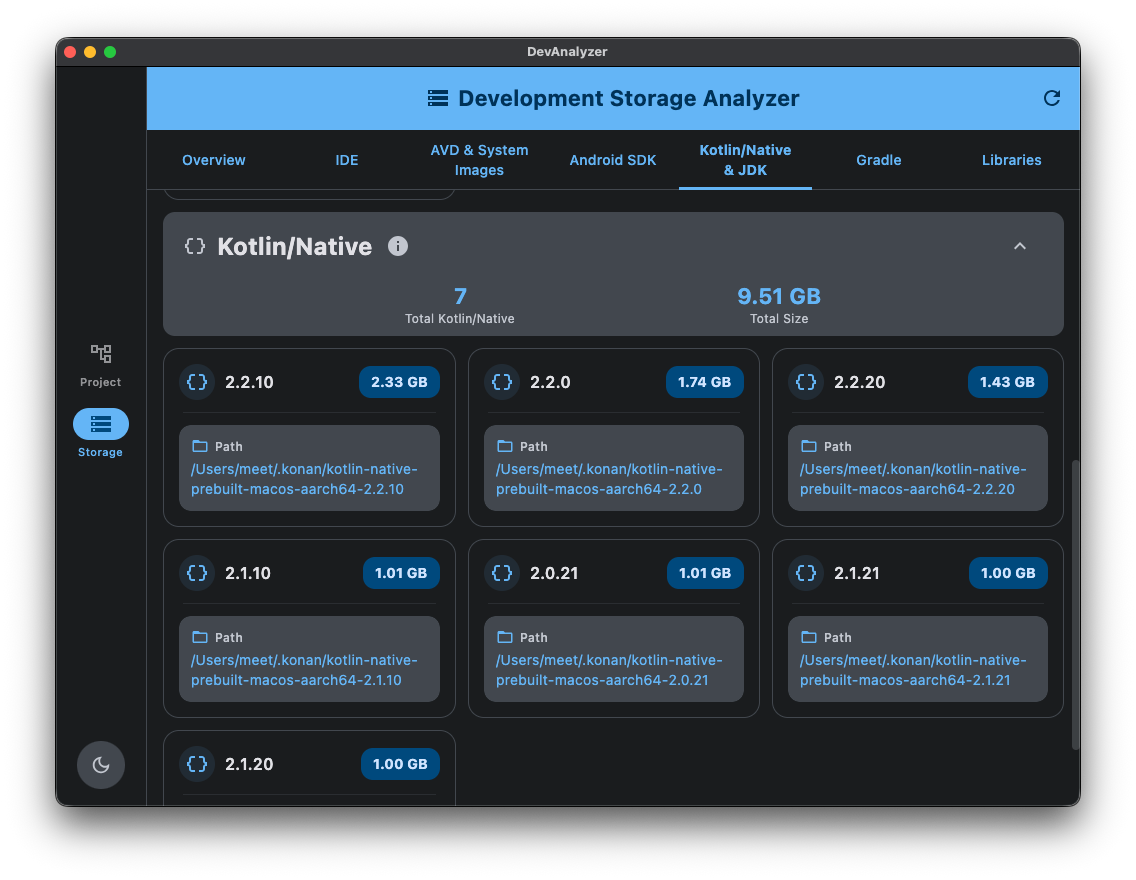
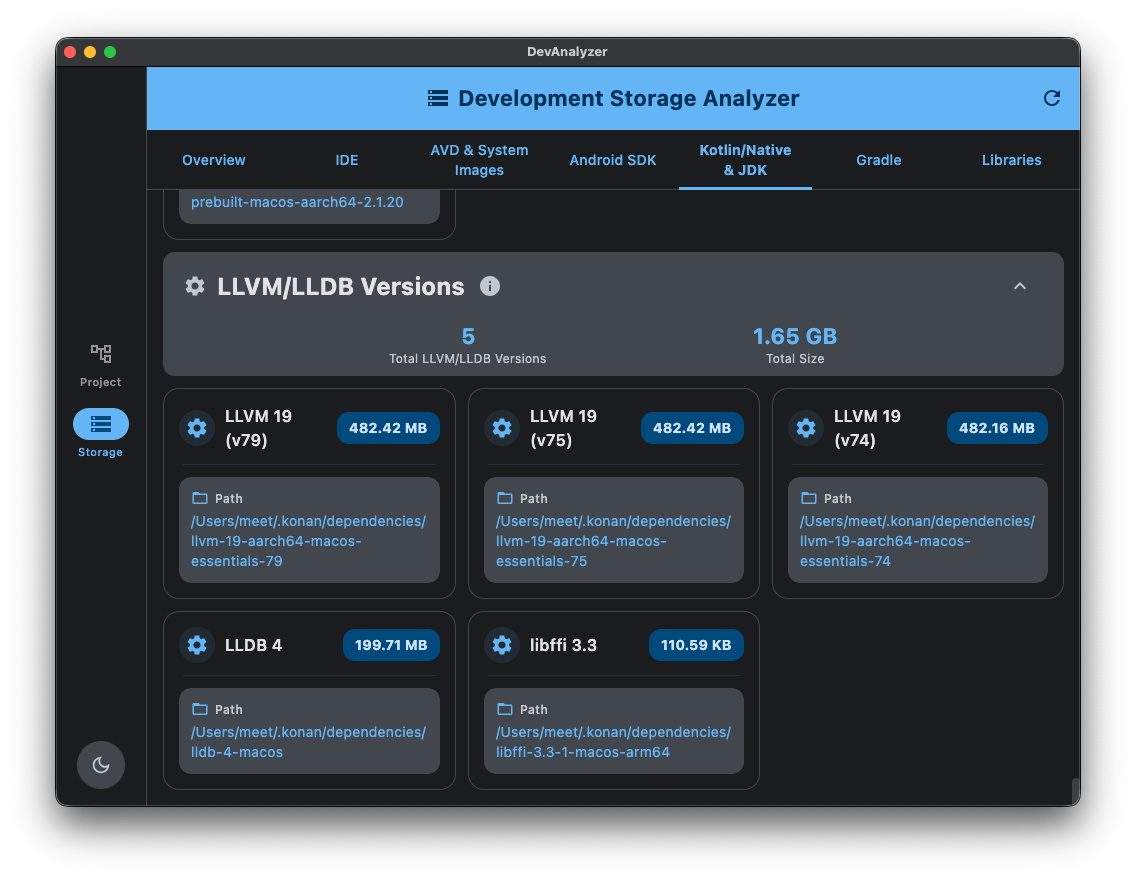
- 📊 Scan SDK, NDK, CMake, Kotlin/Native, JDK and Extras directories.
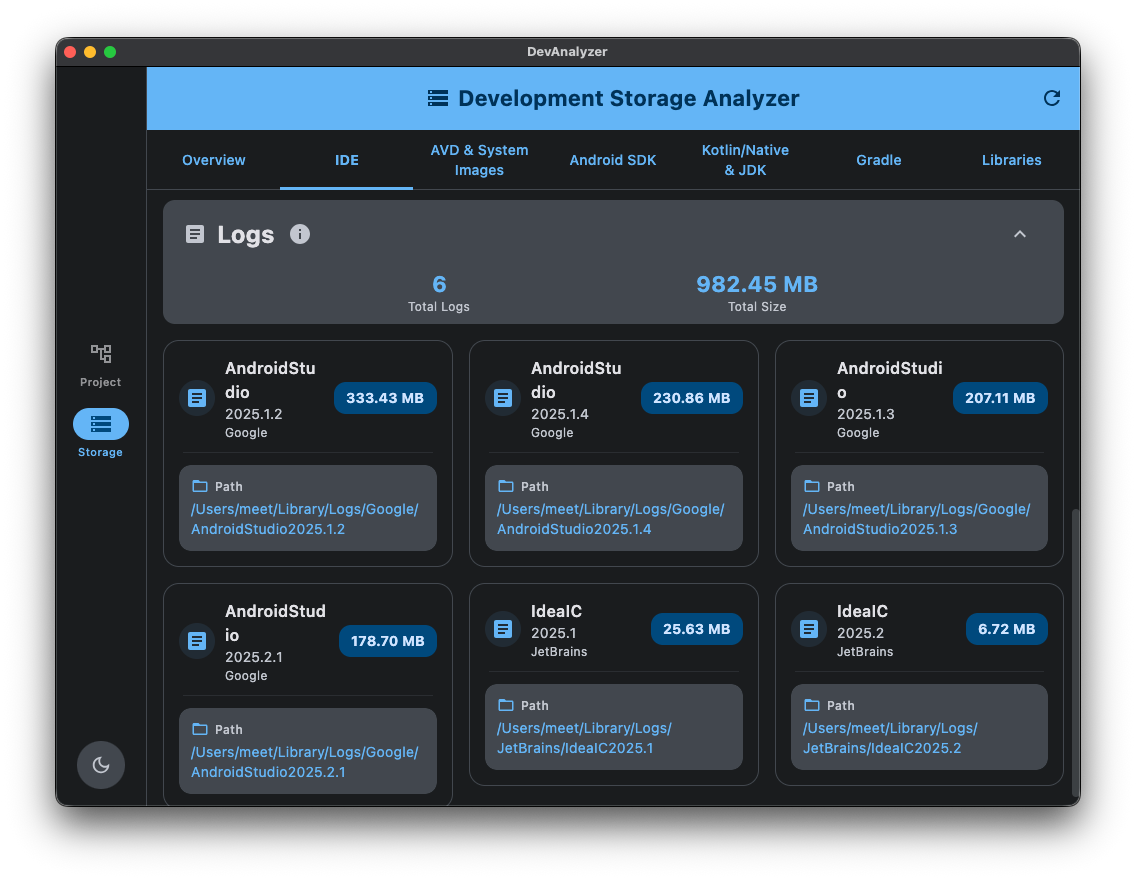
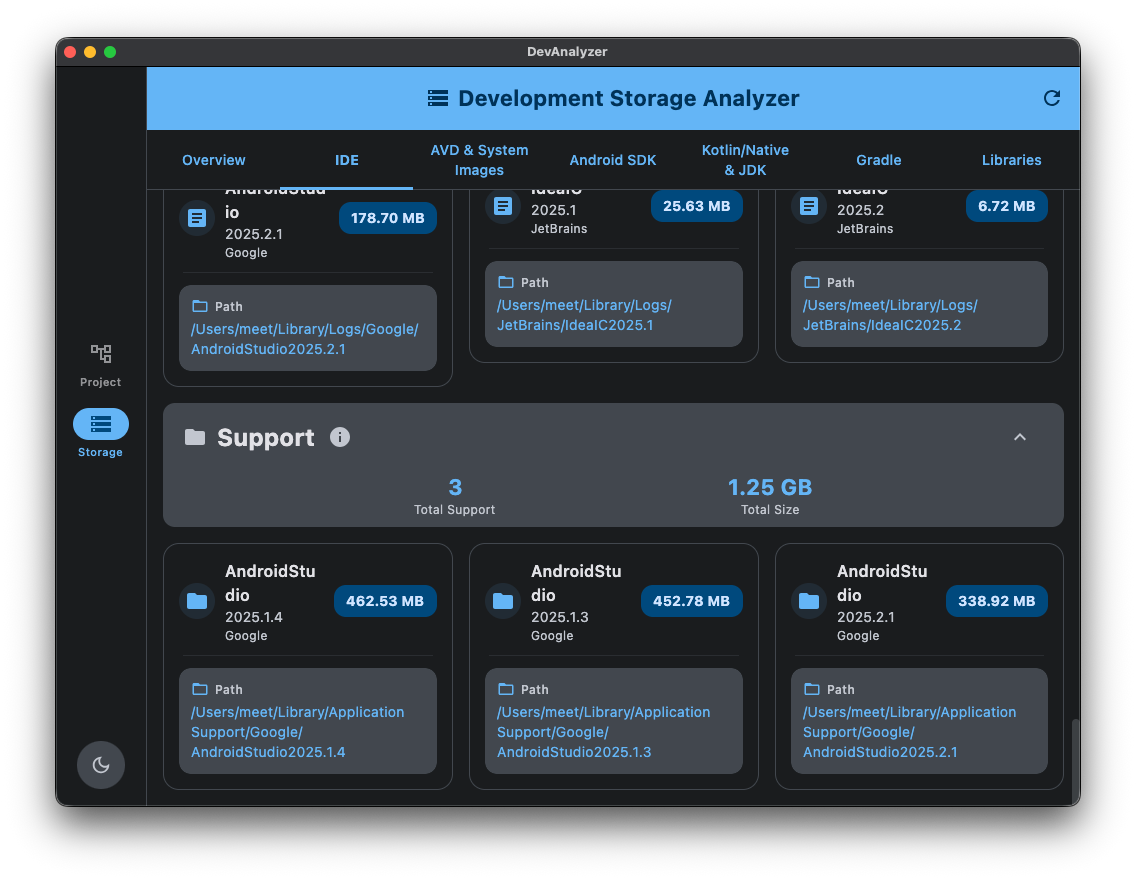
- 📄 Analyze IDE data (Android Studio, IntelliJ) including logs, caches, and support files.
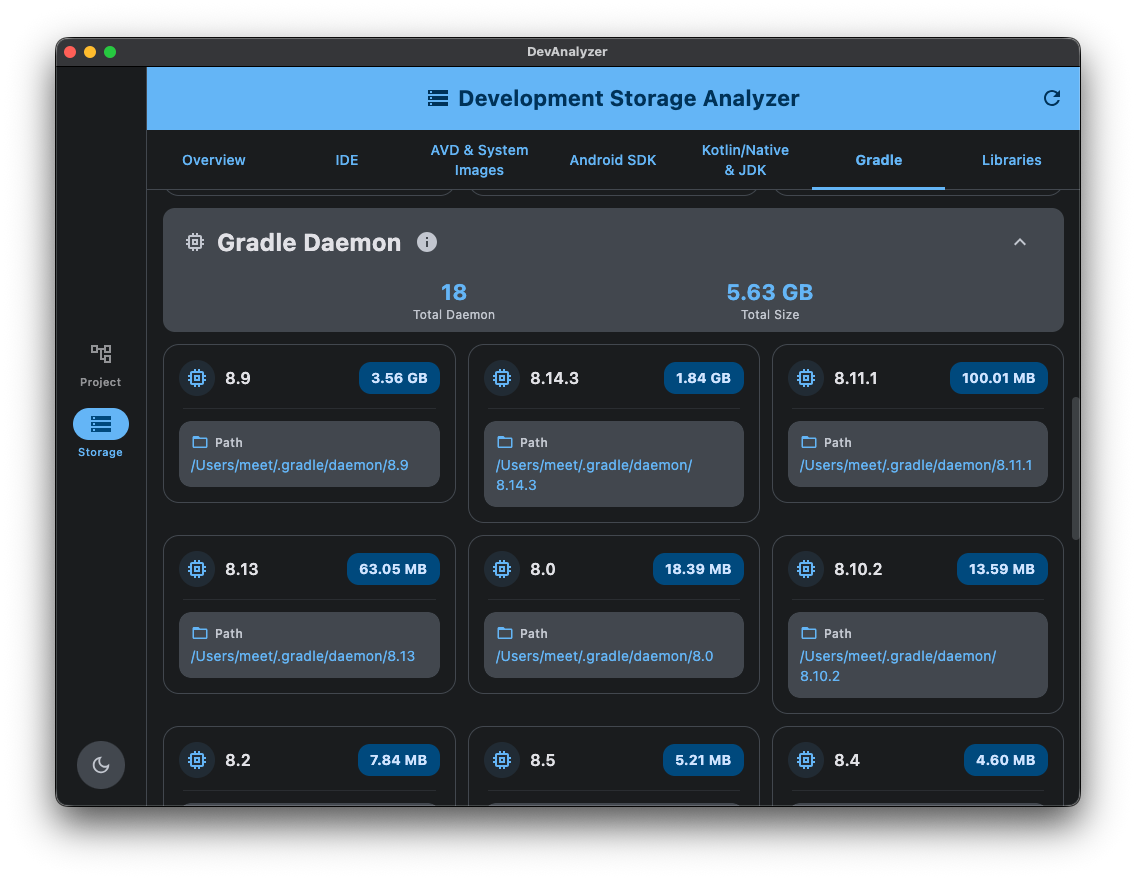
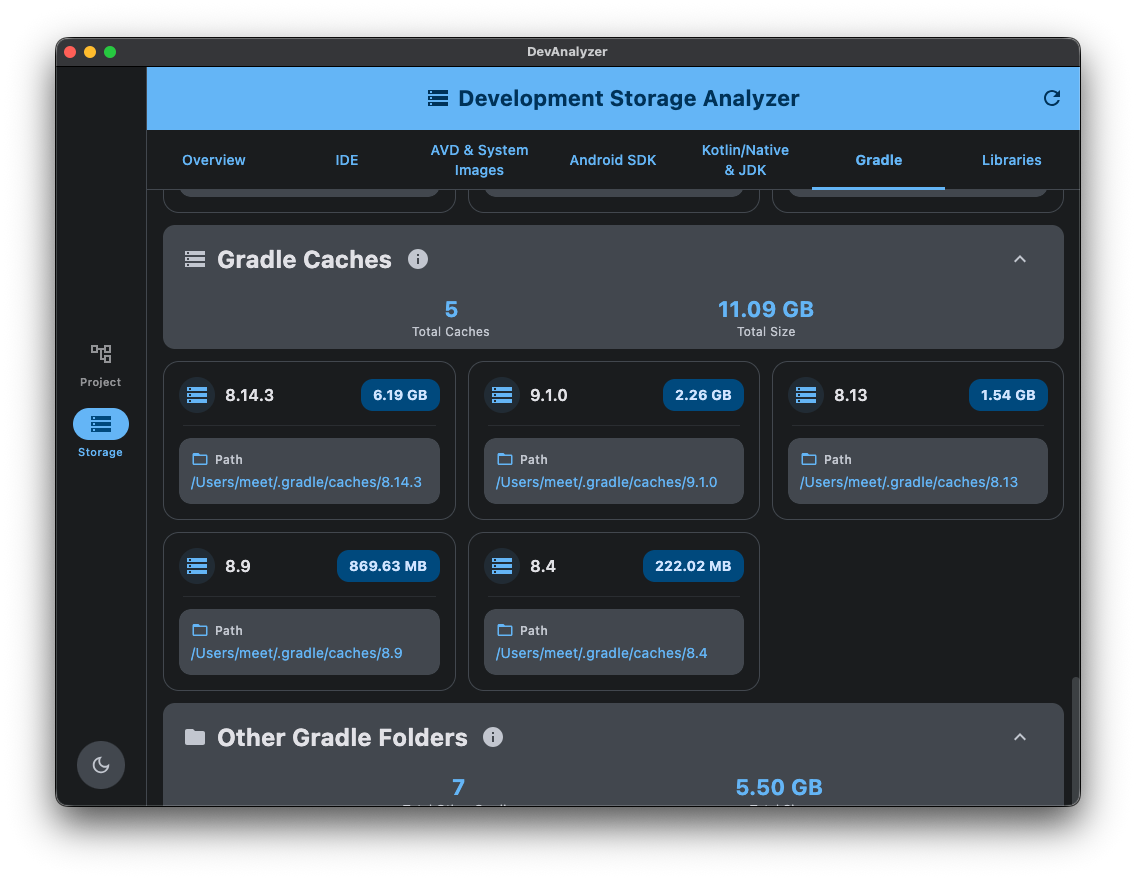
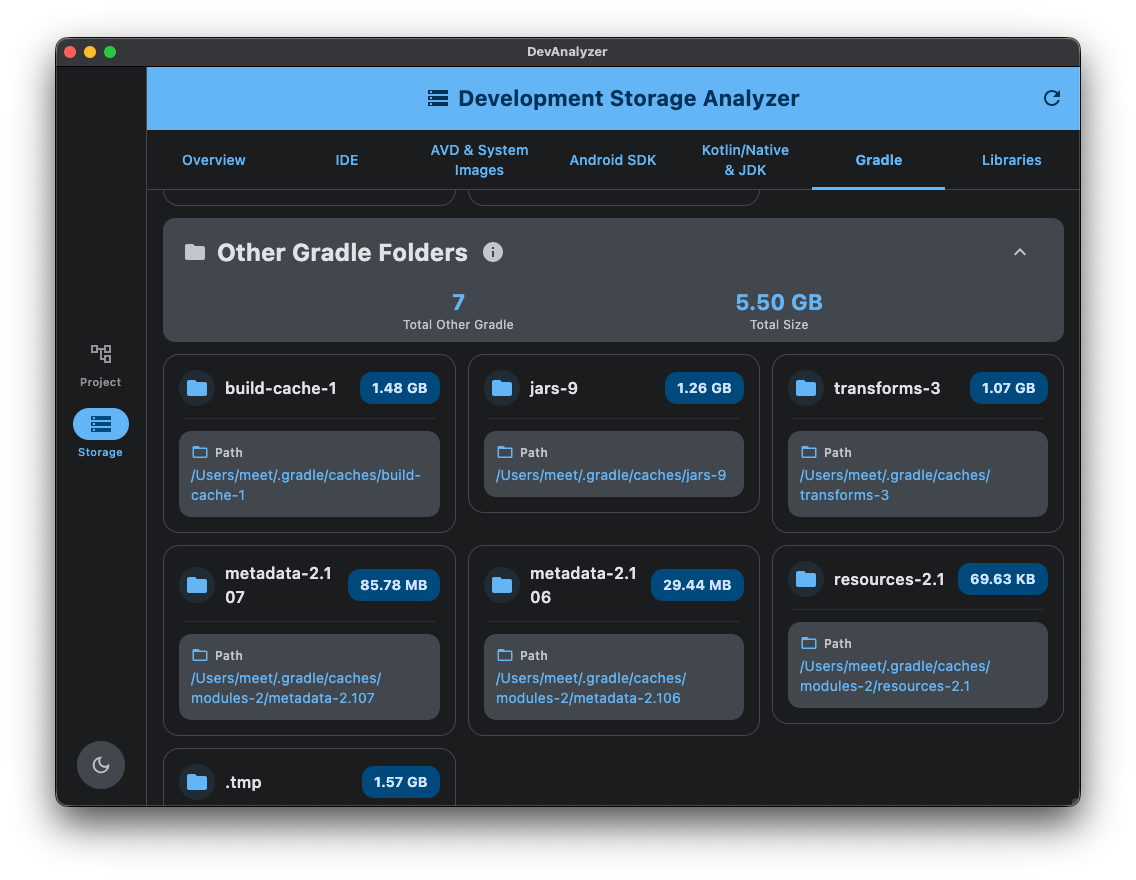
- 🧠 Inspect Gradle Daemons, Wrappers, and Cached Libraries.
- ⚡ Real-time progress tracking with elapsed time display.
- 📁 Support for multiple JDK paths and IDE locations.
⚙️ Settings
- 🛠️ Configure custom paths for:
- Android SDK location
- Gradle User Home directory
- Kotlin Native cache
- Android Studio/IDE locations
- ✅ Path validation and existence status indicators
- 🔄 Reset to default paths option
- 🪵 Crash logging
🧰 Tech Stack
| Category | Libraries & Tools |
|---|---|
| Framework | Compose Multiplatform |
| Language | Kotlin 2.x (Multiplatform) |
| Architecture | MVVM |
| Design System | Material 3 with Adaptive Navigation Suite |
| Dependency Injection | Koin |
| Navigation | Jetpack Navigation for Compose |
| Image Loading | Coil3 (Compose + Ktor + Multiplatform) |
| Local Storage | DataStore (Core + Preferences) |
| Serialization | kotlinx.serialization |
| Logging | Kermit (TouchLab Multiplatform Logger) |
| File Handling | FileKit (Dialogs + Compose) |
| Theme Detection | JSystemThemeDetector |
| Semantic Versioning | SemVer (z4kn4fein/semver) |
| Coroutines | kotlinx.coroutines + Swing Dispatcher (Desktop) |
| Sentry | Sentry (Crash Reporting) |
| buildConfig | Buildkonfig |
🖥️ How to Run DevAnalyzer
After downloading the latest release from
the Releases page, follow the steps based on
your operating system.
Windows
- Download the
.msiinstaller from the Assets section. - Double-click the file and follow the setup instructions.
- Once installed, you can launch DevAnalyzer from the Start menu.
macOS
- Download the
.dmgfile from the Assets section. - Double-click it to open, then drag DevAnalyzer to the Applications folder.
- The first time you open the app, macOS might show a warning:
“DevAnalyzer can’t be opened because it is from an unidentified developer.”
To fix this:
- Open System Settings → Privacy & Security
- Scroll down to Security
- Click Allow Anyway next to “DevAnalyzer”
- Reopen the app — it will launch successfully.
macOS sometimes blocks unsigned apps for security reasons. Once allowed from Privacy & Security,
the app will work normally.
Linux (Ubuntu/Debian)
- Download the
.debpackage from the Assets section. - Open a terminal in the download directory and run:
shell
sudo dpkg -i devanalyzer_1.0.0-1_amd64.deb - After installation, you can launch the app from your system menu or by running:
shell
devanalyzer
Run from Source (Development Mode)
If you want to build and run the app from source:
macOS/Linux
shell./gradlew :composeApp:run
Windows
shell.\gradlew.bat :composeApp:run
Contributing 🤝
Contributions, issues, and feature suggestions are always welcome! 🙌
If you have ideas to make DevAnalyzer better, feel free to open a pull request or start a
discussion.
❤ Show your support
Give a ⭐️ if this project helped you!
<a href="https://www.buymeacoffee.com/codingmeet" target="_blank"> <img src="https://cdn.buymeacoffee.com/buttons/v2/default-yellow.png" alt="Buy Me A Coffee" width="160"> </a>Your generosity is greatly appreciated! Thank you for supporting this project.
Connect with me



Author
Meet
Screenshots
Development Project Analyzer Feature
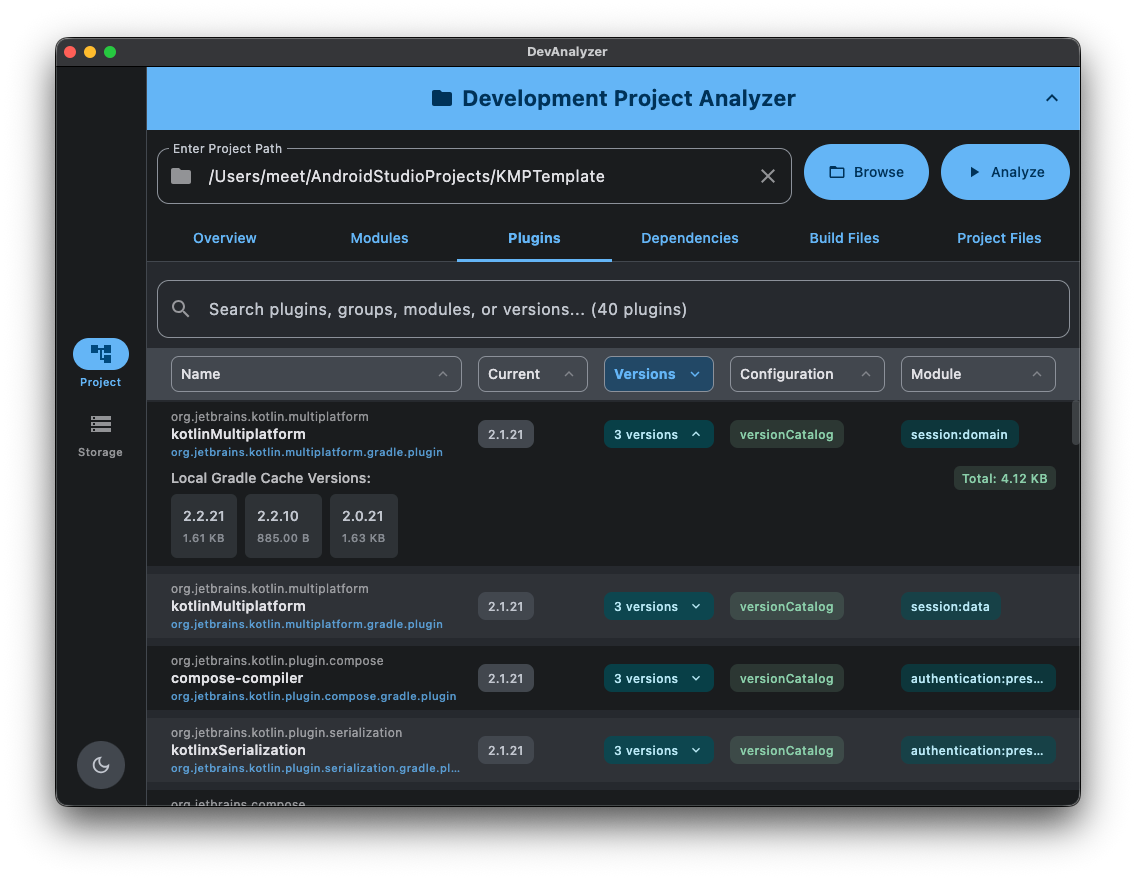
Development Storage Analyzer Feature
Contributors
Showing top 1 contributor by commit count.
