Share me
An image and video hosting platform for your server, with rich embed support and API.
A selfhosted image and video uploading platform that uses Next.js and PocketBase. An open-source alternative to Imgur. The project is written primarily in TypeScript, distributed under the MIT License license, first published in 2023. Key topics include: image-hosting, imgur, nextjs, pocketbase, react.



Share Me
A selfhosted image and video uploading platform that uses Next.js and PocketBase. An open-source alternative to Imgur.
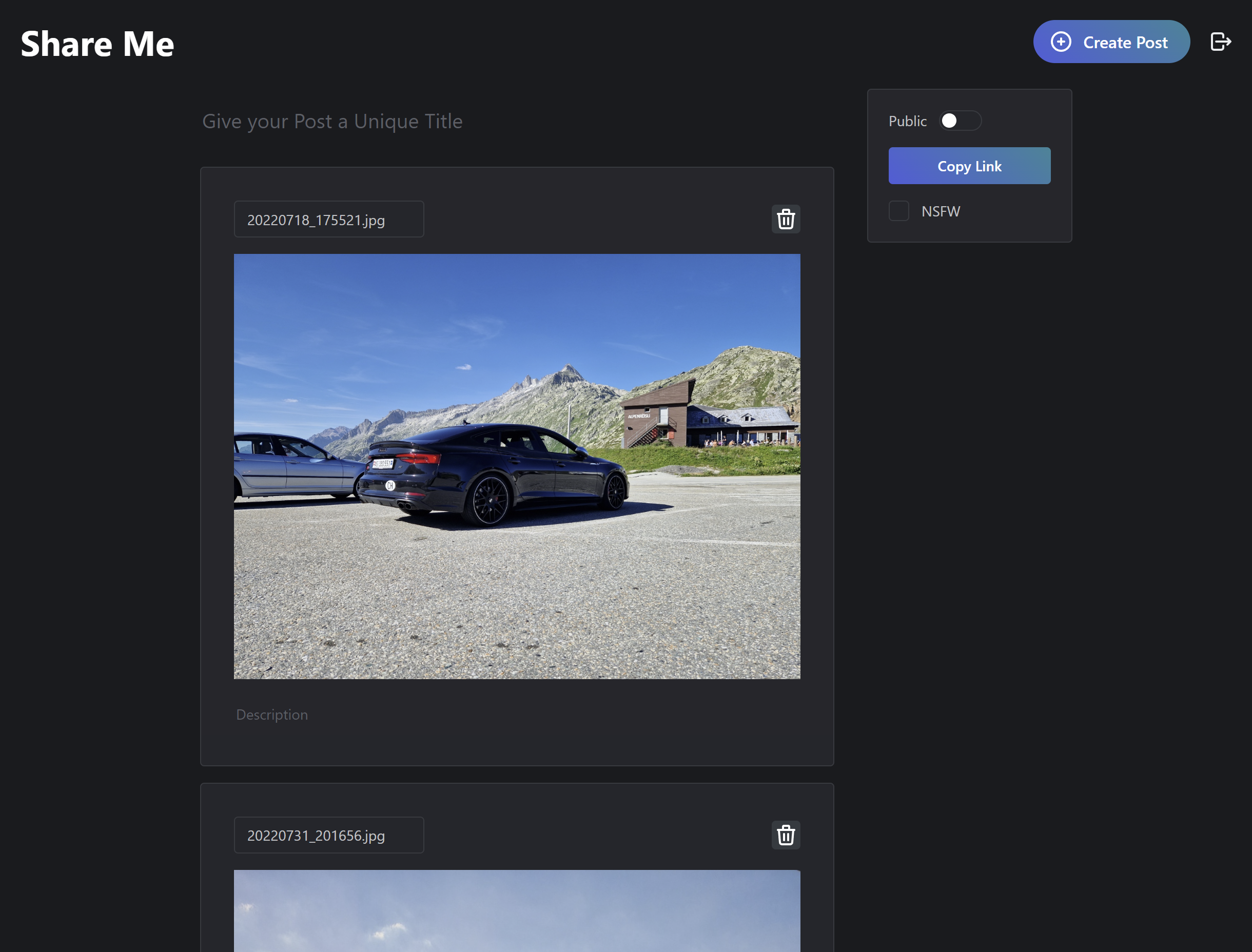
More screenshots can be found in the screenshots directory.
Features
- Full-Page Drag/Drop and Paste Support
- Share Post URLs, Mark Post Public/NSFW
- Generate OpenGraph and Twitter Metadata for Social Media Embeds
- Supports WhatsApp, Discord, Twitter, Facebook and More
- PocketBase Backend with Support for the Following:
- Username/Email Sign-up and Login
- OIDC Authentication
- SMTP Mail Server for Verification Mails (WIP)
- S3 Configuration for File Storage
- Configurable File Size Limit
- Fast Database Using SQLite
- Admin UI and REST APIs with JavaScript and Dart Client SDKs
Usage
Share Me can be deployed to your own infrastructure with Docker. For more information see Deployment.
Once the initial setup is complete, head to the URL of your Share Me instance. You will be redirected to /login if you aren't logged in yet. Alternatively, you can create an account under /sign-up.
To create posts simply go back to the homepage after logging in, and
Deployment
Use the sample docker-compose.yml to deploy your Share Me instance. This will deploy a PocketBase server at port :8080 and the Next.js frontend to :3000.
PocketBase URL
You can set the PocketBase server URL with host:port in the POCKETBASE_URL environment variable or a hostname if deployed with a reverse proxy.
Reverse Proxy
If you have a reverse proxy such as Traefik or Apache, you can expose the application under / and the PocketBase API under /api/ as well as the admin UI under /_/. This will be the optimal setup for production. The POCKETBASE_URL should be set to https://shareme.example.com.
</details>ymlapiVersion: networking.k8s.io/v1 kind: Ingress metadata: name: share-me spec: rules: - host: shareme.example.com http: paths: - backend: service: name: share-me-frontend port: name: http path: / pathType: Prefix - backend: service: name: share-me-server port: name: http path: /api/ pathType: Prefix - backend: service: name: share-me-server port: name: http path: /_/ pathType: Prefix
Adding a Tracking Script
Share Me supports Umami tracking scripts, in case you want analytics for your Share Me instance.
To add the tracking script, set the two following environment variables:
iniUMAMI_WEBSITE_ID=<umami-website-id> UMAMI_JS=<umami-js>
Configuration
S3
S3 can be configured in PocketBase under Settings > Files storage. You can enable S3 and provide AWS S3 configurations or an S3-compatible API such as MinIO or DigitalOcean Spaces.
SMTP
SMTP is used by Share Me for email verification (WIP). To configure a mail server head to Settings > Mail settings and configure your SMTP server.
File Size Limit
The default file size limit is about 5MB and can be changed in the PocketBase UI. Head to Collections > files > Settings (cog icon) and edit the file column settings. Set the Max file size to whatever you want.
Authentication
Providers
Share Me loads the configured PocketBase authentication providers. Head to your PocketBase admin dashboard, go to Settings > Auth providers and configure the ones you want to use.
Disabling Username/Password
To disable username/password and email/password login if you only want to allow access via SSO, go to Collections > users > Settings (cog icon) > Options and disable/enable the methods you want.
If you only want to disable sign-up, remove the "create" API rules to only allow admins to create new users. You can set the SIGNUP_ENABLED environment variable in the frontend to disable the sign-up page and remove links to it.
Contributions
🚧 WIP
License
This project is licensed under MIT.
Support
<div style="display: flex; justify-content: center"> <a href="https://www.buymeacoffee.com/dan6erbond"><img src="https://img.buymeacoffee.com/button-api/?text=Buy me a coffee&emoji=&slug=dan6erbond&button_colour=5F7FFF&font_colour=ffffff&font_family=Lato&outline_colour=000000&coffee_colour=FFDD00" /></a> </div>Contributors
Showing top 1 contributor by commit count.

Related Repositories

MarSeventh/CloudFlare-ImgBed
🏖️ A serverless, open-source file hosting solution built on Cloudflare. Supports image hosting, secure file storage, and personal cloud drive capabilities.

XPoet/picx
🏞️ PicX 是一款基于 GitHub API 开发的图床工具,提供图片上传托管、生成图片链接和常用图片工具箱服务。

cf-pages/Telegraph-Image
Image Hosting solution, Flickr/imgur alternative, make it easy for users to share their images. Using Cloudflare Pages and Telegraph.

rodber/chevereto-free
👉 Go to chevereto/chevereto for newer Chevereto releases. Self-hosted image sharing software, your own Flickr/Imgur with your very own rules.

mayeaux/nodetube
Open-source YouTube alternative that offers video, audio and image uploads, livestreaming and built-in monetization

Hello-hao/Tbed
Hellohao图床 | 图像托管 | 云相册,分享/水印、存储源分发、图像管理、前后端分离。