

SharpShellPipe
This lightweight C# demo application showcases interactive remote shell access via named pipes and the SMB protocol.
This lightweight C# application serves as a demonstration of how simple it is to interactively access a remote system's shell via named pipes using the SMB protocol. It includes an optional encryption layer leveraging AES GCM, utilizing a shared passphrase between both the server and the client. If you're interested in an example that employs both AES GCM and RSA for additional security, consider checking out another one of my projects, [SharpFtpC2](https://github.com/DarkCoderSc/SharpFtpC2). Im... The project is written primarily in C#, distributed under the Apache License 2.0 license, first published in 2023. Key topics include: adversary-simulation, csharp, infosec, namedpipe, namedpipes.
SharpShellPipe
Project Description
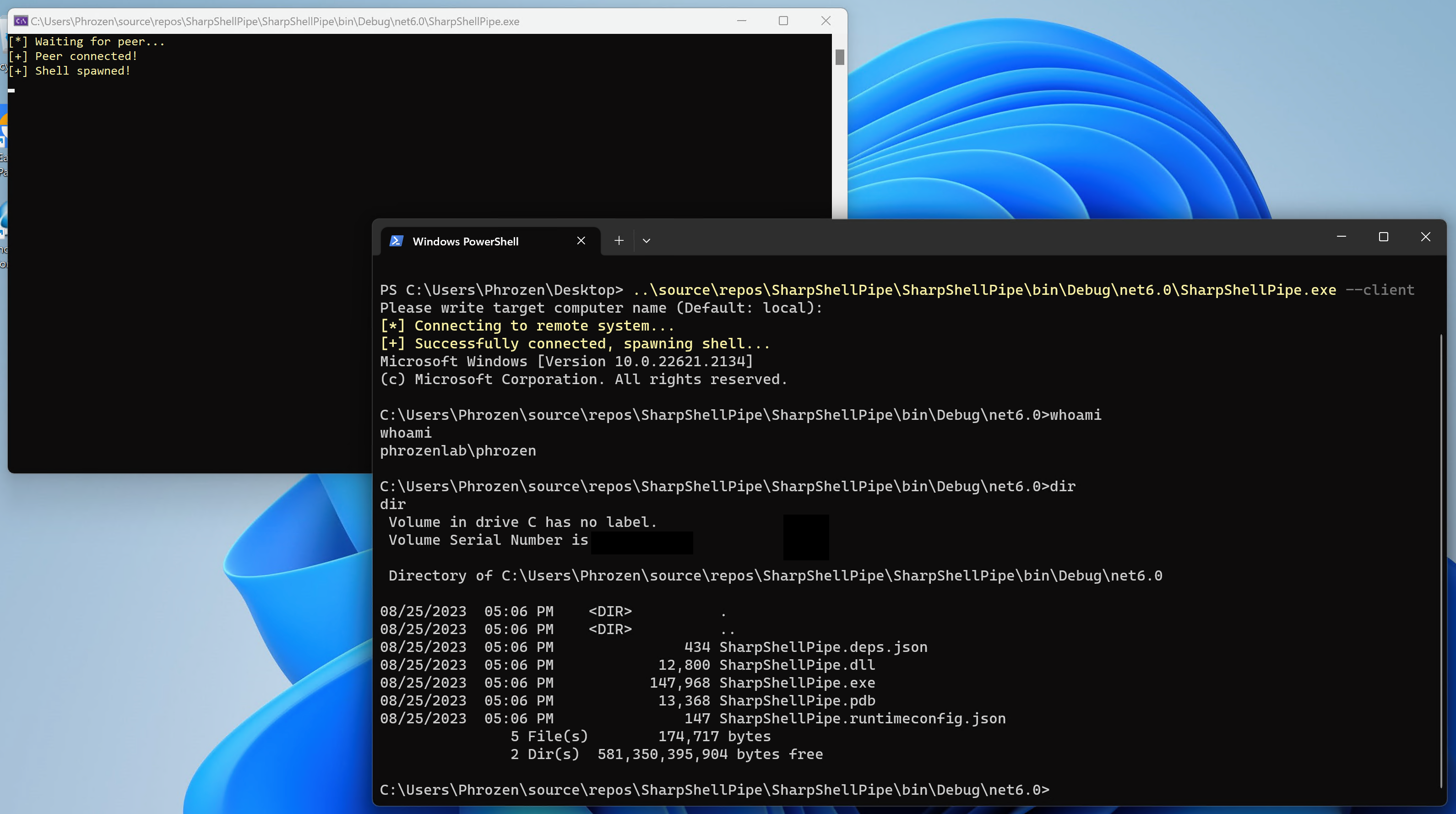
This lightweight C# application serves as a demonstration of how simple it is to interactively access a remote system's shell via named pipes using the SMB protocol. It includes an optional encryption layer leveraging AES GCM, utilizing a shared passphrase between both the server and the client. If you're interested in an example that employs both AES GCM and RSA for additional security, consider checking out another one of my projects, SharpFtpC2. Implementing that security layer into this project would also be relatively straightforward.
Exercise caution if you decide to use this project in a production environment; it was not designed for such use. Proceed at your own risk. The primary aim of this project is to illustrate a well-known network evasion detection technique that will soon be featured on the Unprotect Project website.
Usage
Server (Broadcast the Shell)
SharpShellPipe.exe
This is the computer you wish to access to.
Options
| Parameter | Type | Default | Description |
|---|---|---|---|
--passphrase (-p) | String | None | A passphrase that will enable and encrypt all traffic between the server and the client is highly recommended. |
| --username | String | None | An existing Microsoft Windows local user account. |
| --password | String | None | Password of specified user account. |
| --domain | String | None | specify the domain of the user account under which the new process is to be started. |
Examples
Start the named pipe server as the current user with traffic encryption enabled:
powershellSharpShellPipe.exe -p "myp4ssw0rd!"
Start the named pipe server as another user (darkcodersc) without traffic encryption:
powershellSharpShellPipe.exe --username "darkcodersc" --password "winpwd"
Client (Receive the Shell)
SharpShellPipe.exe --client
Options
| Parameter | Type | Default | Description |
|---|---|---|---|
| --client (*) | String | None | Enable client mode; server mode is the default setting. |
--name (-n) | String | "." | Specify the target machine name where the named pipe server is waiting for connections. By default, the connection attempt is made to the local machine. |
--passphrase (-p) | String | None | A passphrase that will enable and encrypt all traffic between the server and the client is highly recommended. |
* = Mandatory Options
Examples
Connect to the named pipe server on the local machine with traffic encryption enabled:
powershellSharpShellPipe.exe --client -p "myp4ssw0rd!"
Connect to the named pipe server on Phrozen machine without traffic encryption:
powershellSharpShellPipe.exe --client --name "Phrozen"
Changelog
(2025/02/21) V2.0
- Implement command line argument parsing instead of prompting the user.
- Make several improvements and fix glitches.
- It is now possible to spawn a shell as a different Windows user using RunAs.
Contributors
Showing top 1 contributor by commit count.

Related Repositories

BishopFox/sliver
Adversary Emulation Framework

S3N4T0R-0X0/APTs-Adversary-Simulation
This repository contains detailed adversary simulation APT campaigns targeting various critical sectors. Each simulation includes custom tools, C2 servers, backdoors, exploitation techniques, stagers, bootloaders, and other malicious artifacts that mirror those used in real world attacks .

mvelazc0/PurpleSharp
PurpleSharp is a C# adversary simulation tool that executes adversary techniques with the purpose of generating attack telemetry in monitored Windows environments

ch33r10/EnterprisePurpleTeaming
Purple Team Resources for Enterprise Purple Teaming: An Exploratory Qualitative Study by Xena Olsen.

0xflux/Wyrm
The dragon in the dark. A red team post exploitation framework for testing security controls during red team assessments.

zarkones/XENA
XENA is an innovative C2 made fully in Go. With hacking automation features.