

Toon rp
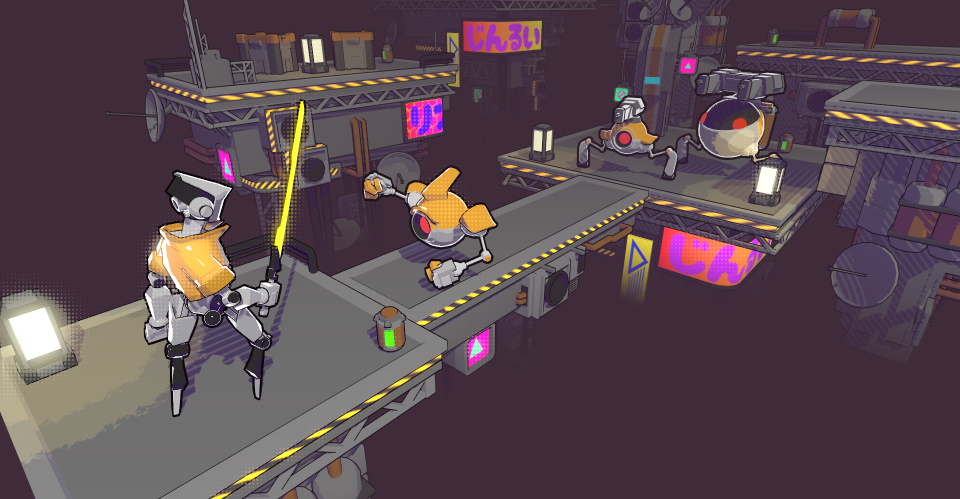
🌔 A Scriptable Render Pipeline (SRP) designed for toon/stylized visuals. Features custom lighting pipeline, multiple shadow algorithms, tiled lighting, Shader Graph support, and more.
A Scriptable Render Pipeline (SRP) designed specifically for toon/stylized visuals. The project is written primarily in C#, distributed under the MIT License license, first published in 2023. Key topics include: cel-shading, render-pipeline, scriptable-render-pipeline, shader, shader-graph.
Toon Render Pipeline (Unity SRP)


A Scriptable Render Pipeline (SRP) designed specifically for toon/stylized visuals.
🚧 The project is in its early stages and has not been tested in production.
⚠️ The project only supports Linear color space.
📝 The development progress can be tracked via Issues and Project Board.
Unity Version
🔨 Developed and verified with Unity 2022.3.12f1 LTS and Core RP Library v14.0.9.
Verified Platforms
- Windows (DirectX 11, DirectX 12, Vulkan, OpenGL)
- Android (OpenGL ES 3.0+, Vulkan)
- WebGL 2.0
- XR (see XR Wiki page for full info)
⚠️ Other platforms may work but have not been tested yet.
Table of Contents
Features
See the project Wiki for the full feature list.
- Full customization of the lighting ramp: arbitrary threshold, smoothness, and number of steps.

- Shadows: multiple options for soft shadows and stylization.
| Crisp Shadows | Soft Shadows | Blob Shadows |
|---|---|---|
- Optional Tiled Lighting (Forward+): render many realtime lights.


Installation
📝 Note: to install the package for an older Unity version, refer to the Installation page.
1. Add the package
Option 1
- Open Package Manager through
Window/Package Manager - Click "+" and choose "Add package from git URL..."
- Insert the URL:
https://github.com/Delt06/toon-rp.git?path=Packages/com.deltation.toon-rp
Option 2
Add the following line to Packages/manifest.json:
"com.deltation.toon-rp": "https://github.com/Delt06/toon-rp.git?path=Packages/com.deltation.toon-rp",
2. Create a pipeline asset
Inside the Project window, right click and select Create/Toon RP/Toon Render Pipeline Asset.
3. Set the pipeline asset
Go to Edit/Project Settings/Graphics and set the field Scriptable Render Pipeline Settings with the newly created pipeline asset.
References
Used Assets
Contributors
Showing top 1 contributor by commit count.
Related Repositories

JasonMa0012/MooaToon
The Ultimate Solution for Cinematic Toon Rendering in UE5

Delt06/urp-toon-shader
🌔 Toon shader for Unity's Universal Render Pipeline.

nikolausrauch/software-rasterizer
C++ CPU Software-Rasterizer

lvoxx/LSCherry
This Toon Shader Framework for Blender is designed to be compatible with cross-toon materials. It has been implemented and evolved from aVersionOfReality's Toon Shader.

daniel-ilett/cel-shading
A collection of shaders used to demonstrate cel-shading in Unity.