

Backdash
C# Rollback network SDK
Highly configurable and extensible implementation of [Rollback Netcode](https://en.wikipedia.org/wiki/Netcode#Rollback) with full asynchronous IO. The project is written primarily in C#, distributed under the MIT License license, first published in 2023. Key topics include: fighting-game, gamedev, ggpo, library, multiplayer.






Backdash 🕹️
Highly configurable and extensible implementation
of Rollback Netcode with full asynchronous IO.
Heavily inspired by GGPO.
Overview
Traditional techniques account for network transmission time by adding delay to a players input, resulting in a
sluggish, laggy game-feel. Rollback networking uses input prediction and speculative execution to send player inputs to
the game immediately, providing the illusion of a zero-latency network. Using rollback, the same timings, reactions,
visual and audio queues, and muscle memory your players build up playing offline will translate directly
online. Backdash is designed to make incorporating rollback networking (aka.
Rollback Netcode) into new and existing games as easy as possible.
Getting started
NuGet package available:
ps$ dotnet add package Backdash
[!TIP]
💡 Please check the DOCUMENTATION for usage details.
Demos:
| Title | Link |
|---|---|
| Terminal |  |
| Monogame Local |  |
| Monogame Lobby |  |
| Godot Lobby | 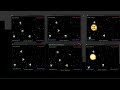 |
| Save/Load Replay | 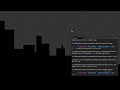 |
| Fighting Game | 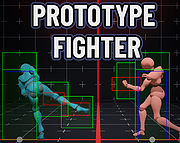 |
Samples
Check the samples on the /samples directory:
There are examples for up to 4 players:
- Simple console game
- Monogame SpaceWar 1
- Monogame SpaceWar with lobby over internet 21
- Godot SpaceWar with lobby over internet
Building from source
You need to have installed .NET 8 SDK
- Clone this repository.
- Restore tools
- On root directory run:
dotnet tool restore
- On root directory run:
- Building Library (root directory)
- SDK only:
dotnet nuke build --configuration Release- Alternatively open the solution file
Backdash.slnon your IDE.
- Alternatively open the solution file
- SDK and samples
dotnet nuke build-samples --configuration Release.- Alternatively open the solution file
Samples/Backdash.Samples.slnon your IDE.
- Alternatively open the solution file
- SDK only:
Licensing
Backdash is available under The MIT License. This
means Backdash is free for commercial and non-commercial use.
Attribution is not required, but appreciated.
Footnotes
-
If you are using ARM MacOS
you may need the x64 version of .NET SDK
to build some samples. ↩ ↩2 -
The sample needs a web server to
exchange players addresses. check the sampleREADME.mdfor more information. ↩
Contributors
Showing top 2 contributors by commit count.

![dependabot[bot]](https://avatars.githubusercontent.com/in/29110?v=4)