

Workspaces
Workspaces app for linux elementaryos gtk
Workspaces lets you configure and quickly launch all you need to work on a project. It can open in a second different instances of code, a specific website and a directory. The project is written primarily in Vala, distributed under the GNU General Public License v3.0 license, first published in 2020. Key topics include: appcenter, elementary, elementary-apps, gtk, vala.

Workspaces
Make working on different projects easy again!
</div> <div align="center">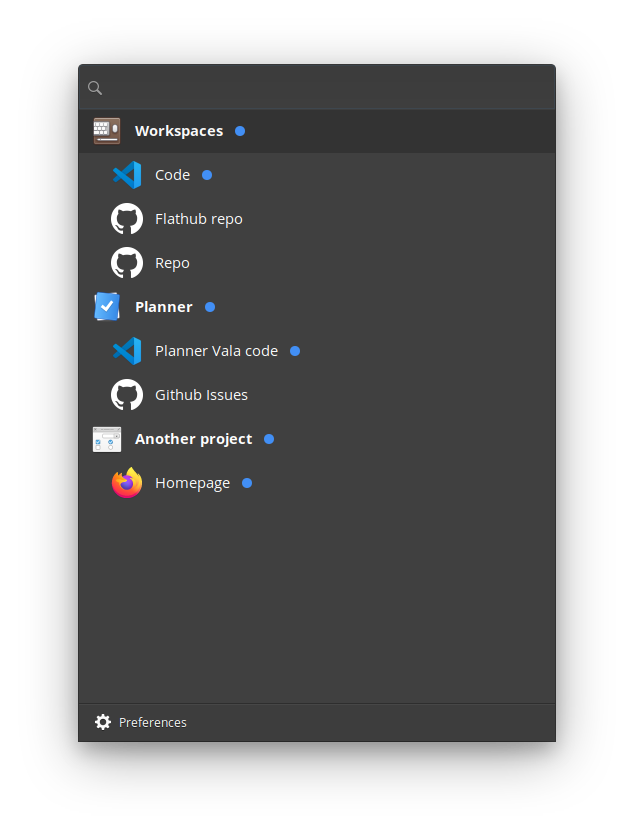
Introduction
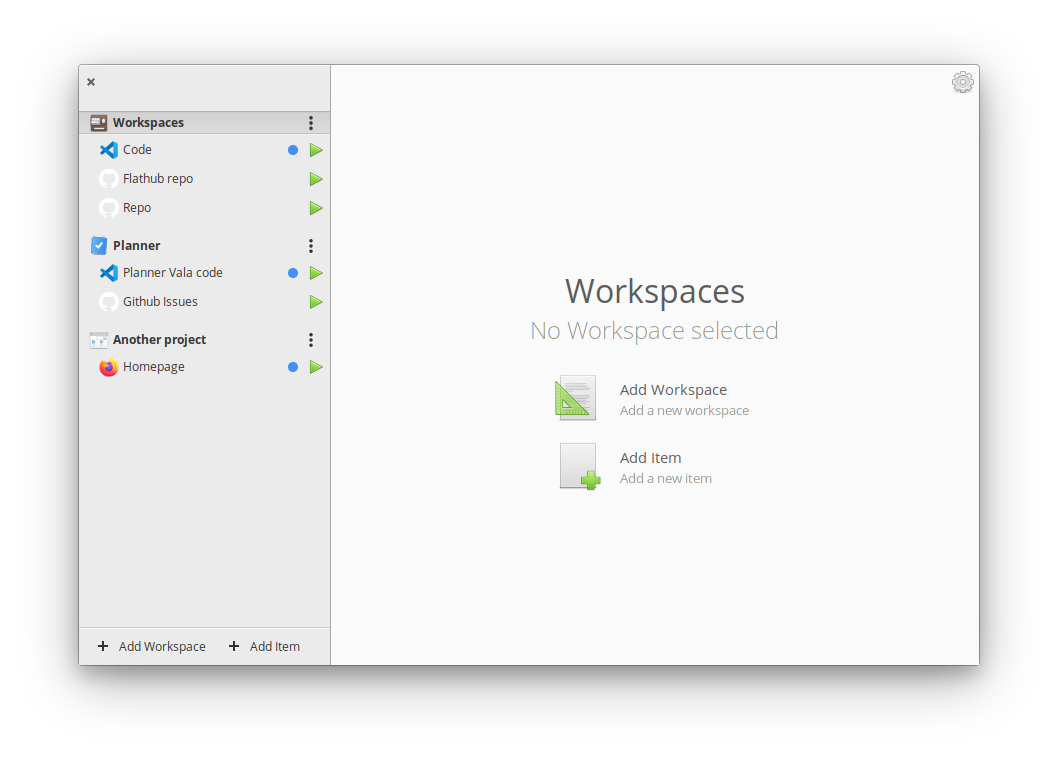
Workspaces lets you configure and quickly launch all you need to work on a project. It can open in a second different instances of code, a specific website and a directory.
Motivation
I normally work on different projects throught the day, and some of them require a lot of apps to have open, they have different urls etc.
With Workspaces I'm able with a click to open all the stuff I need for a project. I can also check links for github, isues etc for the projects.
I used to use the Workspaces app for mac and I made it very similar.
Installation


This app is available on the elementary OS AppCenter and Flathub.
Install it from source
You can of course download and install this app from source.
Dependencies
Ensure you have these dependencies installed
- granite
- gtk+-3.0
- json-glib-1.0
- libgee-0.8
- meson
- vala
- ninja
Install, build and run
Elementary OS
bash# install elementary-sdk, meson and ninja sudo apt install elementary-sdk meson ninja # clone repository git clone git@github.com:DevAlien/workspaces.git workspaces # cd to dir cd workspaces # run meson meson build --prefix=/usr # cd to build, build and test cd build sudo ninja install && com.github.devalien.workspaces
Ubuntu based
bash#Install meson sudo apt-get install python3 python3-pip python3-setuptools \ python3-wheel ninja-build sudo pip3 install meson #Install libraries sudo apt-get install libjson-glib-dev libgranite-dev libgee-0.8-dev libgtk-3-dev valac flatpak install --user flathub io.elementary.BaseApp//juno-19.08 # clone repository git clone git@github.com:DevAlien/workspaces.git workspaces # cd to dir cd workspaces # run meson meson build --prefix=/usr # cd to build, build and test cd build sudo ninja install && com.github.devalien.workspaces
Generating pot file
bash# after setting up meson build cd build # generates pot file sudo ninja com.github.devalien.workspaces-pot # to regenerate and propagate changes to every po file sudo ninja com.github.devalien.workspaces-update-po
Thanks/Credits
- Workspaces Where I got the idea.
- Tuner The creator of this app inspired me to build one myself.
- Clipped I took inspiration for the Quick Launch from this app.
- AppEditor Copied the edit part of the app, I will iterate over it in the next releases.
Contributors
Showing top 7 contributors by commit count.





Related Repositories

akiraux/Akira
Native Linux App for UI and UX Design built in Vala and GTK

ellie-commons/sequeler
SQL Client built in Vala

microsoft/appcenter-sdk-apple
Development repository for the App Center SDK for iOS, macOS and tvOS.

ueno-llc/react-native-starter
Professional react-native starter kit with everything you'll ever need to deploy rock solid apps

muriloventuroso/easyssh
The SSH connection manager to make your life easier.
microsoft/appcenter-sdk-react-native
Development repository for the App Center SDK for React Native