

GodotTouchInputManager
Asset that improves touch input support (includes new gestures) in the Godot game engine. It also translates mouse input to touch input.
Godot Touch Input Manager (GDTIM) is an asset that improves touch input support (includes [new gestures](#supported-gestures)) in the Godot game engine. You just need to autoload a script and it will start analyzing the touch input. When a gesture is detected a Custom Input Event corresponding to the detected gesture will be created and [fed up](https://docs.godotengine.org/en/stable/classes/class_input.html#class-input-method-parse-input-event) to the Godot built in Input Event system so it tri... The project is written primarily in GDScript, distributed under the MIT License license, first published in 2020. Key topics include: gdscript, gesture, gesture-recognition, gesture-recognizer, gestures.
Godot Touch Input Manager
Godot Touch Input Manager (GDTIM) is an asset that improves touch input support (includes new gestures) in the Godot game engine. You just need to autoload a script and it will start analyzing the touch input. When a gesture is detected a Custom Input Event corresponding to the detected gesture will be created and fed up to the Godot built in Input Event system so it triggers functions like _input(InputEvent event). There is also a signal for each gesture if you prefer using signals to the aforementioned.
There are two active PRs that add some GDTIM gestures as native Godot events, one for version 3.x and one for version 4.x, if you are interested, please show your support there.
Table of contents
How to use
- Download the latest release from https://github.com/Federico-Ciuffardi/Godot-Touch-Input-Manager/releases
- Extract the downloaded .zip file somewhere in you project
- Locate the extracted
InputManager.gd, and Autoload it. - Done! Now you can use GDTIM signals and Custom Input Events.
Examples
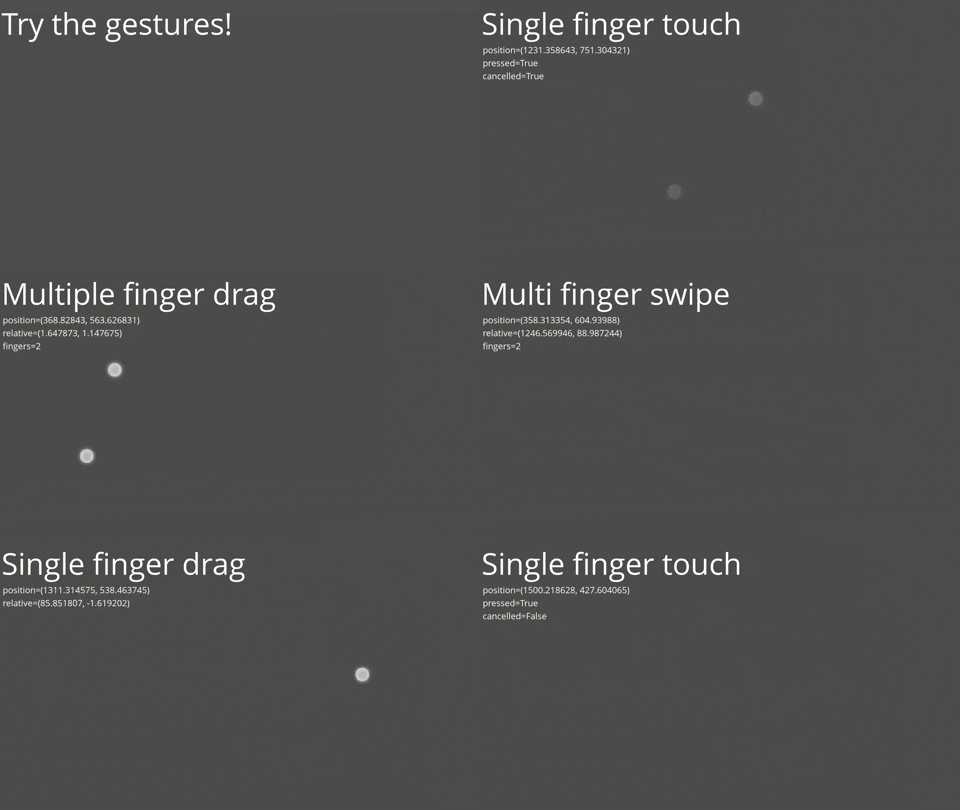
GodotTouchInputManager-Demo
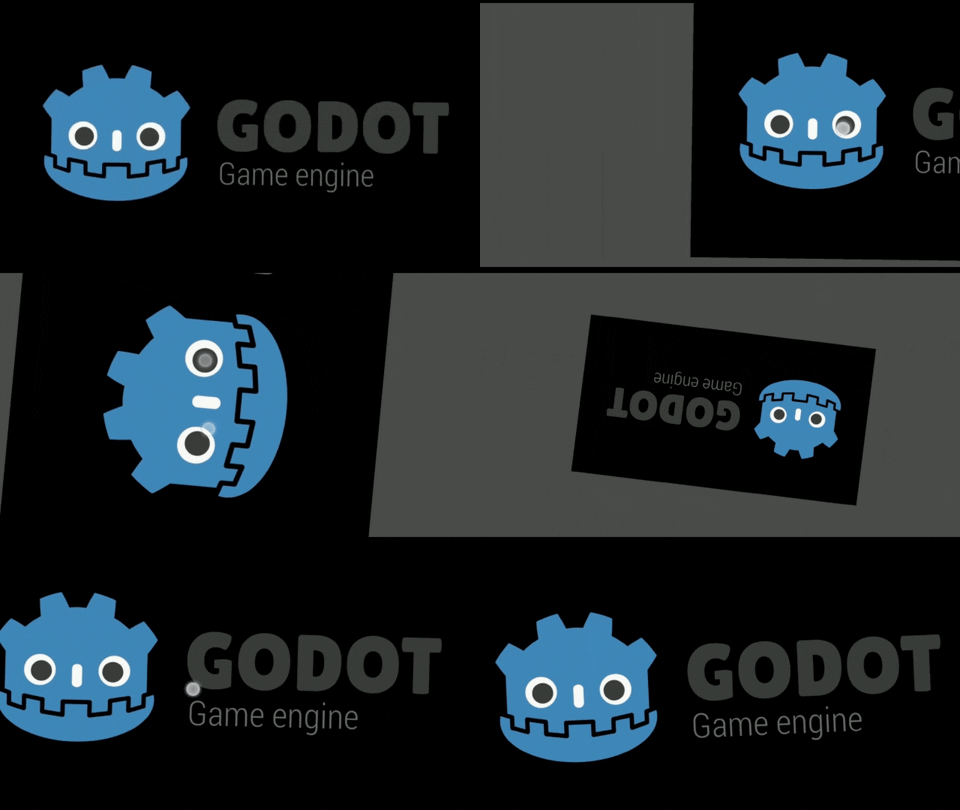
GestureControlledCamera2D
Documentation
Supported gestures
| Gesture name | Signal | Custom input event / Signal arg | Description |
|---|---|---|---|
| Single finger touch | single_touch | InputEventSingleScreenTouch | Touch with a single finger |
| Single finger tap | single_tap | InputEventSingleScreenTap | Fast press and release with a single finger |
| Single finger long press | single_long_press | InputEventSingleScreenLongPress | Press and hold with a single finger |
| Single finger drag | single_drag | InputEventSingleScreenDrag | Drag with a single finger |
| Single finger swipe | single_swipe | InputEventSingleScreenSwipe | Fast drag and release with a single finger |
| Multiple finger tap | multi_tap | InputEventMultiScreenTap | Fast press and release with multiple fingers |
| Multiple finger long press | multi_long_press | InputEventMultiScreenLongPress | Press and hold with multiple fingers |
| Multiple finger drag | multi_drag | InputEventMultiScreenDrag | Drag with multiple fingers (same direction) |
| Multiple finger swipe | multi_swipe | InputEventMultiScreenTap | Fast drag and release with multiple fingers |
| Pinch | pinch | InputEventScreenPinch | Drag with multiple fingers (inward/outward) |
| Twist | twist | InputEventScreenTwist | Drag with multiple fingers (rotate) |
| Raw gesture | raw_gesture | RawGesture | Raw gesture state |
When one of these gestures is detected a Custom Input Event corresponding to the detected gesture will be created and fed up to the Godot built in Input Event system so it triggers functions like _input(InputEvent event).
Gesture emulation
The gestures can be triggered by named input actions with specific names. If the input
action does not exists there is a default event that will trigger the gesture.
The following table shows the default event and the names of the input actions
that will trigger each of the gestures that can be emulated.
| Gesture name | Input action name | Default event |
|---|---|---|
| Single touch | single_touch | * |
| Multiple touch (2 fingers) | multi_touch | Middle click |
| Pinch (outward) | pinch_outward | Scroll up |
| Pinch (inward) | pinch_inward | Scroll down |
| Twist | twist | Right click |
| Single finger swipe (up) | single_swipe_up | w |
| Single finger swipe (up-right) | single_swipe_up_right | e |
| Single finger swipe (right) | single_swipe_right | d |
| Single finger swipe (down-right) | single_swipe_down_right | c |
| Single finger swipe (down) | single_swipe_down | x |
| Single finger swipe (down-left) | single_swipe_down_left | z |
| Single finger swipe (left) | single_swipe_left | a |
| Single finger swipe (left-up) | single_swipe_up_left | q |
| Multiple finger swipe (up) | multi_swipe_up | i |
| Multiple finger swipe (up-right) | multi_swipe_up_right | o |
| Multiple finger swipe (right) | multi_swipe_right | l |
| Multiple finger swipe (down-right) | multi_swipe_down_right | . |
| Multiple finger swipe (down) | multi_swipe_down | , |
| Multiple finger swipe (down-left) | multi_swipe_down_left | m |
| Multiple finger swipe (left) | multi_swipe_left | j |
| Multiple finger swipe (left-up) | multi_swipe_up_left | u |
* There are two options to enable single finger gestures:
- Go to Project > Project Settings > General > Input Devices > Pointing
and turn on Emulate Touch From Mouse to emulate a single finger touch with
the left click. - Go to Project > Project Settings > General > Input Devices > Pointing
and turn off both Emulate Touch From Mouse and Emulate Mouse From Touch.
Then set an input action calledsingle_touch.
Configuration
These are located in the first lines of InputManager.gd, to change them modify the
values on the script.
| Name | Default value | Description |
|---|---|---|
| DEFAULT_BINDIGS | true | Enable or disable default events for gesture emulation |
| DEBUG | false | Enable or disable debug information |
| DRAG_STARTUP_TIME | 0.2 | Seconds from the first native drag event to the first single finger drag custom event |
| FINGER_SIZE | 100.0 | The distance between the fingers must be less than fingers*FINGER_SIZE pixels for the multiple finger tap and multiple finger swipe gestures to be recognized. Setting it to INF removes this restriction. |
| MULTI_FINGER_RELEASE_THRESHOLD | 0.1 | All fingers must be released within MULTI_FINGER_REALEASE_THRESHOLD seconds before the gesture ends for the multiple finger tap and multiple finger swipe gestures to be recognized |
| TAP_TIME_LIMIT | 0.2 | The time between the first press and the last release must be less than TAP_TIME_LIMIT seconds for the single finger tap and multiple finger tap gestures to be recognized |
| TAP_DISTANCE_LIMIT | 25.0 | The centroid of the finger presses must differ less than TAP_DISTANCE_LIMIT pixels from the centroid of the finger releases for the single finger tap and multiple finger tap gestures to be recognized. |
| SWIPE_TIME_LIMIT | 0.5 | The time between the first press and the last release must be less than SWIPE_TIME_LIMIT seconds for the single finger swipe and multiple finger swipe gestures to be recognized. |
| SWIPE_DISTANCE_THRESHOLD | 200.0 | The centroid of the finger presses must differ by more than SWIPE_DISTANCE_THRESHOLD pixels from the centroid of the finger releases for the single finger swipe and multiple finger swipe gestures to be recognized. |
| LONG_PRESS_TIME_THRESHOLD | 0.75 | The fingers must press for LONG_PRESS_TIME_THRESHOLD seconds for single-finger long press and multi-finger long press gestures to be recognized. |
| LONG_PRESS_DISTANCE_LIMIT | 25.0 | The centroid of the finger presses must differ less than LONG_PRESS_DISTANCE_LIMIT pixels from the centroid of the fingers last positions for the single finger long press and multiple finger long press gestures to be recognized. |
FAQ
How can I get GDTIM to work when using control nodes?
By default, the control nodes consume events and therefore GDTIM cannot analyze them. To prevent this, set Mouse>Filter to Ignore on control nodes as needed.

For more information see the documentation.
GDTIM events don't trigger collisions, is there a way to fix it?
Custom input events do not trigger collisions, at the moment the solution is to manually check for collisions between shapes and events. For more information and ideas on how to do this see this issue.
Versioning
Using SemVer for versioning. For the versions available, see the releases.
Authors
- Federico Ciuffardi
Feel free to append yourself here if you've made contributions.
Note
Thank you for checking out this repository, you can send all your questions and comments to Federico.Ciuffardi@outlook.com.
If you are willing to contribute in any way, please contact me.
Contributors
Showing top 9 contributors by commit count.


Related Repositories

Orama-Interactive/Pixelorama
Unleash your creativity with Pixelorama, a powerful and accessible open-source pixel art multitool. Whether you want to create sprites, tiles, animations, or just express yourself in the language of pixel art, this software will realize your pixel-perfect dreams with a vast toolbox of features. Available on Windows, Linux, macOS and the Web!

dialogic-godot/dialogic
💬 Create Dialogs, Visual Novels, RPGs, and manage Characters with Godot to create your Game!

nathanhoad/godot_dialogue_manager
A powerful nonlinear dialogue system for Godot

bitbrain/beehave
🐝 behavior tree AI for Godot Engine

gdquest-demos/godot-open-rpg
Learn to create turn-based combat with this Open Source RPG demo ⚔

GDQuest/learn-gdscript
Learn Godot's GDScript programming language from zero, right in your browser, for free.