

Flixor
Modern cross-platform Plex client
[![Contributors][contributors-shield]][contributors-url] [![Forks][forks-shield]][forks-url] [![Stargazers][stars-shield]][stars-url] [![Issues][issues-shield]][issues-url] [![License][license-shield]][license-url] The project is written primarily in Swift, distributed under the Other license, first published in 2025. Key topics include: android, androidtv, cross-platform, kotlin-android, netflix.
<a id="readme-top"></a>
<!-- PROJECT SHIELDS -->




About
Flixor is a modern, cross-platform Plex client that brings a Netflix-like experience to your media library. Browse beautiful rows, see rich metadata with ratings from multiple sources, and enjoy powerful playback on any device.
Supported Platforms
| Platform | Status | Player |
|---|---|---|
| Web | Available | HLS.js / DASH.js |
| macOS | Available | MPV (HDR, Dolby Vision) |
| iOS | Available | KSPlayer |
| Android | Available | MPV |
| tvOS | In Development | - |
Features
Core Experience
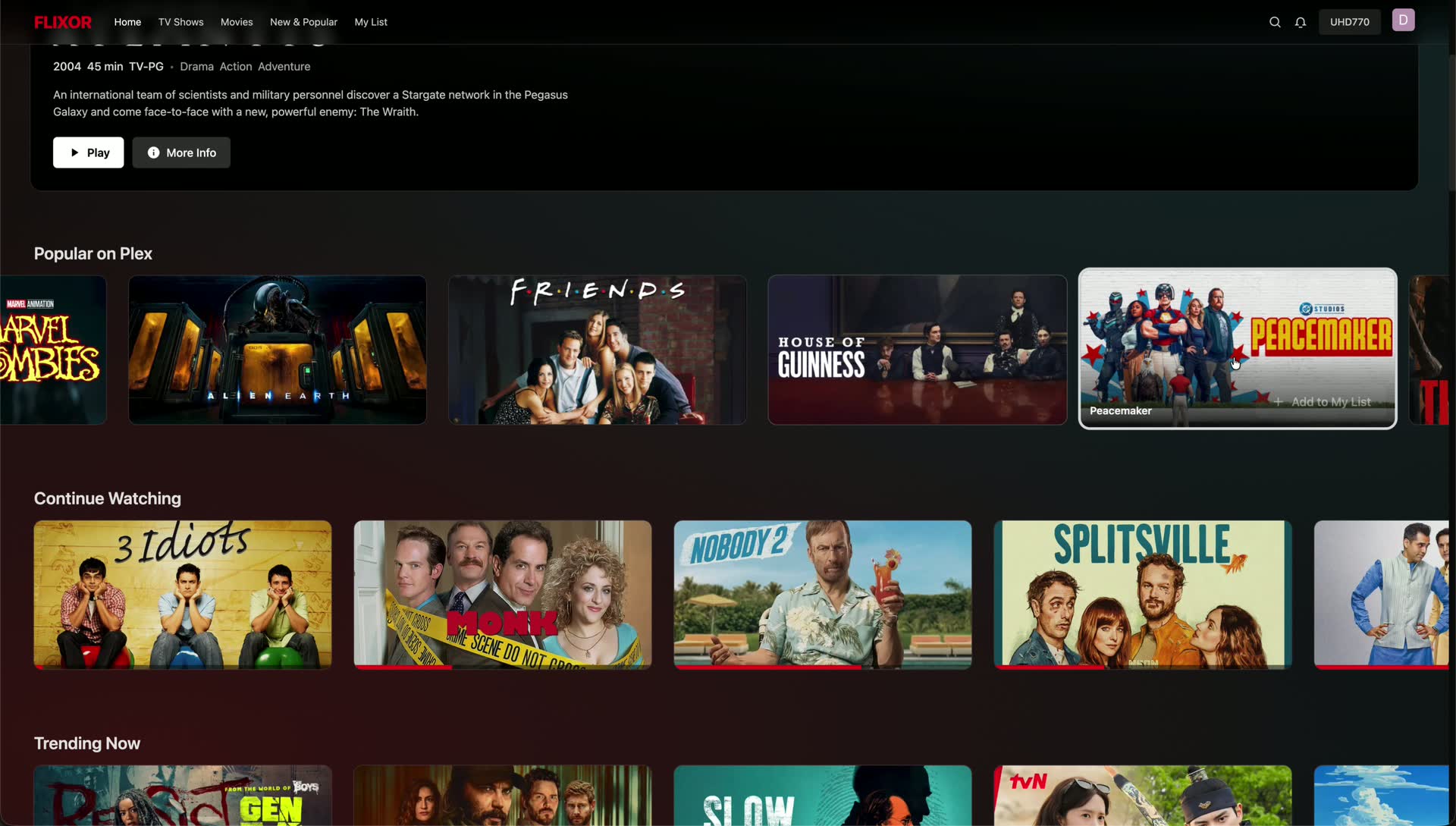
- Netflix-style UI - Continue Watching, Trending, Collections, Watchlist, and more
- Rich metadata - Trailers, cast info, tech badges (4K/HDR/Atmos/DTS-X)
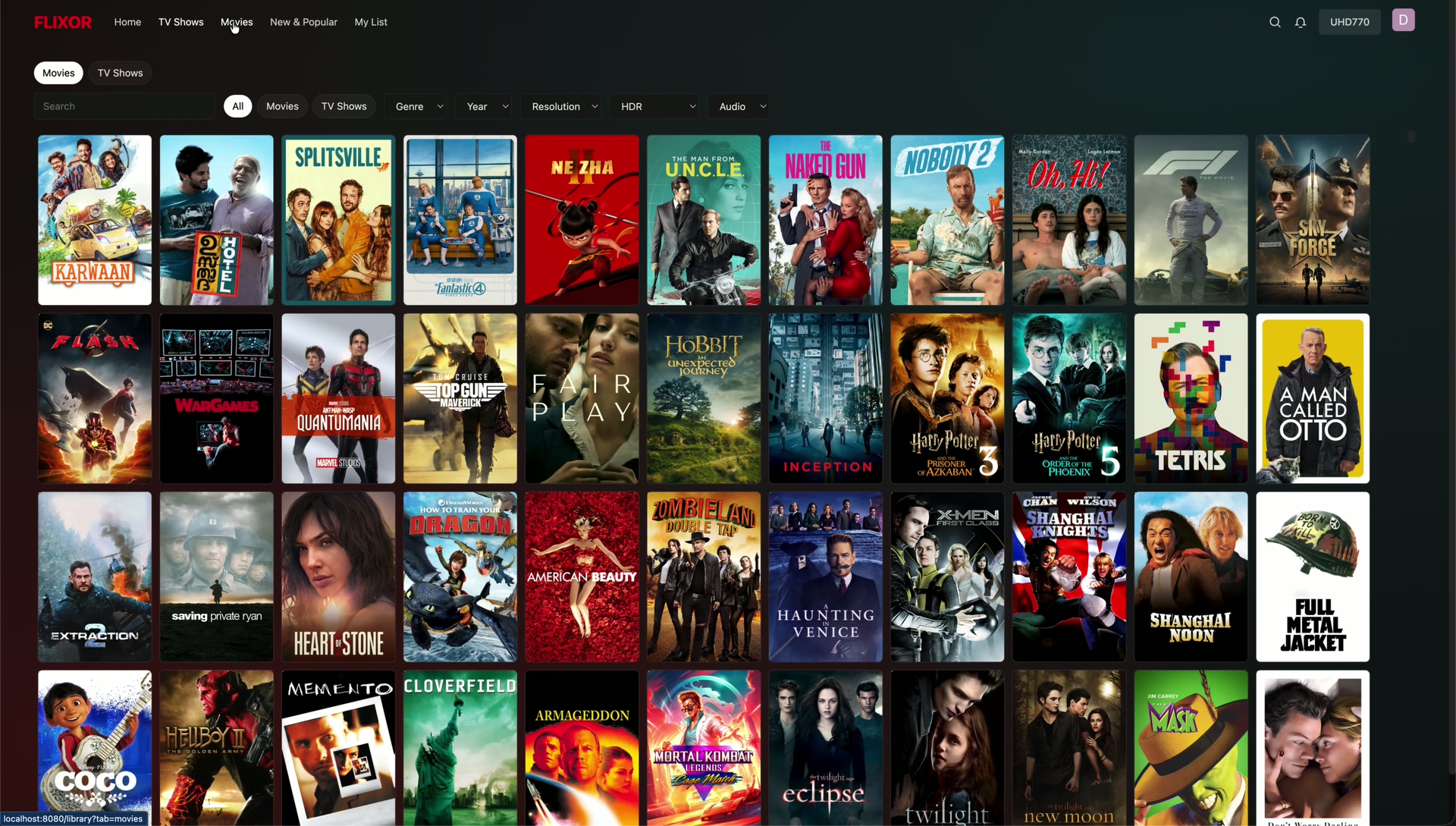
- Smart search - Search across Plex and TMDB with intelligent filtering
- Ultra-fast grids - Optimized for libraries with thousands of items
- Cross-platform sync - Watch progress syncs across all your devices
Playback
- Web: Built-in DASH/HLS player with Picture-in-Picture and subtitle support
- macOS: MPV-powered with HDR, Dolby Vision, and advanced audio passthrough
- Mobile: Native players with background playback and streaming quality options
Integrations
| Service | Description |
|---|---|
| TMDB | Movie/TV metadata, posters, backdrops, trailers |
| Trakt | Watch history sync, scrobbling, ratings, watchlists |
| MDBList | Aggregated ratings from IMDb, RT, Letterboxd, Metacritic |
| Overseerr | Request movies and shows directly from the app |
Mobile-Specific Features
- OTA (Over-the-Air) updates without app store
- Configurable bottom navigation tabs
- Optional TMDB search integration
- Landscape continue watching cards with progress indicators
Screenshots
<details> <summary>Click to view screenshots</summary>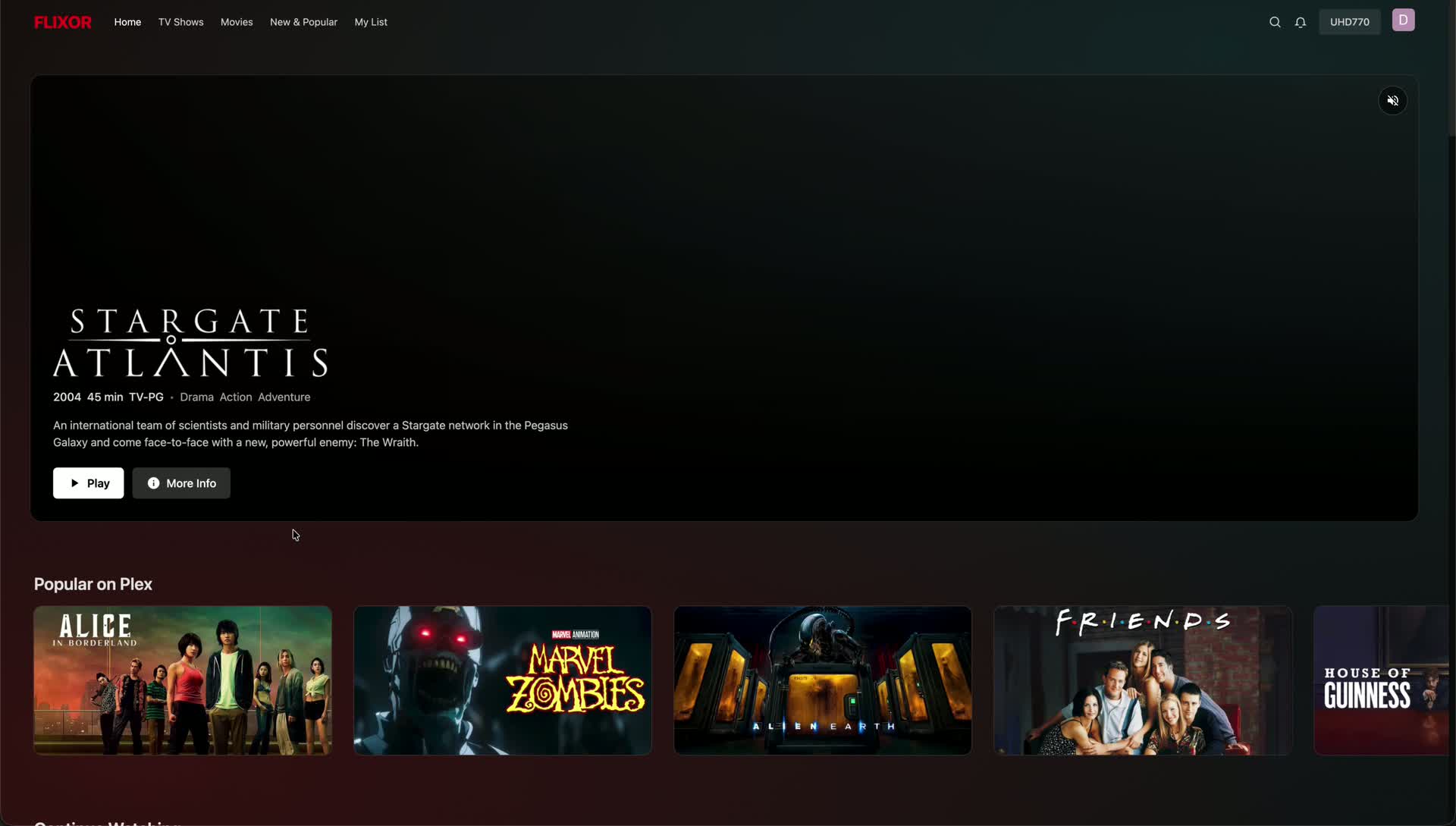
Installation
Web App (Docker)
Using the published image:
bashdocker run -d \ --name flixor \ -p 8080:80 \ -e SESSION_SECRET=your-secure-secret-here \ -v flixor-config:/app/config \ -v flixor-cache:/app/cache \ --restart unless-stopped \ ghcr.io/flixorui/flixor:latest
Using Docker Compose:
yamlservices: flixor: image: ghcr.io/flixorui/flixor:latest container_name: flixor environment: - SESSION_SECRET=your-secure-secret-here ports: - "8080:80" volumes: - flixor-config:/app/config - flixor-cache:/app/cache restart: unless-stopped volumes: flixor-config: flixor-cache:
bashdocker compose up -d
Open http://localhost:8080 and sign in with Plex.
macOS
- Download the latest
.dmgfrom Releases - Drag Flixor to your Applications folder
- Open and sign in with Plex
Requirements: macOS 13.0 (Ventura) or later
iOS / Android
Download from the Releases page or join the TestFlight/beta program.
The mobile apps support OTA updates - you'll receive update notifications within the app.
Development
Prerequisites
- Node.js 18+
- npm or yarn
Web Frontend
bashcd web_frontend npm install npm run dev
Mobile App
bashcd apps/mobile npm install npx expo start
macOS App
Open apps/macos/FlixorMac.xcodeproj in Xcode and build.
Full Stack (Web + Backend)
bashnpm install npm run dev:all
The dev server runs on http://localhost:5173 and is accessible on your local network.
Configuration
Environment Variables
| Variable | Description | Default |
|---|---|---|
SESSION_SECRET | Secret for session encryption | Required |
VITE_PROXY_TARGET | Backend URL for dev proxy | http://localhost:3000 |
App Settings
Settings are available in-app under Settings:
- Catalogs - Choose which Plex libraries appear
- Home Screen - Configure hero and row visibility
- Integrations - Set up TMDB, Trakt, MDBList, Overseerr
- Playback - Video player preferences
- Appearance - Episode layout, backdrop options
OTA Updates (Mobile)
The mobile app supports self-hosted OTA updates. To publish an update:
bashexport FLIXOR_OTA_UPLOAD_KEY=your-upload-key ./scripts/publish-ota-update.sh
Users will receive update notifications on app launch.
Community
- Discord - Join the community
- Reddit - Follow updates
- GitHub Issues - Report bugs
Contributing
Contributions are welcome! Please read our contributing guidelines before submitting a PR.
- Fork the repository
- Create your feature branch (
git checkout -b feature/amazing-feature) - Commit your changes (
git commit -m 'Add amazing feature') - Push to the branch (
git push origin feature/amazing-feature) - Open a Pull Request
License
Distributed under the GPL-3.0 License. See LICENSE for more information.
Star History
<p align="center"> Made with care for the Plex community </p> <!-- MARKDOWN LINKS & IMAGES -->
Contributors
Showing top 2 contributors by commit count.


Related Repositories

flutter/flutter
Flutter makes it easy and fast to build beautiful apps for mobile and beyond

Genymobile/scrcpy
Display and control your Android device

react/react-native
A framework for building native applications using React

rustdesk/rustdesk
An open-source remote desktop application designed for self-hosting, as an alternative to TeamViewer.

justjavac/free-programming-books-zh_CN
:books: 免费的计算机编程类中文书籍,欢迎投稿

Hack-with-Github/Awesome-Hacking
A collection of various awesome lists for hackers, pentesters and security researchers