

FolioReaderKit
📚 A Swift ePub reader and parser framework for iOS.
FolioReaderKit is an ePub reader and parser framework for iOS written in Swift. The project is written primarily in Swift, distributed under the BSD 3-Clause "New" or "Revised" License license, first published in 2015. It has gained significant community traction with 2,681 stars and 778 forks on GitHub. Key topics include: custom-fonts, epub, epub-reader, highlight, ios.

FolioReaderKit is an ePub reader and parser framework for iOS written in Swift.


Features
- ePub 2 and ePub 3 support
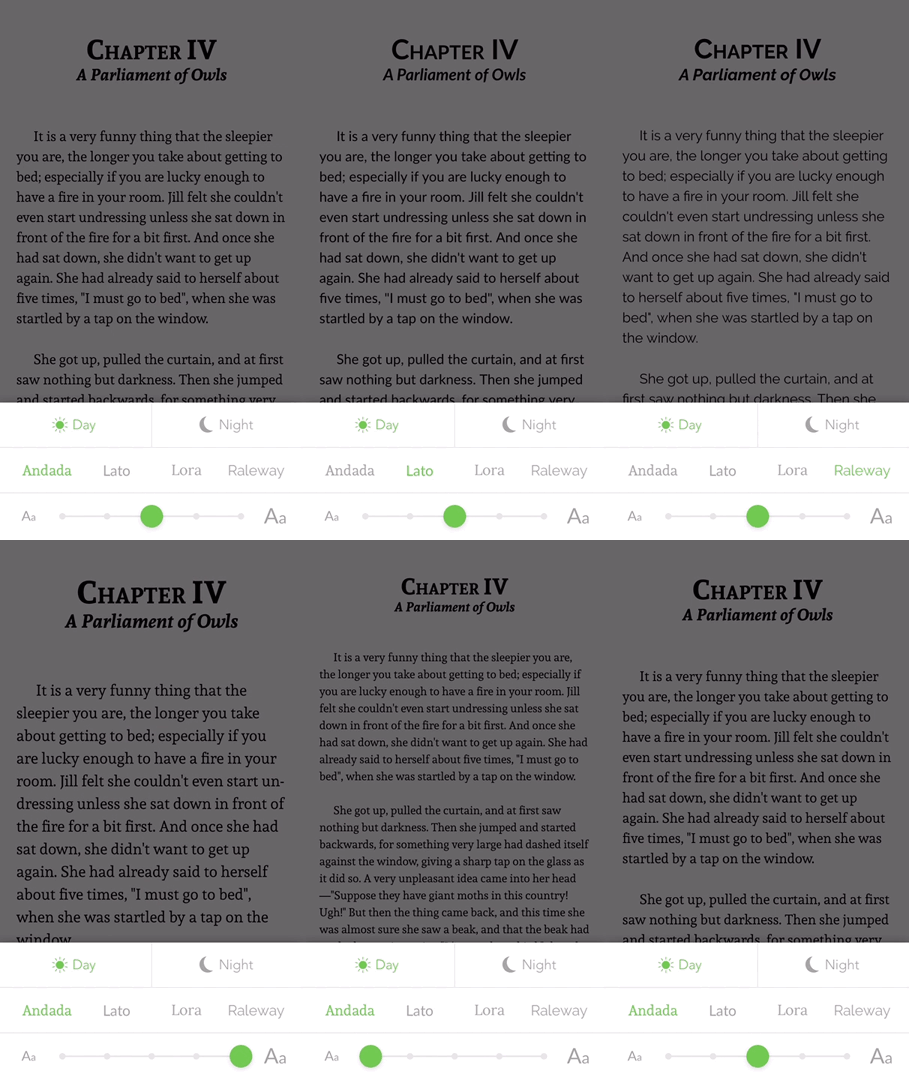
- Custom Fonts
- Custom Text Size
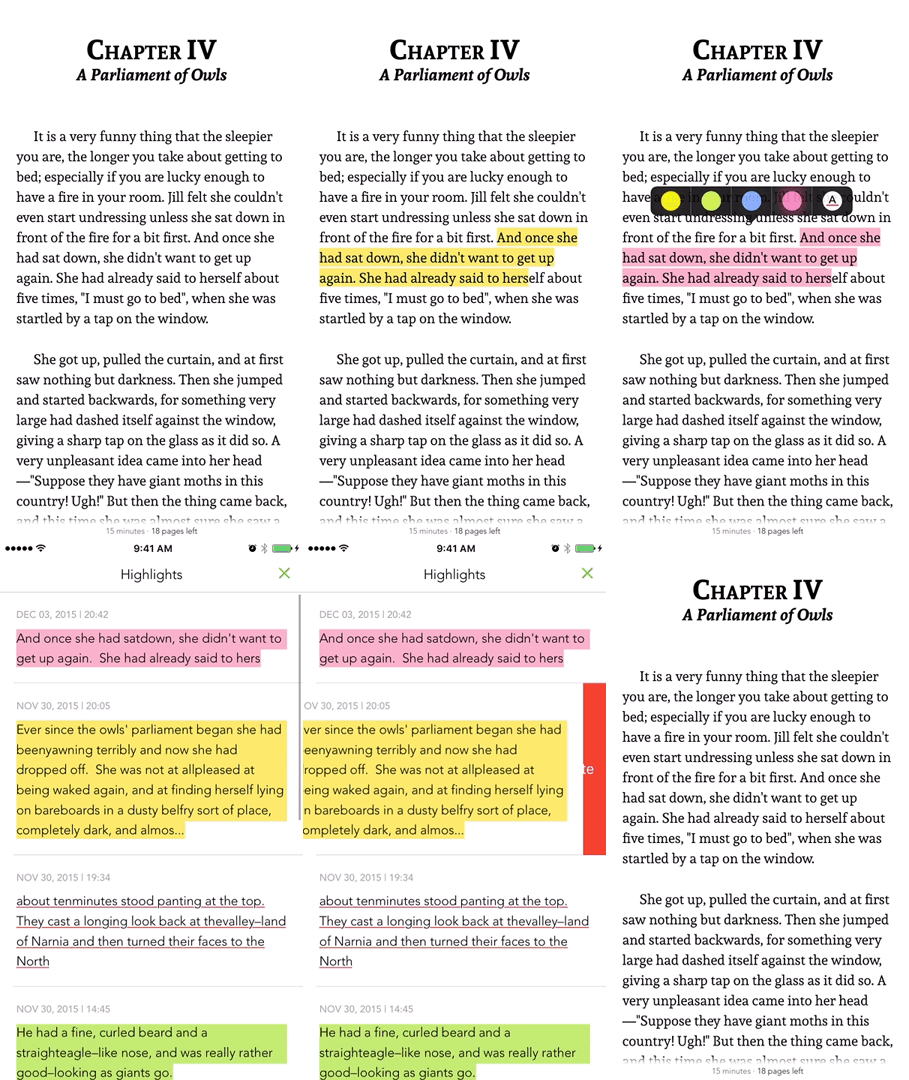
- Text Highlighting
- List / Edit / Delete Highlights
- Themes / Day mode / Night mode
- Handle Internal and External Links
- Portrait / Landscape
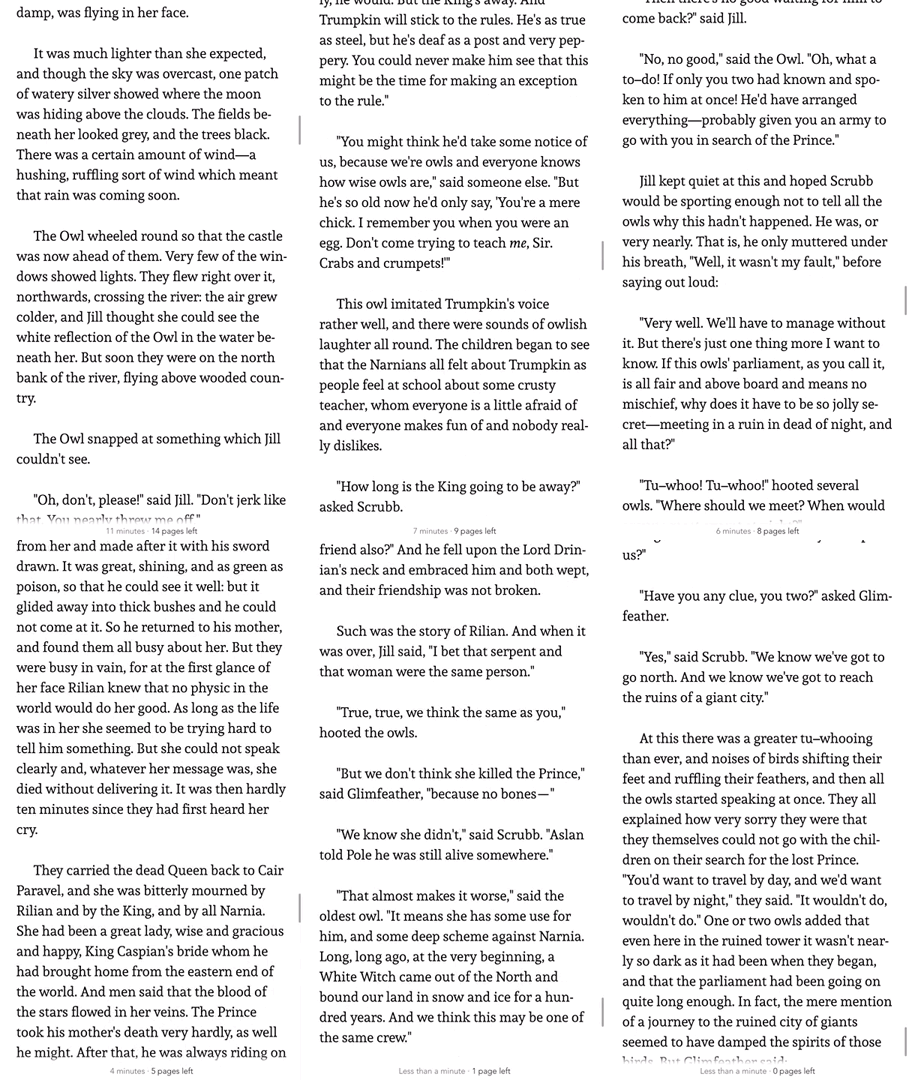
- Reading Time Left / Pages left
- In-App Dictionary
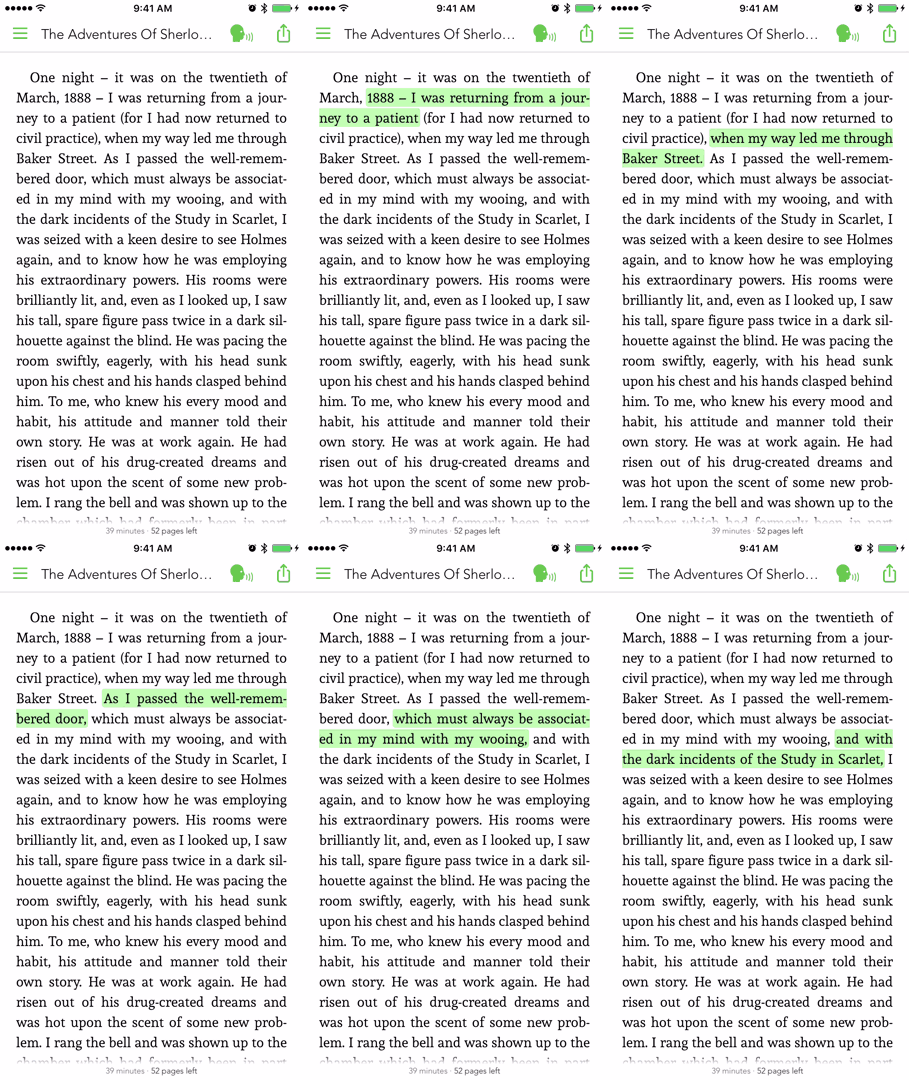
- Media Overlays (Sync text rendering with audio playback)
- TTS - Text to Speech Support
- Parse epub cover image
- RTL Support
- Vertical or/and Horizontal scrolling
- Share Custom Image Quotes <sup>NEW</sup>
- Support multiple instances at same time, like parallel reading <sup>NEW</sup>
- Book Search
- Add Notes to a Highlight
Who is using it?
On AppSight you can see apps that are using it in production.
Demo
| Custom Fonts :smirk: | Text Highlighting :heart_eyes: |
|---|---|
 |  |
| Reading Time Left :open_mouth: | Media Overlays 😭 |
|---|---|
 |  |
Installation
FolioReaderKit is available through CocoaPods and Carthage.
Cocoapods
CocoaPods is a dependency manager for Cocoa projects. You can install it with the following command:
bash$ gem install cocoapods
To integrate FolioReaderKit into your Xcode project using CocoaPods, specify it in your Podfile:
rubysource 'https://github.com/CocoaPods/Specs.git' platform :ios, '9.0' use_frameworks! target '<Your Target Name>' do pod 'FolioReaderKit' end
Then, run the following command:
bash$ pod install
Alternatively to give it a test run, run the command:
bash$ pod try FolioReaderKit
Carthage
Add the following to your Cartfile
rubygithub "FolioReader/FolioReaderKit"
Run the following command:
bash$ carthage update --platform iOS --no-use-binaries
Then, follow the steps as described in Carthage's README.
Requirements
- iOS 9.0+
- Xcode 10.1+
Basic Usage
To get started, this is a simple usage sample of using the integrated view controller.
swiftimport FolioReaderKit func open(sender: AnyObject) { let config = FolioReaderConfig() let bookPath = Bundle.main.path(forResource: "book", ofType: "epub") let folioReader = FolioReader() folioReader.presentReader(parentViewController: self, withEpubPath: bookPath!, andConfig: config) }
For more usage examples check the Example folder.
Storyboard
To get started, here is a simple example how to use the integrated view controller with storyboards.
swiftimport FolioReaderKit class StoryboardFolioReaderContrainer: FolioReaderContainer { required init?(coder aDecoder: NSCoder) { super.init(coder: aDecoder) let config = FolioReaderConfig() config.scrollDirection = .horizontalWithVerticalContent guard let bookPath = Bundle.main.path(forResource: "The Silver Chair", ofType: "epub") else { return } setupConfig(config, epubPath: bookPath) } }
Go to your storyboard file, choose or create the view controller that should present the epub reader. In the identity inspector set StoryboardFolioReaderContrainer as class.
Documentation
Checkout Example and API Documentation
You can always use the header-doc. (use alt+click in Xcode)
<img src="https://raw.githubusercontent.com/FolioReader/FolioReaderKit/assets/header-doc.png" width="521px"/>Migration
If you are migrating to a newer version check out MIGRATION and CHANGELOG.
Author
- Follow me on Twitter: @hebertialmeida
- Contact me on LinkedIn: hebertialmeida
License
FolioReaderKit is available under the BSD license. See the LICENSE file.
Contributors
Showing top 12 contributors by commit count.


Related Repositories

FolioReader/FolioReader-Android
A Java ePub reader and parser framework for Android.

ArtSabintsev/FontBlaster
Programmatically load custom fonts into your iOS, macOS and tvOS app.

chrs1885/Capable
Unified accessibility API for iOS, macOS, tvOS & watchOS.

deni2s/IBCustomFonts
IBCustomFonts category allows you to use custom fonts from Interface Builder (IB) when building your iOS apps. Apps using IBCustomFonts category are approved by Apple App Store (check readme.md on latest info). Tested on iOS6 - iOS11.

xtoolkit/Micon
Micon, The iconic windows 10 font and CSS toolkit.

entria/react-native-fontawesome
React Native Font Awesome Icons