

SettingsGuide
More extensive explanations of Cura slicing settings.
Maintenance Status ==== The Settings Guide is looking for a new maintainer. See https://github.com/Ghostkeeper/SettingsGuide/issues/110 for more details. The project is written primarily in Markdown, distributed under the GNU Affero General Public License v3.0 license, first published in 2019. Key topics include: 3d-printing, cura, cura-settings, documentation.
Maintenance Status
The Settings Guide is looking for a new maintainer. See https://github.com/Ghostkeeper/SettingsGuide/issues/110 for more details.
Settings Guide
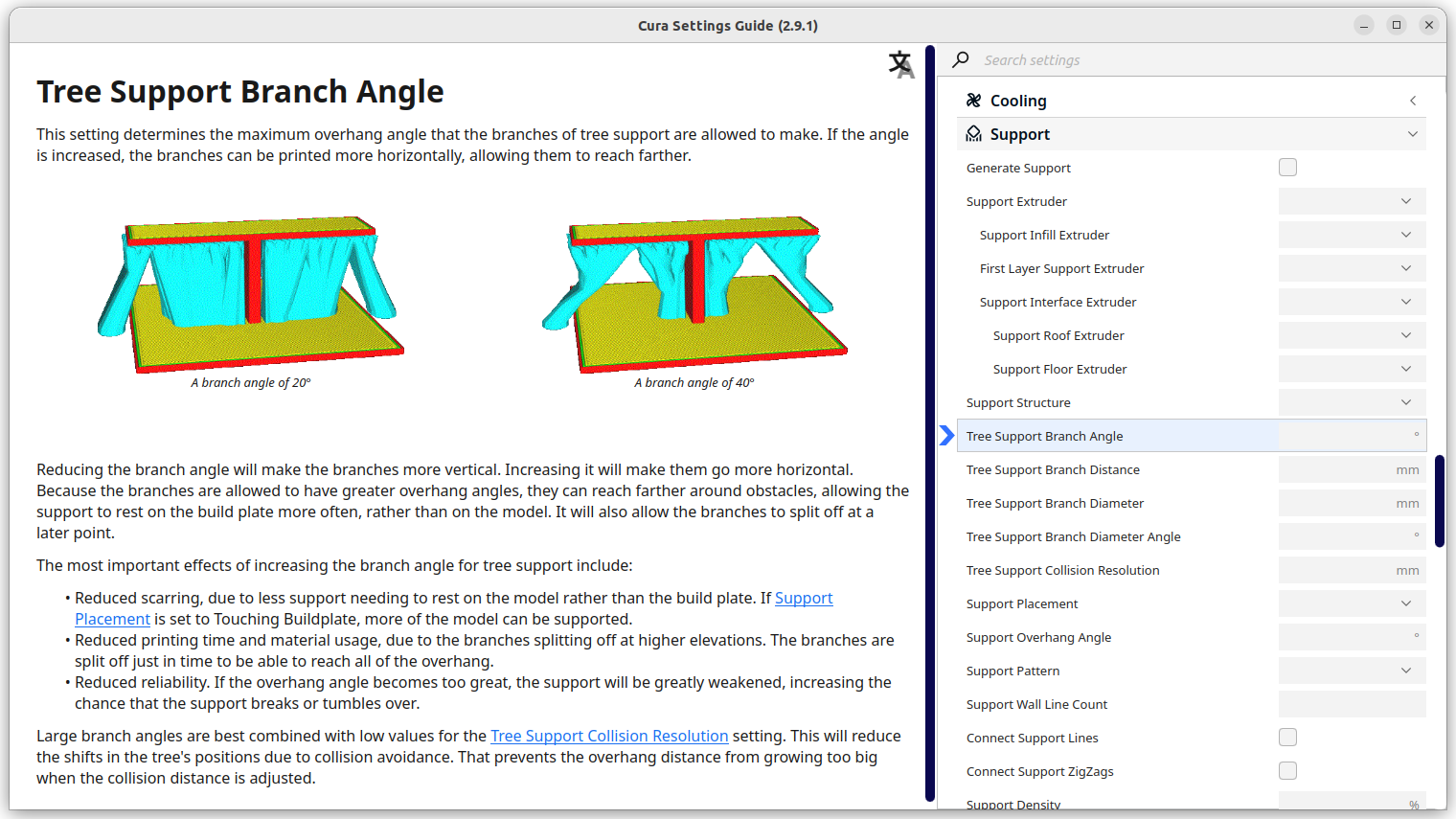
This Cura plug-in provides additional explanations with pictures and animations for many Cura settings.
Installation
You can install this plug-in in several ways.
-
Marketplace: In Cura, go to the Marketplace and find the Settings Guide in the list. Click it, then click on "install" and restart Cura.
-
From package: Go to the releases page and download the latest release. Select the SDK version that fits your version of Cura:
Cura version SDK 4.0 - 4.3 6.0 4.4 - 4.13 7.0 5.0 - 5.2 8.0 Drag that package file onto the Cura window, then restart Cura.
-
Building packages: Download the latest source code from Github, then in a terminal run
cmake . && make packto create a .curapackage file for each supported SDK version. Similar to the previous option, select the SDK version that fits your version of Cura and drag it onto the Cura window, then restart Cura. -
From source: Download the latest source code from Github. In Cura, click on "Help", "Show configuration folder". Navigate to the "plugins" subfolder and unpack the .zip file from Github there. Rename the folder to "SettingsGuide2" (removing any suffix that Github added such as "-master"). Rename the
plugin.json.infile to simplyplugin.jsonand fill in the CMake variables inside. Restart Cura.
Usage
To use this plug-in, right click on a setting you'd like to know more about. Then click "Settings Guide".
Alternatively, click on "Extensions" in the application menu, then click on "Settings Guide".
Contributors
Showing top 8 contributors by commit count.


Related Repositories

FreeCAD/FreeCAD
Official source code of FreeCAD, a free and opensource multiplatform 3D parametric modeler.

MarlinFirmware/Marlin
Marlin is a firmware for RepRap 3D printers optimized for both 8 and 32 bit microcontrollers. Marlin supports all common platforms. Many commercial 3D printers come with Marlin installed. Check with your vendor if you need source code for your specific machine.

OrcaSlicer/OrcaSlicer
G-code generator for 3D printers (Bambu, Prusa, Voron, VzBot, RatRig, Creality, etc.)

openscad/openscad
OpenSCAD - The Programmers Solid 3D CAD Modeller

Ultimaker/Cura
3D printer / slicing GUI built on top of the Uranium framework

cnr-isti-vclab/meshlab
The open source mesh processing system