

Sandbox
A sand simulation game
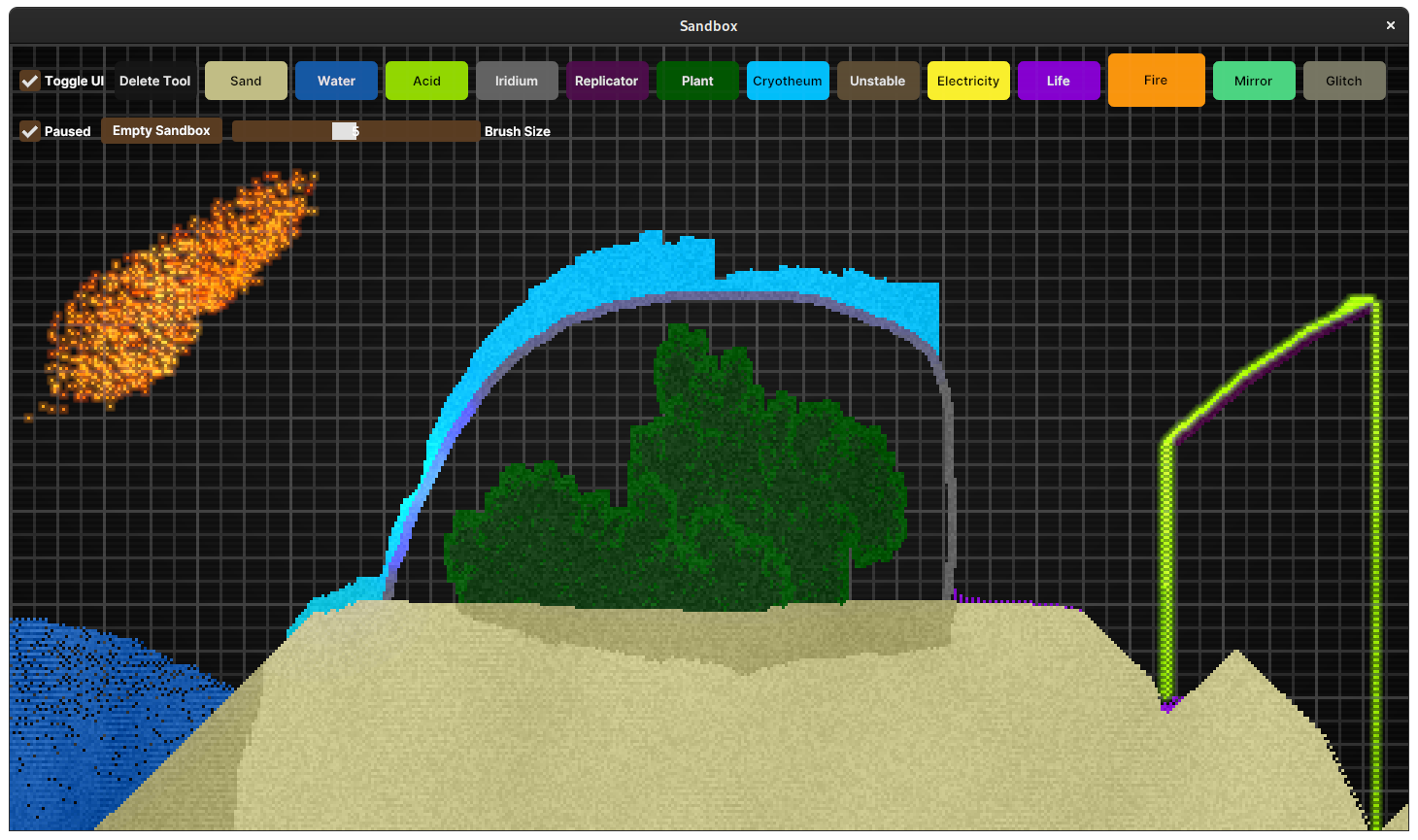
* Click and drag the mouse to place particles * + Increases brush size * - Decreases brush size * Shift Horizontal axis lock * Ctrl Vertical axis lock * Axis lock - When held, it creates a straight line between where you first started holding it, and the current mouse location (Not enabled for Electricity) The project is written primarily in Rust, distributed under the GNU Affero General Public License v3.0 license, first published in 2020. Key topics include: game, rust, sand, webgpu.
Sandbox
A sand simulation game
<a href="https://flathub.org/apps/details/com.github.jms55.Sandbox"><img width="240" alt="Download on Flathub" src="https://flathub.org/assets/badges/flathub-badge-en.png"/></a>
Controls
Basic Controls
- Click and drag the mouse to place particles
- <kbd>+</kbd> Increases brush size
- <kbd>-</kbd> Decreases brush size
- <kbd>Shift</kbd> Horizontal axis lock
- <kbd>Ctrl</kbd> Vertical axis lock
- Axis lock - When held, it creates a straight line between where you first started holding it, and the current mouse location (Not enabled for Electricity)
Particle Type Selection
- <kbd>D</kbd> Delete tool
- <kbd>S</kbd> Sand
- <kbd>W</kbd> Water
- <kbd>A</kbd> Acid
- <kbd>I</kbd> Iridium
- <kbd>R</kbd> Replicator
- <kbd>P</kbd> Plant
- <kbd>C</kbd> Cryotheum
- <kbd>U</kbd> Unstable
- <kbd>E</kbd> Electricity
- <kbd>L</kbd> Life
- <kbd>F</kbd> Fire
- <kbd>M</kbd> Mirror
- <kbd>G</kbd> Glitch
- There are some particles that can't be directly placed, and aren't listed here. Play around, and figure out how to create them!
Misc
- <kbd>Space</kbd> Toggles pause
- <kbd>Enter</kbd> Toggles fullscreen
- <kbd>Esc</kbd> Quits the game
- <kbd>Backspace</kbd> Empty the sandbox
- <kbd>1</kbd> Toggle UI on/off
- <kbd>2</kbd> Toggle FPS display on/off
- <kbd>3</kbd> Toggle profiling display on/off
- <kbd>.</kbd> Advances one frame when paused
Contributors
Showing top 4 contributors by commit count.


![dependabot[bot]](https://avatars.githubusercontent.com/in/29110?v=4)
Related Repositories

dkhamsing/open-source-ios-apps
:iphone: Collaborative List of Open-Source iOS Apps

pixijs/pixijs
The HTML5 Creation Engine: Create beautiful digital content with the fastest, most flexible 2D WebGL renderer.

Anuken/Mindustry
The automation tower defense RTS

libgdx/libgdx
Desktop/Android/HTML5/iOS Java game development framework
leereilly/games
Archived — A list of games, add-ons, maps, etc. hosted on GitHub. Any genre. Any platform. Any engine.

4ian/GDevelop
🎮 Open-source, cross-platform 2D/3D/multiplayer game engine designed for everyone.