

Resharper cyclomatic complexity
ReSharper plugin to measure cyclomatic complexity as you type
This is a ReSharper plugin that measures [cyclomatic complexity](https://en.wikipedia.org/wiki/Cyclomatic_complexity) as you type. If the complexity of a method, function or property exceeds a configurable threshold, the method, function or property is marked with a warning highlight ("squiggly"). Supported languages are C#, VB, JavaScript, TypeScript and C++. The project is written primarily in C#, distributed under the Apache License 2.0 license, first published in 2015. Key topics include: cyclomatic-complexity, jetbrains, plugin, resharper, resharper-plugin.



Cyclomatic complexity plugin for ReSharper
This is a ReSharper plugin that measures cyclomatic complexity as you type. If the complexity of a method, function or property exceeds a configurable threshold, the method, function or property is marked with a warning highlight ("squiggly"). Supported languages are C#, VB, JavaScript, TypeScript and C++.
It can be installed by going to ReSharper → Extensions Manager and searching for "Cyclomatic Complexity".
Cyclomatic complexity is a metric intended to show the complexity of your code. It measures the number of paths through a code block - the more branches and conditional statements, the higher the metric. As the code gets more complex, the metric gets higher. A higher value is a good indicator that a method is getting too complex, and is becoming a maintainability risk, and should be refactored. You can read more about cyclomatic complexity at wikipedia.
The complexity of a method, function or other code member is always available as a tooltip on the method name:

When the complexity reaches a configurable threshold, the tooltip is shown as a warning:

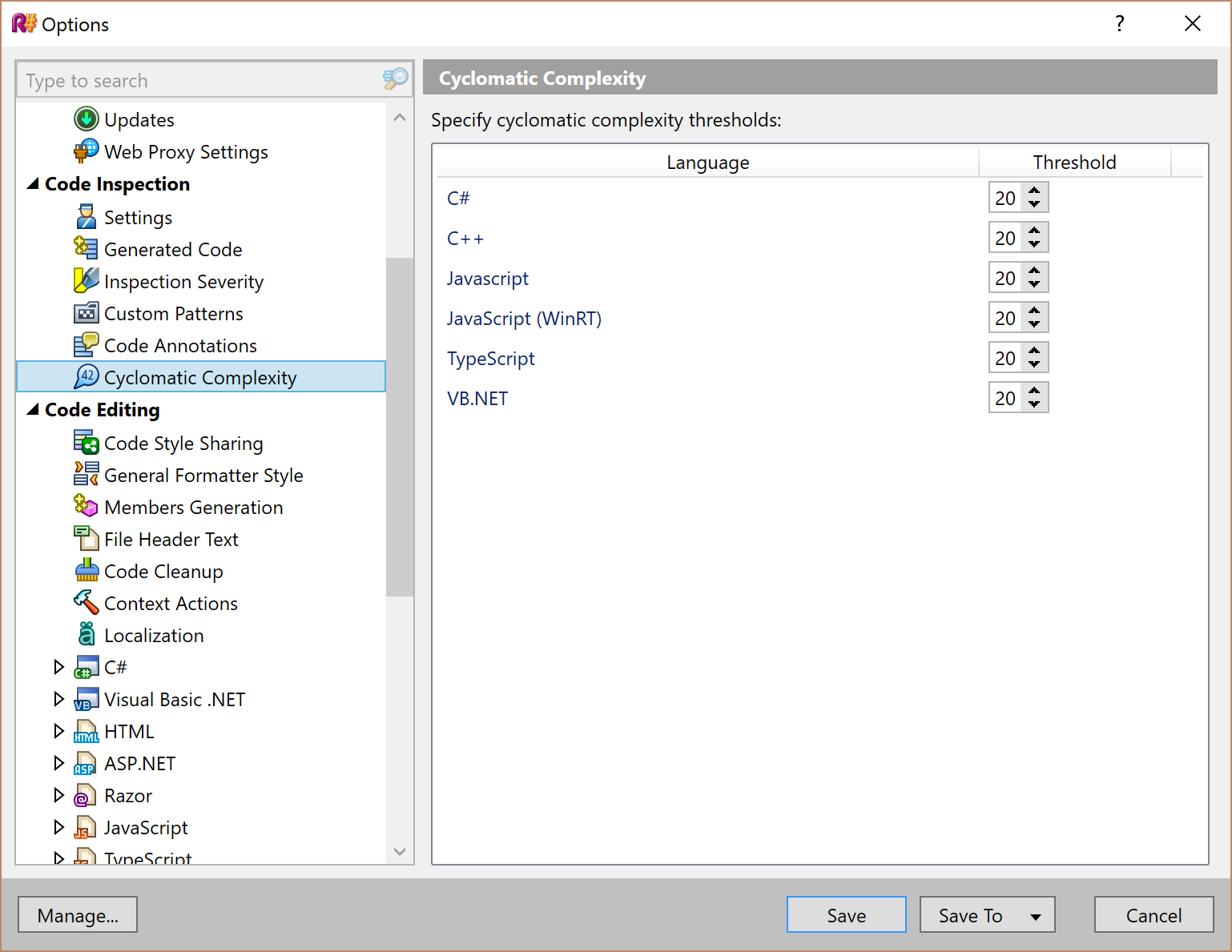
And the complexity threshold can be configured in the options, per language:
Contributors
Showing top 3 contributors by commit count.



Related Repositories

fzipp/gocyclo
Calculate cyclomatic complexities of functions in Go source code.

sebastianbergmann/complexity
Library for calculating the complexity of PHP code units

chaos-lang/chaos
The Chaos Programming Language

Cre4T3Tiv3/gitvoyant
Temporal Code Intelligence platform. Time-series complexity analysis across Python, JavaScript, Java, and Go. Linear regression trend detection, cyclomatic complexity tracking, confidence scoring, and predictive decay forecasting.

shellspec/shellmetrics
Cyclomatic Complexity Analyzer for bash, mksh, zsh and POSIX shells