

Lunalytics
🚀 Open source monitoring tool built with Node.js
**Lunalytics** is a 🚀 Open source monitoring tool built with Node.js The project is written primarily in JavaScript, distributed under the Other license, first published in 2023. Key topics include: application-monitoring, javascript, lunalytics, monitoring, nodejs.
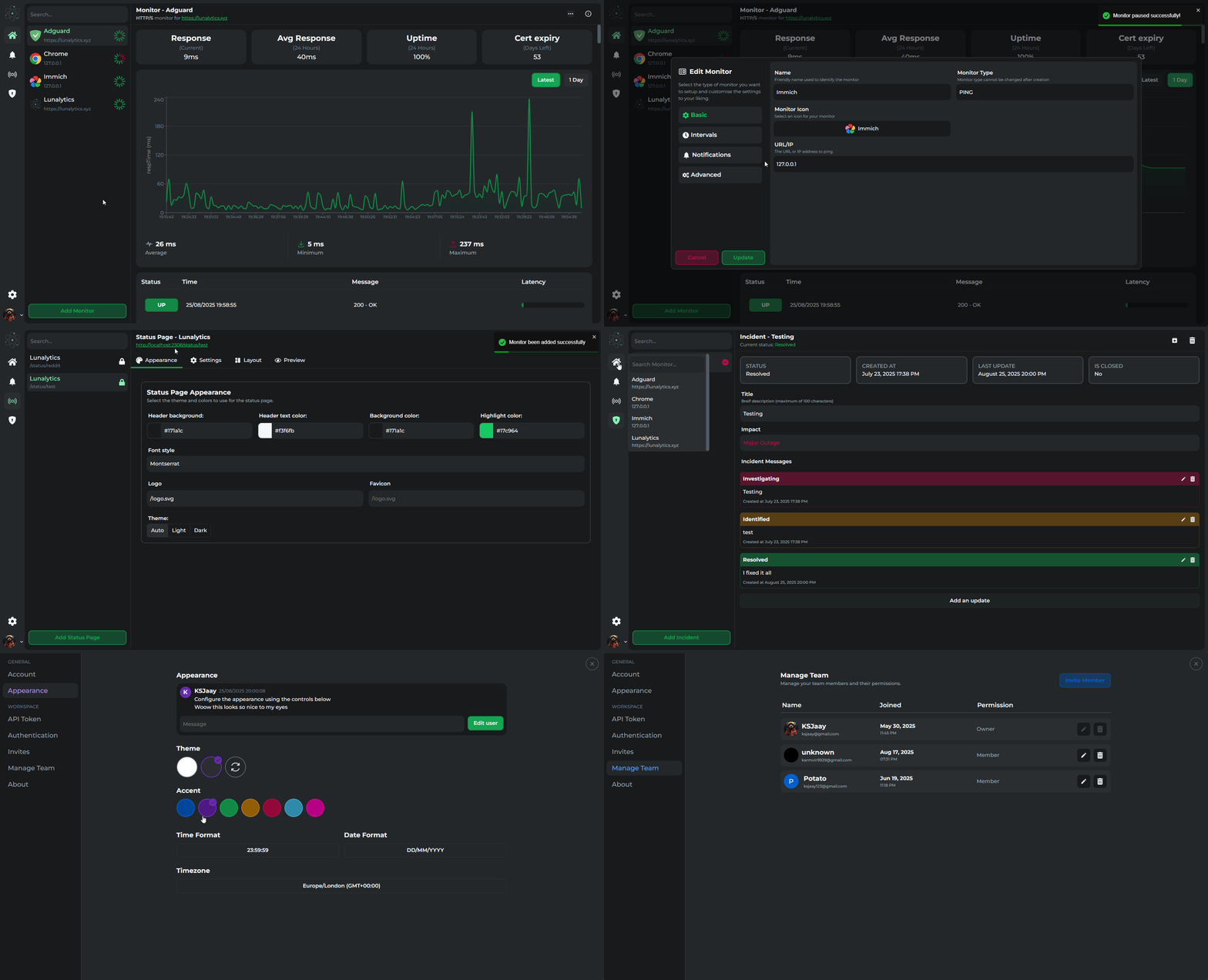
📔 Features
- Easy to self-host
- Monitor uptime for:
- HTTP(s)
- TCP
- PING
- JSON Query
- PUSH
- Docker Containers
- Support for multiple users
- Fully customisable status/dashboard pages
- Incident management
- Advance role based access control
- Clean and easy to use UX/UI
- Customizable user profiles/themes/colors
- Single sign on support (SSO)
- Custom (Authentik, Authelia, Keycloak, etc...)
- Discord
- GitHub
- Slack
- Twitch
- Support for notifications
- Apprise
- Discord
- Email (SMTP)
- Home Assistant
- Pushover
- Slack
- Telegram
- Webhook
- More to come...
🚀 Getting Started
[!CAUTION]
This project is under active development and still in beta, things may randomly break. But I'll do my best to fix them as soon as possible.
Docker
bashdocker run -d \ -p 2308:2308 \ -v /path/to/data:/app/data \ -v /path/to/logs:/app/logs \ ksjaay/lunalytics:latest
Docker Compose
yaml# docker-compose.yml services: lunalytics: image: ksjaay/lunalytics:latest container_name: lunalytics ports: - '2308:2308' volumes: - ./path/to/data:/app/data - ./path/to/logs:/app/logs
Requirements
Make sure you have the following applications installed before starting:
Clone application
bashgit clone https://github.com/KSJaay/Lunalytics.git cd Lunalytics
Setup application
bash# Setup application npm run setup # Start application using scripts npm run start # Alternatively start application using node server/index.js
Lunalytics will be accessible on https://localhost:2308
Using pm2 to run application in the background
bash# Install pm2 globally npm install pm2 -g # Start the server pm2 start server/index.js --name Lunalytics # Or start the server using script pm2 start npm --name "Lunalytics" -- run start # Optional pm2 save pm2 startup ## Monitoring console output pm2 monit
🎯 Roadmap
- Custom status pages
- Better design for compact mode
- API keys for users
- Better role based access control
- Move to Oauth2 for authentication
- Moved to session based system, but not full Oauth2
- Add support for multiple databases
- Add support for PostgreSQL
- Add support for SQLite
- Add support for MongoDB
- Allow session management (Track/logout from sessions)
- Add support for more notification services
⭐ Help us grow
- Add a star to the project if you like it!
- AlternativeTo
📖 Backstory
There's a lot of monitoring applications out there and I personally love using uptime-kuma. But, one of the main issues with Uptime-kuma is the ability to share with my friends/colleagues. And for the services that do allow me to share with others, they either have an outdated UI from the 90s or are so expensive I can't justify paying for it.
So I've decided to create my own application that's focused on a developer first experience with support for multiple users.
Contributors
No longer just me :D
<a href="https://github.com/KSJaay/Lunalytics/graphs/contributors"> <img src="https://contrib.rocks/image?repo=KSJaay/Lunalytics" /> </a>License
See the LICENSE file for licensing information.
Contributors
Showing top 8 contributors by commit count.


![renovate[bot]](https://avatars.githubusercontent.com/in/2740?v=4)


Related Repositories

SigNoz/signoz
SigNoz is an open-source observability platform native to OpenTelemetry with logs, traces and metrics in a single application. An open-source alternative to DataDog, NewRelic, etc. 🔥 🖥. 👉 Open source Application Performance Monitoring (APM) & Observability tool

hyperdxio/hyperdx
Resolve production issues, fast. An open source observability platform unifying session replays, logs, metrics, traces and errors powered by ClickHouse and OpenTelemetry.

statping/statping
Status Page for monitoring your websites and applications with beautiful graphs, analytics, and plugins. Run on any type of environment.

zabbix/zabbix
Real-time monitoring of IT components and services, such as networks, servers, VMs, applications and the cloud.

uptrace/uptrace
Open source APM: OpenTelemetry traces, metrics, and logs

brotandgames/ciao
HTTP checks & tests (private & public) monitoring - check the status of your URL