

ADFT
Active Directory Forensic Toolkit : Detect & reconstruct AD attacks from Windows event logs (EVTX)
ADFT is an offline Active Directory / Windows investigation toolkit with an integrated local web UI. The project is written primarily in Python, distributed under the MIT License license, first published in 2026. Key topics include: active-directory, blue-team, dfir, evtx, forensics.
ADFT v1.0
ADFT is an offline Active Directory / Windows investigation toolkit with an integrated local web UI.
This official v1.0 release ships one coherent product surface:
- the canonical ADFT engine
- the CLI
- the integrated GUI served by the backend
ADFT ingests exported evidence, converts every supported source into canonical JSONL, applies deterministic detections and correlations, computes an observed AD exposure score, reconstructs attack progression, and generates investigation and hardening artefacts.
Quick overview
ADFT analyzes offline Windows / AD / SIEM-oriented datasets and produces investigation artifacts through a CLI and an integrated GUI.
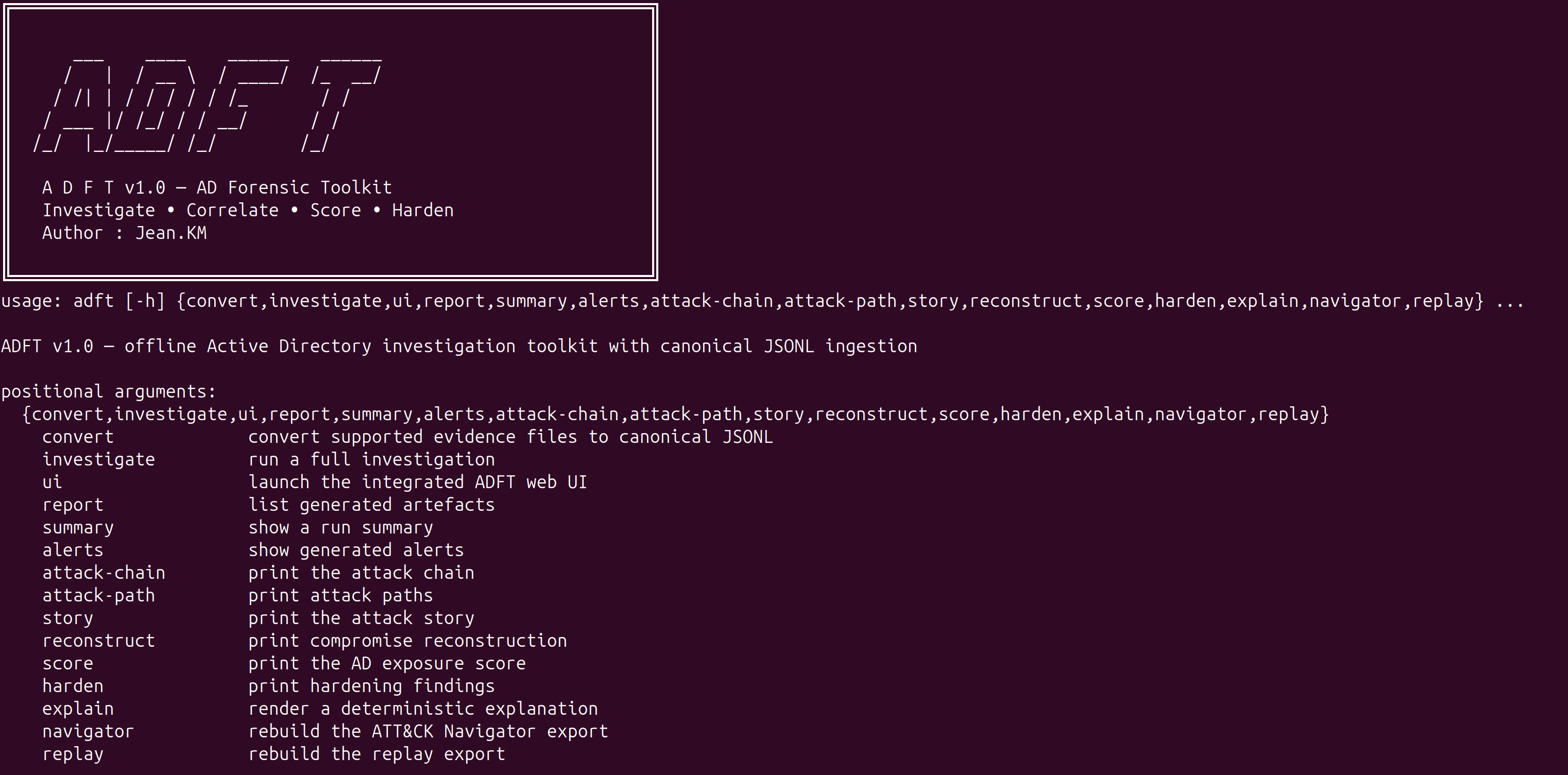
Scope of v1.0
ADFT v1.0 supports:
- canonical JSONL conversion
- offline investigation from exported evidence
- deterministic detections and correlations
- timeline reconstruction and attack-path rendering
- observed AD exposure scoring
- hardening findings and optional PowerShell remediation exports
- report artefacts in HTML, JSON and CSV
- ATT&CK Navigator, replay JSON, Mermaid graph and integrity manifest exports
- an integrated local web UI served by the backend
- a benchmark view in the GUI for release validation and runtime checks
Supported input formats
ADFT accepts source evidence in multiple formats and converts them to canonical JSONL before analysis:
- JSON / JSONL / NDJSON
- EVTX
- YAML / YML
- CSV / TSV
- CEF / LEEF
- XML
- LOG / SYSLOG / TXT
- Markdown
- ZIP
Installation
Recommended one-shot install:
bash./install_adft.sh
Recommended for real EVTX validation:
bash./install_adft.sh --run-demo
Manual installation:
bashpython3 -m venv .venv source .venv/bin/activate pip install --upgrade pip pip install -e ".[full]"
Development installation:
bashpip install -e ".[full,dev]"
Detailed dependency notes are listed in docs/DEPENDENCIES.md.
Repository note: pyproject.toml is the source of truth for packaging. install_adft.sh is the official complete installation path for v1.0, and requirements-dev.txt remains available for contributors and CI.
Main commands
bashadft convert test_logs -o converted_inputs adft investigate test_logs/attack.json -o reports_core --format html json csv --export-events-jsonl adft summary -o reports_core adft alerts -o reports_core --full adft score -o reports_core adft story -o reports_core --full adft attack-chain -o reports_core adft attack-path -o reports_core adft reconstruct -o reports_core --full adft harden -o reports_core --dry-run --export-scripts reports_core/remediation adft report -o reports_core
Integrated GUI
Launch the integrated GUI with:
bashadft ui -o reports_gui --host 127.0.0.1 --port 8765
Then open:
texthttp://127.0.0.1:8765
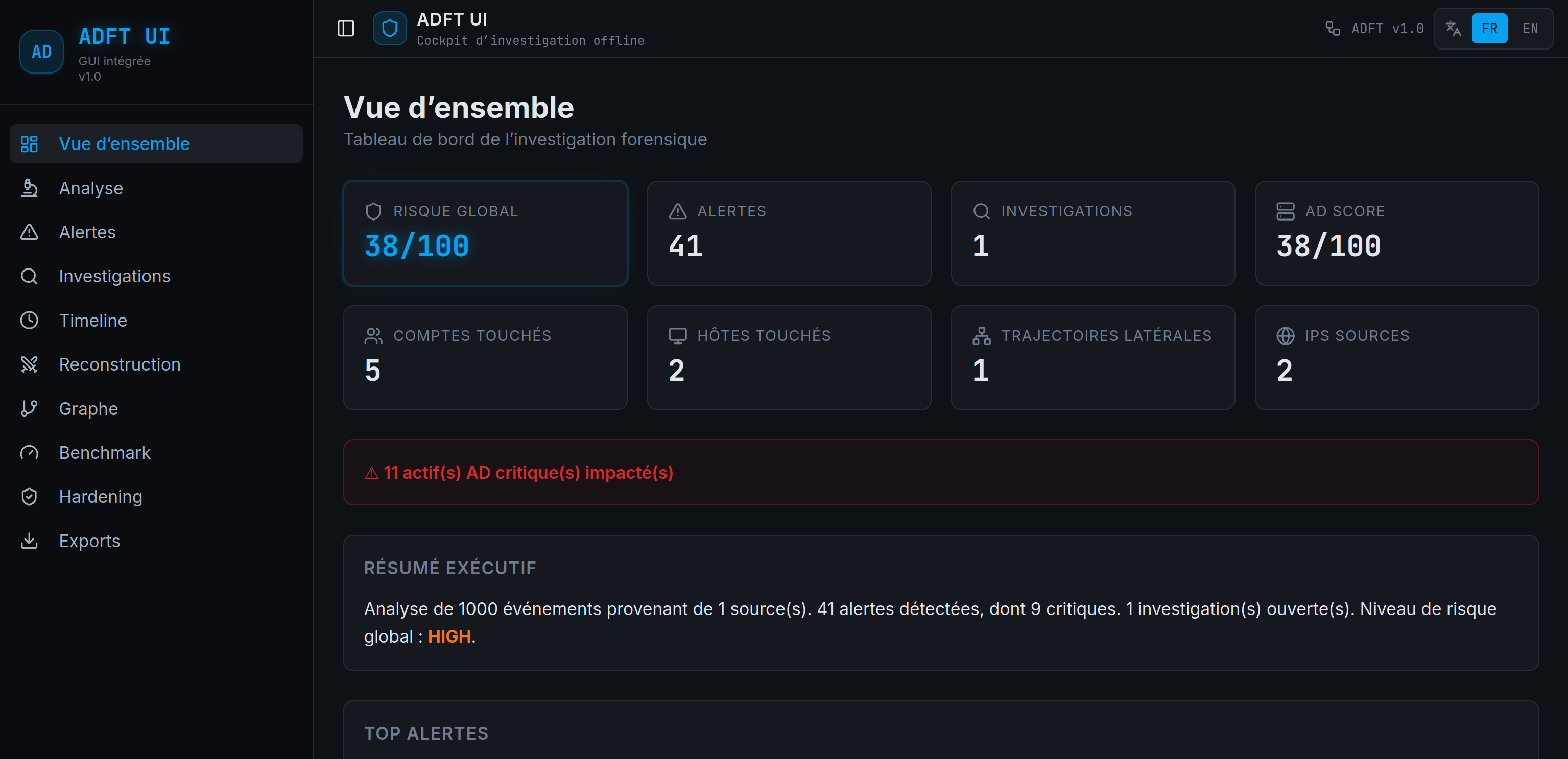
The GUI is backend-driven: uploads, conversion, investigation, alerts, timeline, reconstruction, graph, benchmark, hardening and export views read the real ADFT run state instead of replaying business logic in the browser.
Current GUI characteristics
- browser tab title and icon branded as ADFT UI
- static assets served with no-cache headers
- working refresh action against backend state and capabilities
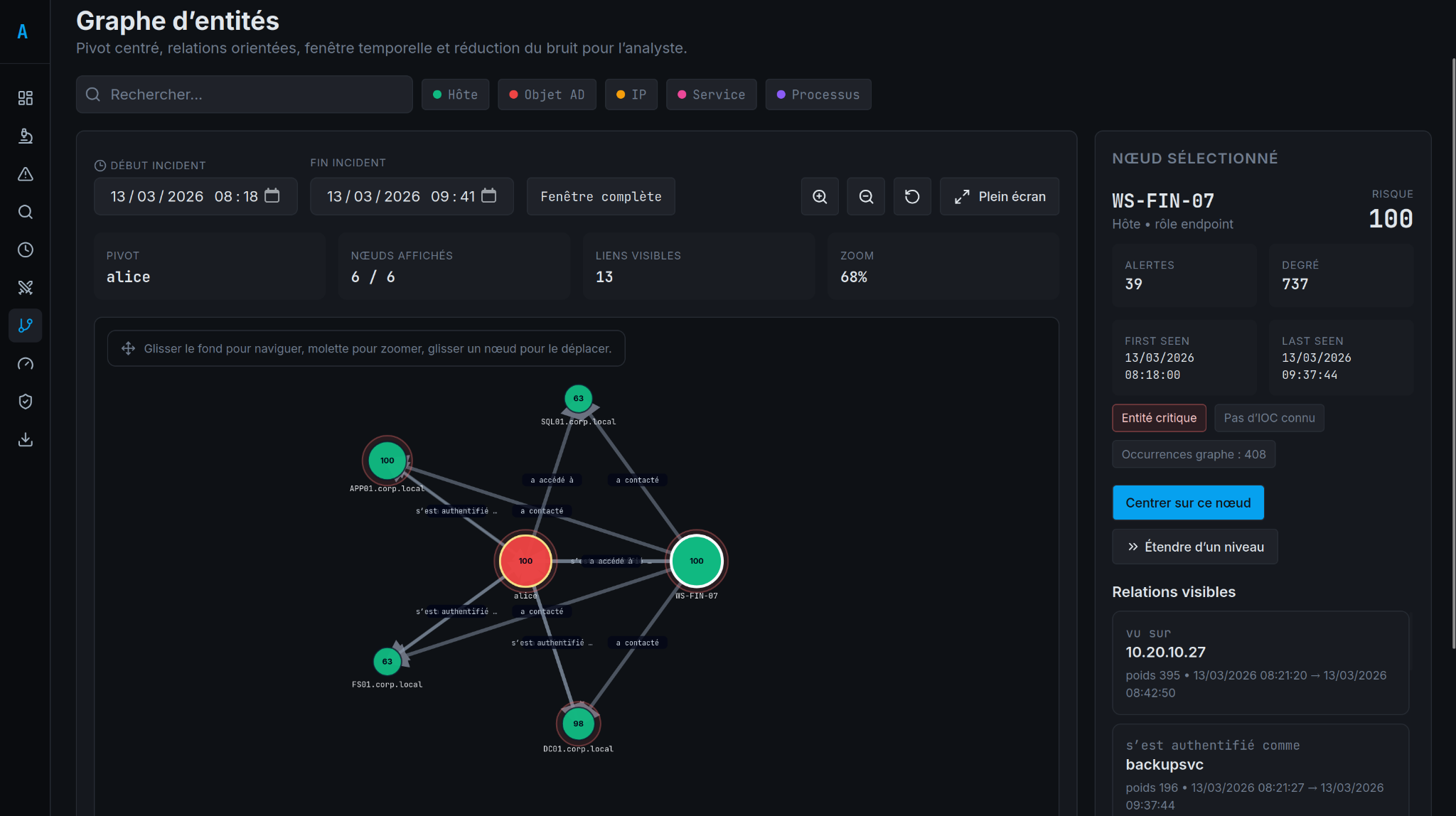
- centered entity graph with pan, zoom, node drag, directed edges and time-window filtering
- node enrichment with risk, first-seen / last-seen and known-IOC marking when evidence exists
- bounded graph display with max-50 node pagination to reduce analyst noise
- benchmark tab for runtime and release validation
Graph-based pivoting
ADFT supports graph-based investigation from a selected pivot, with visible relationships, time scoping, and analyst-oriented navigation.
Generated artefacts
adft_report.htmladft_report.jsonadft_report.csvattack_navigator_layer.jsonadft_replay.jsonattack_graph.mmdadft_integrity.json.adft_last_run.jsonconverted_inputs/conversion_manifest.jsonhardening_scripts.zipafter GUI or CLI hardening export
EVTX dependency note
EVTX is part of the supported perimeter.
At runtime, EVTX conversion requires python-evtx.
Without it, EVTX inputs cannot be parsed successfully.
That is why the recommended install path for the official v1.0 release is:
bash./install_adft.sh
Rulepack
This v1.0 release ships with 34 rules in a deterministic, explainable pipeline.
Repository layout
textadft/ cli/ command-line entry points core/ ingestion, normalization and data models detection/ deterministic rulepack and detection pipeline correlation/ alert grouping and campaign logic timeline/ timeline reconstruction graph/ entity graph and attack path analysis investigation/ case narrative and reconstruction helpers analysis/ scoring and data-quality analysis harden/ remediation and hardening logic reporting/ JSON, CSV and standalone HTML reports exports/ Navigator and replay exports ui_server.py integrated HTTP server and GUI backend bridge webui_dist/ packaged web UI assets served by the backend datasets/ demo datasets used for smoke tests frontend_source/ src/ React/Vite source for the integrated GUI
Validation
bashpytest -q python3 main.py investigate adft/datasets/ransomware_pre_encryption_campaign.json -o /tmp/adft_release_reports --format html json csv --export-events-jsonl python3 main.py ui -o /tmp/adft_release_reports --host 127.0.0.1 --port 8765
Benchmark and validation
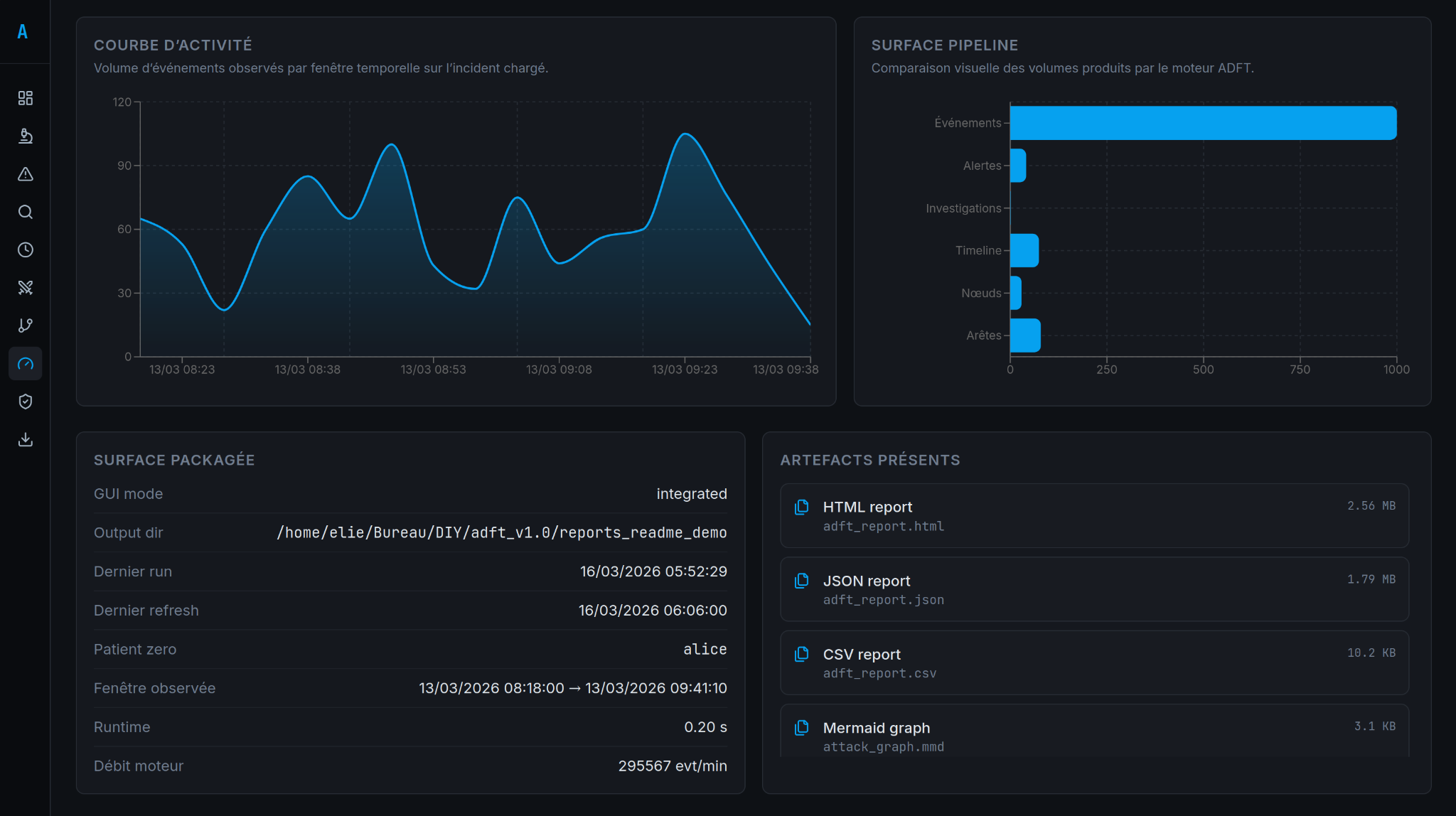
The benchmark view provides a compact product validation surface with run metrics and packaged release checks.
See also:
docs/TESTING.mddocs/ARCHITECTURE.mddocs/DEPENDENCIES.mddocs/RELEASE_VALIDATION.md
UI language toggle
The integrated GUI includes a persistent FR/EN language switch in the top bar. The choice is stored locally in the browser and applies to the main navigation, screens and analyst-facing labels.
Demo dataset
ADFT v1.0 ships with adft/datasets/ad_prod_investigation_post_siem_demo_1000_events.json for an end-to-end ransomware demonstration that exercises conversion, timeline, graph, alerts and exports.
Contributors
Showing top 1 contributor by commit count.

Related Repositories

byt3bl33d3r/CrackMapExec
A swiss army knife for pentesting networks

Orange-Cyberdefense/GOAD
game of active directory

S1ckB0y1337/Active-Directory-Exploitation-Cheat-Sheet
A cheat sheet that contains common enumeration and attack methods for Windows Active Directory.

Pennyw0rth/NetExec
The Network Execution Tool

JPCERTCC/LogonTracer
Investigate malicious Windows logon by visualizing and analyzing Windows event log

netwrix/pingcastle
PingCastle - Get Active Directory Security at 80% in 20% of the time