

Langstream
LangStream. Event-Driven Developer Platform for Building and Running LLM AI Apps. Powered by Kubernetes and Kafka.
Have a question? Join our community on [Slack](https://join.slack.com/t/langstream/shared_invite/zt-21leloc9c-lNaGLdiecHuWU5N31L2AeQ) or [Linen](https://www.linen.dev/invite/langstream)! The project is written primarily in Java, distributed under the Apache License 2.0 license, first published in 2023. Key topics include: genai, gpt-4, huggingface, kafka, kafka-connect.
LangStream
<div class="column" align="middle"> <img src="https://avatars.githubusercontent.com/u/142052382?s=200&v=4" alt="banner"> </div> <div class="column" align="middle"> <img src="https://img.shields.io/github/license/LangStream/langstream" alt="license"/> <img alt="GitHub release (with filter)" src="https://img.shields.io/github/v/release/LangStream/langstream"> <a href="https://join.slack.com/t/langstream/shared_invite/zt-21leloc9c-lNaGLdiecHuWU5N31L2AeQ"><img src="https://img.shields.io/badge/Join-Slack-blue?logo=slack&logoColor=white&style=flat-square"></a> </div>Check out our website.
Have a question? Join our community on Slack or Linen!
For the complete documentation, go here.
Get the LangStream VS Code extension here.
Contents
CLI
Warning
CLI requires Java 11+ to be already installed on your machine.
Installation
There are multiple ways to install the CLI.
-
MacOS:
- Homebrew
brew install LangStream/langstream/langstream- Binary with curl
curl -Ls "https://raw.githubusercontent.com/LangStream/langstream/main/bin/get-cli.sh" | bash -
Unix:
- Binary with curl
curl -Ls "https://raw.githubusercontent.com/LangStream/langstream/main/bin/get-cli.sh" | bash
Verify the binary is available:
langstream -V
Refer to the CLI documentation to learn more.
Try the sample application
Run the sample Chat Completions application on-the-fly:
bashexport OPEN_AI_ACCESS_KEY=your-key-here langstream docker run test \ -app https://github.com/LangStream/langstream/blob/main/examples/applications/openai-completions \ -s https://github.com/LangStream/langstream/blob/main/examples/secrets/secrets.yaml
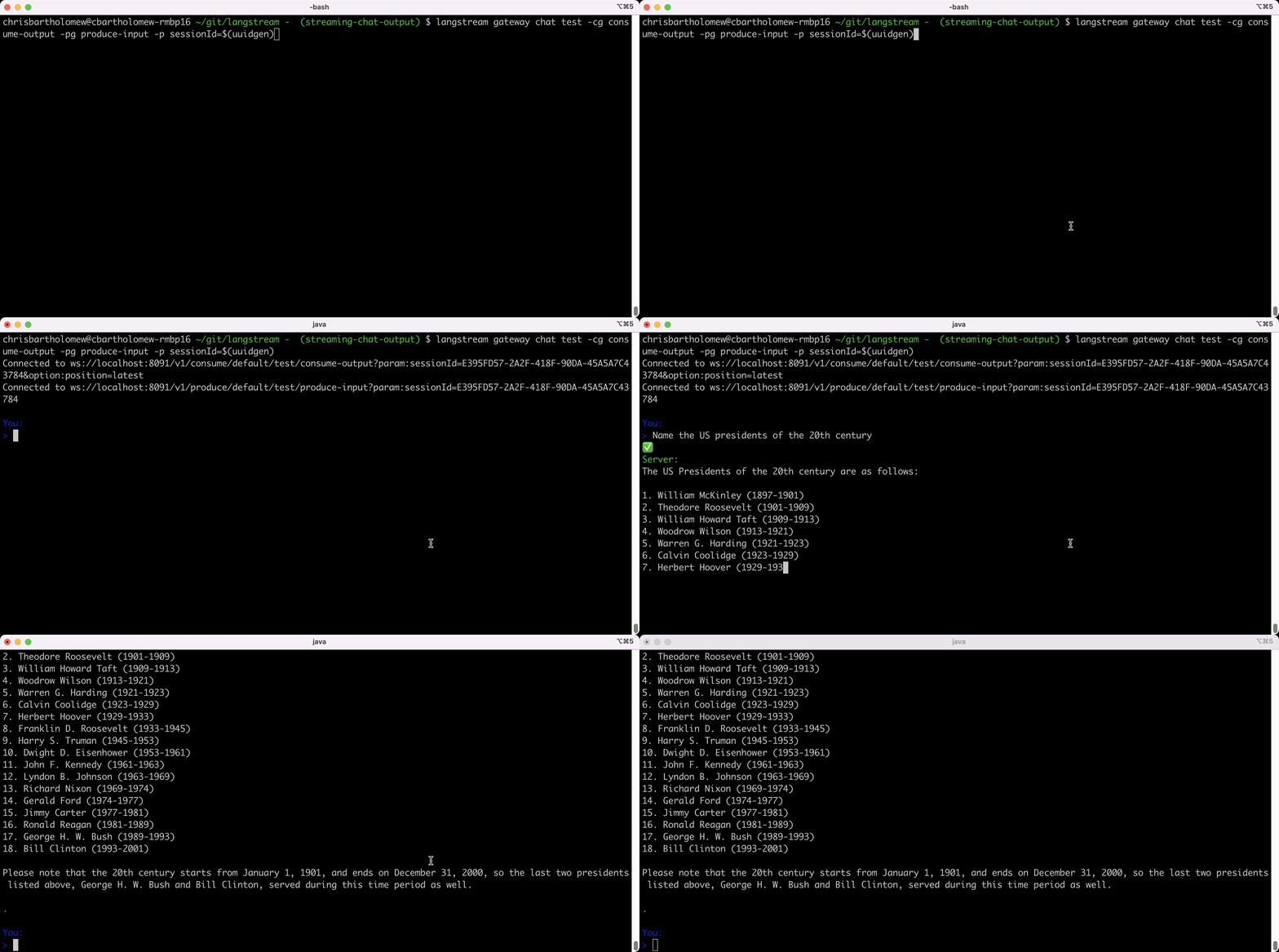
In a different terminal window:
bashlangstream gateway chat test -cg consume-output -pg produce-input -p sessionId=$(uuidgen)
See more sample applications in the examples folder.
Create your own application
To create your own application, refer to the developer documentation.
Run LangStream on Kubernetes
LangStream is production-ready, and it's highly suggested deploying it on a Kubernetes cluster.
The following Kubernetes distributions are supported:
- Amazon EKS
- Azure AKS
- Google GKE
- Minikube
To run a LangStream cluster, you need to the following external components:
- Apache Kafka or Apache Pulsar cluster
- S3 API-compatible storage or Azure Blob Storage (Amazon S3, Google Cloud Storage, Azure Blob Storage, MinIO)
Production-ready deployment
To install LangStream, you can use the langstream Helm chart:
helm repo add langstream https://langstream.ai/charts
helm repo update
Then create the values file. At this point you already need the storage service to be up and running.
In case you're using S3, you can use the following values:
yamlcodeStorage: type: s3 configuration: access-key: <aws-access-key> secret-key: <aws-secret-key>
For Azure:
yamlcodeStorage: type: azure configuration: endpoint: https://<storage-account>.blob.core.windows.net container: langstream storage-account-name: <storage-account> storage-account-key: <storage-account-key>
Now install LangStream with it:
helm install -n langstream --create-namespace langstream langstream/langstream --values values.yaml
kubectl wait -n langstream deployment/langstream-control-plane --for condition=available --timeout=300s
Local deployment
To create a local LangStream cluster, it's recommended to use minikube.
mini-langstream comes in help for installing and managing your local cluster.
To install mini-langstream:
- MacOS:
bashbrew install LangStream/langstream/mini-langstream
- Unix:
bashcurl -Ls "https://raw.githubusercontent.com/LangStream/langstream/main/mini-langstream/get-mini-langstream.sh" | bash
Then startup the cluster:
bashmini-langstream start
Deploy an application:
bashexport OPEN_AI_ACCESS_KEY=<your-openai-api-key> mini-langstream cli apps deploy my-app -app https://github.com/LangStream/langstream/tree/main/examples/applications/openai-completions -s https://github.com/LangStream/langstream/blob/main/examples/secrets/secrets.yaml
To stop the cluster:
bashmini-langstream delete
Refer to the mini-langstream documentation to learn more.
Development
Requirements for building the project:
- Docker
- Java 17
- Git
- Python 3.11+ and PIP
If you want to test local code changes, you can use mini-langstream.
bashmini-langstream dev start
This command will build the images in the minikube context and install all the LangStream services with the snapshot image.
Once the cluster is running, if you want to build abd load a new version of a specific service you can run:
bashmini-langstream dev build <service>
or for all the services
bashmini-langstream dev build
Contributors
Showing top 12 contributors by commit count.




![dependabot[bot]](https://avatars.githubusercontent.com/in/29110?v=4)
Related Repositories

langgenius/dify
Production-ready platform for agentic workflow development.

mem0ai/mem0
Universal memory layer for AI Agents

HKUDS/LightRAG
[EMNLP2025] "LightRAG: Simple and Fast Retrieval-Augmented Generation"

ashishpatel26/500-AI-Agents-Projects
The 500 AI Agents Projects is a curated collection of AI agent use cases across various industries. It showcases practical applications and provides links to open-source projects for implementation, illustrating how AI agents are transforming sectors such as healthcare, finance, education, retail, and more.

yamadashy/repomix
📦 Repomix is a powerful tool that packs your entire repository into a single, AI-friendly file. Perfect for when you need to feed your codebase to Large Language Models (LLMs) or other AI tools like Claude, ChatGPT, DeepSeek, Perplexity, Gemini, Gemma, Llama, Grok, and more.

rohitg00/agentmemory
#1 Persistent memory for AI coding agents based on real-world benchmarks