

WinUI3NavigationExample
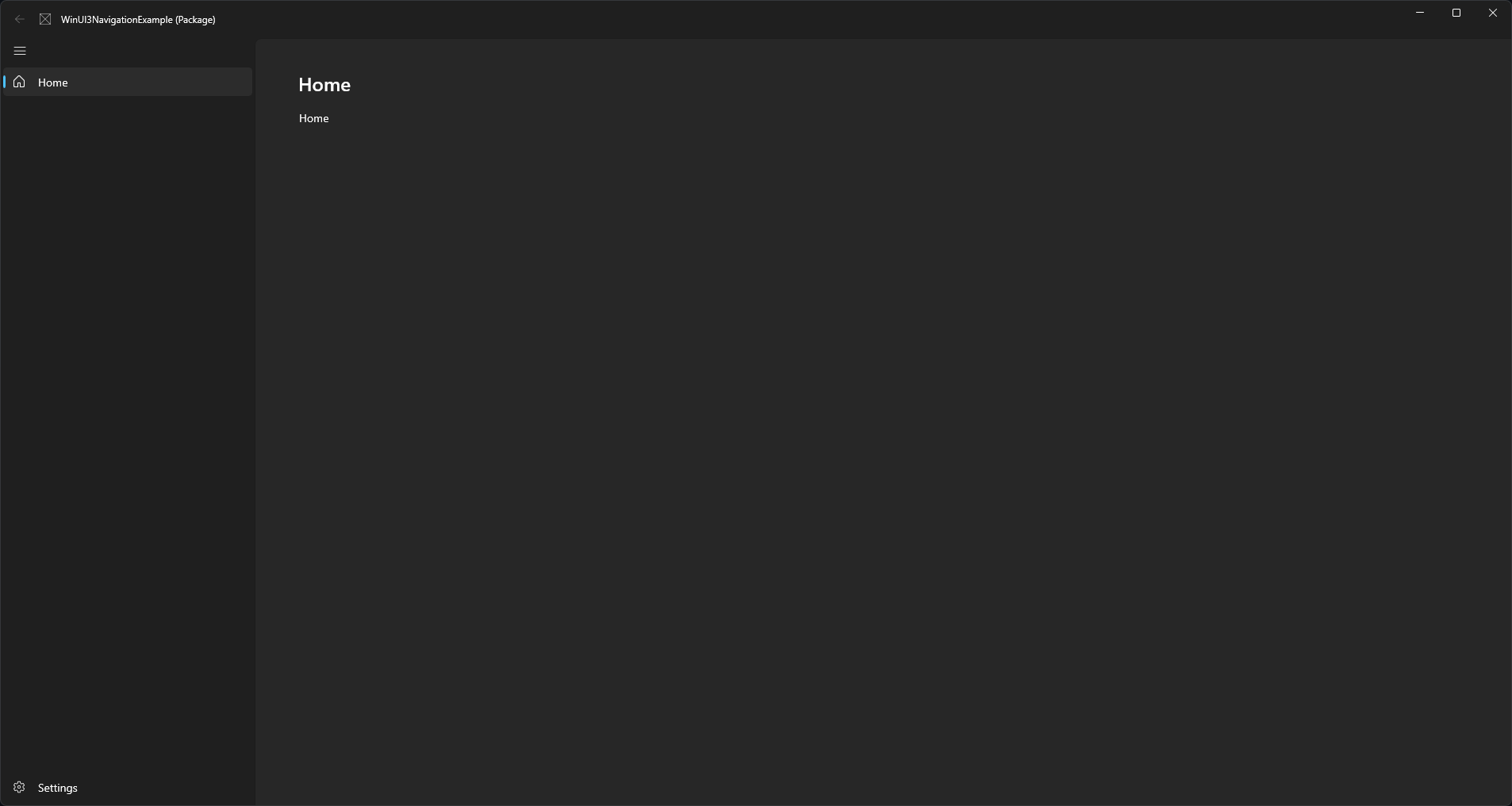
An example of a WinUI 3 navigation view using Windows 11 fluent styles.
Example of a WinUI 3 NavigationView application using the Windows 11 styles. On Windows 11 this should look identical to a comparable WinUI 2 UWP app. The project is written primarily in C#, first published in 2021. Key topics include: windows-11, windows-11-apps, windowsappsdk, winui3.
WinUI 3 Navigation Example
Introduction
Example of a WinUI 3 NavigationView application using the Windows 11 styles.
On Windows 11 this should look identical to a comparable WinUI 2 UWP app.
Updated to WindowsAppSDK 1.3 where Mica style and a custom TitleBar are now very easy to use.
If you need to use an older version check the WindowsAppSDK-1.1 branch
How It Works
[!IMPORTANT]
Updated to WindowsAppSDK 1.3 where Mica style and a custom TitleBar are now very easy to use.
If you need to use an older version check the WindowsAppSDK-1.1 branch
Style
As of WindowsAppSDK 1.3 Mica styles are much easier. We can now use SystemBackdrop to enable Mica.
The SetTitleBar method has also been fixed so that we no longer need to use WinRT Interop for our custom title bar.
Mica
Mica can be enabled by using SystemBackdrop in either the c# or xaml of the MainWindow. Both have been used in this example.
In MainWindow.xaml.cs
cpublic MainWindow() { ... SystemBackdrop = new MicaBackdrop() { Kind = MicaKind.Base };
Or in MainWindow.xaml
xaml<Window.SystemBackdrop> <MicaBackdrop Kind="Base"/> </Window.SystemBackdrop>
Custom TitleBar
cpublic MainWindow() { ... ExtendsContentIntoTitleBar = true; SetTitleBar(AppTitleBar); }
We can then create space for a title bar in App.xaml
xaml<Thickness x:Key="NavigationViewContentMargin">0,48,0,0</Thickness>
And make the title bar transparent
xaml<SolidColorBrush x:Key="WindowCaptionBackground">Transparent</SolidColorBrush> <SolidColorBrush x:Key="WindowCaptionBackgroundDisabled">Transparent</SolidColorBrush>
Navigation
A simple navigation example is provided in the MainWindow files. This is based on the documentation but simplified somewhat by including the full addess of each page in the NavigationViewItem's Tag.
xaml<NavigationViewItem Icon="Home" Content="Home" Tag="WinUI3NavigationExample.Views.HomePage" />
Contributors
Showing top 2 contributors by commit count.


Related Repositories

massgravel/Microsoft-Activation-Scripts
Open-source Windows and Office activator featuring HWID, Ohook, TSforge, and Online KMS activation methods, along with advanced troubleshooting.

microsoft/PowerToys
Microsoft PowerToys is a collection of utilities that supercharge productivity and customization on Windows

Raphire/Win11Debloat
A simple, lightweight PowerShell script that allows you to remove pre-installed apps, disable telemetry, as well as perform various other changes to declutter and customize your Windows experience. Win11Debloat works for both Windows 10 and Windows 11.

files-community/Files
A modern file manager that helps users organize their files and folders.

DevToys-app/DevToys
A Swiss Army knife for developers.
microsoft/calculator
Windows Calculator: A simple yet powerful calculator that ships with Windows