

Automatic ticket purchase
大麦网抢票脚本
之前的版本通过按钮操作,还要等待页面元素加载,效率低下。 此版本仅需登录时用到页面,通过selenium打开页面进行登录。其余操作均通过requests进行请求。 The project is written primarily in Python, distributed under the MIT License license, first published in 2019. It has gained significant community traction with 5,523 stars and 938 forks on GitHub. Key topics include: beautifulsoup4, python3, requests, selenium.
已停止维护
大部分购买方式已迁移至手机端,需配合抓包处理。暂无更新计划。
大麦抢票脚本 V2.1
更新
- 增加选座购买,暂时只支持抢购指定价格下的座位,且暂不支持连坐购买。
大麦抢票脚本 V2.0
在学习到接口相关知识后,决定改造之前的脚本。
功能介绍
之前的版本通过按钮操作,还要等待页面元素加载,效率低下。
此版本仅需登录时用到页面,通过selenium打开页面进行登录。其余操作均通过requests进行请求。
ps: 暂不支持选座购买。
其流程图如下:
<img src="images/flow_chart.jpeg" width="50%" height="50%" />准备工作
1. 配置环境
1.1 安装所需要的环境
shellpip install -r requirements.txt
1.2 需要下载与系统安装对应的ChromeDriver驱动并配置(也可以改用其他浏览器驱动),
下载地址: http://chromedriver.storage.googleapis.com/index.html
1.3 配置驱动路径,默认在项目根目录下。
例如:windows系统下,则重命名下载的chromedriver,将其重命名为chromedriver_windows
pythondef account_login(): if platform.system().lower() == 'linux': chromedriver = os.path.join(os.getcwd(), 'chromedriver_linux') elif platform.system().lower() == 'windows': chromedriver = os.path.join(os.getcwd(), 'chromedriver_windows') else: chromedriver = os.path.join(os.getcwd(), 'chromedriver_mac')
2. 运行
2.1 若采取账号方式,修改代码中下面的信息,进行抢票。
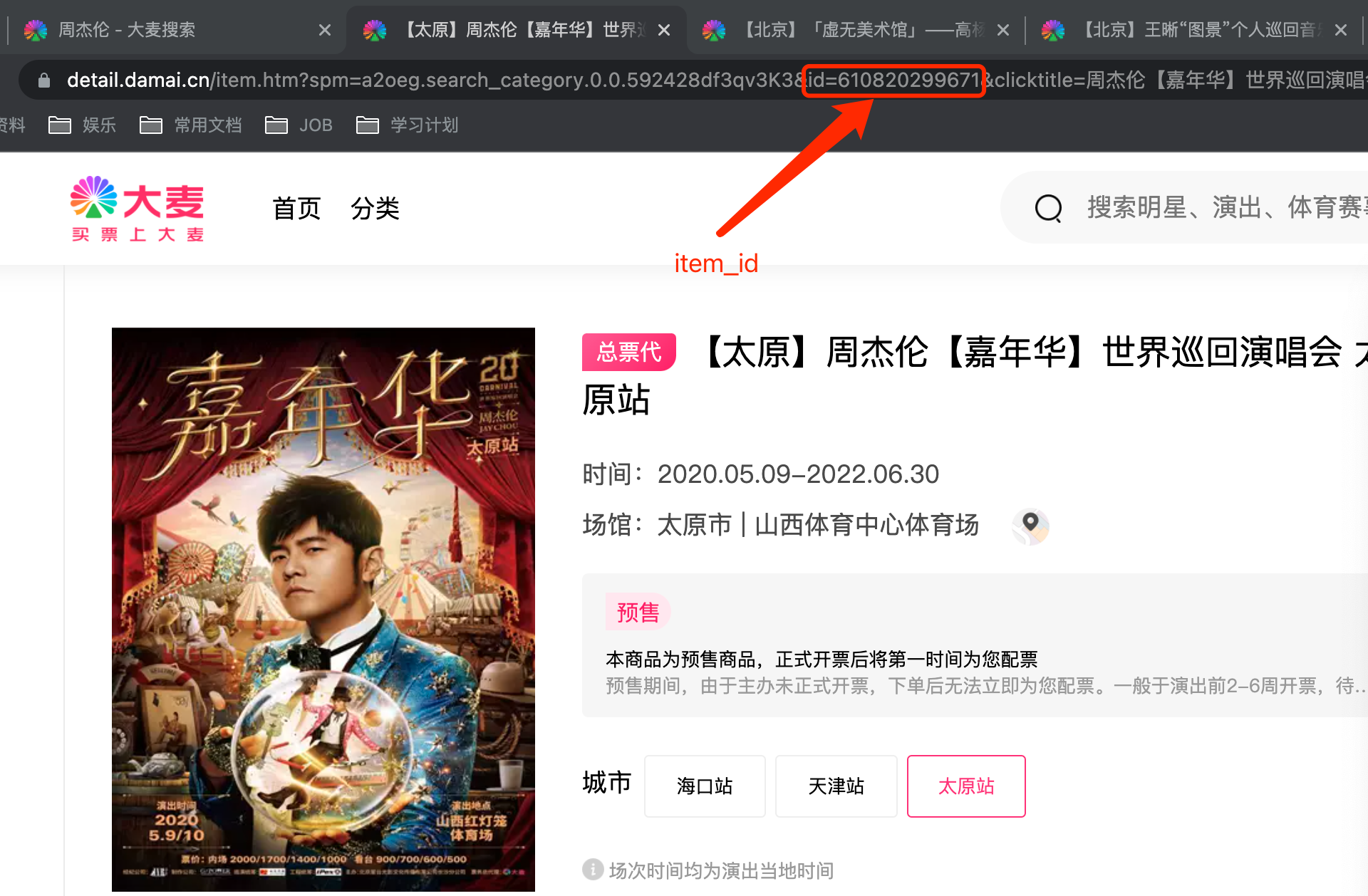
item_id根据地区来确定,每一个城市对应不同的item_id。选择相应地区后将箭头指向的item_id填写到函数内。
textdef __init__(self): ... # 若选择账号登录方式,则需要填写 self.login_id: str = 'account' # 大麦网登录账户名 self.login_password: str = 'password' # 大麦网登录密码 # 以下为抢票必须的参数 self.item_id: int = 610820299671 # 商品id self.viewer: list = ['viewer1'] # 在大麦网已填写的观影人 self.buy_nums: int = 1 # 购买影票数量, 需与观影人数量一致 self.ticket_price: int = 180 # 购买指定票价
2.2 运行
初次登陆没有cookies,默认登录方式为账号密码登录方式,可改成其他方式进行登录,如扫码或短信登录。
shell# 默认登录方式 python Automatic_ticket_purchase.py # 指定其他方式登录 python Automatic_ticket_purchase.py --mode qr
免责声明:详见MIT License,此仓库仅用于个人参考学习,但如他人用本仓库代码用于商业用途(鄙视黄牛),侵犯到大麦网利益等,本人不承担任何责任。
Contributors
Showing top 2 contributors by commit count.


Related Repositories

mariosemes/PornHub-downloader-python
Download stuff from PH the easy way.

lb2281075105/Python-Spider
豆瓣电影top250、斗鱼爬取json数据以及爬取美女图片、淘宝、有缘、CrawlSpider爬取红娘网相亲人的部分基本信息以及红娘网分布式爬取和存储redis、爬虫小demo、Selenium、爬取多点、django开发接口、爬取有缘网信息、模拟知乎登录、模拟github登录、模拟图虫网登录、爬取多点商城整站数据、爬取微信公众号历史文章、爬取微信群或者微信好友分享的文章、itchat监听指定微信公众号分享的文章

sskender/pornhub-api
Unofficial API for PornHub.com in Python

pcomputo/Whole-Foods-Delivery-Slot
Automated script for Whole Foods and Amazon Fresh delivery slot

roniemartinez/dude
dude uncomplicated data extraction: A simple framework for writing web scrapers using Python decorators

lkuffo/web-scraping
Más de 50 ejemplos de web scraping utilizando: Requests | Scrapy | Selenium | LXML | BeautifulSoup