

Processing imageprocessing
Collection of basic image processing algorithms for processing
This library collects various image processing algorithms and provides simple access to them. All algorithms are implemented in Java and runs without any other dependencies. Some algorithms are pretty standard and others maybe do you know from Photoshop. It starts with less basic features and grow over the last years. If you need high power performance better use [opencv for processing](https://github.com/atduskgreg/opencv-processing). The project is written primarily in HTML, distributed under the MIT License license, first published in 2018. Key topics include: brightness, contrast, dithering, edge-detection, halftone.
Image processing for Processing
This library collects various image processing algorithms and provides simple access to them. All algorithms are implemented
in Java and runs without any other dependencies. Some algorithms are pretty standard and others maybe do you know from Photoshop.
It starts with less basic features and grow over the last years.
If you need high power performance better use opencv for processing.
If you like this project and you want to keep me awake 🤪
<a href='https://ko-fi.com/L4L21072C' target='_blank'><img height='36' style='border:0px;height:36px;' src='https://az743702.vo.msecnd.net/cdn/kofi1.png?v=2' border='0' alt='Buy Me a Coffee at ko-fi.com' /></a>
Installation
If you want to use this library in your processing sketch you can download it via the integrated Contribution Manager.
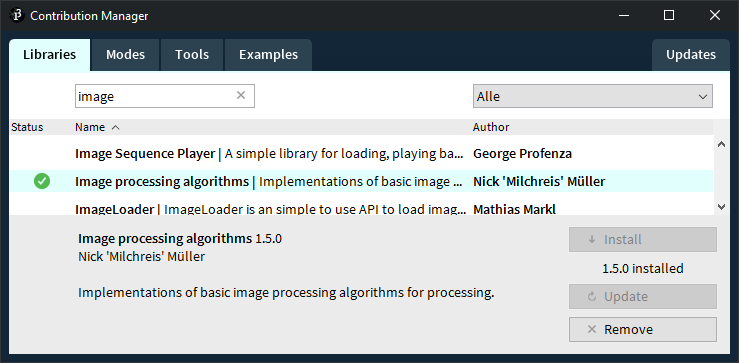
Examples
Overview
The following algorithms are supported in this library. Click on the link to see an example image and a code snippet.
Original image
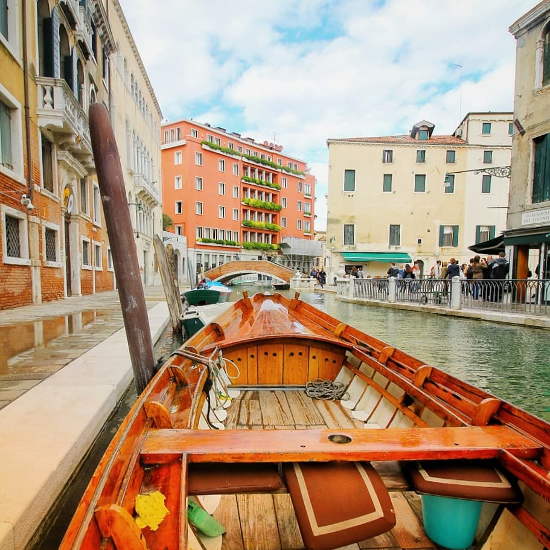
Photo taken by me more here
Basics
Grayscale image
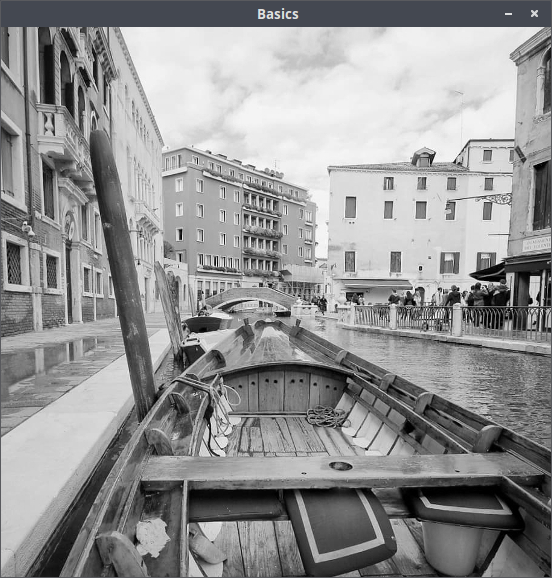
javaPImage processedImage = Grayscale.apply(image);
Flip image
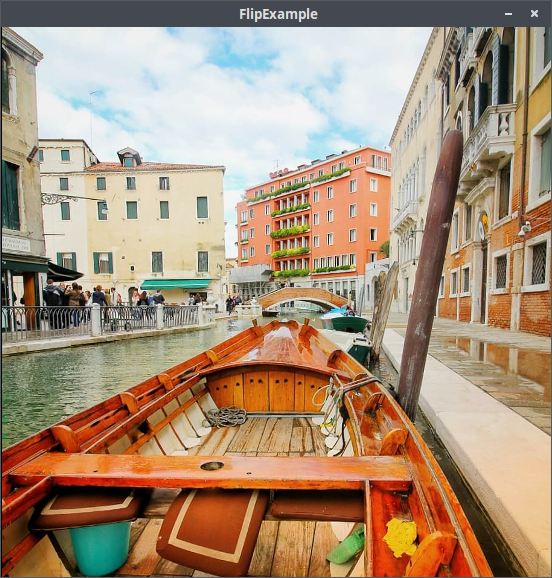
javaPImage processedImage = Flip.apply(image, horizontal, vertical); // horizontal and vertical are boolean
Invert colors
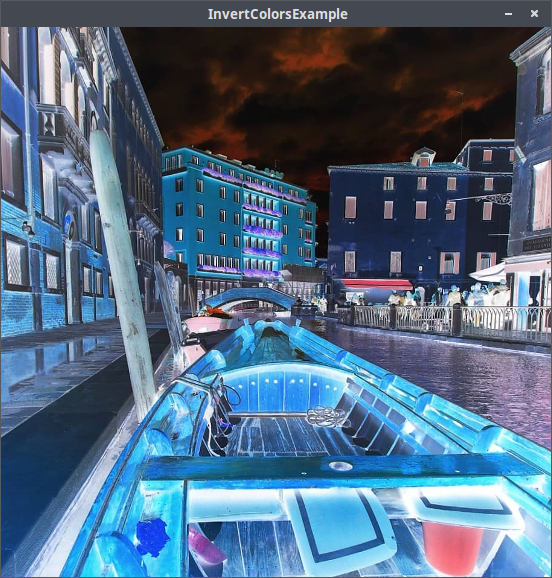
java// invertRed, invertGreen and invertBlue are boolean PImage processedImage = InvertColors.apply(image, invertRed, invertGreen, invertBlue);
Threshold image
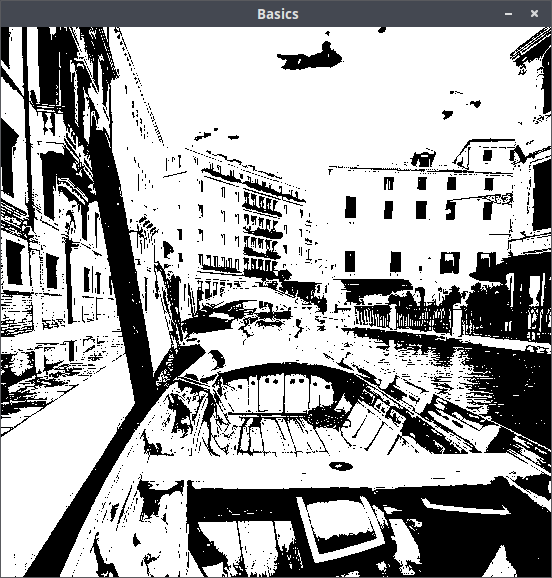
javaPImage processedImage = Threshold.apply(image); // Auto threshold PImage processedImage = Threshold.apply(image, value); // Threshold value between 0 and 255
Dilation image
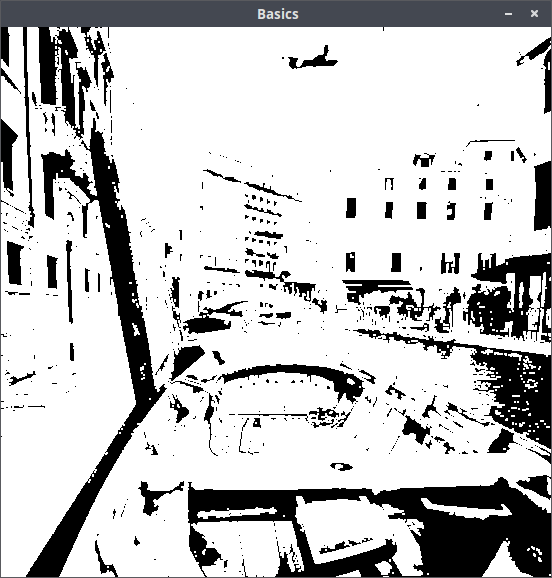
javaPImage processedImage = Dilation.apply(image, radius); // radius is a positive number
Erosion image
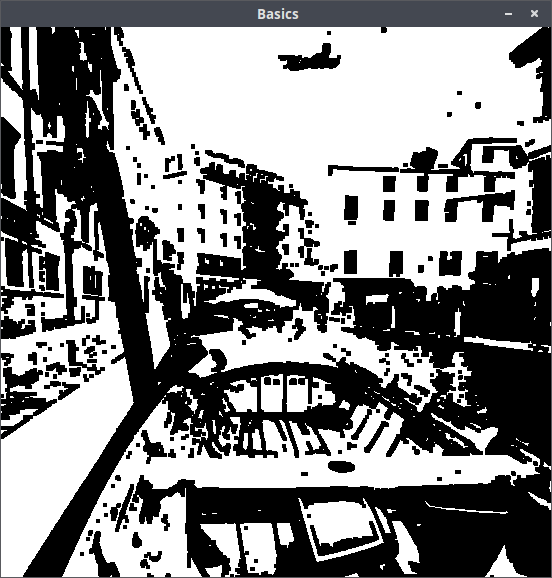
javaPImage processedImage = Erosion.apply(image, radius); // radius is a positive number
Vignette image
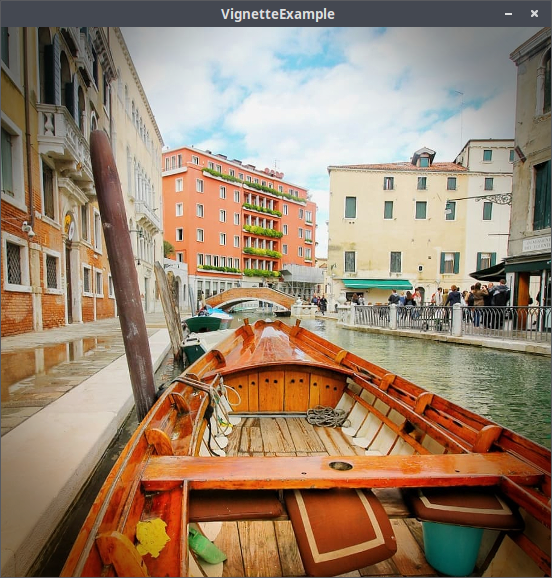
java// intensity and vignetteWidth are floats between 0.0 and 1.0 PImage processedImage = Vignette.apply(image, intensity, vignetteWidth);
Quantization
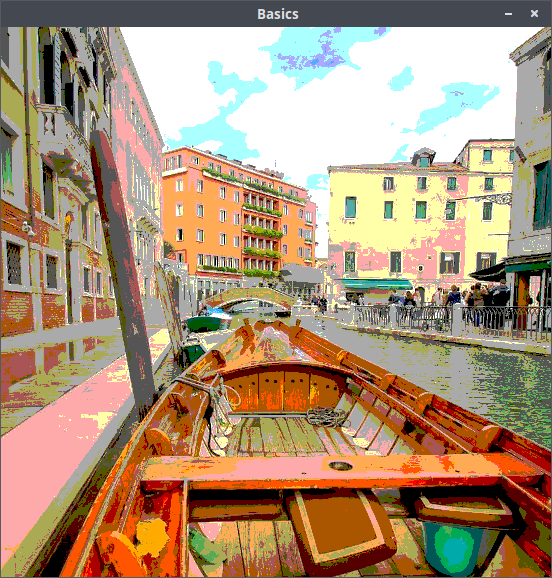
javaPImage processedImage = Quantization.apply(image, shades); // shades is a positive number between 1 and 255
PaletteMapping
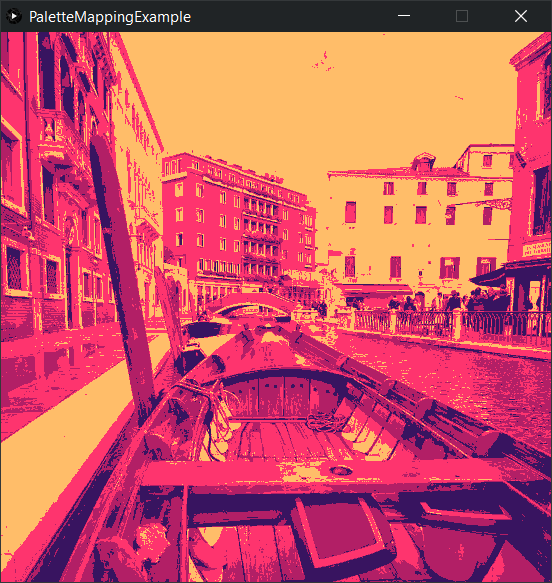
javaPImage processedImage = PaletteMapping.apply(image, color1, color2, color3); // Add any number of colors from dark to light
Difference
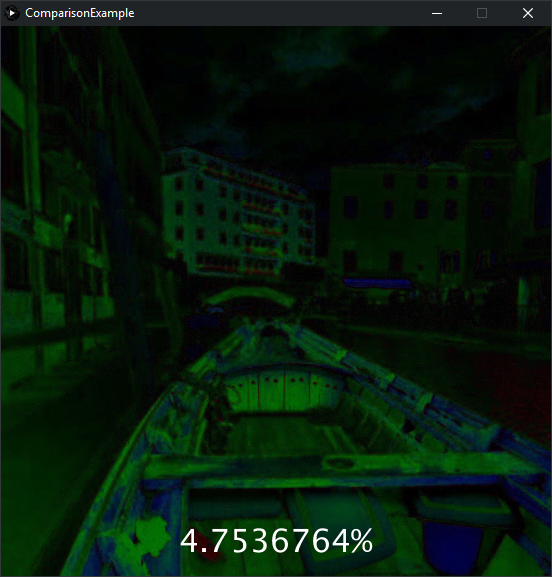
java// difference is a float between 0.0 and 1.0 from less to very different float difference = Comparison.howDifferent(image1, image2); // differenceImage is the difference between the pixel values (black is no difference, white is high difference) PImage differenceImage = Comparison.calculateDifferenceImage(image1, image2);
Blur
Gaussian blur image
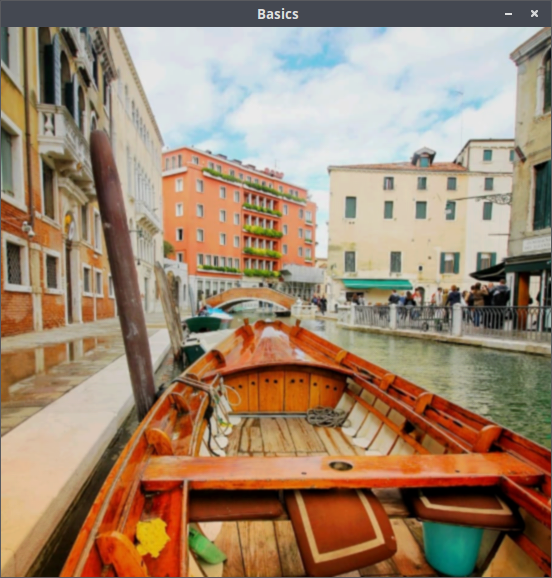
javaPImage processedImage = Gaussian.apply(image, 7, 0.84089642); // kernel size and sigma
Pixelize image
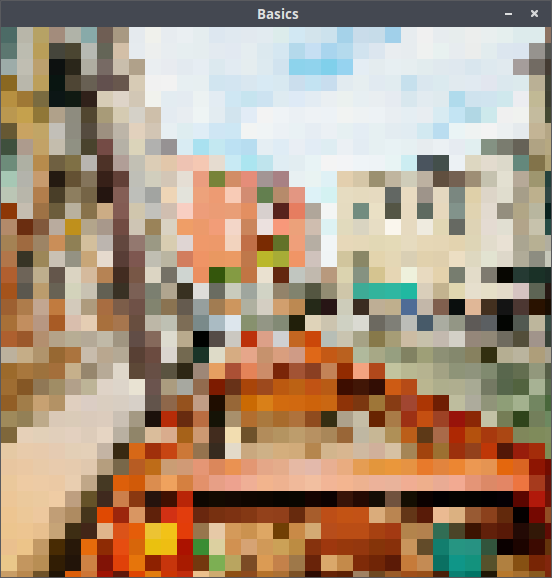
java// pixelsize is a positive number PImage processedImage = Pixelation.apply(image, pixelsize); // Pixelize a sub area of the input image PImage processedImage = Pixelation.apply(image, pixelsize, subX, subY, subWidth, subHeight);
Tilt-Shift-Effect
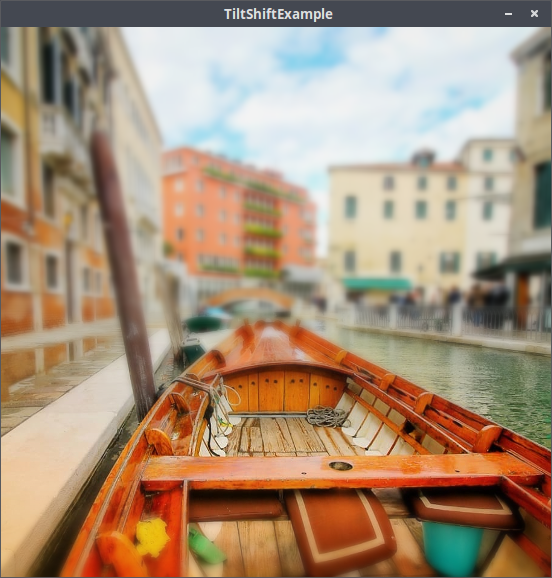
javaPImage processedImage = TiltShift.apply(image, blurIntensity, horizontal, position, sharpWideness);
Edge detection
Canny's algorithm
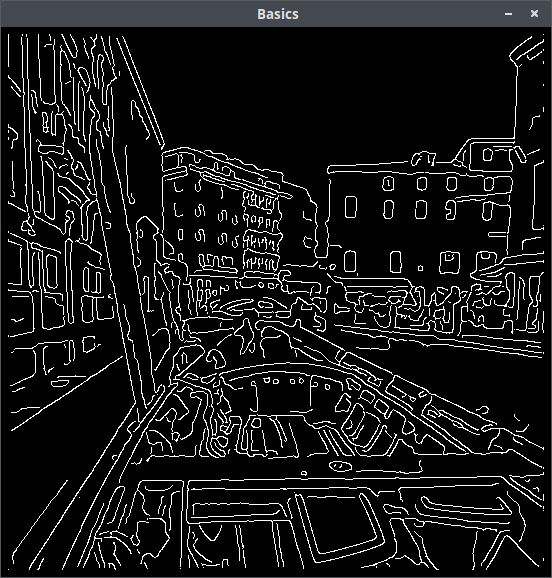
javaPImage processedImage = CannyEdgeDetector.apply(image);
Sobels algorithm
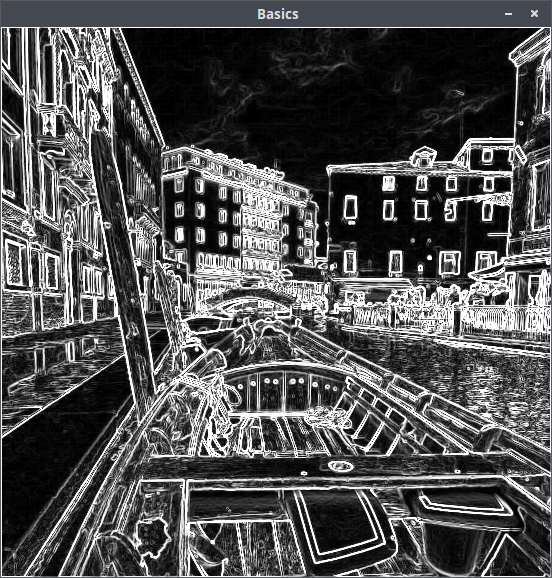
javaPImage processedImage = SobelEdgeDetector.apply(image); // for colored sobel (for each color channel) PImage processedImage = SobelEdgeDetector.apply(image, false);
Optimisation
Brightness
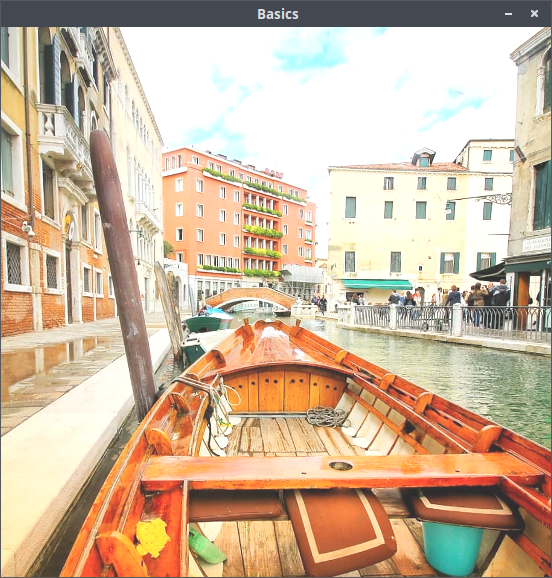
javaPImage processedImage = Brightness.apply(image, value); // value isa positive number for brighting up or a negative for darken down
Contrast
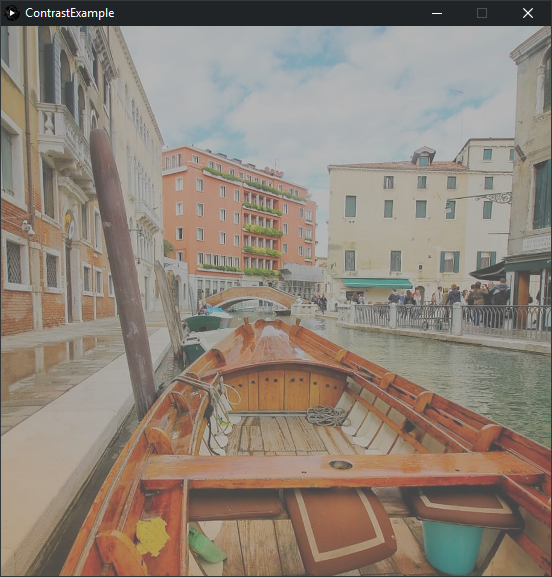
java// intensity is between -1.0 and 1.0 PImage processedImage = Contrast.apply(image, intensity);
Saturation
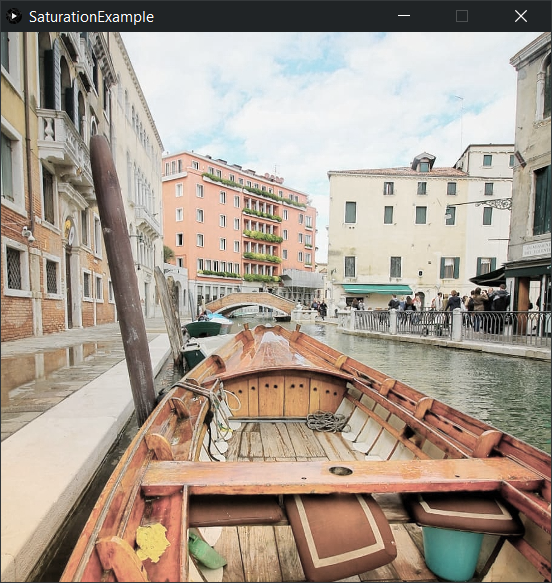
java// intensity is between 0.0 and 10.0 // 0.0 to 1.0 decreases and all above increases the saturation PImage processedImage = Saturation.apply(image, intensity);
Changing highlights
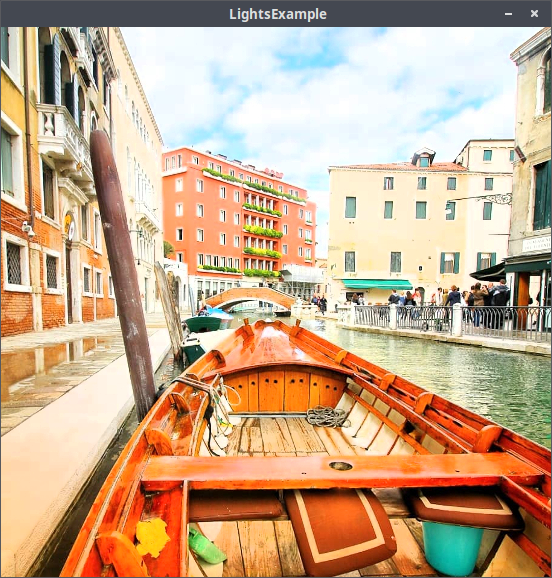
java// intensity between -1.0 and 1.0 PImage processedImage = Lights.apply(image, intensity);
Changing shadows
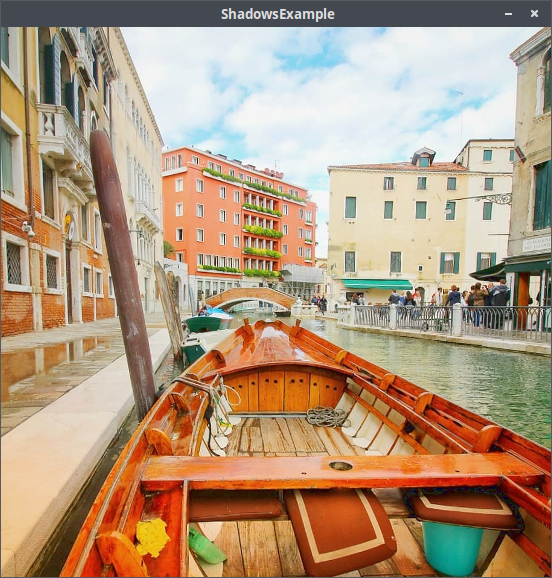
java// intensity between -1.0 and 1.0 PImage processedImage = Shadows.apply(image, intensity);
AutoBalance image
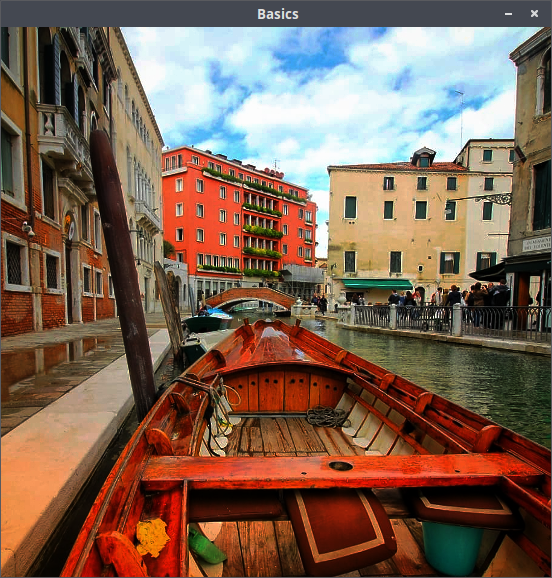
javaPImage processedImage = AutoBalance.apply(image);
Bloom image
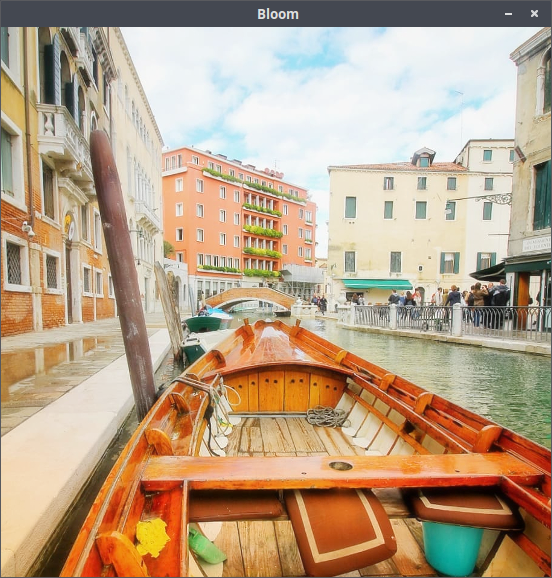
javaPImage processedImage = Bloom.apply(image, intensity); // intensity between 0 and 255
Sharpen image
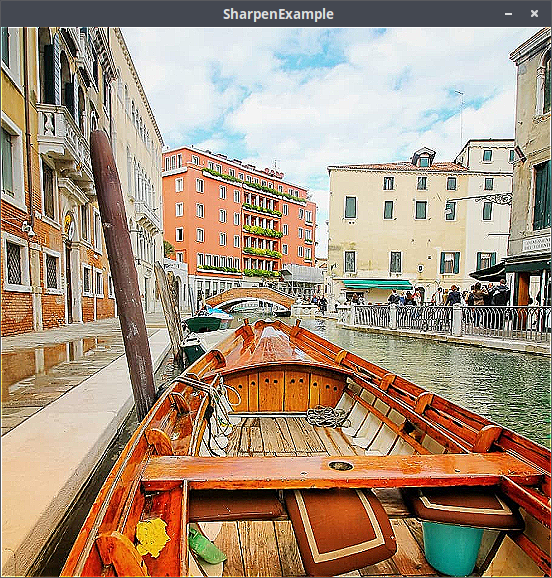
javaPImage processedImage = Sharpen.apply(image, sharpIntensity); // sharpIntensity between 0.0 and 10.0
Color shift image
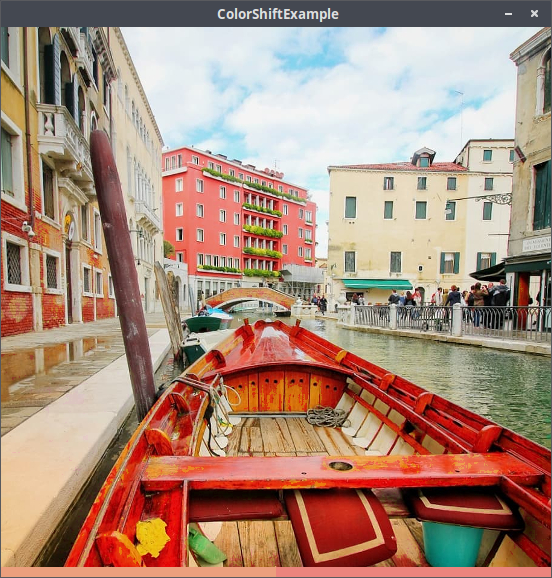
java// hue is a value between 0 and 360 // offset is the color range which is accepted (in hue range) // shift is the number of the subtracted or added hue value PImage processedImage = ColorShift.applyHue(image, hue, offset, shift); // or short: ColorShift.apply(image, hue, offset, shift) PImage processedImage = ColorShift.applySaturation(image, hue, offset, shift); PImage processedImage = ColorShift.applyBrightness(image, hue, offset, shift);
Looks
Lookup table image
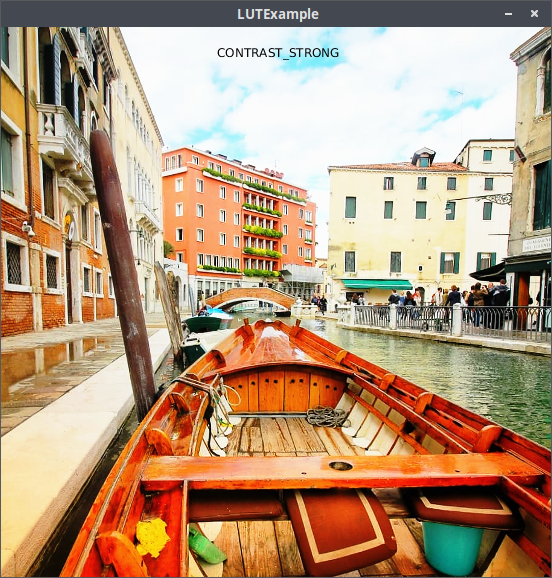
javaLUT style = LUT.loadLut(LUT.STYLE.CONTRAST); PImage processedImage = LUT.apply(image, style);
RetroConsole effect (Gameboy)
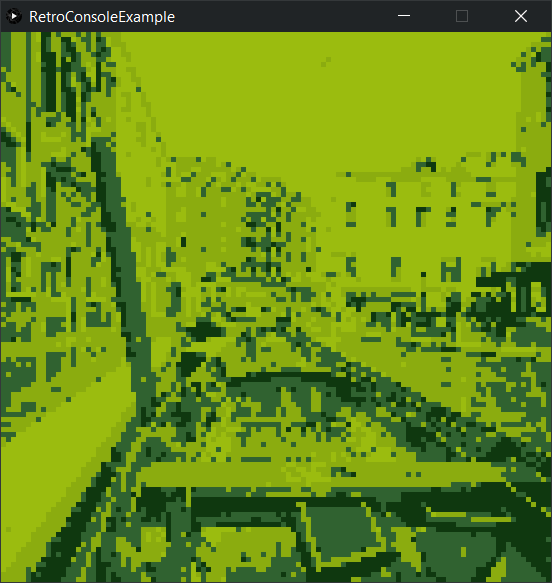
javaPImage processedImage = RetroConsole.applyGameboy(image, pixelSize);
Glitch image
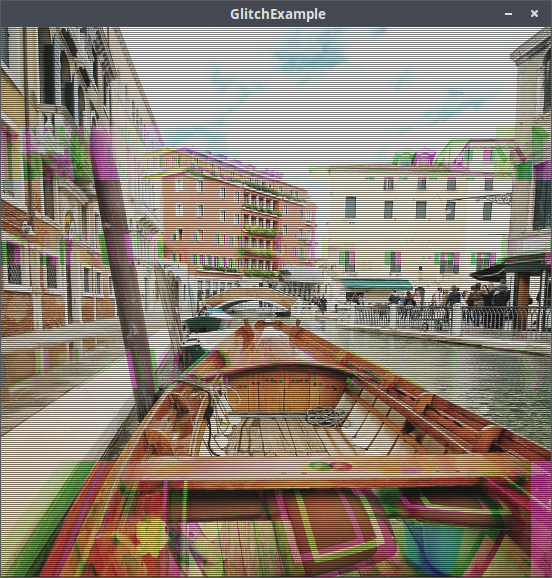
javaPImage processedImage = Glitch.apply(image, intensity, scanlineheight);
Matte effect
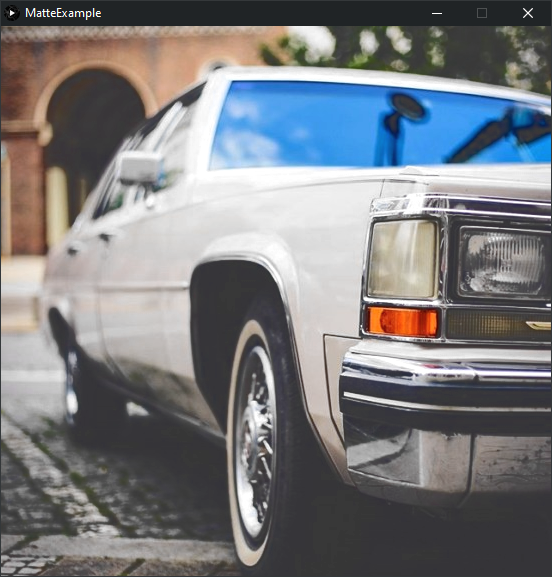
javaPImage processedImage = Matte.apply(image, matteIntensity, // intensity for the lifting blacks between 0 and 255 contrastIntensity, // intensity for the constrast between 0 and 255 saturationIntensity); // change for the saturation between -0.5 and 0.5
Sabattier effect
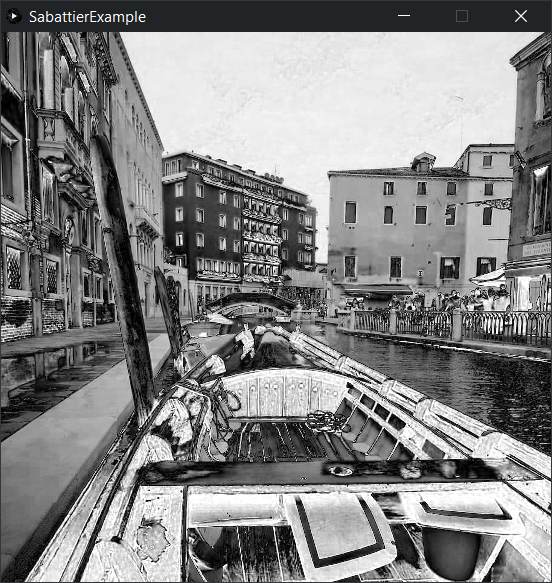
java// intensity between 0.0 and 1.0 PImage processedImage = Sabattier.apply(image, intensity); PImage processedImage = Sabattier.applyRed(image, intensity); PImage processedImage = Sabattier.applyGreen(image, intensity); PImage processedImage = Sabattier.applyBlue(image, intensity);
Strokes image
| random angles | fixed angle |
|---|---|
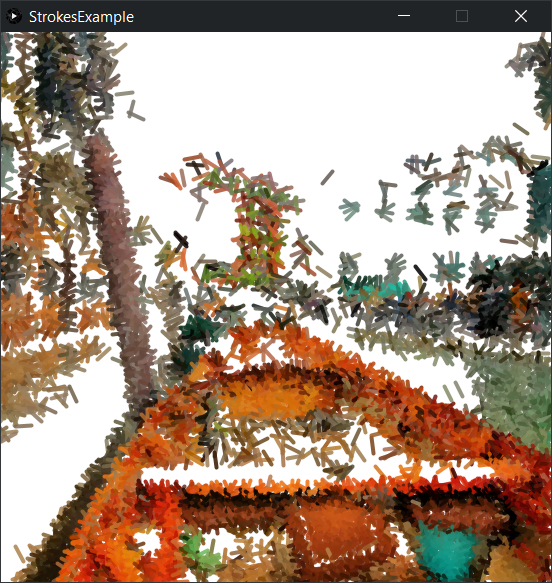 | 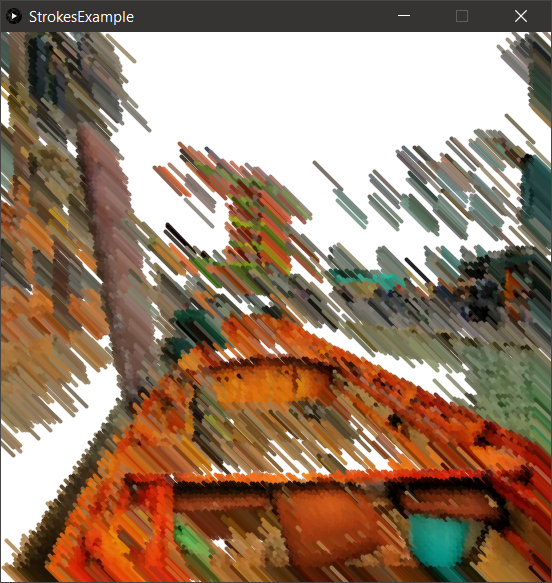 |
javaPImage processedImage = Strokes.apply(image, gridSize, lineLength); PImage processedImage = Strokes.apply(image, gridSize, // is positive and the area for compound pixels lineLength, // is positive and the length in pixels for each line lineWeight, // is positive and the weight of each line in pixel linesPerGrid, // the number of lines per grid lineIntensity, // alpha value for each line between 0 and 255 degree, // if set the rotation is fixed in degree, otherwise random inColor, // true for colors else black and white backgroundColor); // color for the background
Dithering
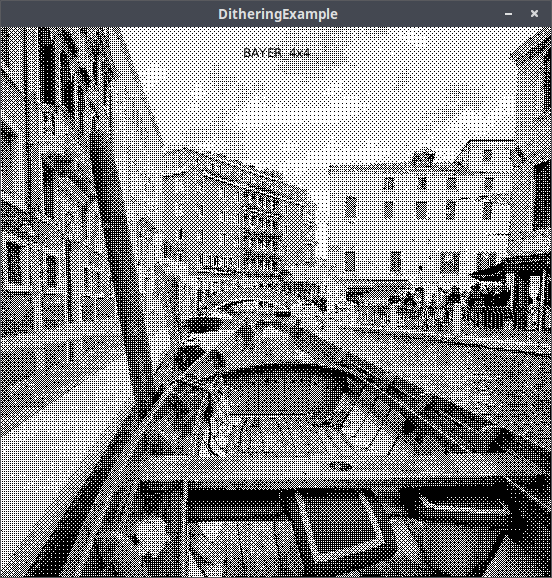
java// default dithering algorithm is BAYER_4x4 PImage processedImage = Dithering.apply(image); // change algrithm: BAYER_2x2, BAYER_4x4, BAYER_8x8 PImage processedImage = Dithering.apply(image, Dithering.Algorithm.BAYER_8x8); // use a curstom kernel (kernel = float[]) PImage processedImage = Dithering.aapply(PImage image, kernel);
Halftone image
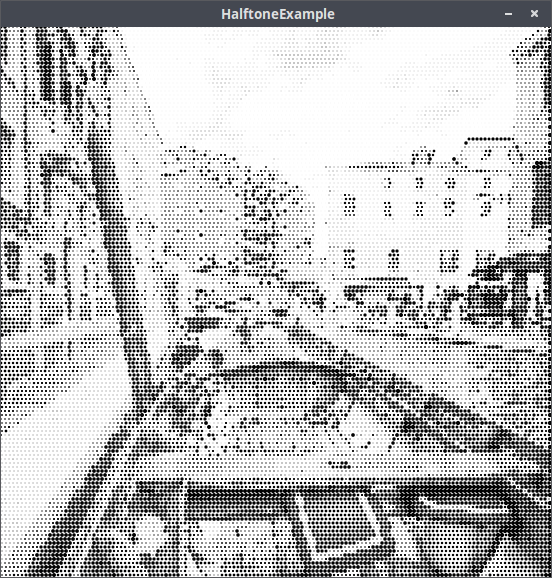
javaPImage processedImage = Halftone.apply(image, dotsize); // dot size in pixel PImage processedImage = Halftone.apply(image, dotsize, grid); // grid = true, on false honeycomb style PImage processedImage = Halftone.apply(image, dotsize, foreground, background); // background and foreground colors PImage processedImage = Halftone.apply(image, dotsize, foreground, background, grid); PImage processedImage = Halftone.apply(image, dotsize, foreground, background, spacing, grid); // size between dots in pixels
Toning image
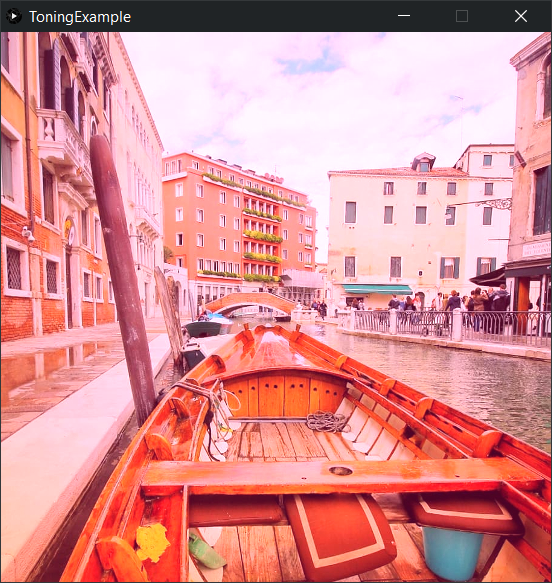
java// tone is a color and intensity is a value between 0.0 and 1.0 color tone = color(255, 11, 120); float intensity = 0.8f; PImage processedImage = Toning.apply(image, tone, intensity);
Split toning image
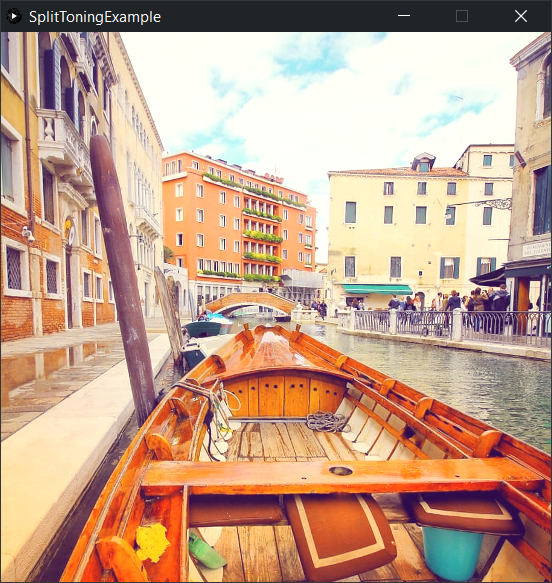
javaPImage processedImage = SplitToning.apply( image, highlightTone, // Color for highlighs (f.e. color highlightTone = color(211, 180, 21); intensityHighlights, // intensity for the toning in highlights between 0.0 and 1.0 shadowTone, // Color for the shadows (f.e. color shadowTone = color(124, 32, 201); intensityShadows); // intensity for the toning in the shadows between 0.0 and 1.0
Sine-Wave image

javaPImage processedImage = SineWave.apply(image, rowHeight, weight, backgroundColor, wavesColor);
Knitting image
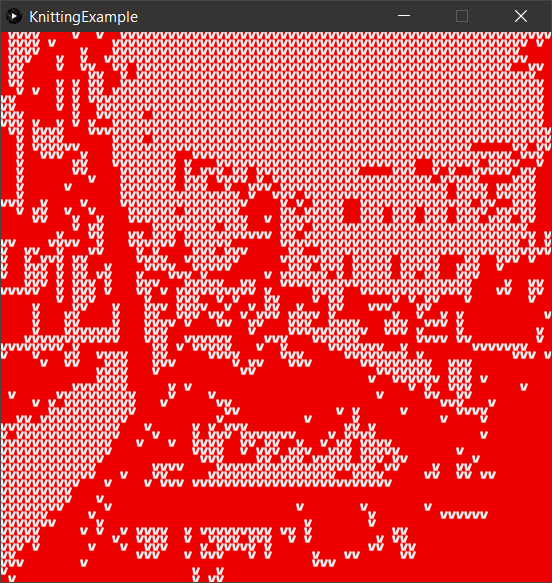
java// keeps the original colors PImage processedImage = Knitting.apply(image, size); // Sets foreground and background color and uses a threshold PImage processedImage = Knitting.apply(image, size, threshold, 240, #EE0000);
ASCII image
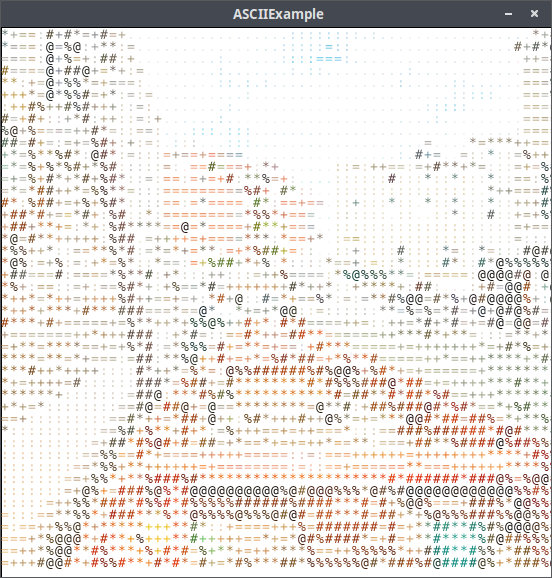
javaPImage processedImage = ASCII.apply(image); // characterset = ASCII.SHORT_SET or ASCII.LONG_SET, another String from black to white PImage processedImage = ASCII.apply(image, characterset); PImage processedImage = ASCII.apply(image, characterset, fontSize); // fontSize is an integer PImage processedImage = ASCII.apply(image, characterset, fontSize, foregroundColor, backgroundColor, toneInColor); // To get the ASCII image as plain string use the following method PImage processedImage = ASCII.getAsciiText(image);
Miscellaneous
Stacked images
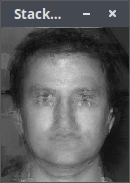
java// Add so many images in the end as you need PImage processedImage = Stacker.apply(Stacker.ALGORITHM.AVERAGE, image1, image2); PImage processedImage = Stacker.apply(Stacker.ALGORITHM.MEDIAN, image1, image2);
Blending two images
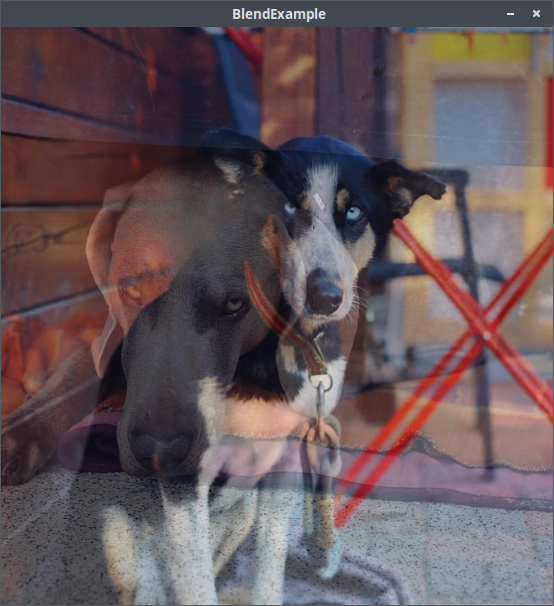
java// intensity is a float between 0.0 and 1.0 PImage processedImage = Blend.apply(image1, image2, intensity);
Special thanks
My special thanks goes to avatarr for implementing and
publishing basic algorithms. Also thank you very much Tom Gibara for your great blog post and the implementation of
the canny edge detector.
Moreover I thank you Joseph HENRY for the Sine-Wave-effect code and
uheinema for the Sabattier code in the Processing Discourse.
Contributors
Showing top 2 contributors by commit count.

