

Moosync electron
Music player capable of playing local audio or from Youtube, Spotify and many more
- Play audio files on your desktop. - Seamlessly integrate your Spotify and Youtube (including [Invidious](https://invidious.io/)) songs. - Ad-free - Realtime lyrics - Scrobble your tracks on LastFM. - Get music recommendations directly from Spotify, Youtube and LastFM - Mix and match songs from different providers in a single playlist - Easy to use interface - Customizable theme engine - Develop own apps on top of Moosync Extension API - Available on Windows and Linux and MacOS The project is written primarily in Vue, distributed under the GNU General Public License v3.0 license, first published in 2021. It has gained significant community traction with 1,258 stars and 53 forks on GitHub. Key topics include: discord, electron, emby, javascript, jellyfin-client.
Moosync
The project has not been abandoned. Being rewritten in Rust here




Moosync is a customizable desktop music player with a clean interface
Features
- Play audio files on your desktop.
- Seamlessly integrate your Spotify and Youtube (including Invidious) songs.
- Ad-free
- Realtime lyrics
- Scrobble your tracks on LastFM.
- Get music recommendations directly from Spotify, Youtube and LastFM
- Mix and match songs from different providers in a single playlist
- Easy to use interface
- Customizable theme engine
- Develop own apps on top of Moosync Extension API
- Available on Windows and Linux and MacOS
Links
Official website |
Downloads |
Discord
Crowdin
Releases
You may download the latest release from Official website or from GitHub Releases
Windows (Chocolatey)
If you use Chocolatey, Moosync can be installed using
bashchoco install moosync
Otherwise you may download the latest installer from Releases
Ubuntu / Debian (3rd party repo)
You can install Moosync through our hosted APT repo
bashbash <(wget -O- https://raw.githubusercontent.com/Moosync/Moosync/main/setup_ppa.sh)
Fedora
Moosync can be found on Fedora COPR. You can install it using dnf
bashdnf copr enable ovenoboyo/Moosync dnf install moosync
Archlinux User Repository (AUR)
Moosync can be found on AUR. You can install it using an AUR helper such as Yay
bashyay -S moosync
Flatpak
Moosync can be found on FlatHub as app.moosync.moosync.
You may install it by
bashflatpak install flathub app.moosync.moosync
Snap Store
You can get Moosync from Snap store.
sudo snap install moosync
Any questions?
Checkout the Official Wiki on moosync.app or on GitHub.
For any further questions you may join us on Discord
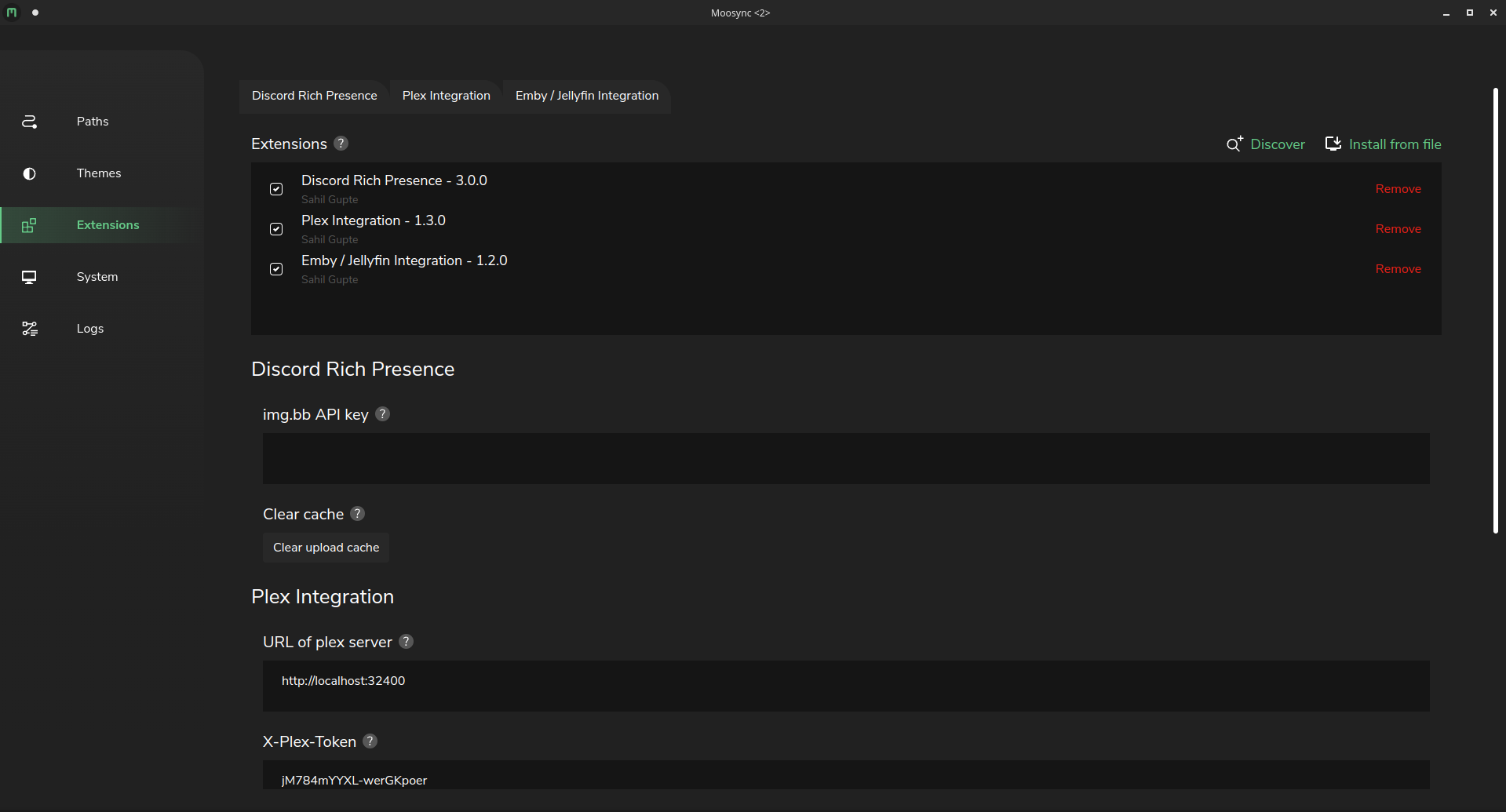
Screenshots
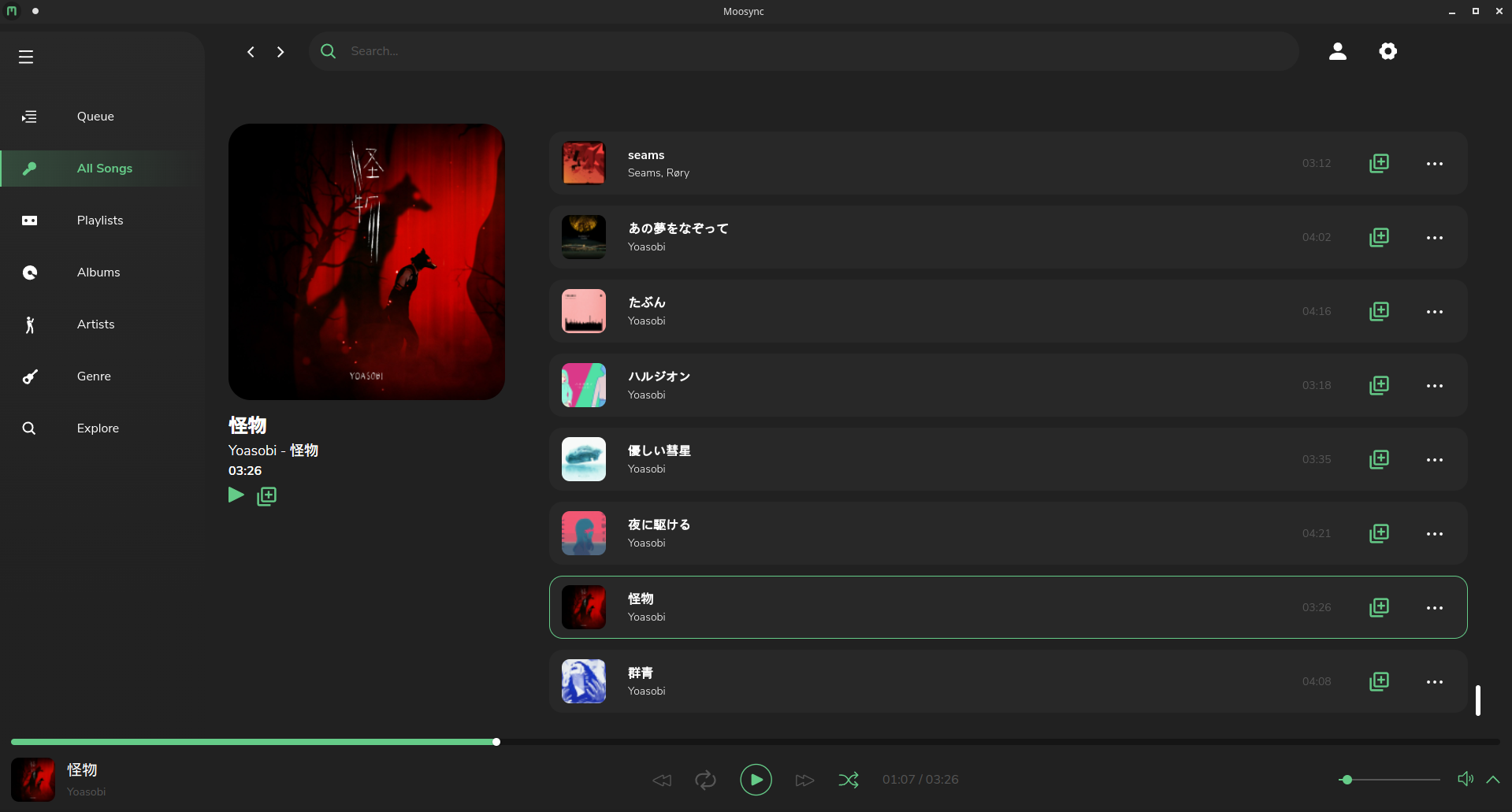
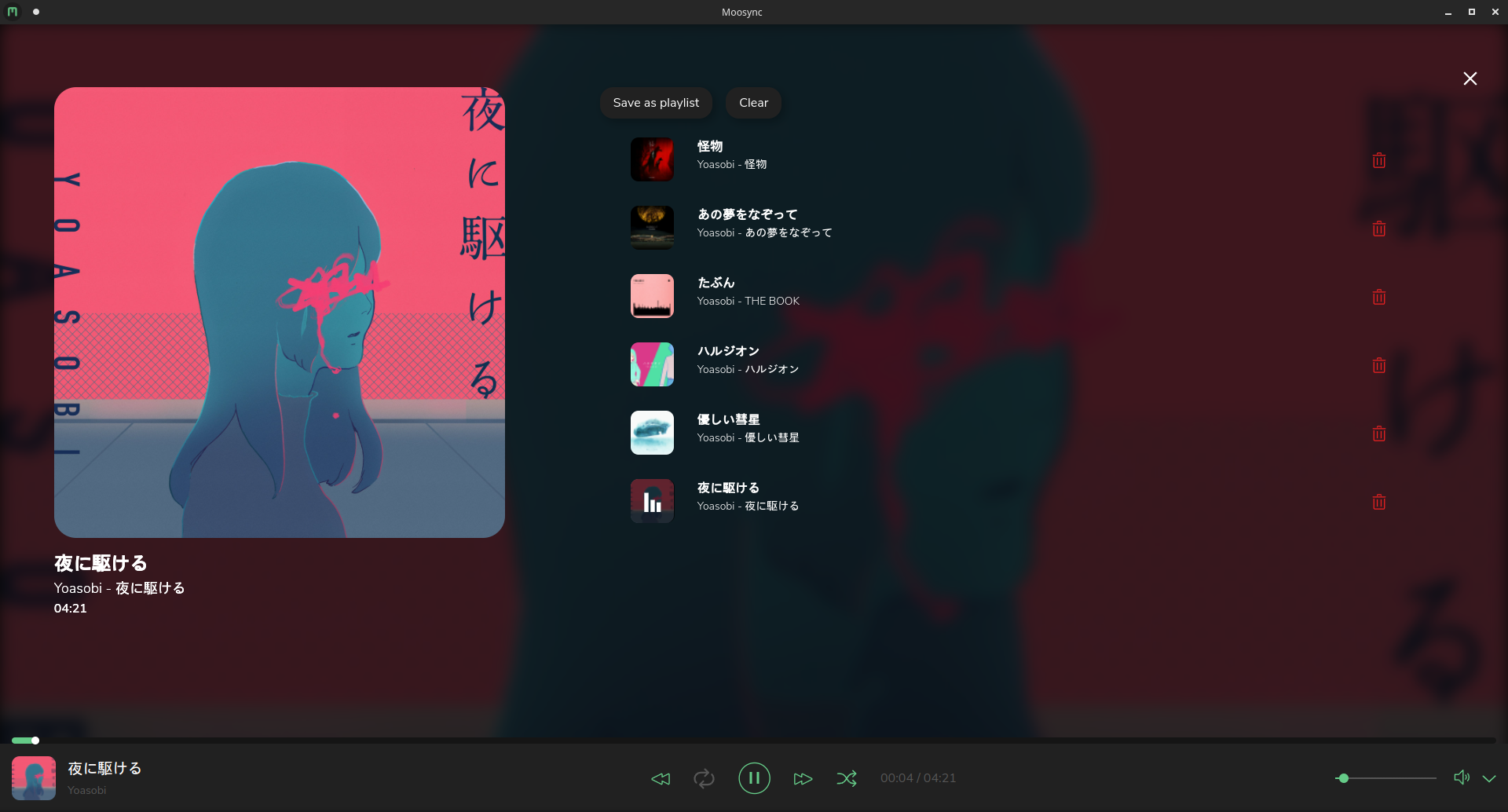
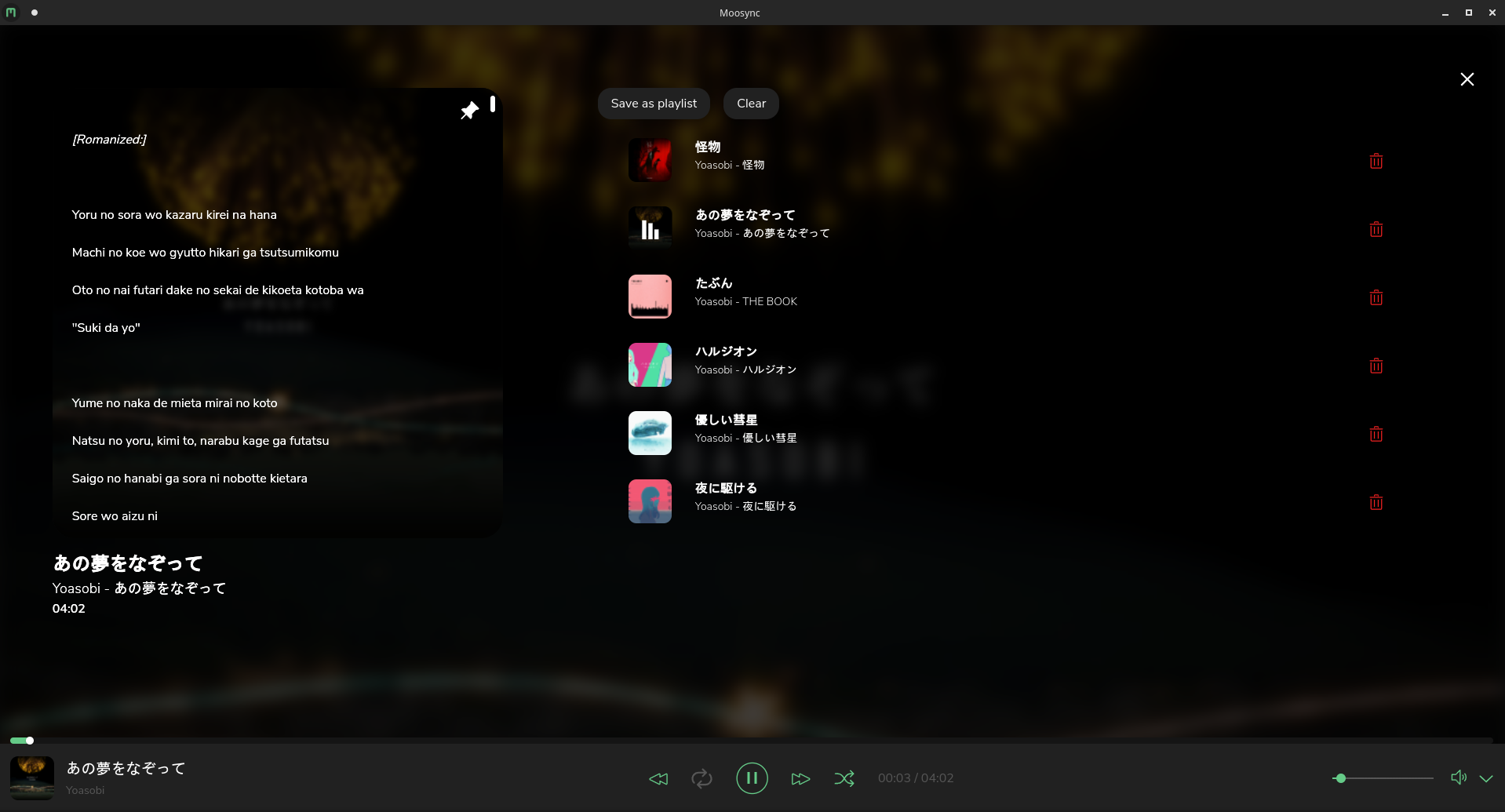
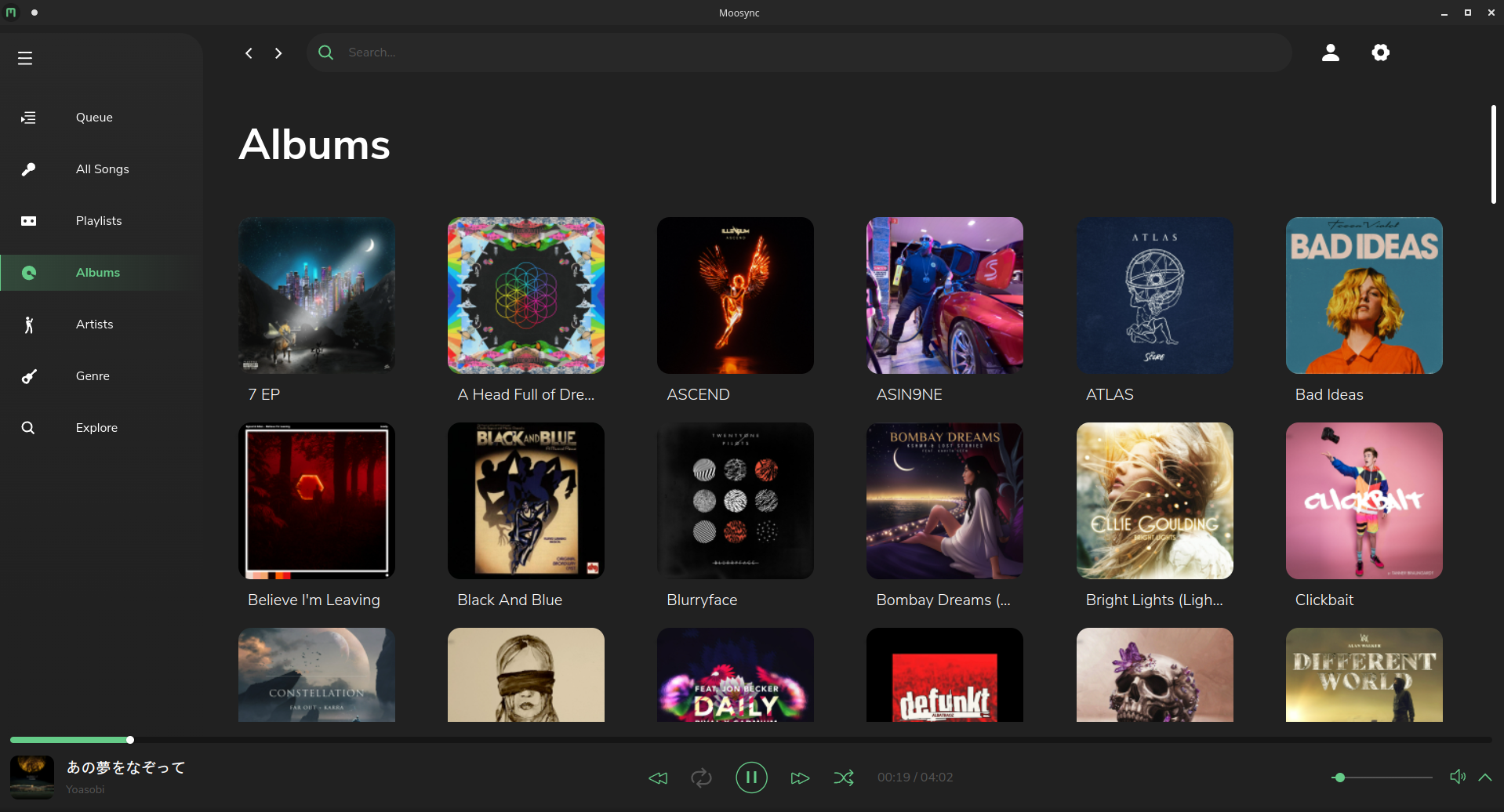
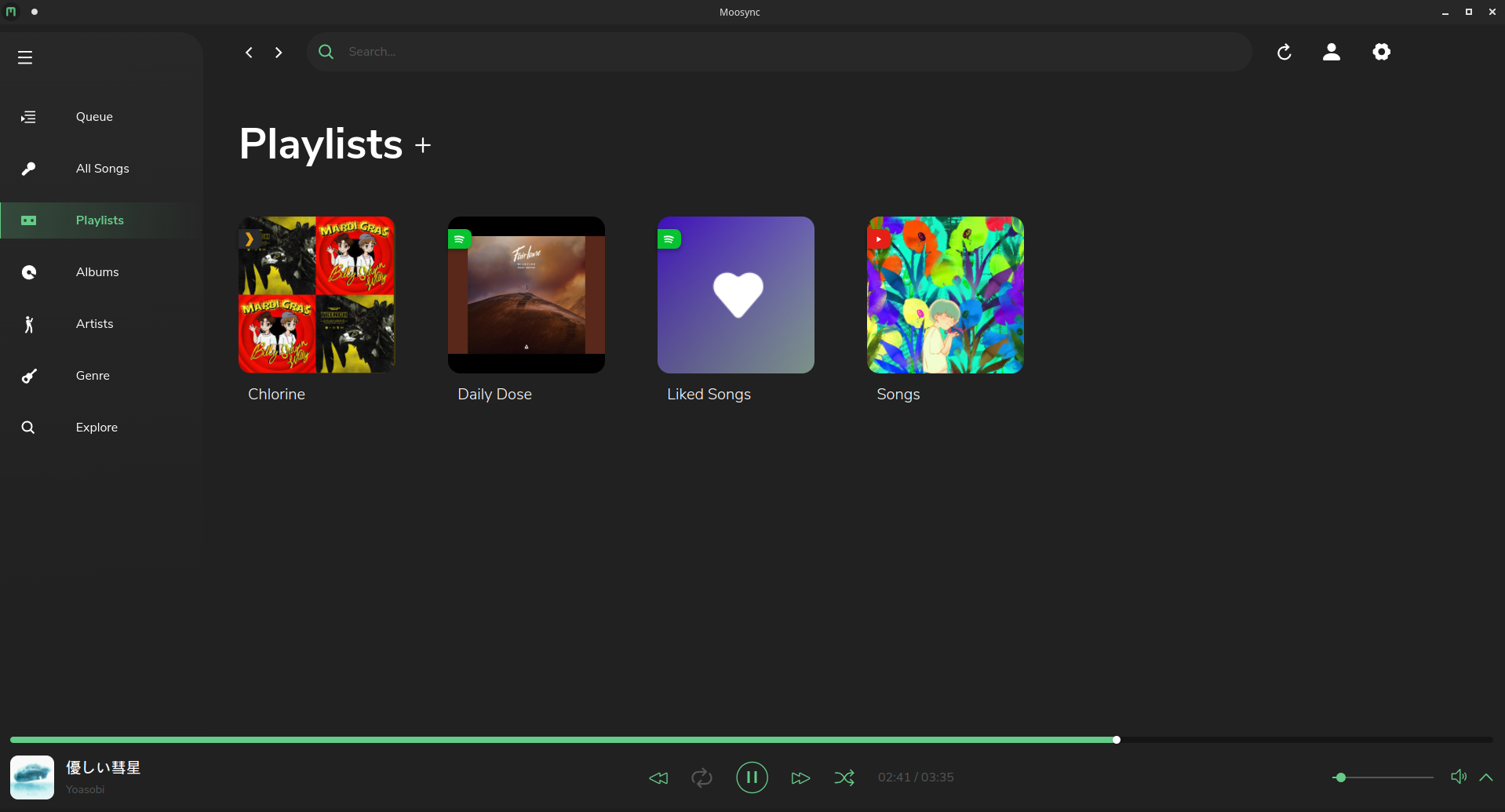
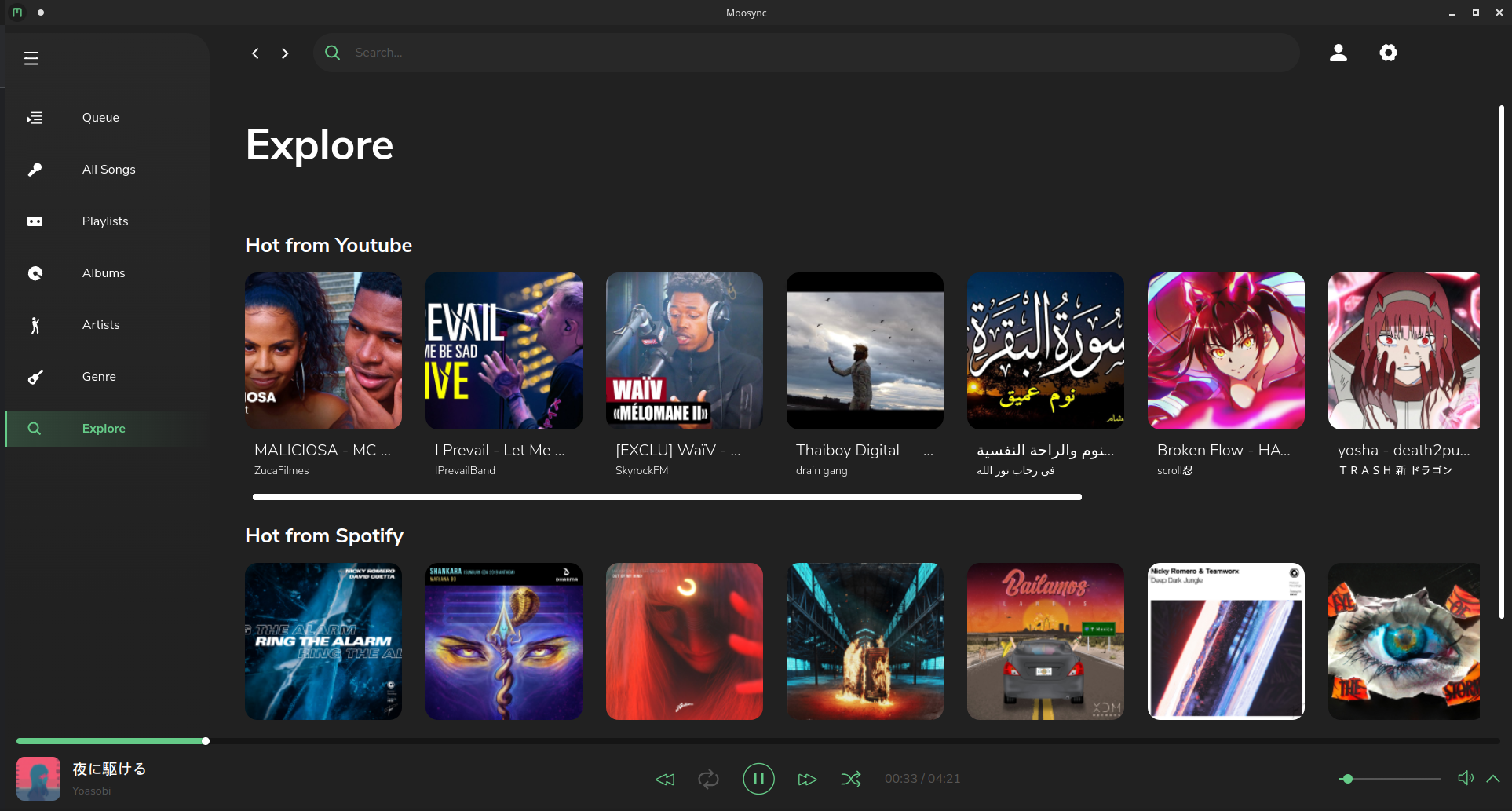
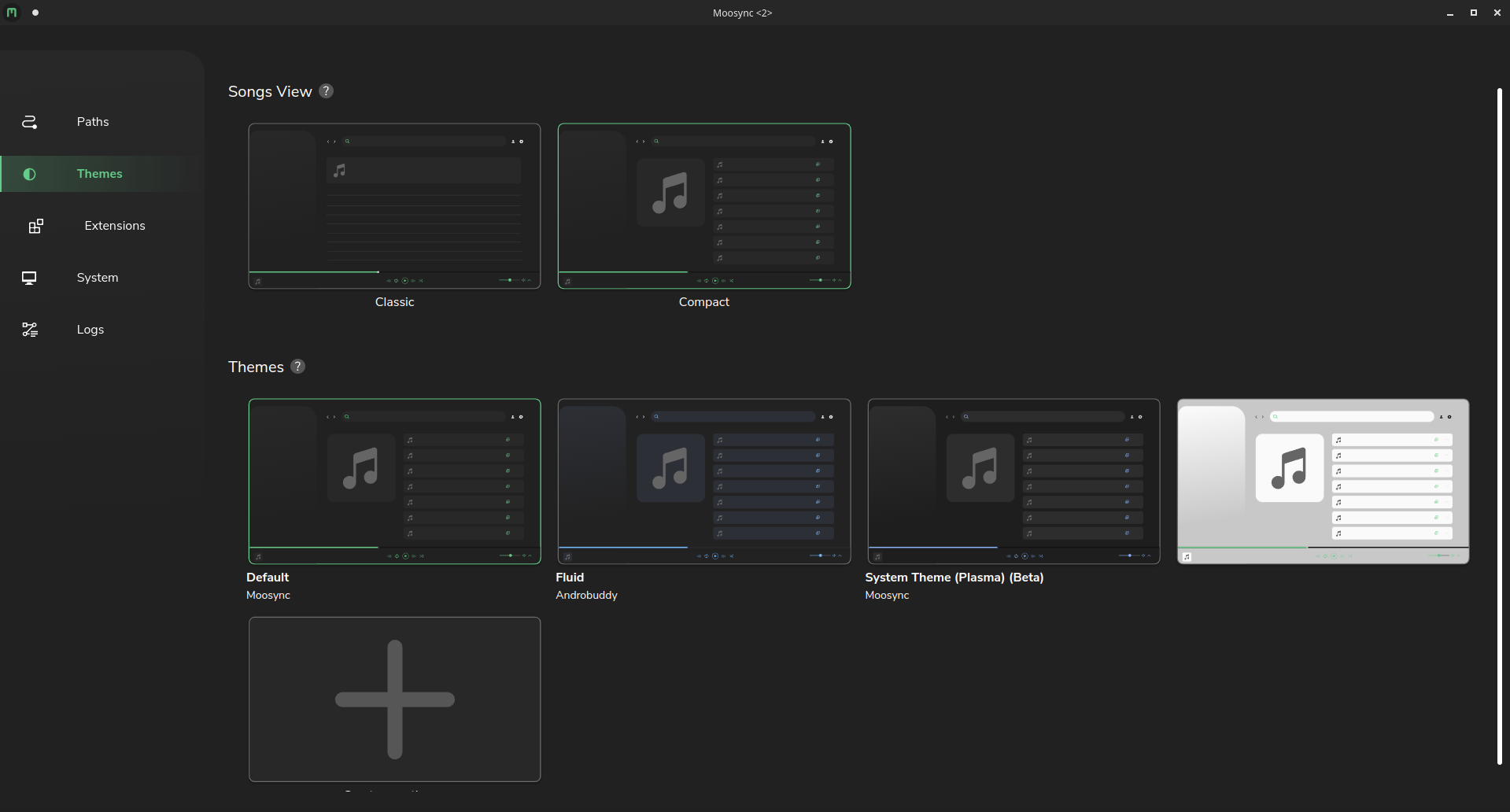
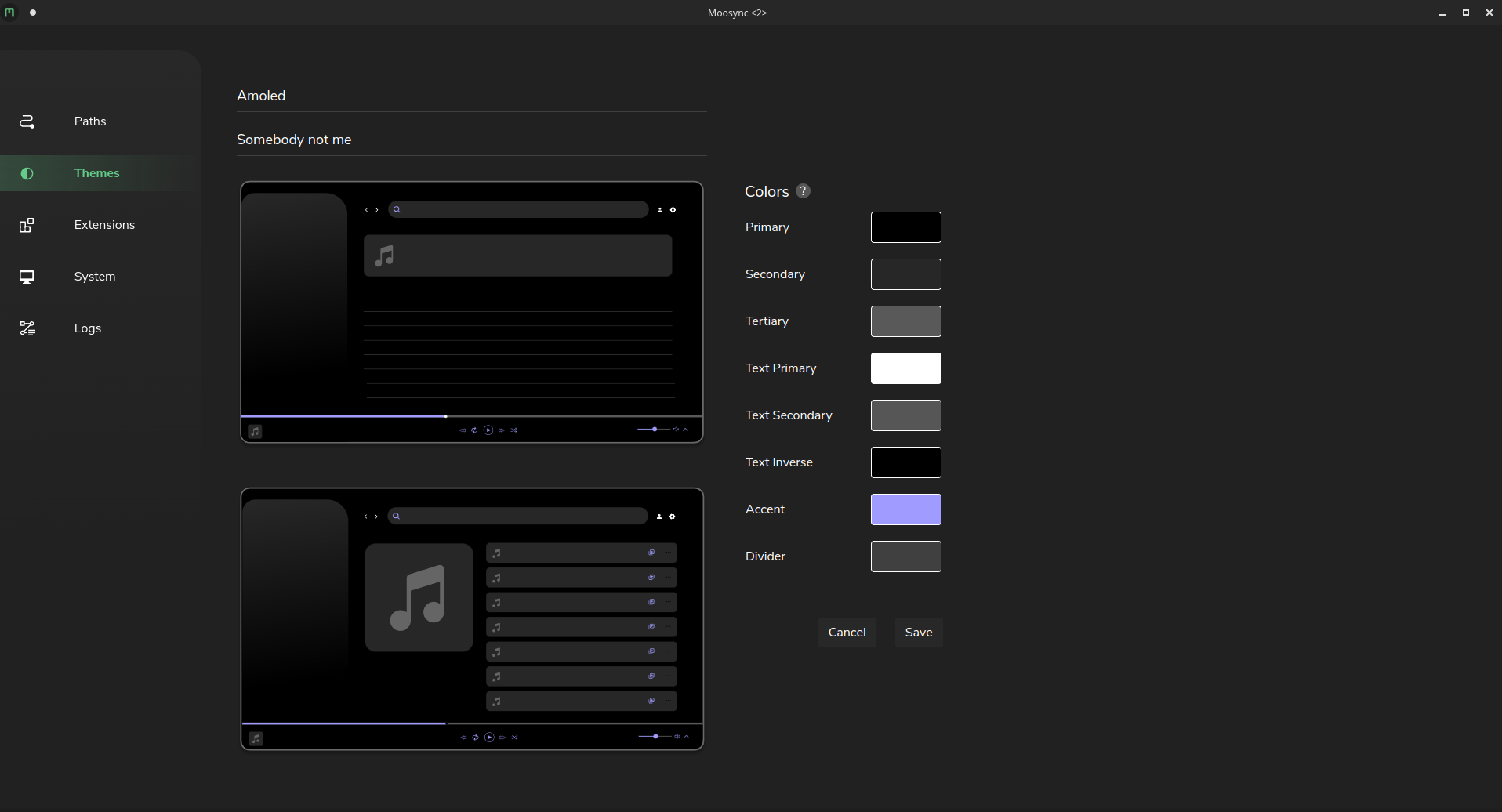
Building from source
Read more at our Wiki
Contributors ✨
Thanks goes to these wonderful people (emoji key):
<!-- ALL-CONTRIBUTORS-LIST:START - Do not remove or modify this section --> <!-- prettier-ignore-start --> <!-- markdownlint-disable --> <table> <tr> <td align="center"><a href="https://github.com/Mercyssh"><img src="https://avatars.githubusercontent.com/u/41297391?v=4?s=100" width="100px;" alt=""/><br /><sub><b>Ohm</b></sub></a><br /><a href="#design-Mercyssh" title="Design">🎨</a></td> <td align="center"><a href="http://androbuddy.github.io/studio-wingress"><img src="https://avatars.githubusercontent.com/u/28799675?v=4?s=100" width="100px;" alt=""/><br /><sub><b>Anirudh</b></sub></a><br /><a href="#design-AndroBuddy" title="Design">🎨</a></td> <td align="center"><a href="https://github.com/Ovenoboyo"><img src="https://avatars.githubusercontent.com/u/36789504?v=4?s=100" width="100px;" alt=""/><br /><sub><b>Sahil Gupte</b></sub></a><br /><a href="https://github.com/Moosync/Moosync/commits?author=Ovenoboyo" title="Code">💻</a></td> </tr> </table> <!-- markdownlint-restore --> <!-- prettier-ignore-end --> <!-- ALL-CONTRIBUTORS-LIST:END -->This project follows the all-contributors specification. Contributions of any kind welcome!
Donations
| Cryptocurrency | Address |
|---|---|
| Bitcoin (BTC) | bc1qhcywctcy4exkcdd726d2lxkwaluqwgym0ynf9j |
| Ethereum (ETH) | 0x0AFaCe6031e2fBe54D2fBF493310C0f5C3Cef677 |
| Dogecoin (DOGE) | bc1qhcywctcy4exkcdd726d2lxkwaluqwgym0ynf9j |
| Litecoin (LTC) | LLkim24N5yduBbXiFaLMbUeUwmyZ9VUQt7 |
| Polygon (MATIC) | 0x0AFaCe6031e2fBe54D2fBF493310C0f5C3Cef677 |
| Tether USD (USDT) | 0x0AFaCe6031e2fBe54D2fBF493310C0f5C3Cef677 |
| USD coin (USDC) | 0x0AFaCe6031e2fBe54D2fBF493310C0f5C3Cef677 |
Contributors
Showing top 7 contributors by commit count.

![allcontributors[bot]](https://avatars.githubusercontent.com/in/23186?v=4)



Related Repositories

AstrBotDevs/AstrBot
AI Agent Assistant & development framework that integrates lots of IM platforms, LLMs, plugins and AI feature, and can be your openclaw alternative. ✨

tqdm/tqdm
:zap: A Fast, Extensible Progress Bar for Python and CLI

discordjs/discord.js
A powerful JavaScript library for interacting with the Discord API

TranslucentTB/TranslucentTB
A lightweight utility that makes the Windows taskbar translucent/transparent.

lss233/kirara-ai
🤖 可 DIY 的 多模态 AI 聊天机器人 | 🚀 快速接入 微信、 QQ、Telegram、等聊天平台 | 🦈支持DeepSeek、Grok、Claude、Ollama、Gemini、OpenAI | 工作流系统、网页搜索、AI画图、人设调教、虚拟女仆、语音对话 |

elizaOS/eliza
Open source agentic operating system