

Anime2Sketch
A sketch extractor for anime/illustration.
*Anime2Sketch: A sketch extractor for illustration, anime art, manga* The project is written primarily in Python, distributed under the MIT License license, first published in 2021. It has gained significant community traction with 2,114 stars and 175 forks on GitHub. Key topics include: anime, comic, computer-vision, deep-learning, gan.
Anime2Sketch
Anime2Sketch: A sketch extractor for illustration, anime art, manga
By Xiaoyu Xiang
Updates
- 2022.1.14: Add Docker environment by kitoria
- 2021.12.25: Update README. Merry Christmas!
- 2021.5.24: Fix an interpolation error and a GPU inference error.
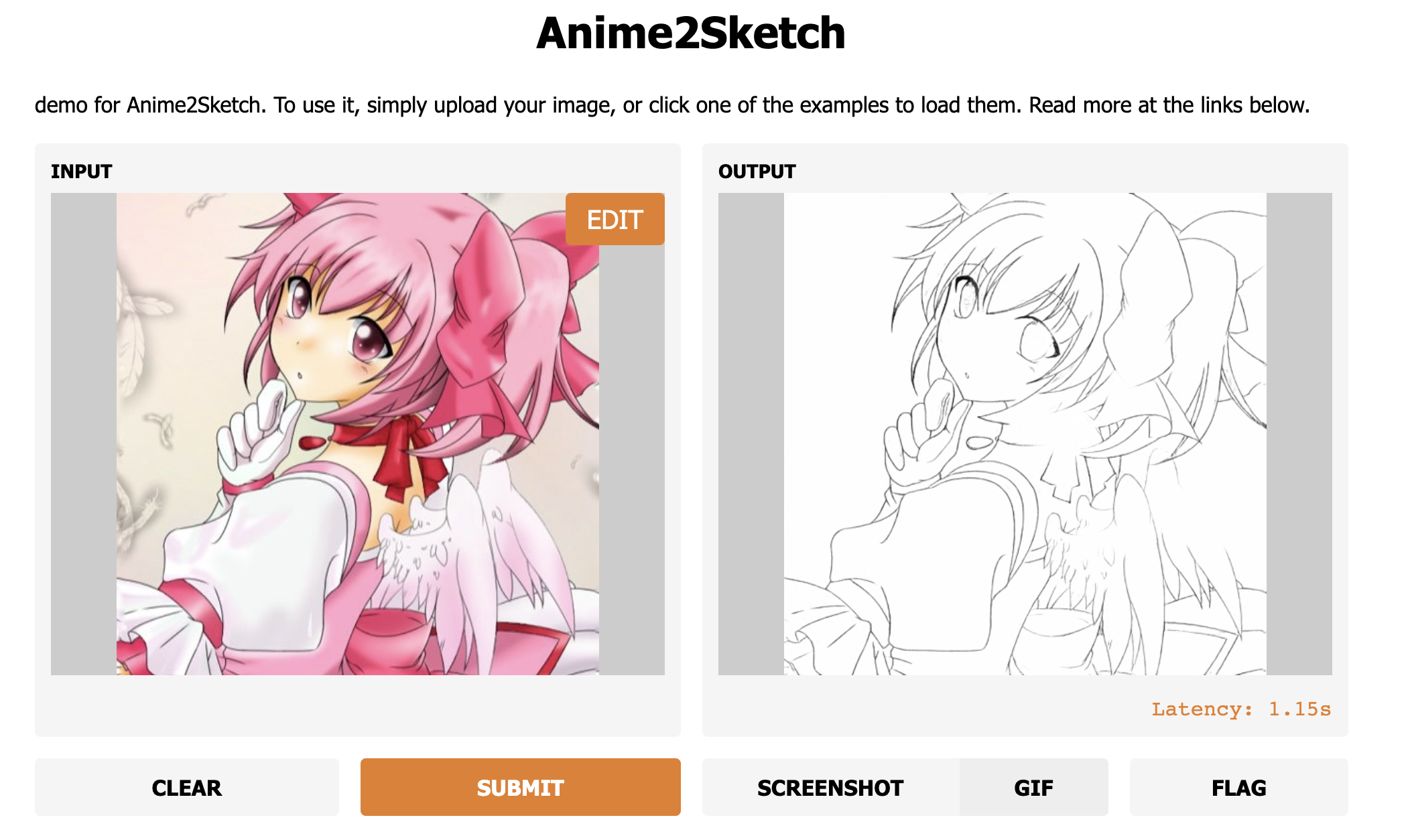
- 2021.5.12: Web Demo by AK391
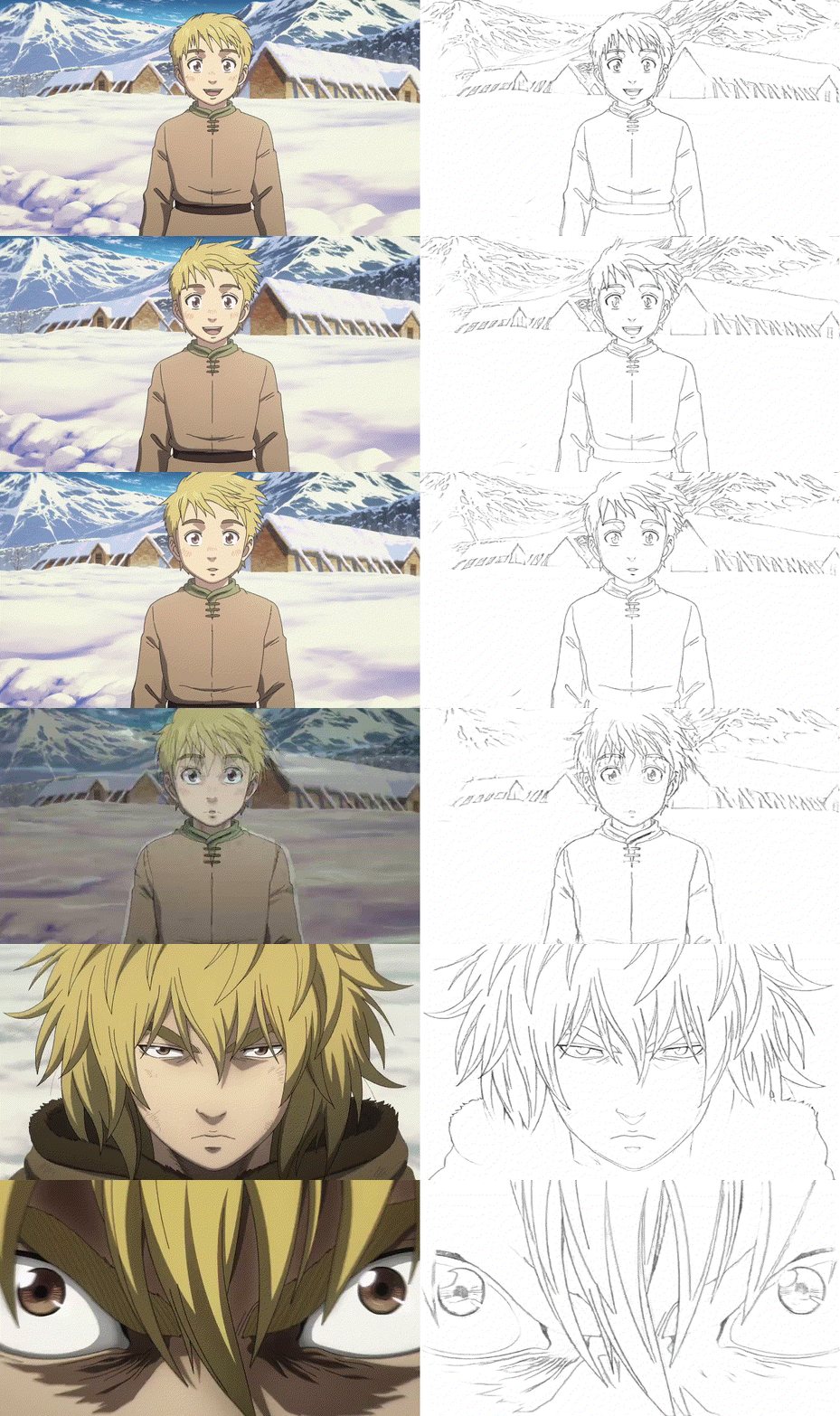
- 2021.5.2: Upload more example results of anime video.
- 2021.4.30: Upload the test scripts. Now our repo is ready to run!
- 2021.4.11: Upload the pretrained weights, and more test results.
- 2021.4.8: Create the repo.
Introduction
The repository contains the testing codes and pretrained weights for Anime2Sketch.
Anime2Sketch is a sketch extractor that works well on illustration, anime art, and manga. It is an application based on the paper "Adversarial Open Domain Adaption for Sketch-to-Photo Synthesis".
Prerequisites
- Linux, macOS, Docker
- Python 3 (Recommend to use Anaconda)
- CPU or NVIDIA GPU + CUDA CuDNN
- Pillow, PyTorch
Get Started
Installation
Install the required packages: pip install -r requirements.txt
Download Pretrained Weights
Please download the weights from GoogleDrive, and put it into the weights/ folder.
We also have an artifact-free version of the model which works with dark / low contrast images. You can download the weights from GoogleDrive, and put it into weights/ folder.
Test
Shellpython3 test.py --dataroot /your_input/dir --load_size 512 --output_dir /your_output/dir
The above command includes three arguments:
- dataroot: your test file or directory
- load_size: due to the memory limit, we need to resize the input image before processing. By default, we resize it to
512x512. - output_dir: path of the output directory
Run our example:
Shellpython3 test.py --dataroot test_samples/madoka.jpg --load_size 512 --output_dir results/
Docker
If you want to run on Docker, you can easily do so by customizing the input/output images directory.
Build docker image
Shellmake docker-build
Setting input/output directory
You can customize mount volumes for input/output images by Makefile. Please setting your target directory.
docker run -it --rm --gpus all -v `pwd`:/workspace -v {your_input_dir}:/input -v {your_output_dir}:/output anime2sketch
example:
docker run -it --rm --gpus all -v `pwd`:/workspace -v `pwd`/test_samples:/input -v `pwd`/output:/output anime2sketch
Run
Shellmake docker-run
if you want to run cpu only, you will need to fix two things (remove gpu options).
- Dockerfile CMD line to
CMD [ "python", "test.py", "--dataroot", "/input", "--load_size", "512", "--output_dir", "/output" ] - Makefile docker-run line to
docker run -it --rm -v `pwd`:/workspace -v `pwd`/images/input:/input -v `pwd`/images/output:/output anime2sketch
Train
This project is a sub-branch of AODA. Please check it for the training instructions.
More Results
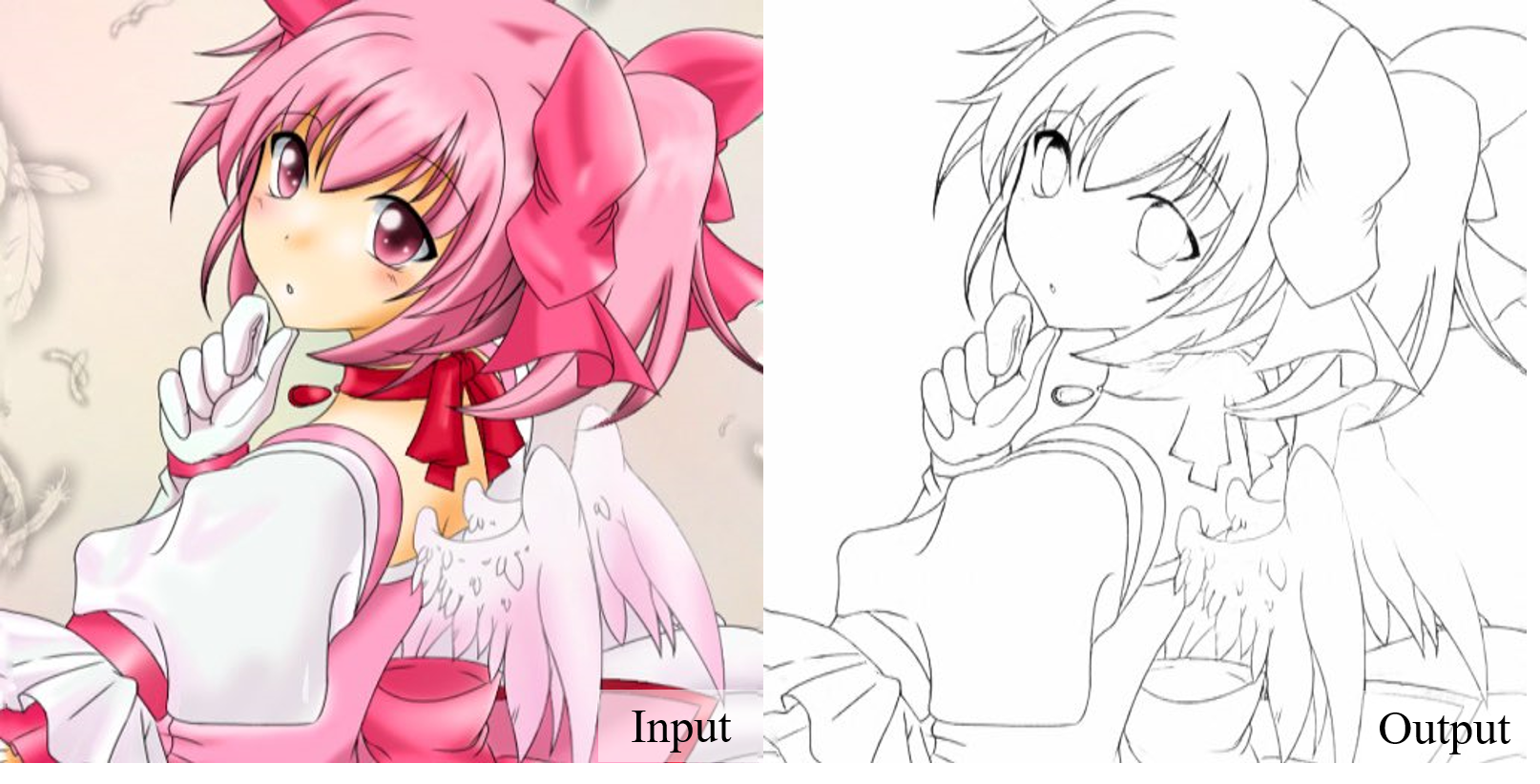
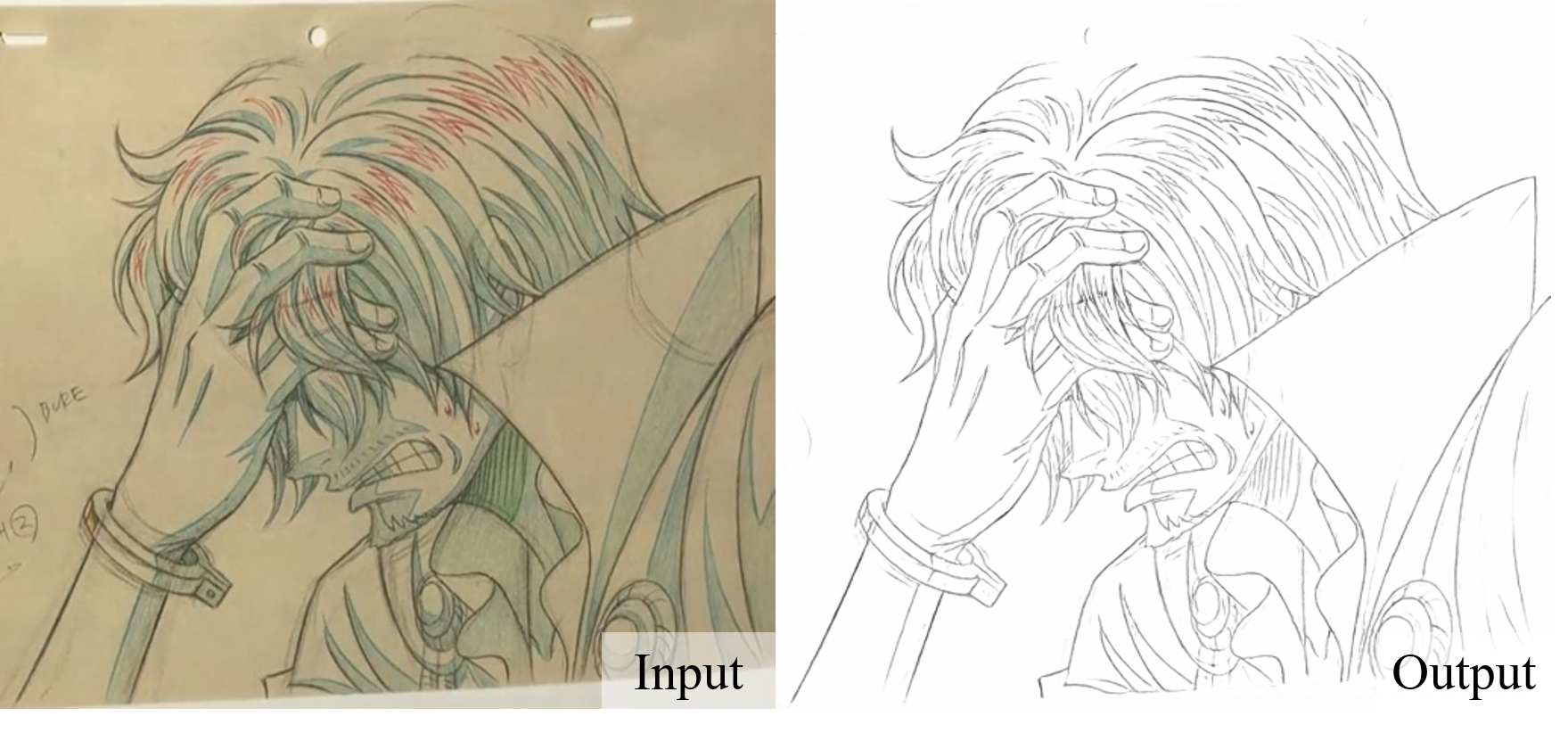
Our model works well on illustration arts:
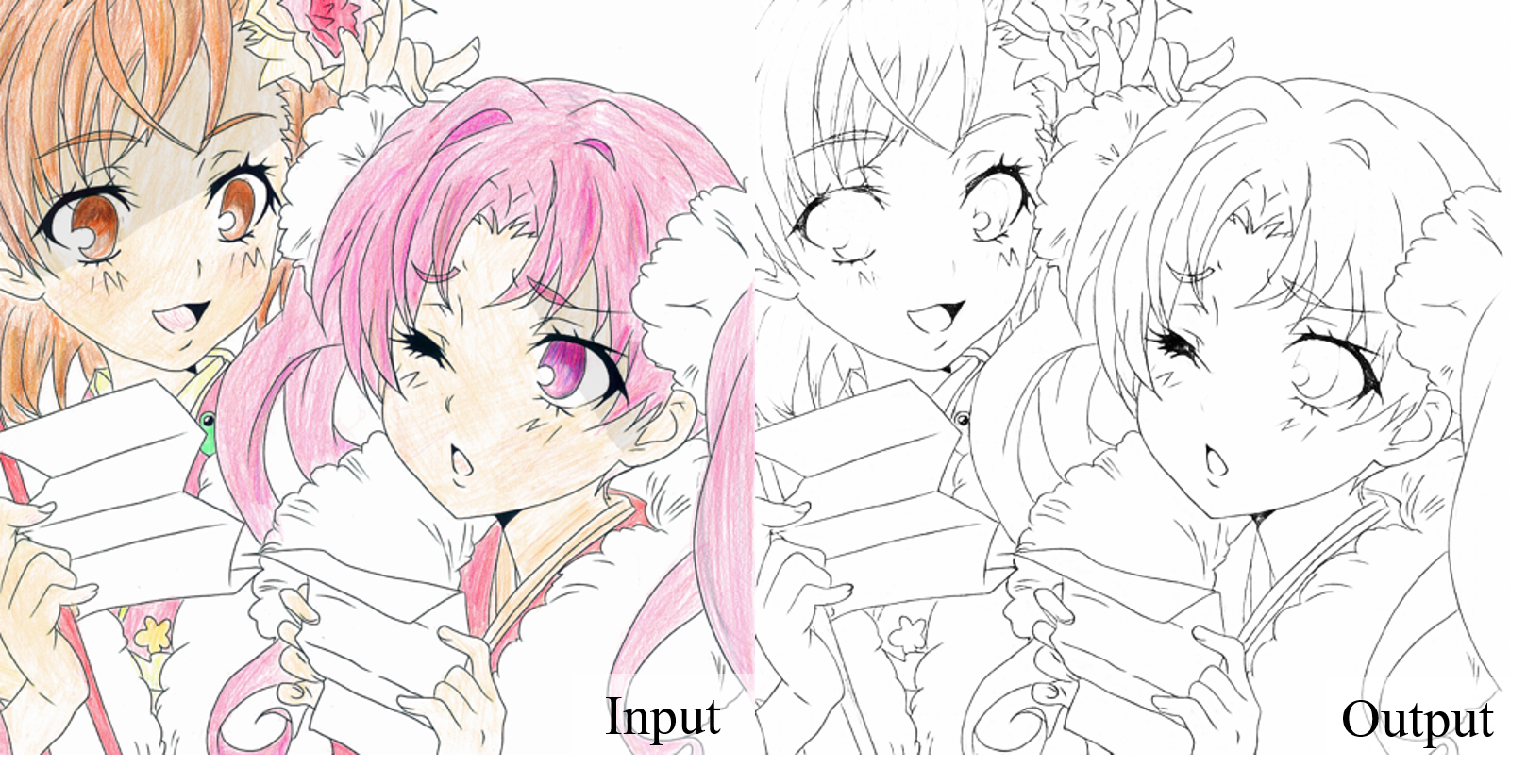
Turn handrawn photos to clean linearts:
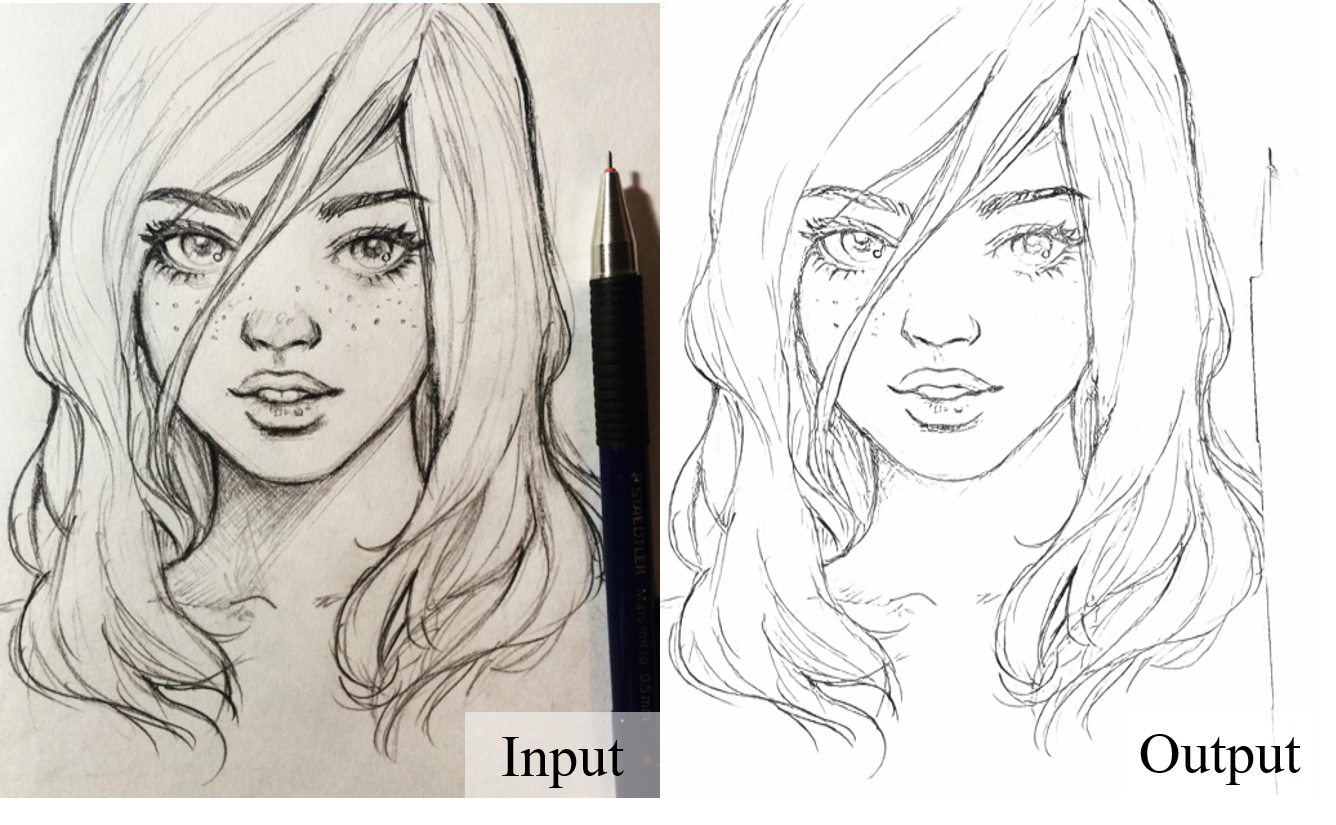
Simplify freehand sketches:
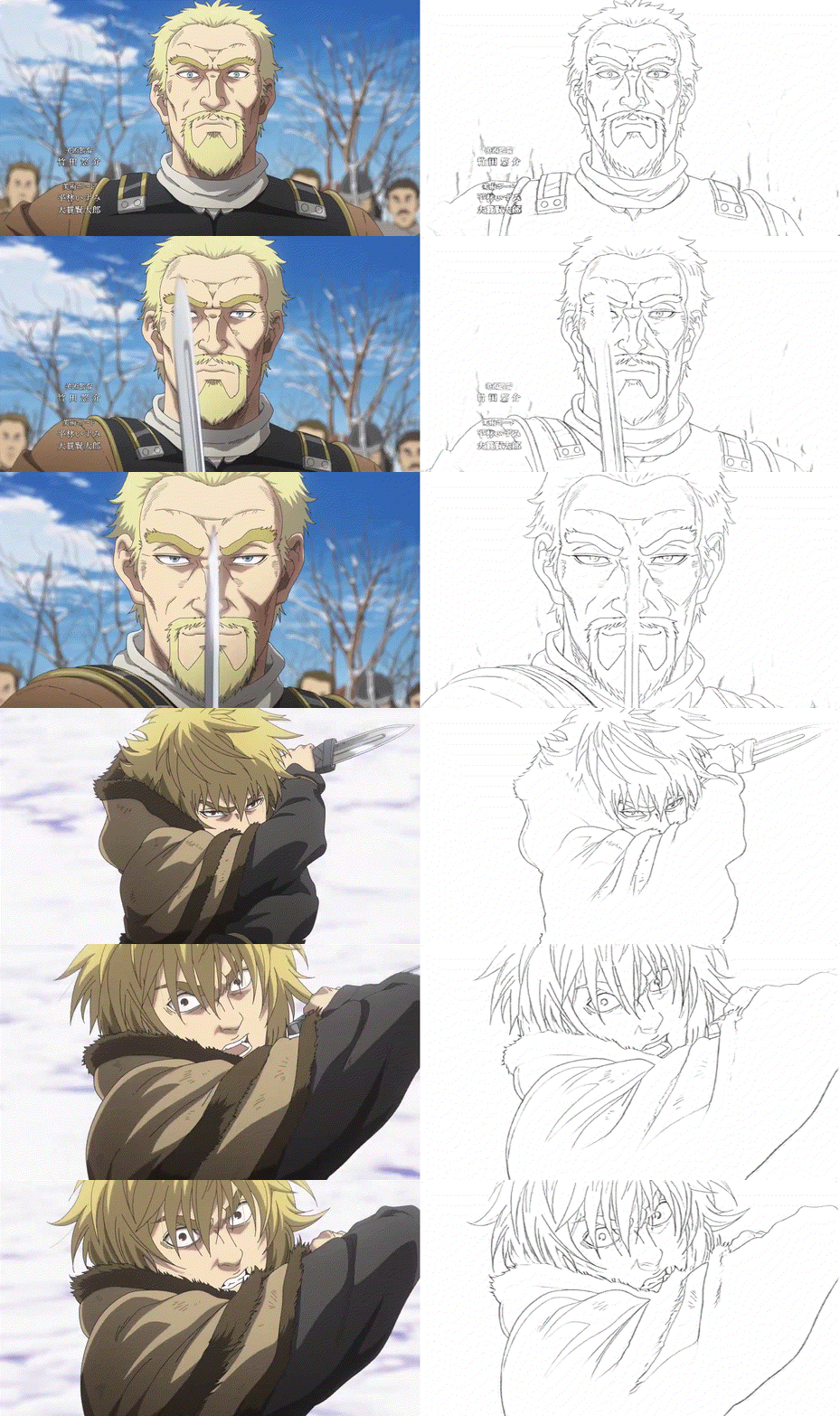
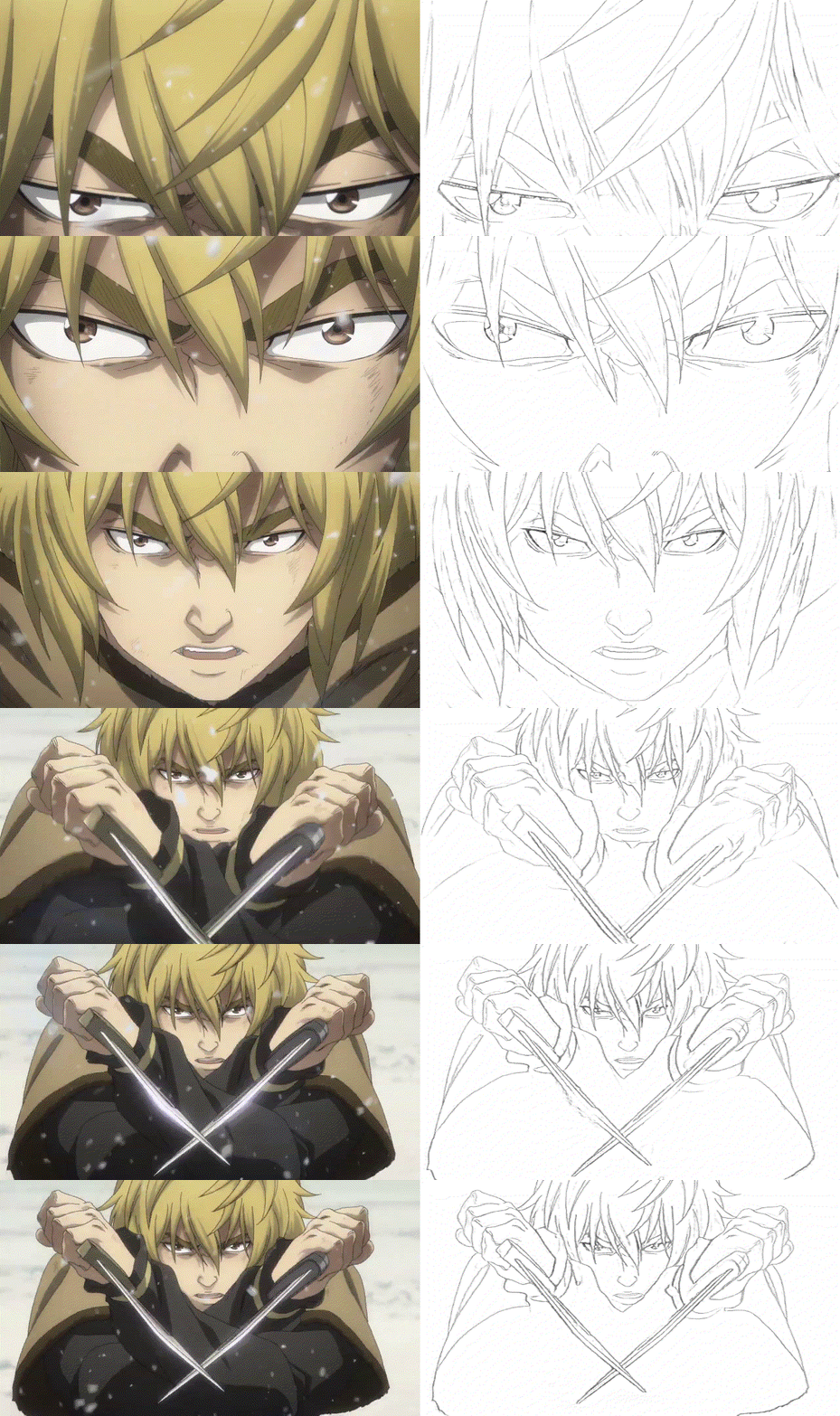
And more anime results:
Contact
You can also leave your questions as issues in the repository. I will be glad to answer them!
License
This project is released under the MIT License.
Citations
BibTex@misc{Anime2Sketch, author = {Xiaoyu Xiang, Ding Liu, Xiao Yang, Yiheng Zhu, Xiaohui Shen}, title = {Anime2Sketch: A Sketch Extractor for Anime Arts with Deep Networks}, year = {2021}, publisher = {GitHub}, journal = {GitHub repository}, howpublished = {\url{https://github.com/Mukosame/Anime2Sketch}} } @inproceedings{xiang2022adversarial, title={Adversarial Open Domain Adaptation for Sketch-to-Photo Synthesis}, author={Xiang, Xiaoyu and Liu, Ding and Yang, Xiao and Zhu, Yiheng and Shen, Xiaohui and Allebach, Jan P}, booktitle={Proceedings of the IEEE/CVF Winter Conference on Applications of Computer Vision}, year={2022} }
Contributors
Showing top 5 contributors by commit count.


Related Repositories

juliangarnier/anime
JavaScript animation engine

cat-milk/Anime-Girls-Holding-Programming-Books
Anime Girls Holding Programming Books

bloc97/Anime4K
A High-Quality Real Time Upscaler for Anime Video

open-ani/animeko
集找番、追番、看番的一站式弹幕追番平台,云收藏同步 (Bangumi),离线缓存,BitTorrent,弹幕云过滤。100% Kotlin/Compose Multiplatform

AaronFeng753/Waifu2x-Extension-GUI
Video, Image and GIF upscale/enlarge(Super-Resolution) and Video frame interpolation. Achieved with Waifu2x, Real-ESRGAN, Real-CUGAN, RTX Video Super Resolution VSR, SRMD, RealSR, Anime4K, RIFE, IFRNet, CAIN, DAIN, and ACNet.

pystardust/ani-cli
A cli tool to browse and play anime