

DesktopNaotu
桌面版脑图 (百度脑图离线版,思维导图) 跨平台支持 Windows/Linux/Mac OS. (A cross-platform multilingual Mind Map Tool)
- 方法1:通过 [**百度云下载**](http://pan.baidu.com/s/1jHNBL7C) - 方法2:通过 [**Github 的 Releases 下载**](https://github.com/NaoTu/DesktopNaotu/releases) The project is written primarily in TypeScript, distributed under the GNU General Public License v2.0 license, first published in 2016. It has gained significant community traction with 5,066 stars and 735 forks on GitHub. Key topics include: desktop-app, inaotu, mind, mindmap, naotu.
桌面版脑图(DesktopNaotu) 

1、中文介绍
软件介绍 --> English introduction
桌面版脑图是基于百度脑图的本地化版本,帮助你在没有互联网环境的情况下,依然可以使用脑图工具。
如何下载
- 方法1:通过 百度云下载
- 方法2:通过 Github 的 Releases 下载
各版本对应的系统
| 操作系统 | 位数 | 对应文件 | 大小 | 支持情况 |
|---|---|---|---|---|
| MacOS | 64位 | DesktopNaotu-macOS-x64 | < 50M | 支持全部功能 |
| Linux | 64位 | DesktopNaotu-linux-x64 | < 50M | 支持全部功能 |
| Windows 7/10 | 64位 | DesktopNaotu-win32-x64 | < 50M | 支持全部功能 |
| Windows 7/10 | 32位 | DesktopNaotu-win32-ia32 | < 50M | 支持全部功能 |
| Windows XP | 32位 | DesktopNaotu-Windows-mini | < 8M | 不支持调试 |
功能特征
- 包含百度脑图的基本功能
- 本地km文件的操作
- 支持拖拽打开km文件
- 支持关联打开km文件
- 支持自动保存功能
- 提供 百度脑图 文件的下载方式
软件截图
- Windows 截图
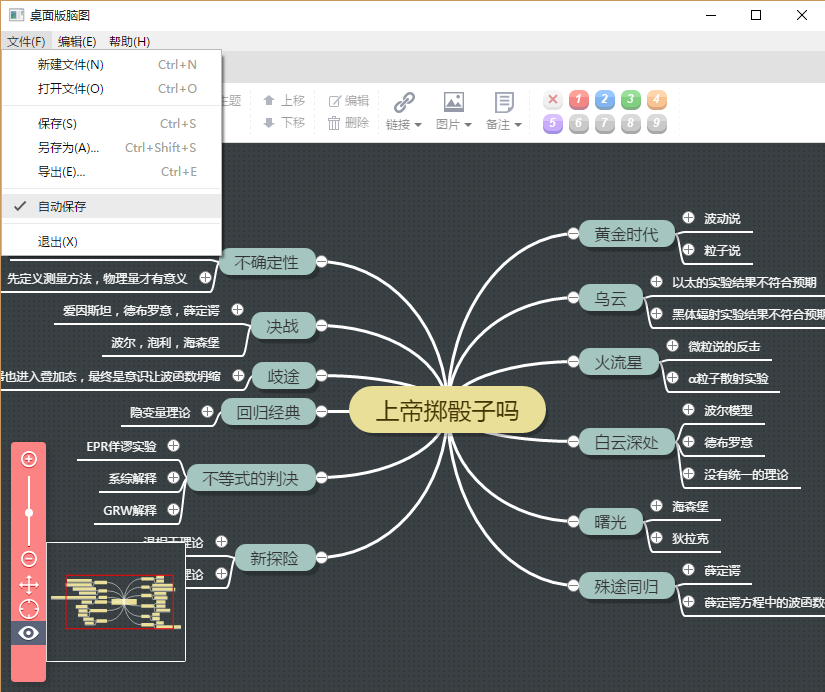
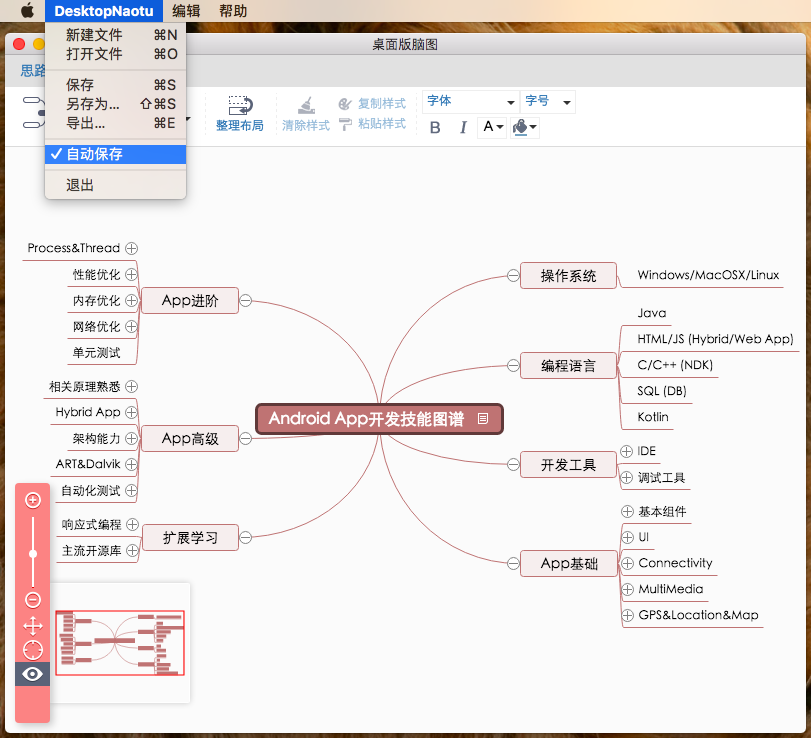
- Mac OS X 截图
- Linux 截图
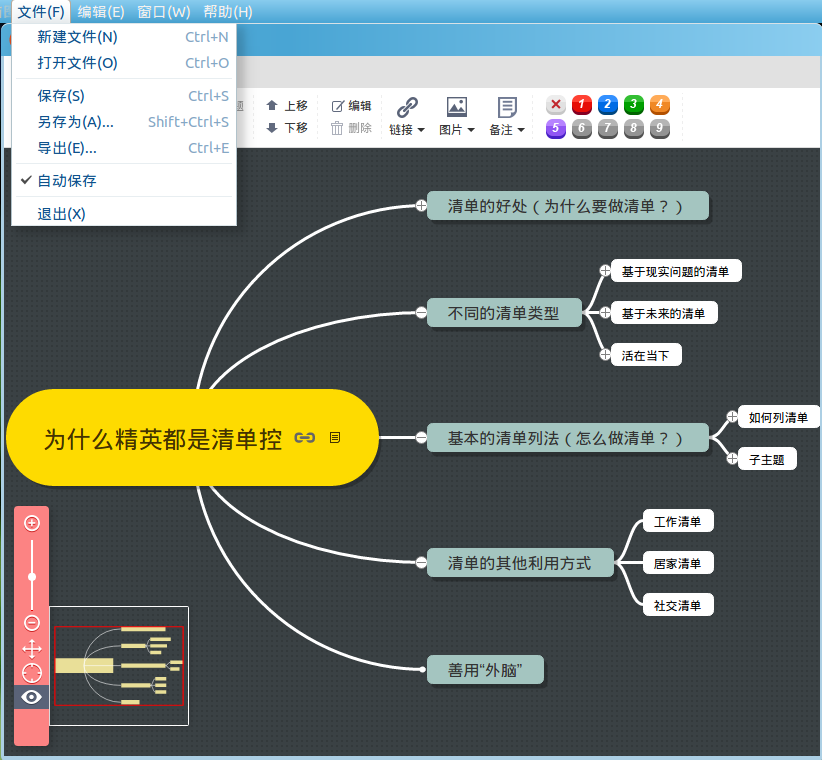
如何编译
1. 安装所有依赖
bash# 安装必备工具 npm install -g gulp npm install -g bower # 自动安装依赖 npm install bower install
2. 更换graceful-fs版本(对于Node v10.x及以上版本)
bashnpm install graceful-fs # 如果仍出现"ReferenceError: primordials is not defined" 的错误, # 则删掉cnpm安装的旧版本 rm -rf node_modules/_graceful-fs@3.0.12@graceful-fs # 如果某个子模块依赖旧版本graceful-fs,则请根据报错信息, # 切换到该模块目录下更新。 cd node_modules/<PATH_TO_MODULE_USING_DEPRECATED_GRACEFUL_FS> npm install graceful-fs@4.x
3. 更换@types/node版本
bashnpm install @types/node@12.x
4. 开始编译
bashgulp
5. 测试运行
bashnpm run demo
联系我们
问题和建议反馈:
- Github issues
- 加入讨论组
- QQ群:330722928
捐赠项目
感谢您的慷慨捐赠。

Code released under the GPL-2.0 License.
2、英文介绍
Software introduction --> 中文介绍
The desktop version of Mind Mapping is a localized version of Baidu Mind Mapping, which helps you to use Mind Mapping Tool without Internet.
Special Sponsors
<p align="center"><a href="https://documentnode.io/?utm_source=github&utm_medium=sponsor&utm_campaign=desktopnaotu" target="_blank" rel="noopener noreferrer"><img src="https://user-images.githubusercontent.com/2252451/65103852-16463380-da02-11e9-8b58-bea4a84c2e31.png" alt="Document Node logo"></a><br> Open Document Node, Inspiration Unfold</p>How to download
- Method 1:Download through Baidu Cloud
- Method 2:Download through Github's Releases
System corresponding to each version
| Operating System | Bit | Corresponding File | Size | Support |
|---|---|---|---|---|
| MacOS | 64 bit | DesktopNaotu - macOS - x64 | < 50M | Supports all functions |
| Linux | 64 bit | DesktopNaotu-linux-x64 | < 50M | Supports all functions |
| Windows 7/10 | 64 bit | DesktopNaotu-win32-x64 | < 50M | Supports all functions |
| Windows 7/10 | 32 bits | DesktopNaotu-win32-ia32 | < 50M | Supports all functions |
| Windows XP | 32 bits | DesktopNaotu-Windows-mini | < 8M | Debugging is not supported |
Functional characteristics
- Basic functions of Baidu Mind Mapping
- Operation of local km files
- Support dragging open km files
- Support association to open km files
- Support for automatic saving
- Provide Baidu Mind Mapping File Download Method
- Provide ProcessOn Mind Map Download Method
- View Historical Version
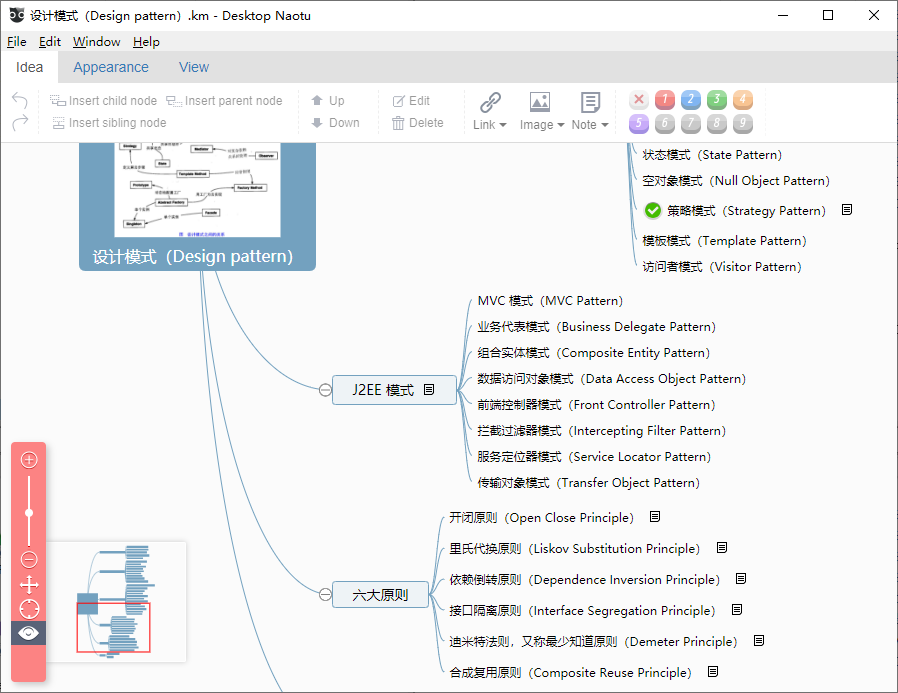
Software screenshots
- Windows screenshot
- Mac OS X screenshot
- Linux screenshot
How to compile
1. Install dependencies
bash# Install prerequisites npm install -g gulp npm install -g bower # Install dependencies npm install bower install
2. Change graceful-fs version (For Node v10.x or newer)
bashnpm install graceful-fs # If error "ReferenceError: primordials is not defined" still occurs, remove the old edition installed by cnpm rm -rf node_modules/_graceful-fs@3.0.12@graceful-fs # If a submodule relies on old graceful-fs, please follow the log, locate to its directory, # then manually update cd node_modules/<PATH_TO_MODULE_USING_DEPRECATED_GRACEFUL_FS> npm install graceful-fs@4.x
3. Change @types/node to v12.x
bashnpm install @types/node@12.x
4. Build
bashgulp
5. Try running
bashnpm run demo
Contact us
Questions and suggestion feedback:
- Github issues
- Join the discussion group
- QQ group:330722928
License
Code released under the GPL-2.0 License.
Contributors
Showing top 5 contributors by commit count.


![dependabot[bot]](https://avatars.githubusercontent.com/in/29110?v=4)
Related Repositories

tauri-apps/tauri
Build smaller, faster, and more secure desktop and mobile applications with a web frontend.

jaywcjlove/awesome-mac
This project is dedicated to collecting high-quality macOS software and organizing them systematically by different categories for easy search and use.

farion1231/cc-switch
A cross-platform desktop All-in-One assistant for Claude Code, Codex, OpenCode, OpenClaw, Gemini CLI & Hermes Agent. Only official website: ccswitch.io

nexu-io/open-design
🎨 Local-first, open-source Claude Design alternative. 🖥️ Native desktop app. ⚡ 259+ Skills · ✨ 142+ Design Systems 🖼️ Web · desktop · mobile prototypes · slides · images · videos · HyperFrames 📦 Sandboxed preview · HTML/PDF/PPTX/MP4 export 🤖 Claude Code / OpenClaw / Codex / Cursor / OpenCode / Qwen / Copilot / Hermes / Kimi & 17+ CLIs.

lencx/ChatGPT
🔮 ChatGPT Desktop Application (Mac, Windows and Linux)

pear-devs/pear-desktop
Pear 🍐 is extension for music player