

SEE
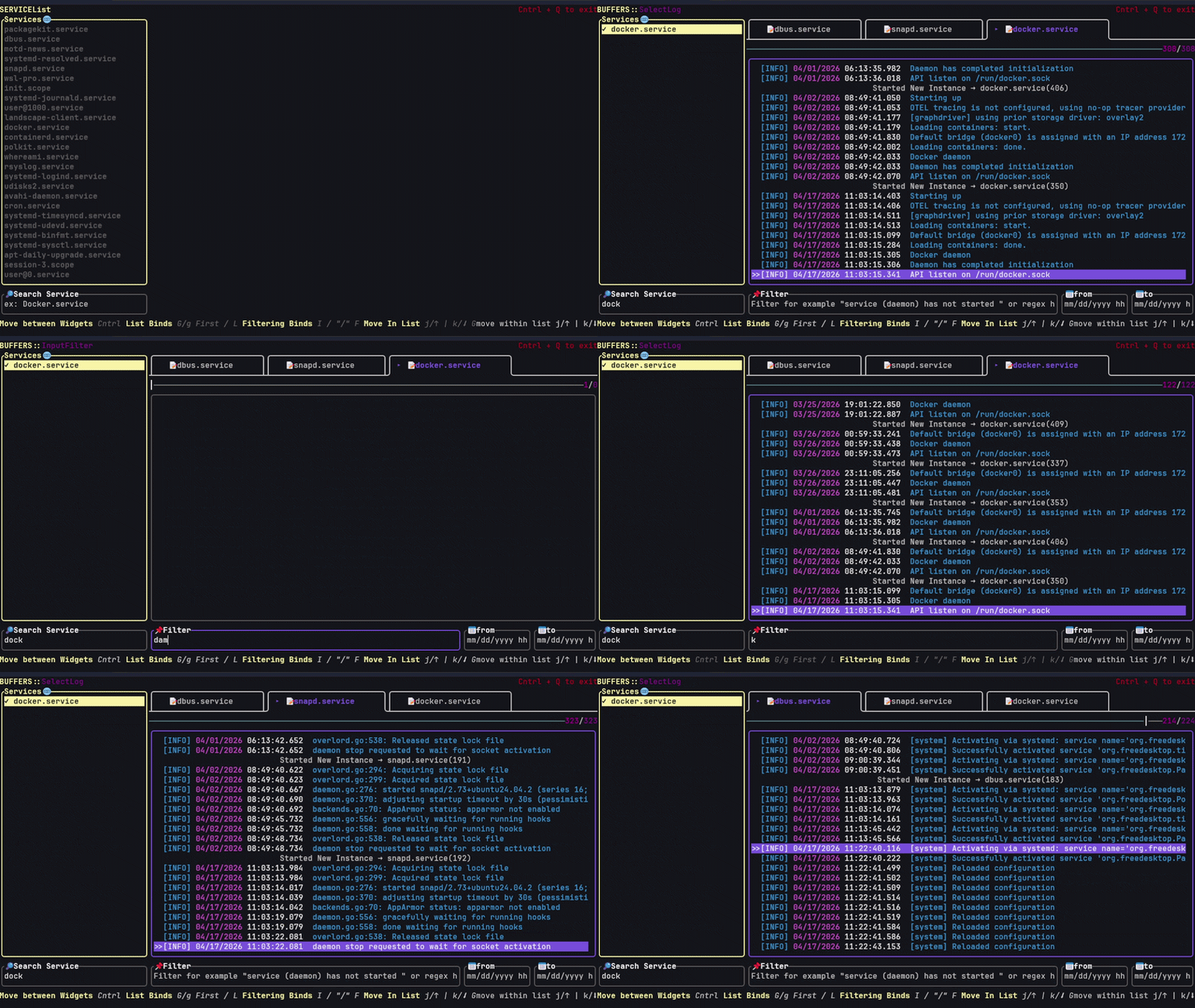
see (Service Event Extraction) is a TUI based tool to lookup logs from services (systemd)
- Ctrl + q Exit application - Alt + [1-9]: Switch between open logs (buffers) - Ctrl + h / l / j / k: Move between widgets (like in nvim) - j / k Move up or down | g / G: Jump to top or bottom within widget - Enter / x Toggle / open - I input search, F input from date, T input to date y: Yank selected key=value to clipboard (only in detailed view) The project is written primarily in Rust, distributed under the GNU General Public License v3.0 license, first published in 2026. Key topics include: journalctl, logs, ratatui, services, systemd.
SEE (Service Event Extraction)
Linux Services Log Viewer (like journalctl) TUI with VI Motions that allows you to open multiple instances of service logs (like nvim buffers) with custom filtering
Installation
cargo install seetui
Usage
run
seetui
or
seetui -u service1 service2....
Keybinds
- Ctrl + q Exit application
- Alt + [1-9]: Switch between open logs (buffers)
- Ctrl + h / l / j / k: Move between widgets (like in nvim)
- j / k Move up or down | g / G: Jump to top or bottom within widget
- Enter / x Toggle / open
- I input search, F input from date, T input to date
y: Yank selected key=value to clipboard (only in detailed view)
contribution
contributors (besides ai clankers) are welcome.
Contributors
Showing top 1 contributor by commit count.

Related Repositories

Lifailon/lazyjournal
TUI for viewing logs from journald, auditd, file system, Docker and Podman containers, Compose stacks and Kubernetes pods with support for log highlighting and several filtering modes.

pentix/qjournalctl
A multi-platform, Qt-based frontend for systemd's journalctl command. Accepting local as well as remote (SSH) data sources.

codervijo/journalview
JournalView is a lightweight, terminal-based application written in Rust that allows users to efficiently view, filter, and navigate system logs from journalctl.