

IPhotron LocalPhotoAlbumManager
A macOS Photos–style photo manager for Windows — folder-native, non-destructive, with HEIC/MOV Live Photo, map view, and GPU-accelerated browsing.
> A macOS *Photos*-inspired, folder-native photo manager for Windows, macOS, and Linux with Live Photo, maps, and smart albums. The project is written primarily in Python, distributed under the MIT License license, first published in 2025. Key topics include: desktop-application, exiftool, ffmpeg, folder-based, gps-metadata.
📸 iPhotron
A macOS Photos-inspired, folder-native photo manager for Windows, macOS, and Linux with Live Photo, maps, and smart albums.


-orange)


Languages / 语言 / Sprachen:


☕ Support


📥 Download & Install
-blue?style=for-the-badge&logo=windows)
-orange?style=for-the-badge&logo=linux&logoColor=white)
-brightgreen?style=for-the-badge&logo=linux&logoColor=white)
-purple?style=for-the-badge&logo=flatpak&logoColor=white)
💡 Quick Install: Click the buttons above to download the latest installer directly.
- Windows: Run the
.exeinstaller directly. - Linux (.deb): Install with the following command:
bashsudo apt install ./iphotron_6.6.6_amd64.deb
- Linux (.AppImage): Make the file executable and run it:
bashchmod +x iPhotron-6.6.6-x86_64.AppImage ./iPhotron-6.6.6-x86_64.AppImage
- Linux (.flatpak): Install the bundle with Flatpak:
bashflatpak install --user ./com.github.OliverZhaohaibin.iPhotron-6.6.6-x86_64.flatpak
For developers — install from source:
bashpip install -e .
🚀 Quick Start
bashiphoto-gui
Or open a specific album directly:
bashiphoto-gui /photos/LondonTrip
🌟 Star History
<p align="center"> <a href="https://www.star-history.com/#OliverZhaohaibin/iPhotron-LocalPhotoAlbumManager&type=date&legend=bottom-right"> <img alt="Star History Chart" src="https://api.star-history.com/svg?repos=OliverZhaohaibin/iPhotron-LocalPhotoAlbumManager&type=date&legend=bottom-right" /> </a> </p>🚀 Product Hunt
<p align="center"> <a href="https://www.producthunt.com/products/iphotron/launches/iphotron?embed=true&utm_source=badge-featured&utm_medium=badge&utm_campaign=badge-iphotron" target="_blank" rel="noopener noreferrer"> <img alt="iPhotron - A macOS Photos–style photo manager for Windows | Product Hunt" width="250" height="54" src="https://api.producthunt.com/widgets/embed-image/v1/featured.svg?post_id=1067965&theme=light&t=1772225909629"> </a> </p> <p align="center"> <span style="color:#FF6154;"><strong>Please Upvote</strong></span> • <span style="color:#FF6154;"><strong>Follow</strong></span> • <span style="color:#FF6154;"><strong>Discuss on the Forum</strong></span> </p>🌟 Overview
iPhotron is a folder-native photo manager inspired by macOS Photos.
It keeps your folders as the album structure, combines folder-local manifests
with a library-scoped .iPhoto/global_index.db, and separates rebuildable cache
facts from durable user choices while keeping destructive edits out of your
original media files.
Key highlights:
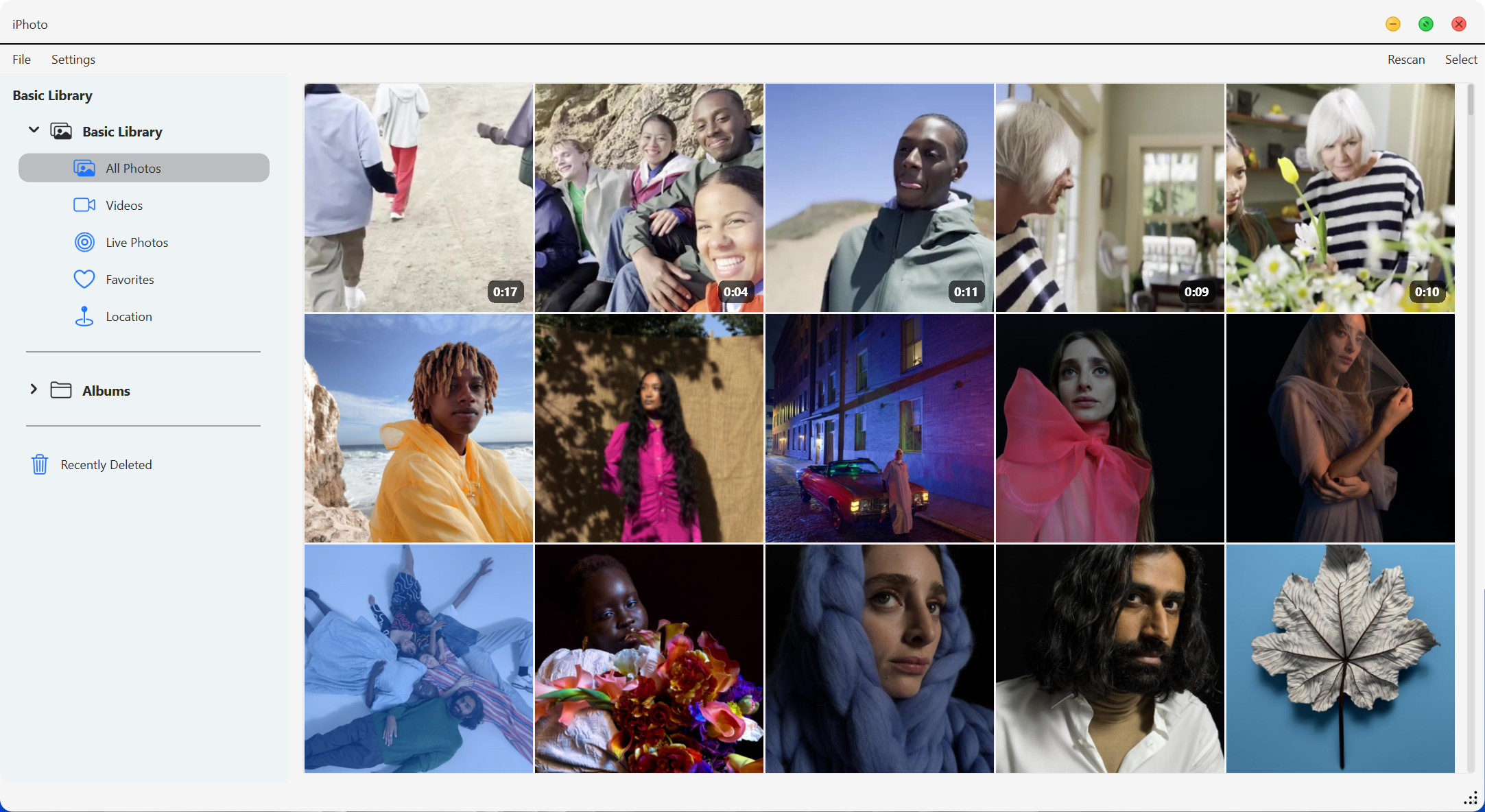
- 🗂 Folder-native design — every folder is an album, no import needed.
- ⚙️ Folder-local manifests record album metadata such as cover, featured items, and order.
- ⚡ SQLite-powered global database for lightning-fast session-backed queries on massive libraries.
- 🖼 Demand-driven Gallery scrolling with sparse asynchronous windows,
micro-thumbnail fallback, and memory-aware full-thumbnail prefetching. - 🧠 Smart incremental scanning with persistent SQLite index.
- 🎥 Full Live Photo pairing and playback support.
- 🗺 Optional map view that visualizes GPS metadata across all photos & videos and falls back gracefully when the maps extension is unavailable.
- 👥 Optional People scanning with face clusters, names, covers, hidden people,
and multi-person groups.
🗺 Maps Extension
iPhotron's offline OBF map runtime ships as a self-contained maps extension
rooted at src/maps/tiles/extension/. That directory is the contract consumed
by local development, packaged builds, and platform-specific installers.
The app remains usable without this extension; map-specific views and panels use
the runtime availability surface to show graceful fallback behavior.
The extension currently contains:
World_basemap_2.obfoffline map data- OsmAnd resources under
misc/,poi/,rendering_styles/,routing/,
and related runtime resource directories - offline search data under
search/geonames.sqlite3 - platform-specific native binaries under
bin/- Windows:
osmand_render_helper.exe,osmand_native_widget.dll,
OsmAndCore_shared.dll,OsmAndCoreTools_shared.dll, and the required Qt DLLs - Linux:
osmand_render_helper,osmand_native_widget.so,
libOsmAndCore_shared.so, andlibOsmAndCoreTools_shared.so - macOS:
osmand_render_helper,osmand_native_widget.dylib, and copied
non-system Mach-O dependencies
- Windows:
Platform maps notes:
- iPhotron can use both the helper-backed OBF renderer and the native OsmAnd widget when the platform runtime is available.
- If a sibling
PySide6-OsmAnd-SDK/checkout exists, Linux and macOS development can prefer itstools/osmand_render_helper_native/dist-*widget builds. - The native Linux widget currently expects Qt's XCB desktop OpenGL path. When that backend is selected, iPhotron auto-sets
QT_QPA_PLATFORM=xcb,QT_OPENGL=desktop, andQT_XCB_GL_INTEGRATION=xcb_glx. - On macOS, the legacy OpenGL map uses
QOpenGLWindow + createWindowContainer()to avoid transparent-windowQOpenGLWidgetcomposition issues; media previews default to the Metal-capable QRhi path unlessIPHOTO_RHI_BACKEND=openglis set.
| Without maps extension | With maps extension |
|---|---|
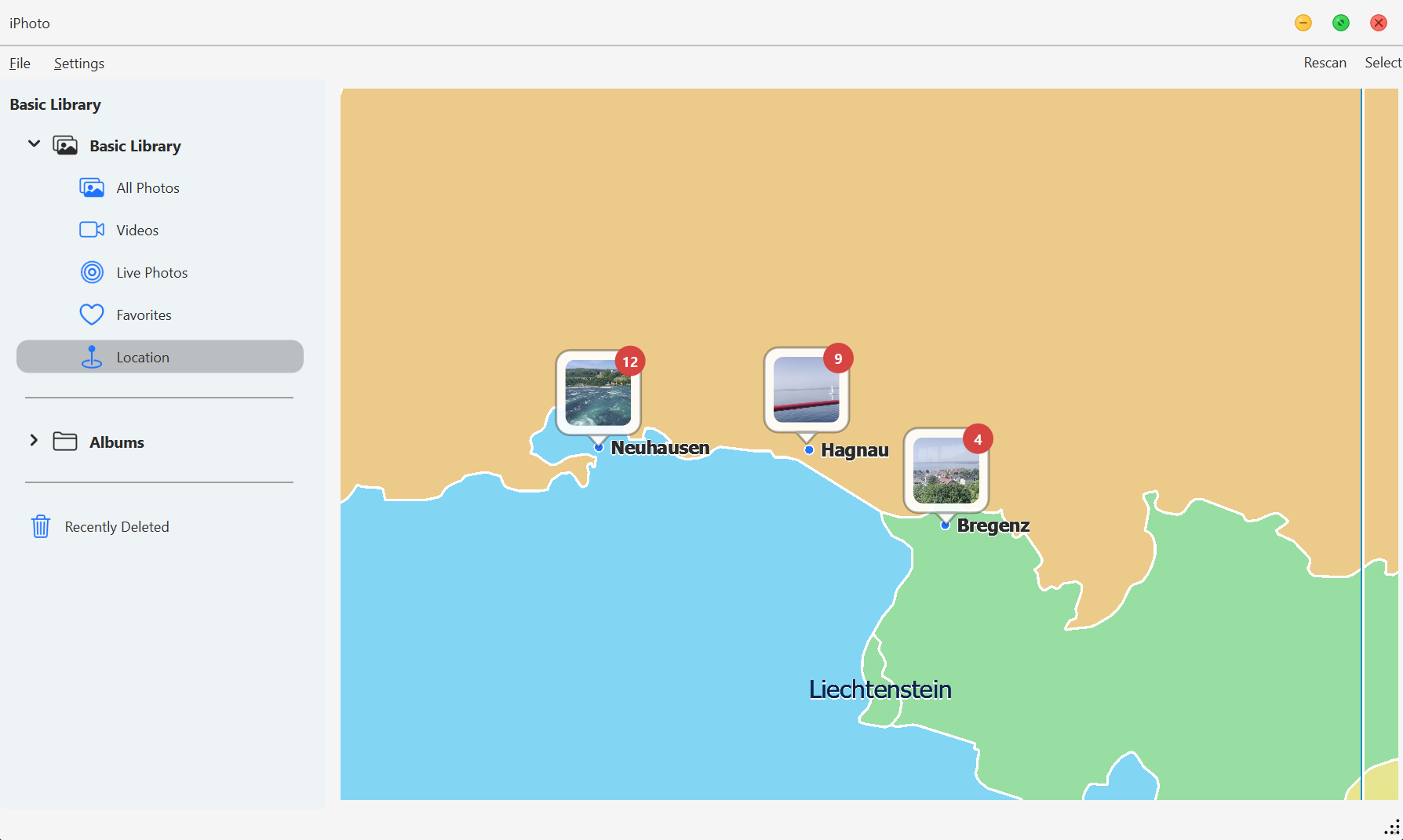 | 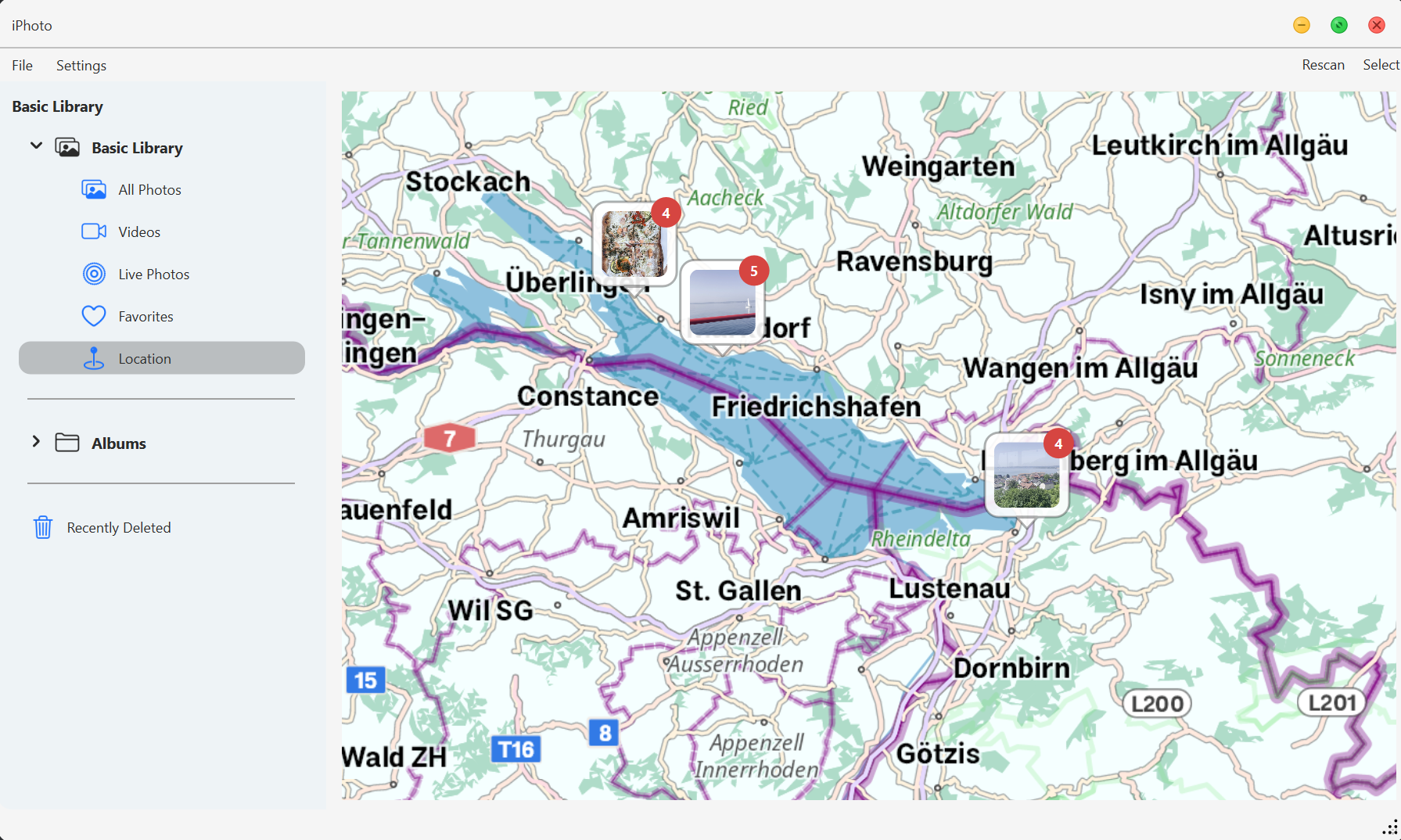 |
The extension is built upstream from the standalone
PySide6-OsmAnd-SDK
sub-project. That repository carries the vendored OsmAnd sources, build scripts
for Windows, Linux, and macOS, the native Qt widget bridge, and the preview app
used to produce the runtime consumed here.
See Development for the full "build the maps extension
from the side project" workflow, and
Executable Build for how the extension is synchronized
into Nuitka and platform-specific release builds.
✨ Features
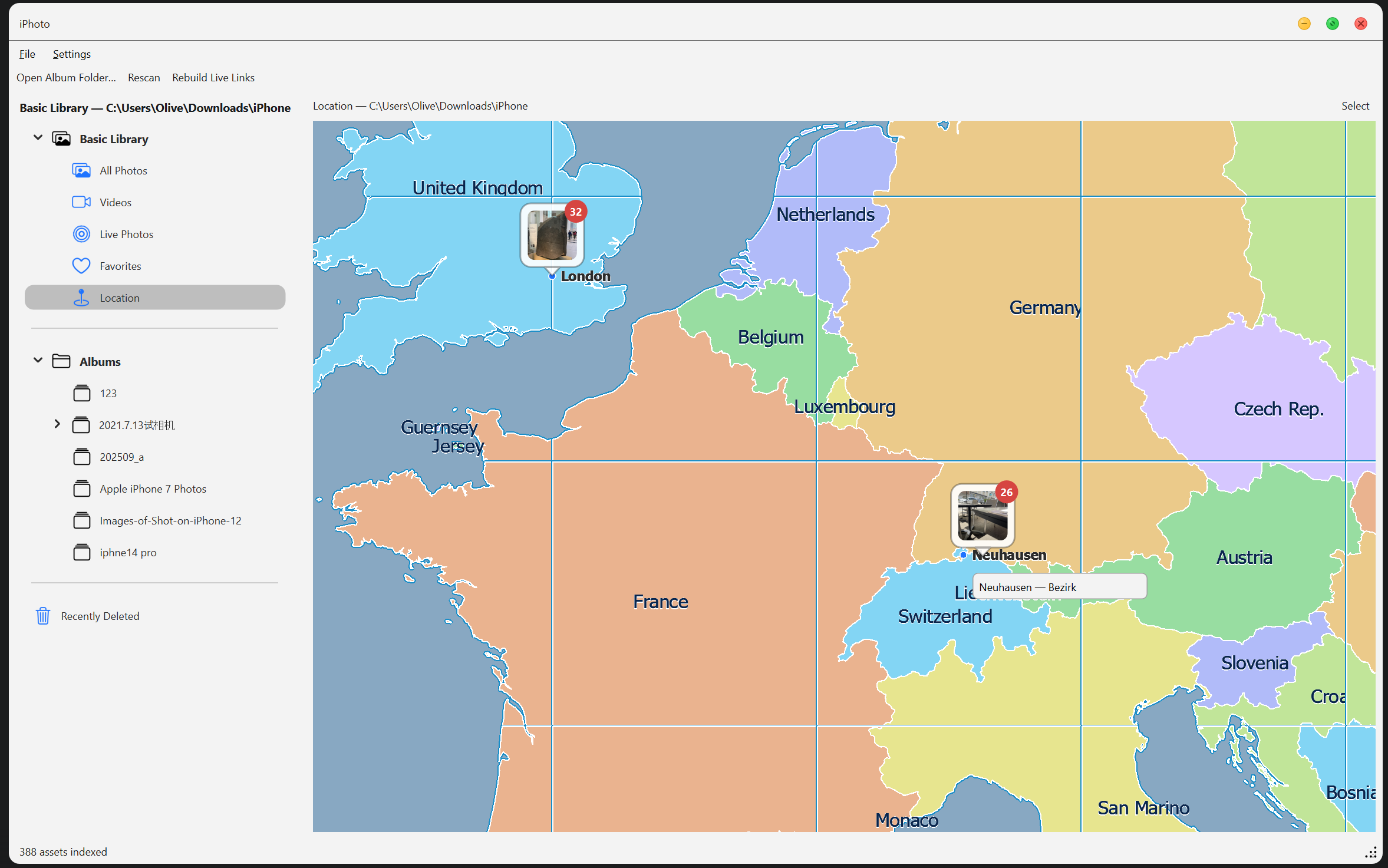
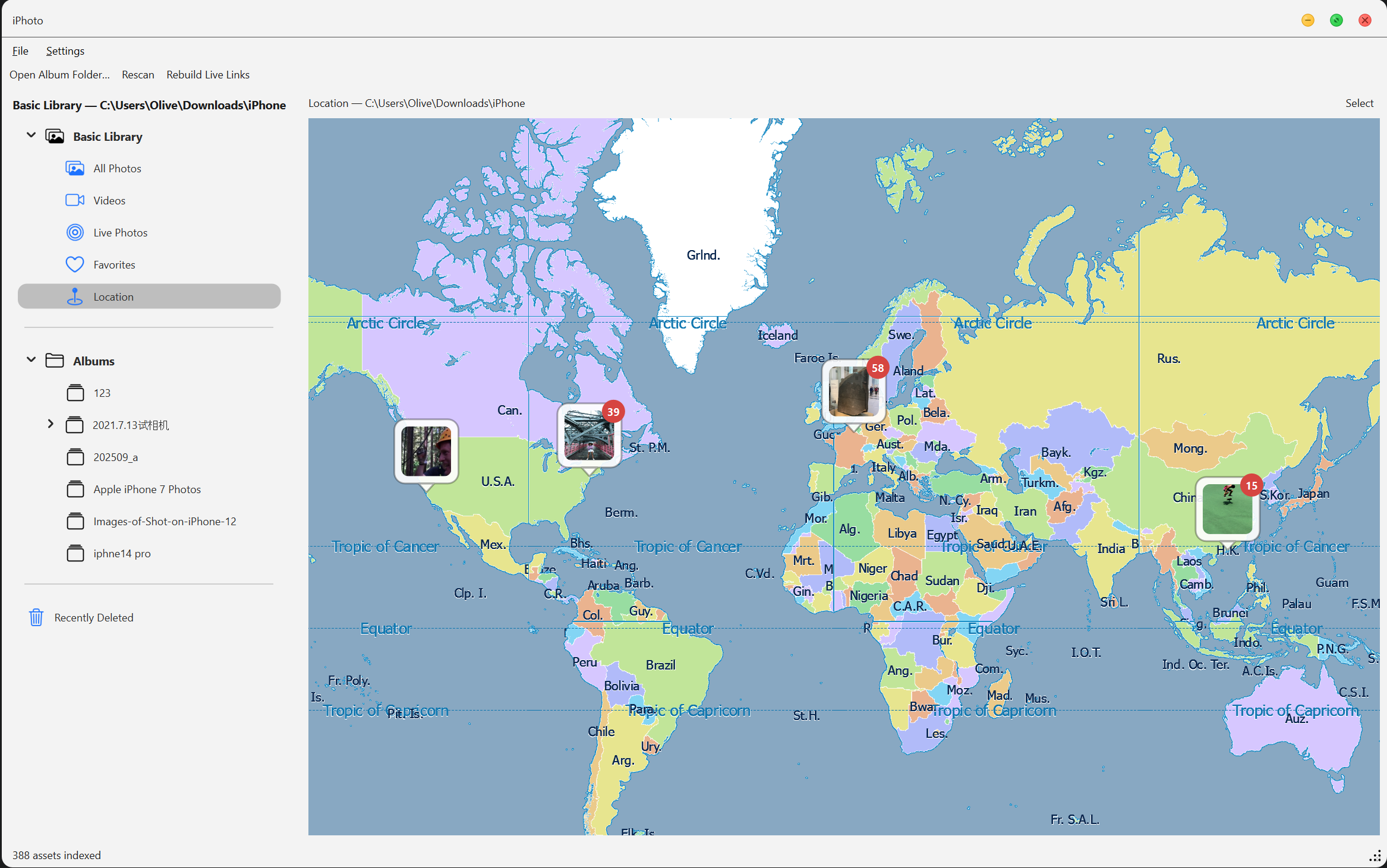
🗺 Location View
Displays your photo footprints on an interactive map, clustering nearby photos by GPS metadata.
🎞 Live Photo Support
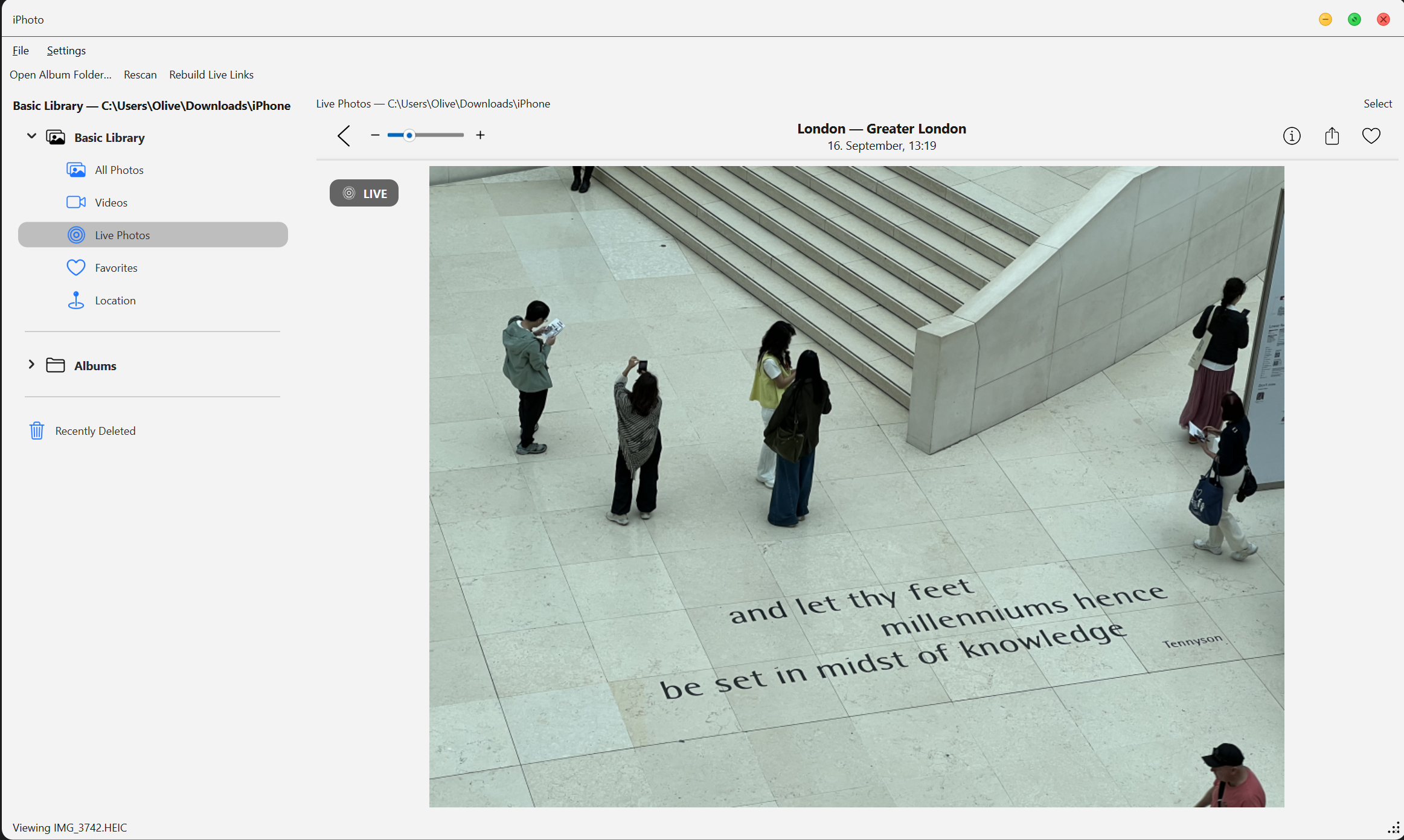
Seamlessly pairs HEIC/JPG and MOV files using Apple's ContentIdentifier.
A "LIVE" badge appears on still photos — click to play the motion video inline.
🧩 Smart Albums
The sidebar provides an auto-generated Basic Library, grouping photos into:
All Photos, Videos, Live Photos, Favorites, and Recently Deleted.
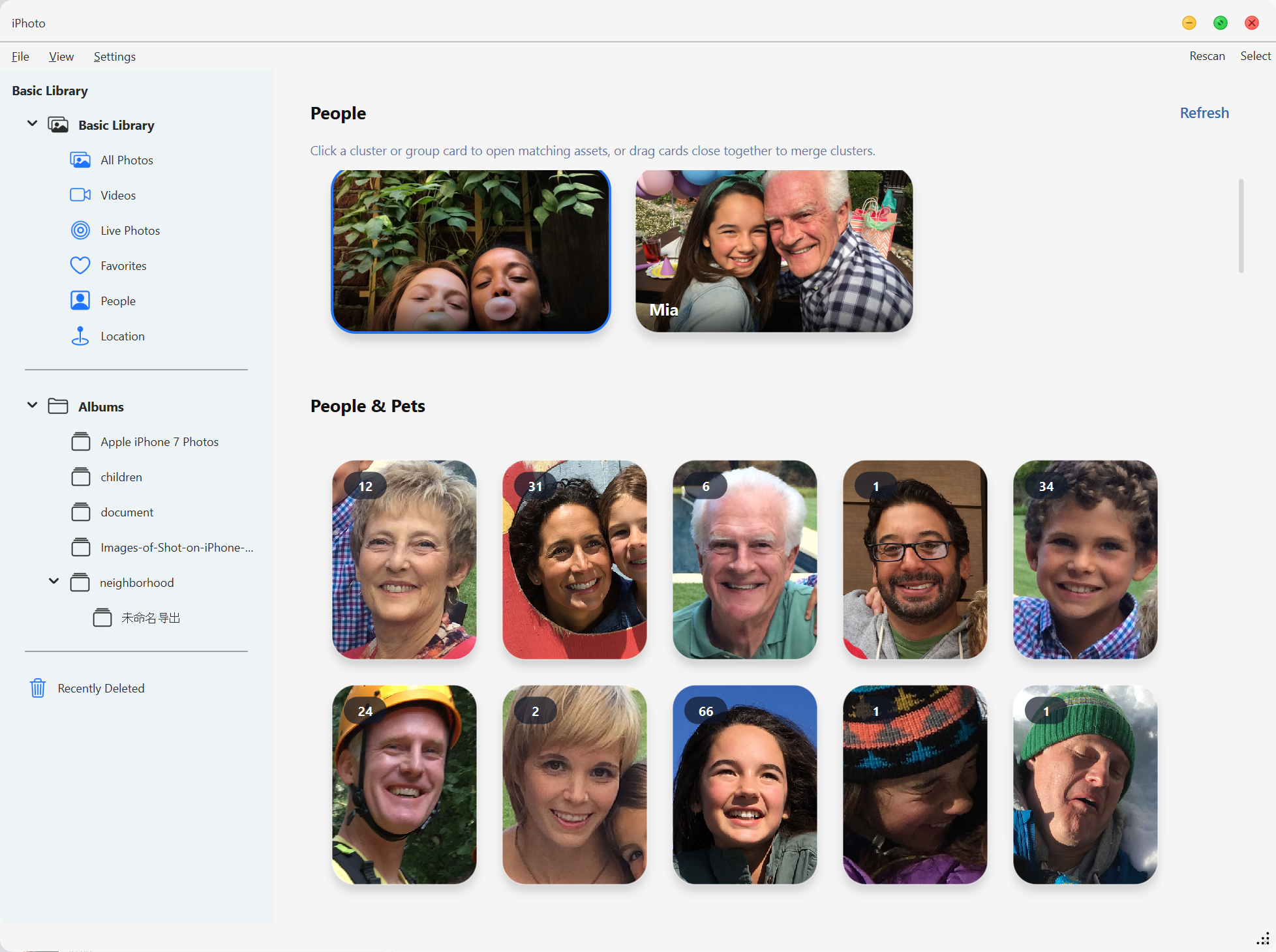
👥 People, Face Clusters & Groups
The optional People pipeline detects faces, builds face clusters, and presents
them as People cards. You can name people, merge duplicate clusters, hide or
show hidden people, and keep chosen covers persistent across rescans.
Drag people into groups to collect shared photos for multiple people. Group
cards can use a selected cover, be reordered, and be disbanded when they are not
pinned. Face scanning uses the optional ai-demo dependencies; the core photo
manager remains usable without installing the AI runtime, and People state is
kept behind the library session so names, covers, hidden flags, groups, and
manual faces survive rescans.
⚡ Large-Library Gallery
Gallery browsing uses sparse asynchronous SQL windows instead of materializing
an entire collection. Scroll intent drives separate visible, nearby guard, and
speculative thumbnail lanes; fast bursts keep input responsive and use warmed
micro thumbnails while full thumbnails are decoded away from the GUI thread.
Memory and worker budgets adapt to the host platform and physical RAM, with
generation-aware cancellation preventing old viewport work from repainting the
current view.
🖼 Immersive Detail View
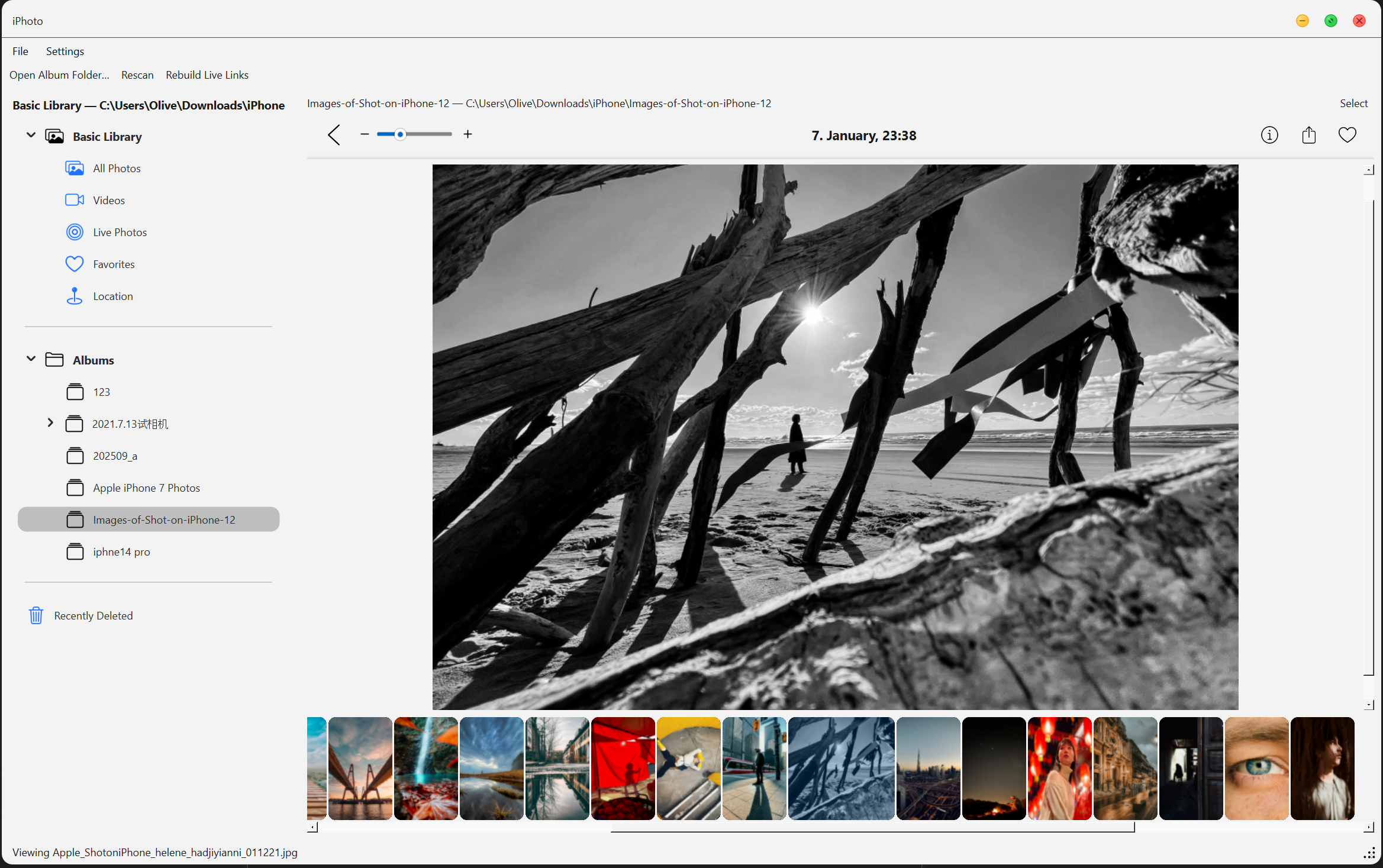
An elegant viewer with a filmstrip navigator, floating playback bar for videos,
and a platform-selected GPU path: QRhi/Metal on macOS, OpenGL-backed QRhi on
Windows and Linux.
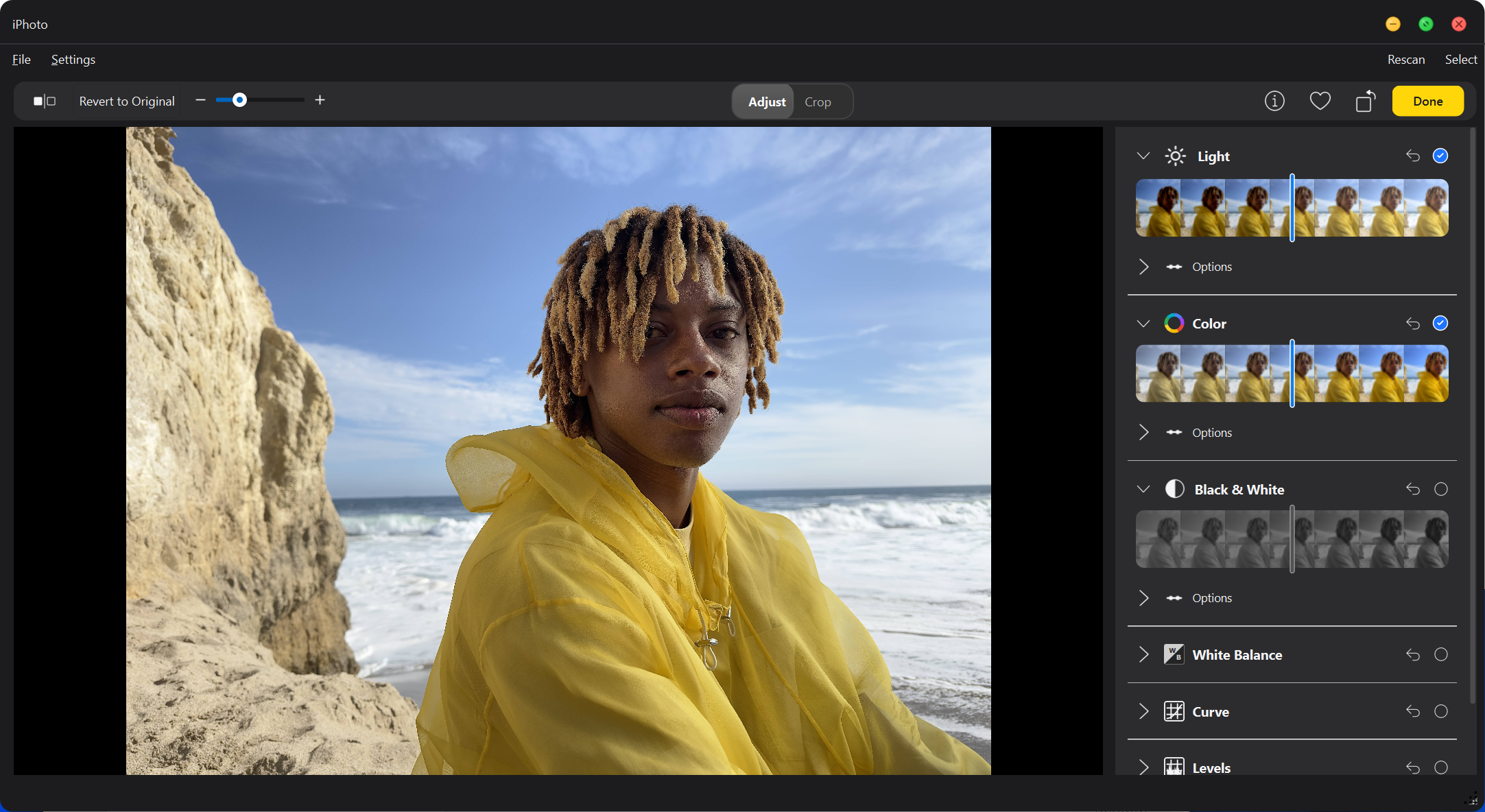
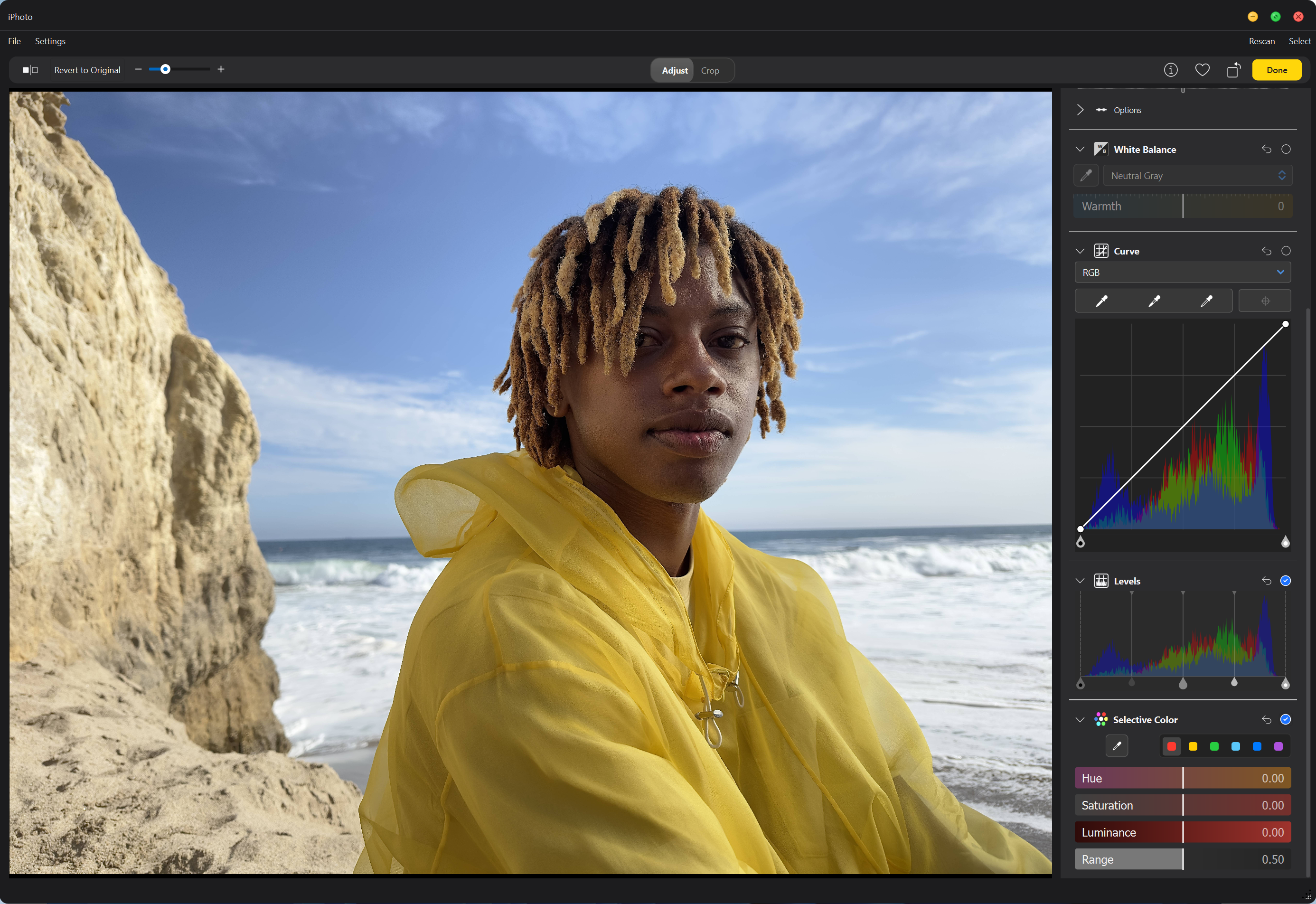
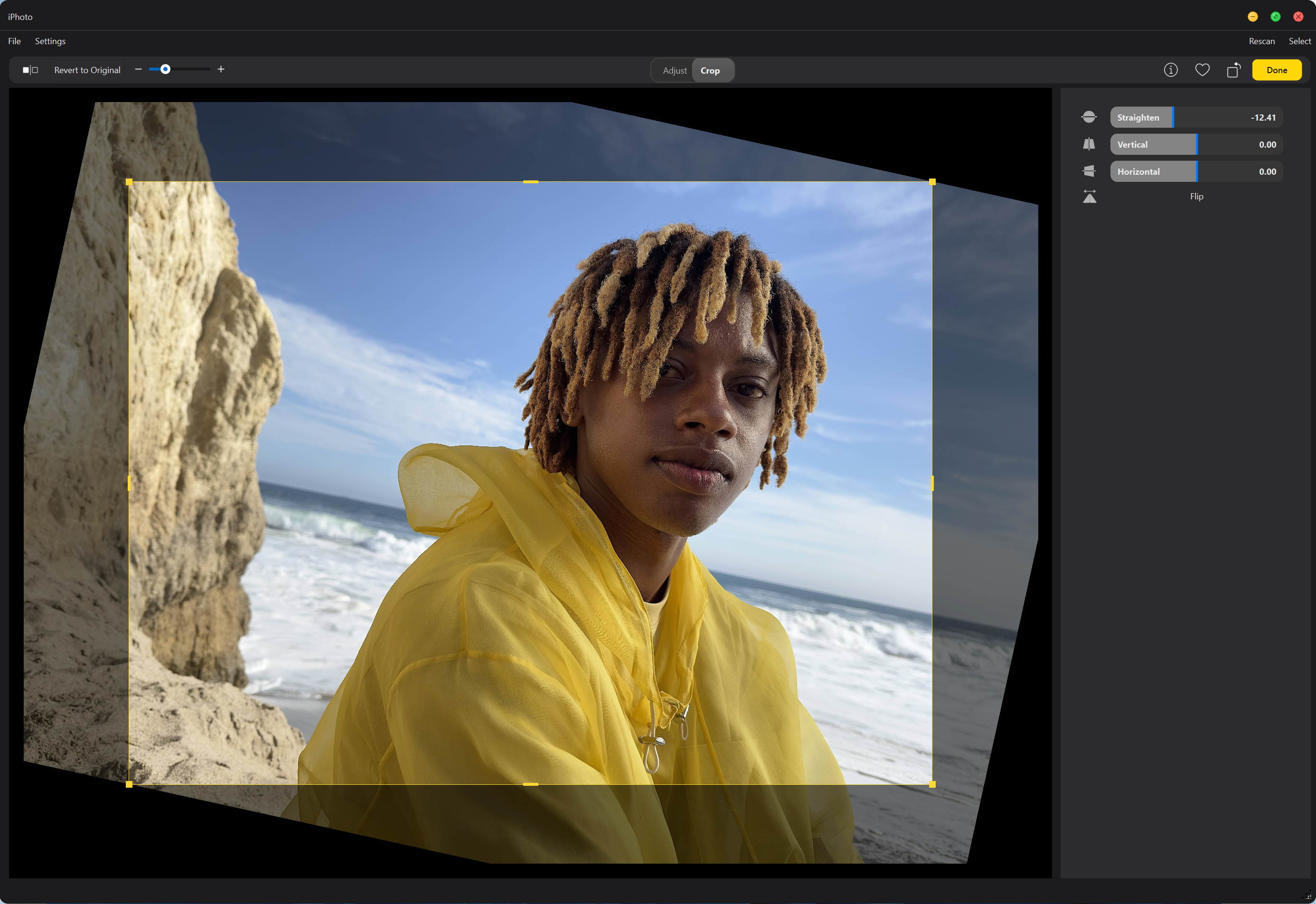
🎨 Non-Destructive Photo Editing
A comprehensive editing suite with Adjust and Crop modes:
Adjust Mode
- Light Adjustments: Brilliance, Exposure, Highlights, Shadows, Brightness, Contrast, Black Point
- Color Adjustments: Saturation, Vibrance, Cast (white balance correction)
- Black & White: Intensity, Neutrals, Tone, Grain with artistic film presets
- Color Curves: RGB and per-channel (R/G/B) curve editor with draggable control points for precise tonal adjustments
- Selective Color: Target six hue ranges (Red/Yellow/Green/Cyan/Blue/Magenta) with independent Hue/Saturation/Luminance controls
- Levels: 5-handle input-output tone mapping with histogram backdrop and per-channel control
- Master Sliders: Each section features an intelligent master slider that distributes values across multiple fine-tuning controls
- Live Thumbnails: Real-time preview strips showing the effect range for each adjustment
Crop Mode
- Perspective Correction: Vertical and horizontal keystoning adjustments
- Straighten Tool: ±45° rotation with sub-degree precision
- Flip (Horizontal): Horizontal flip support
- Interactive Crop Box: Drag handles, edge snapping, and aspect ratio constraints
- Black Border Prevention: Automatic validation ensures no black edges appear after perspective transforms
All edits are stored in .ipo sidecar files through the edit session surface,
preserving original photos untouched.
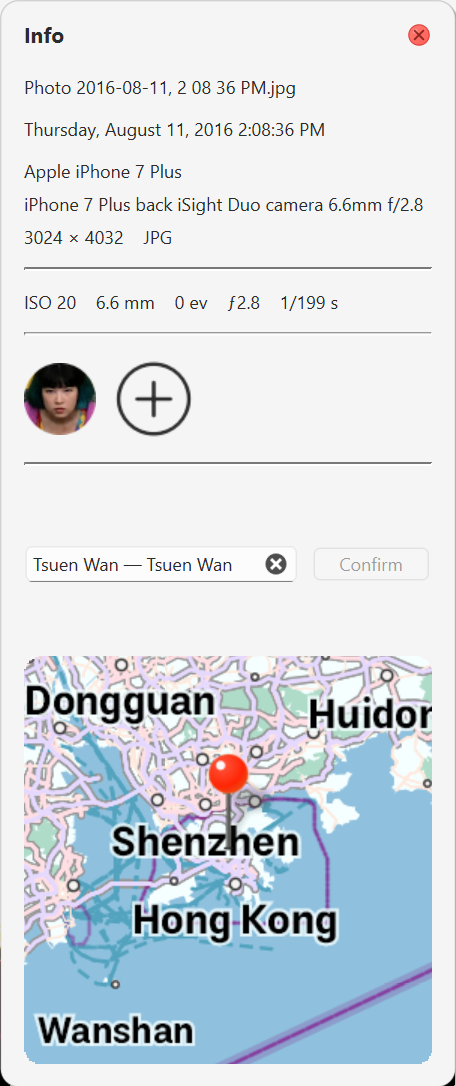
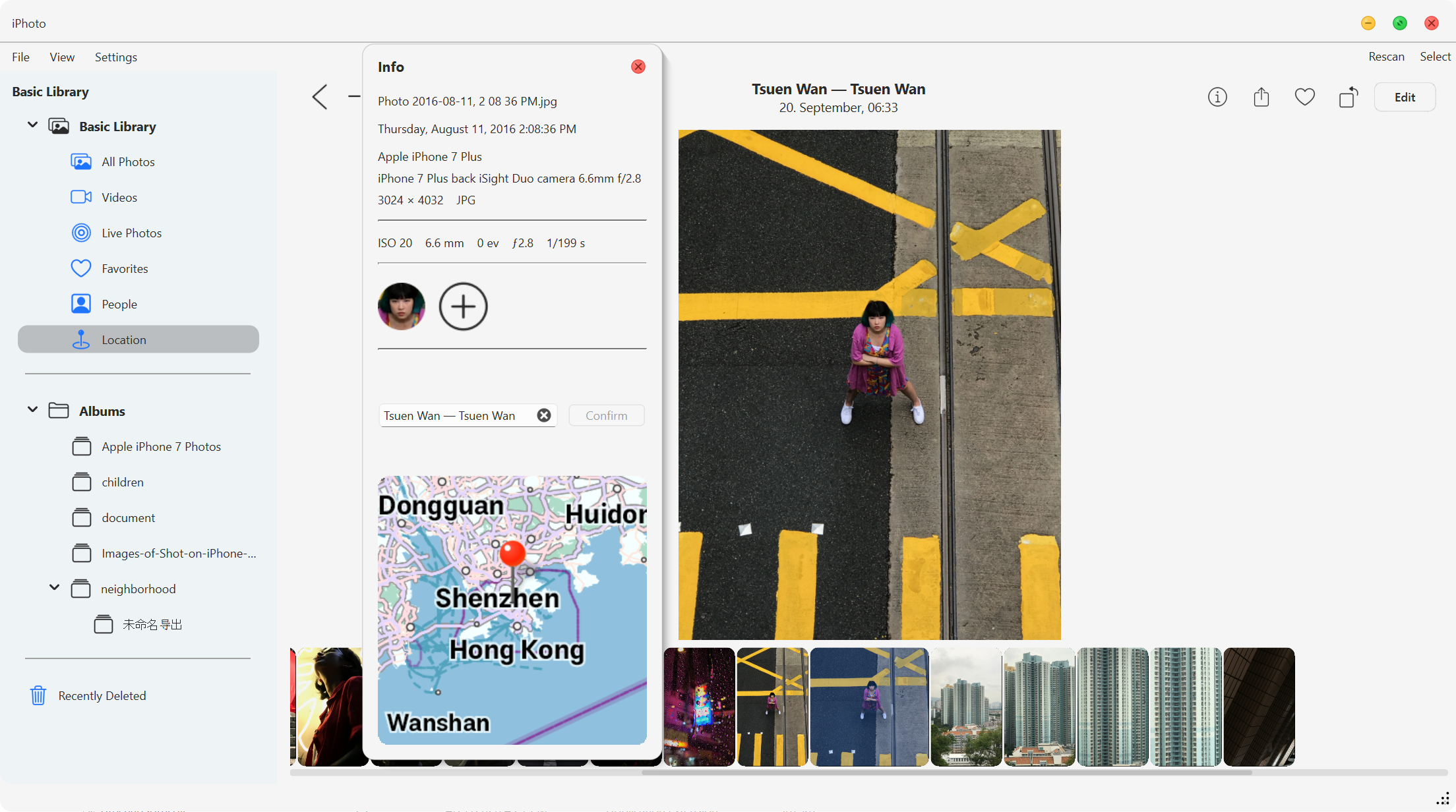
ℹ️ Floating Info Panel
Toggle a floating metadata panel with EXIF, camera/lens details, exposure,
aperture, focal length, dimensions, file size, and capture time. For assets
with People data, the panel shows detected face avatars and lets you remove a
face, move it to another person, or create a new person annotation.
Location tools are built in as well: geotagged assets can show an inline map,
and assets without a location can use the "Assign a Location" search flow to
pick and confirm a place. The assignment is always saved in the local library
database; if ExifTool is available, iPhotron also best-effort writes GPS
metadata back to the original file and warns when that write-back fails. If the
maps extension is missing, the panel offers the download path instead of failing
silently.
| Info panel with map | Floating info panel in detail view |
|---|---|
 |  |
💬 Rich Interactions
- Drag & drop files from Explorer/Finder directly into albums.
- Multi-selection & context menus for Copy, Show in Folder, Move, Delete, Restore.
- Smooth thumbnail transitions and macOS-like album navigation.
📚 Documentation
For deeper technical details, see the following docs:





| Document | Description |
|---|---|
| Architecture | Current vNext library-scoped modular monolith architecture, module boundaries, legacy quarantine policy, data flow, and key design decisions |
| Development | Dev environment, dependencies, debugging, and the side-project-based maps extension workflow for Windows, Linux, and macOS |
| Executable Build | Nuitka packaging, AOT filters, QRhi shader assets, maps extension sync, and platform runtime notes |
| Security | Permissions, encryption, data storage locations, threat model |
| Changelog | All version release notes and changes |
🧩 External Tools
| Tool | Purpose |
|---|---|
| ExifTool | Reads EXIF, GPS, QuickTime, and Live Photo metadata; writes GPS metadata for explicit Assign Location actions. |
| FFmpeg / FFprobe | Generates video thumbnails & parses video info. |
InsightFace / ONNXRuntime + buffalo_s models | Optional People face scanning: face detection (det_500m.onnx) and face embeddings (w600k_mbf.onnx) from src/extension/models/buffalo_s/. |
Ensure FFmpeg/FFprobe are available in your system
PATH; install ExifTool if
you want assigned GPS coordinates written back into original media files.
The AI face runtime is optional; install it withpip install -e ".[ai-demo]"
for source builds, and keepextension/modelsbundled for offline packaged builds.
Python dependencies (e.g., Pillow, reverse-geocoder) are auto-installed via pyproject.toml.
📄 License
MIT License © 2025
Created by Haibin Zhao (OliverZhaohaibin)
iPhotron — A folder-native, human-readable, and fully rebuildable photo system.
No forced imports. No proprietary lock-in. Just your photos, organized elegantly.
Contributors
Showing top 4 contributors by commit count.


![google-labs-jules[bot]](https://avatars.githubusercontent.com/in/842251?v=4)

Related Repositories

jaywcjlove/awesome-mac
This project is dedicated to collecting high-quality macOS software and organizing them systematically by different categories for easy search and use.

nativefier/nativefier
Make any web page a desktop application

wailsapp/wails
Create beautiful applications using Go

DevToys-app/DevToys
A Swiss Army knife for developers.

eythaann/Seelen-UI
The Fully Customizable Desktop Environment for Windows 10/11.

zealdocs/zeal
Offline documentation browser. Your personal reference library, searchable in an instant.