

NineAnimator
An elegant way of discovering anime on iOS.
A simple yet elegant way of watching anime on your favorite anime websites. NineAnimator is a free and open source anime watching app for iOS and macOS. GPLv3 Licensed. The project is written primarily in Swift, distributed under the GNU General Public License v3.0 license, first published in 2018. Key topics include: anilist, anime, animetwist, animeultima, app.

A simple yet elegant way of watching anime on your favorite anime websites.
NineAnimator is a free and open source anime watching app for iOS and macOS. GPLv3 Licensed.
Copyright © 2018-2020 Marcus Zhou. All rights reserved.

NineAnimator is free software: you can redistribute it and/or modify
it under the terms of the GNU General Public License as published by
the Free Software Foundation, either version 3 of the License, or
(at your option) any later version.

NineAnimator is distributed in the hope that it will be useful,
but WITHOUT ANY WARRANTY; without even the implied warranty of
MERCHANTABILITY or FITNESS FOR A PARTICULAR PURPOSE.  See the
GNU General Public License for more details.

You should have received a copy of the GNU General Public License
along with NineAnimator.  If not, see <http://www.gnu.org/licenses/>.
Table of Contents
- Features
- Device Compatibility
- Installation
- Supported Sources
- Third-Party Anime Lists
- Google Cast
- Picture in Picture Playback
- Notifications & Subscription
- Smart Home Integration
- Handoff & Siri Shortcuts
- Backup History and Playback Progresses
- Download Episodes
- Screenshots
- Credits
- Contributing
- Privacy Statements & Policy
- Advanced Configurations
Features
- Ads Free and no logins
- Super-duper clean UIs + Dark Mode
- Get notifications when new episodes come out
- Apple's native video playback interface
- Picture in Picture playback on iPads/iOS 14+ devices
- Chromecast/Google Cast with lockscreen & control center support
- Playback History & Auto Resumes
- Support Multiple Anime Websites
- Integration with HomeKit
- Discord Rich Presence integration (macOS only)
- Handoff & Siri Shortcuts
- Download & play episodes offline
- Third party anime listing & tracking websites (view & edit)
- Custom anime lists, e.g. favorites and to-watch list (currently retrieved from tracking websites; mutations are work-in-progress)
Google Cast
NineAnimator supports playing back on both AirPlay (via Apple's native media player) and
Chromecast/Google Cast devices. However, not all of the steaming sources are supported
on Chromecast. Check Video Sources for details.
To use Google Cast in NineAnimator, tap on the Google Cast icon on the navigation bar.
A window will pop up to prompt you to select a playback device. Once the device is
connected, click "Done" and select an episode from the episode list. The video will
starts playing automatically on the Google Cast device.
The playback control interface will appear once the playback starts. You may use the
volume up/down buttons to adjust the volume.
To disconnect from a Google Cast device, tap on the Google Cast icon on the navigation
bar and tap the device that is already connected.
Picture in Picture Playback
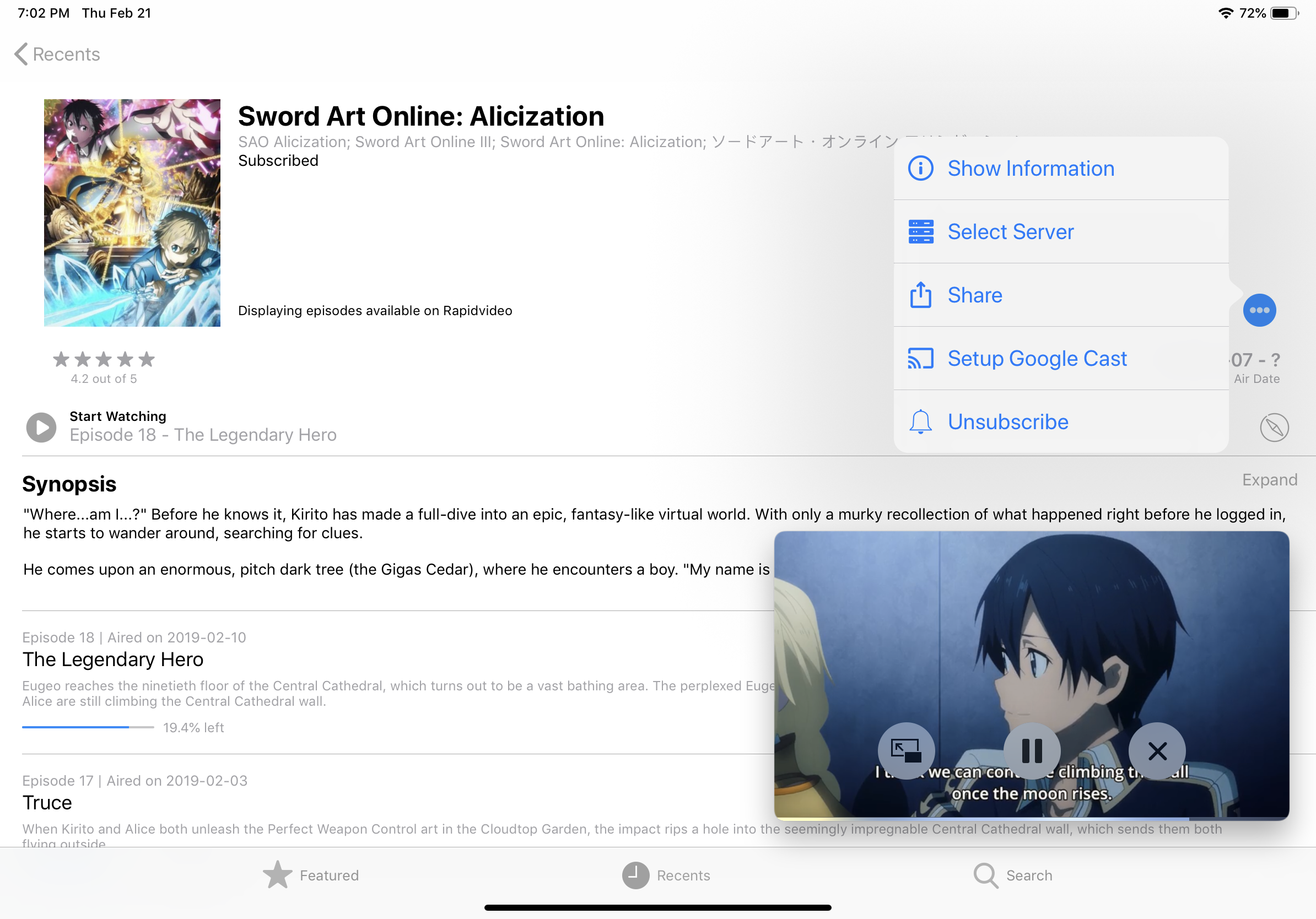
This feature is only supported on iPads, Macs, and iOS 14+ devices.
The Picture in Picture (PiP) icon will appear on the top left corner of the player once PiP
is ready. You may tap on this icon to initiate PiP playback. To restore fullscreen playback,
tap the restore button on the PiP window.
Notifications & Subscription
Subscribing anime in NineAnimator is implemented with Apple's Background Application
Refresh. NineAnimator will actively poll the available episodes and compares it with
locally cached episodes.
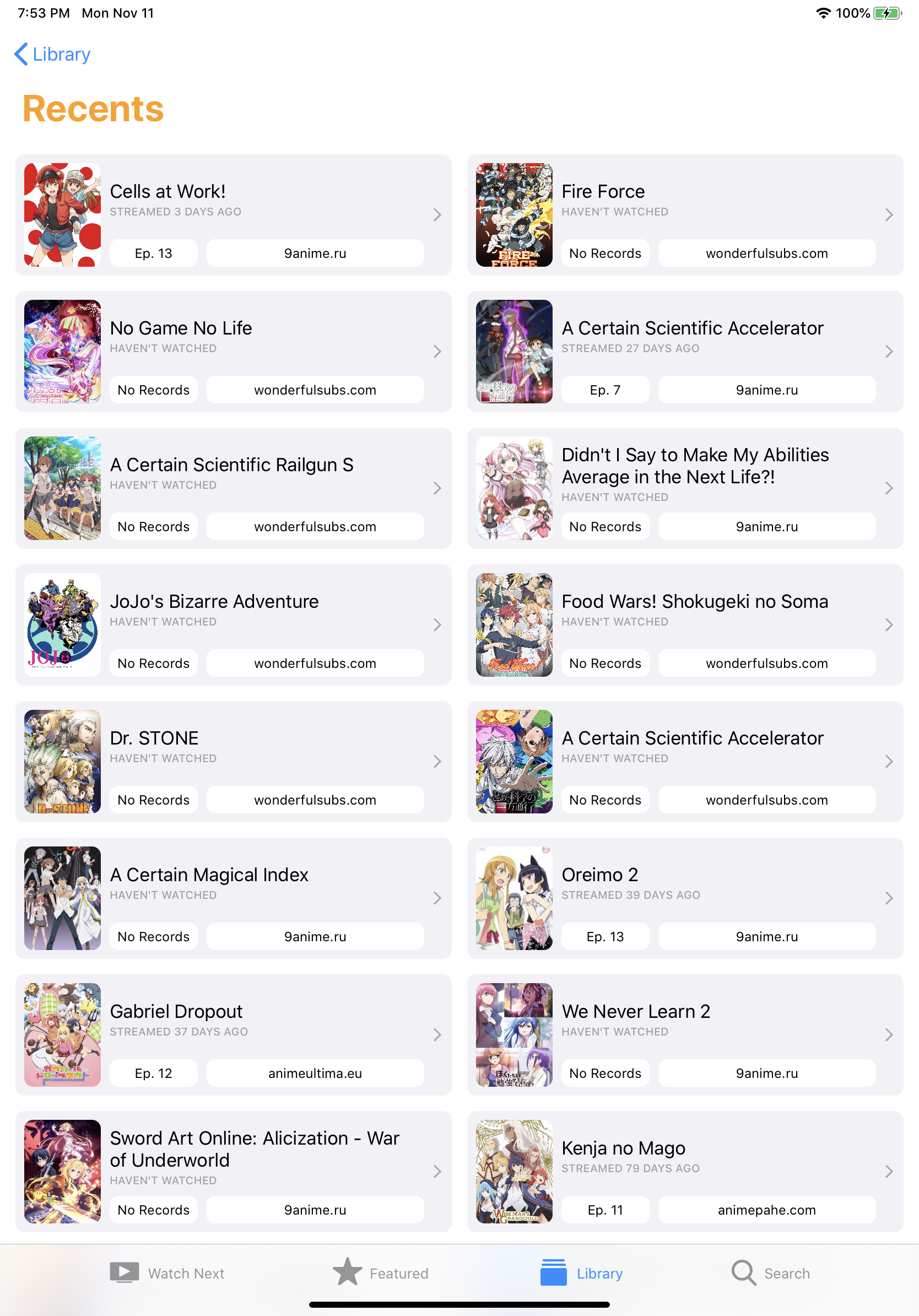
To subscribe an anime, long press on the anime in the Recents category of your Library.
<img src="Misc/Media/recents_long_press.jpeg" width="320" />Or simply tap on the subscribe button when you are viewing any anime.
<img src="Misc/Media/subscribe_button.jpg" width="320" />Smart Home Integration
NineAnimator can be configurated to run Home scenes when the playback starts and
ends. The default behavior is to only run the scenes when the video is playing on
external screens (e.g. Google Cast, AirPlay). However, you may change that in the
Settings -> Home panel.
- NineAnimator runs
Starts Playingscene immediately after the video starts playing - The
Ends Playingscene will be performed 15 seconds before video playback ends
See Notifications and
HomeController for implementation
details.
Handoff & Siri Shortcuts
NineAnimator supports Apple's handoff and Siri Shortcuts. This enables you to seemlessly
switch between devices when browsing and viewing anime.
When you browse an anime, depending on the device you are using, the NineAnimator icon
will show up on the dock (iPad) or the task switcher of your other devices. You may tap
on the icon to continue browsing or watching on the new device.
To add a siri shortcut, navigate to the system settings app. Find NineAnimator under
the root menu, tap Siri & Search, then tap Shortcuts.
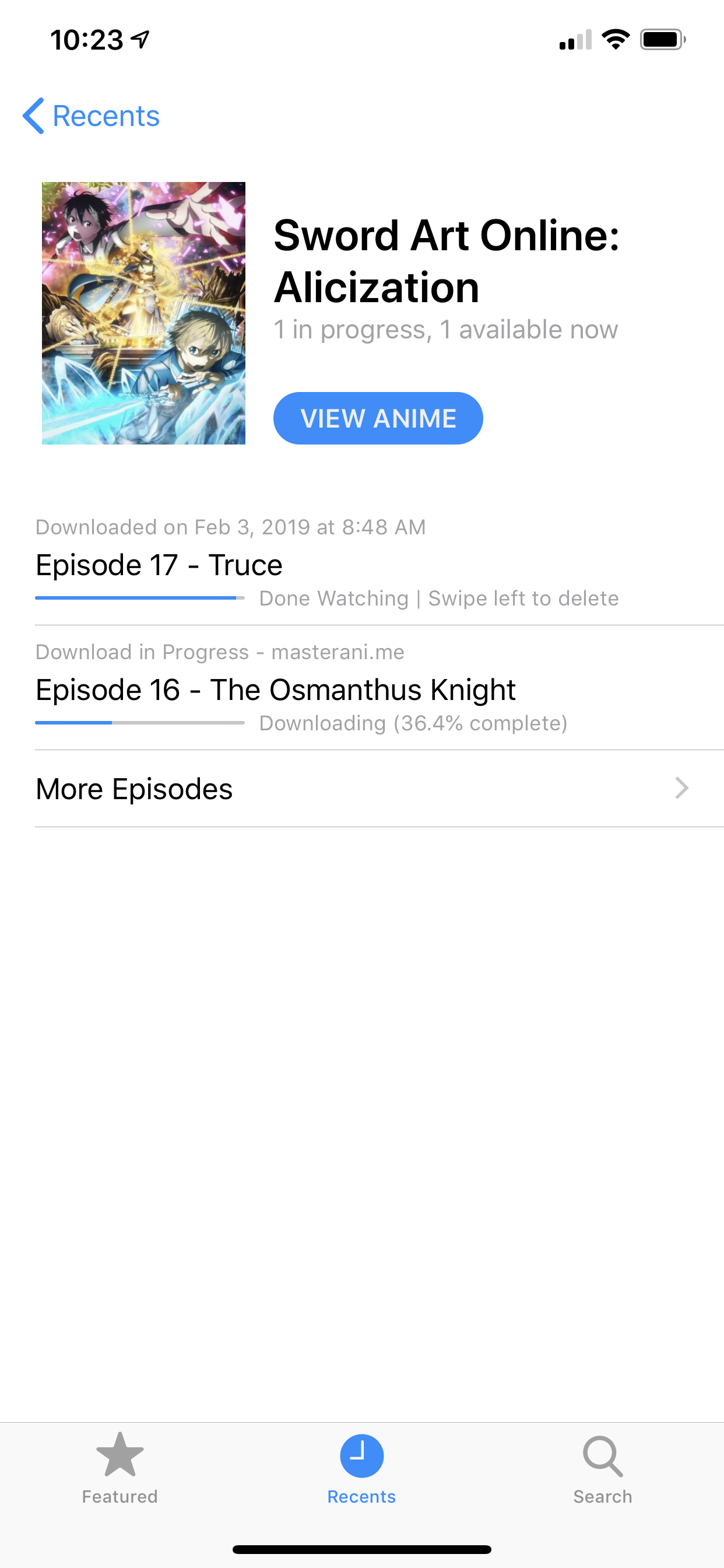
Download Episodes
NineAnimator can download episodes for later playback. Tap on the cloud icon in the anime browser
to initiate download tasks. Downloaded episodes will appear in the Recents tab.
There are some limitations to NineAnimator's ability to download and playback videos:
- NineAnimator only supports downloading videos from a selection of streaming sources
- Downloaded videos are only available to local playback. You may encounter problems playing offline episodes on AirPlay devices, and, if you are connected to a Google Cast device, NineAnimator will still attempt to fetch online resources for playback.
Screenshots
Dark Appearance
| Watch Next | Library | Search |
|---|---|---|
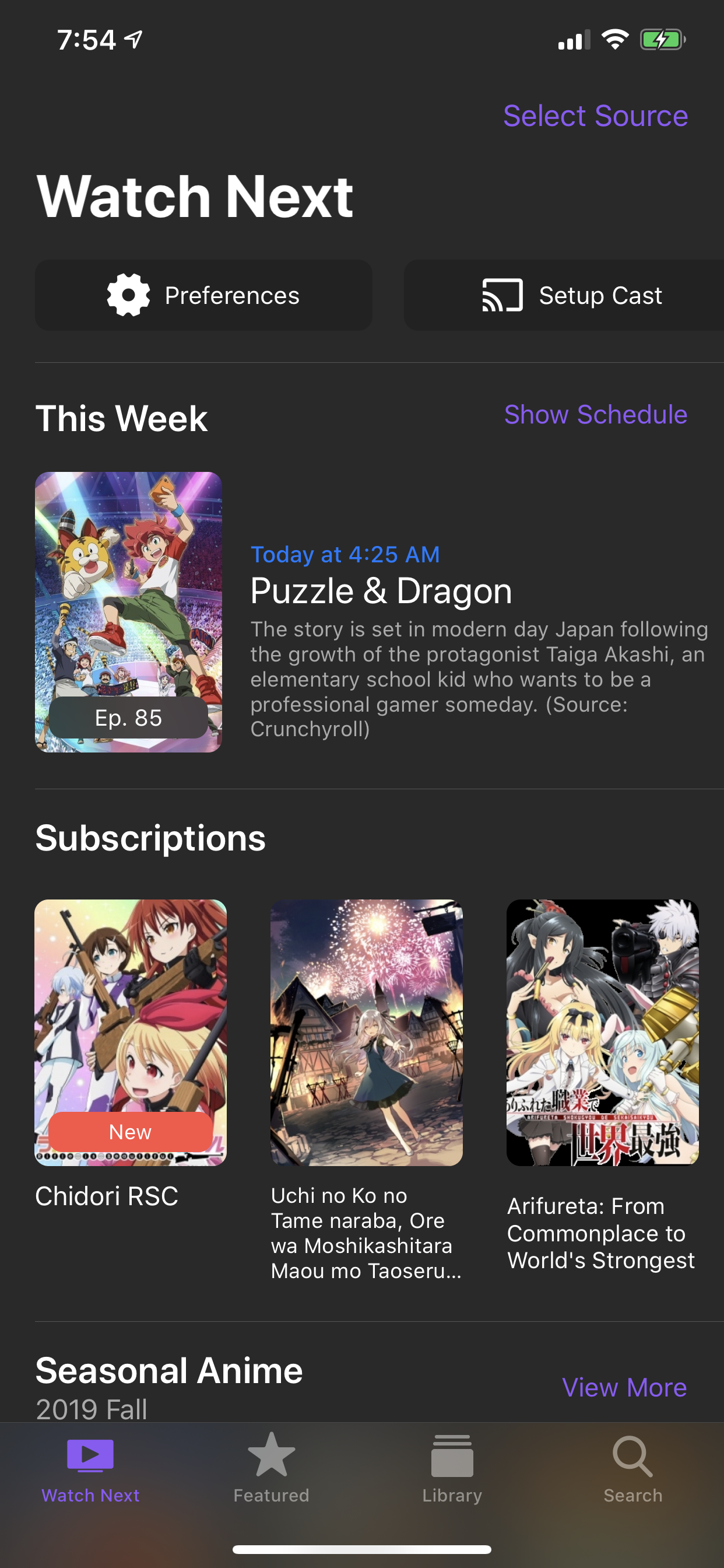 | 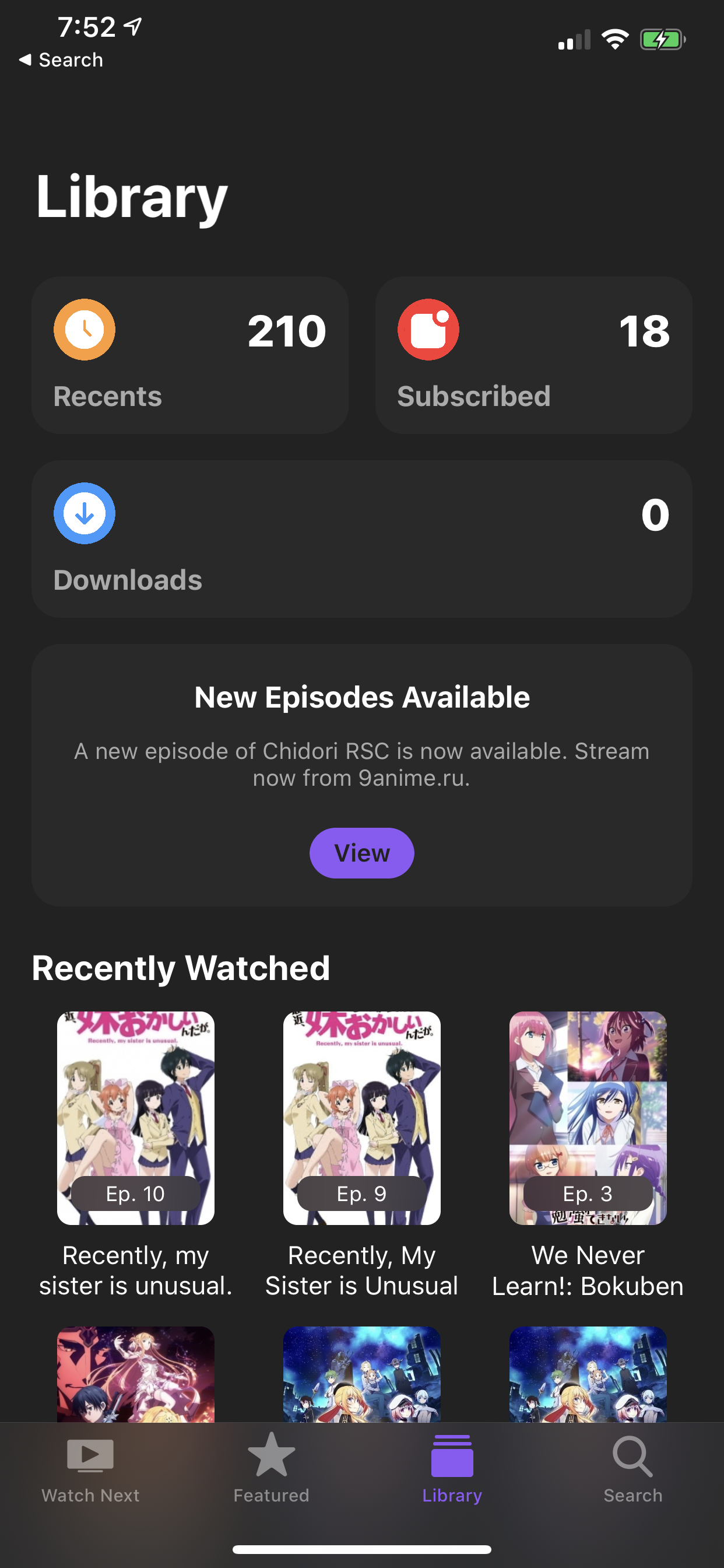 | 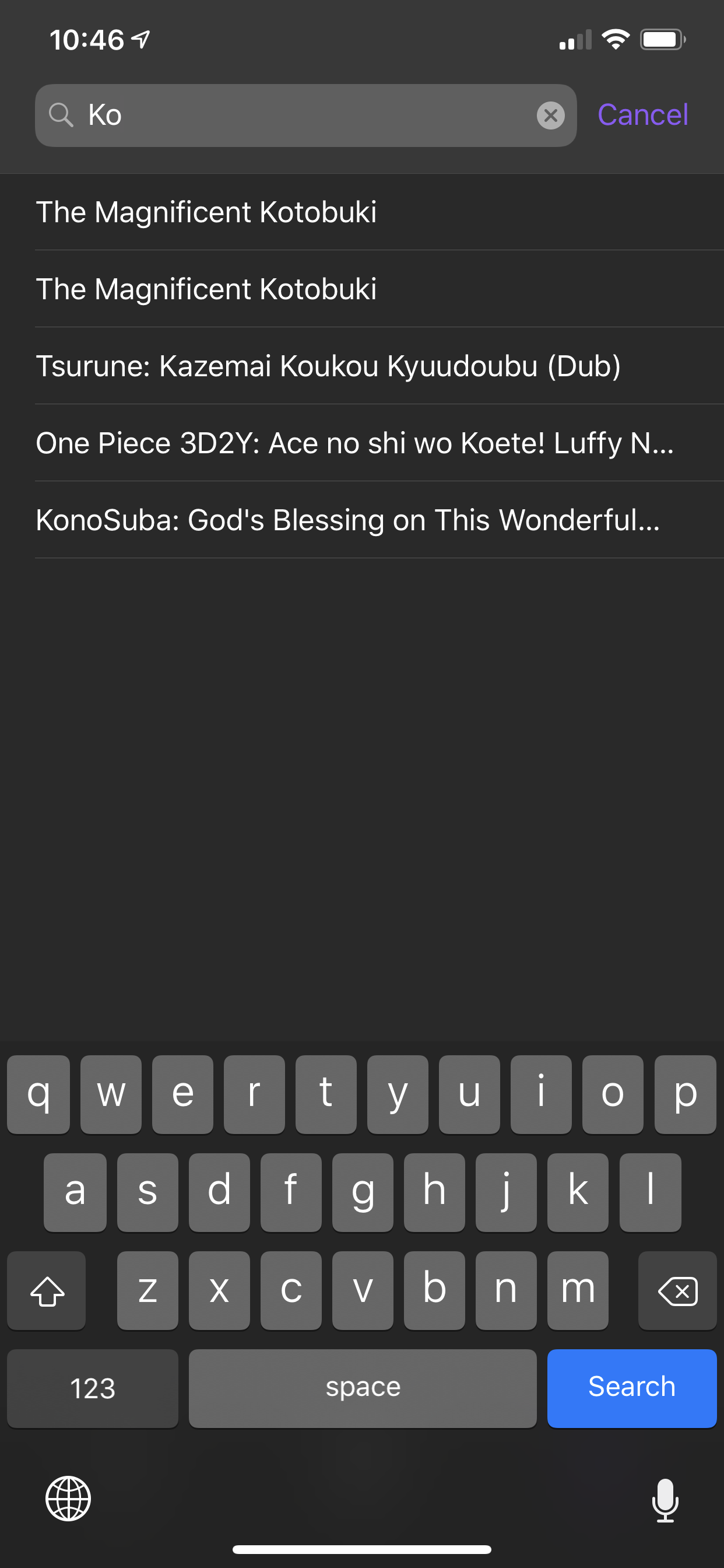 |
| Edit Lists | Choose Episodes | Downloads |
|---|---|---|
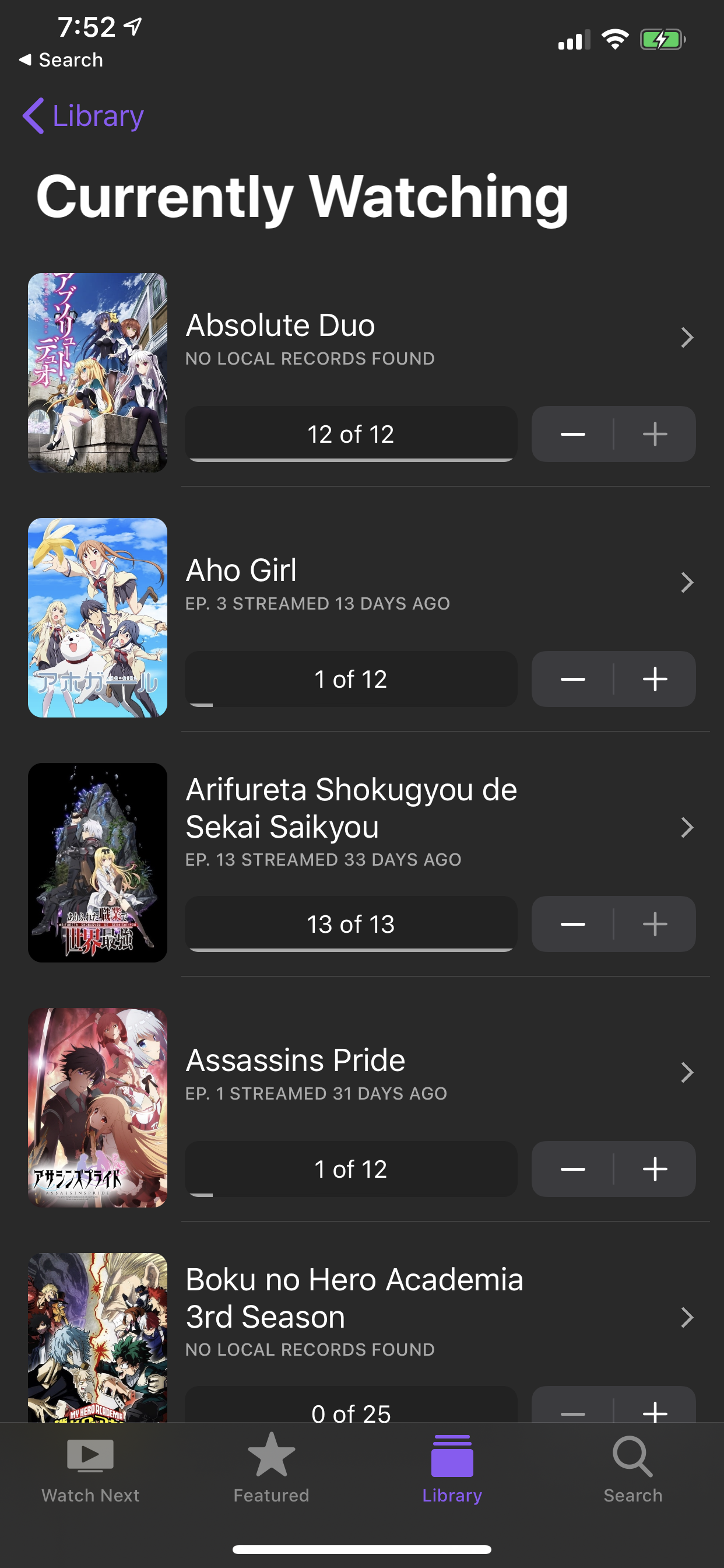 | 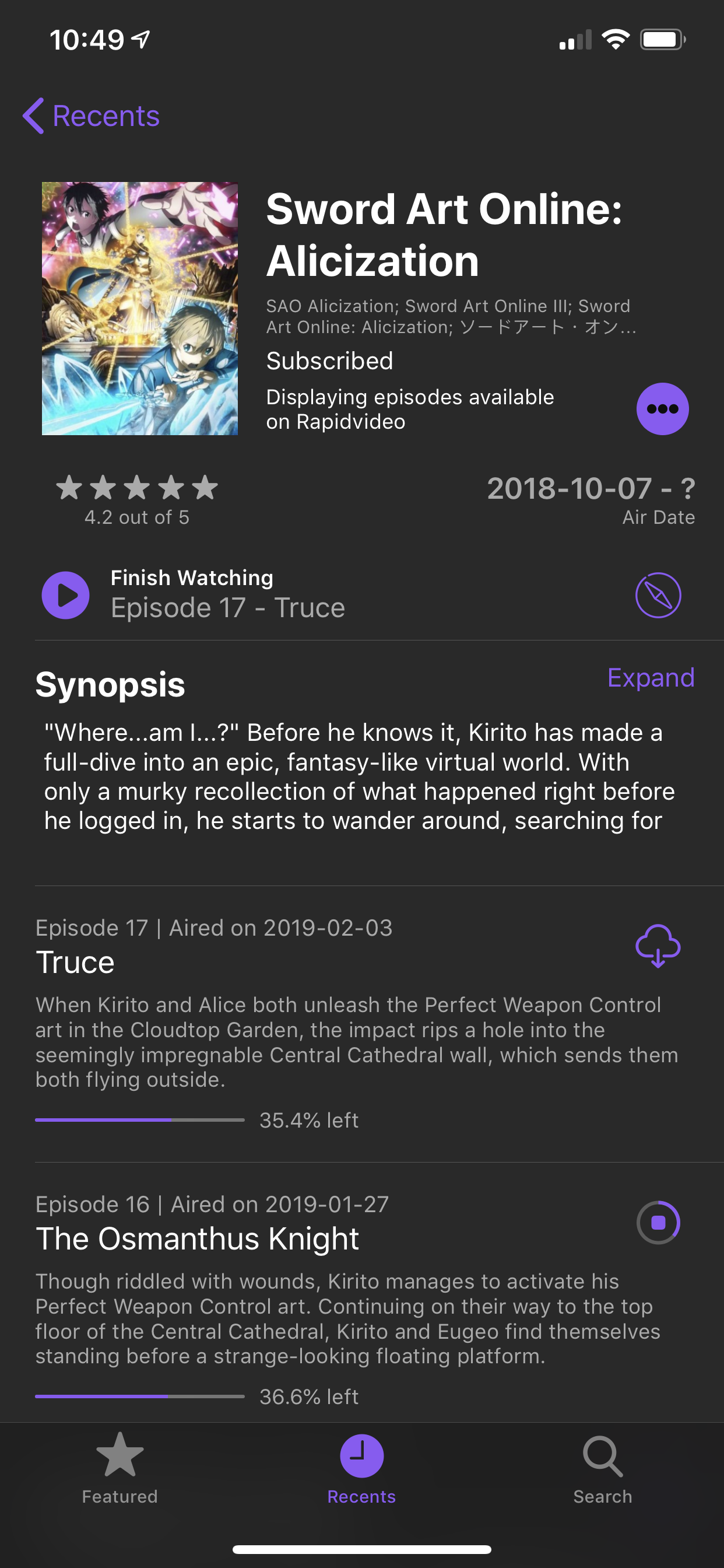 | 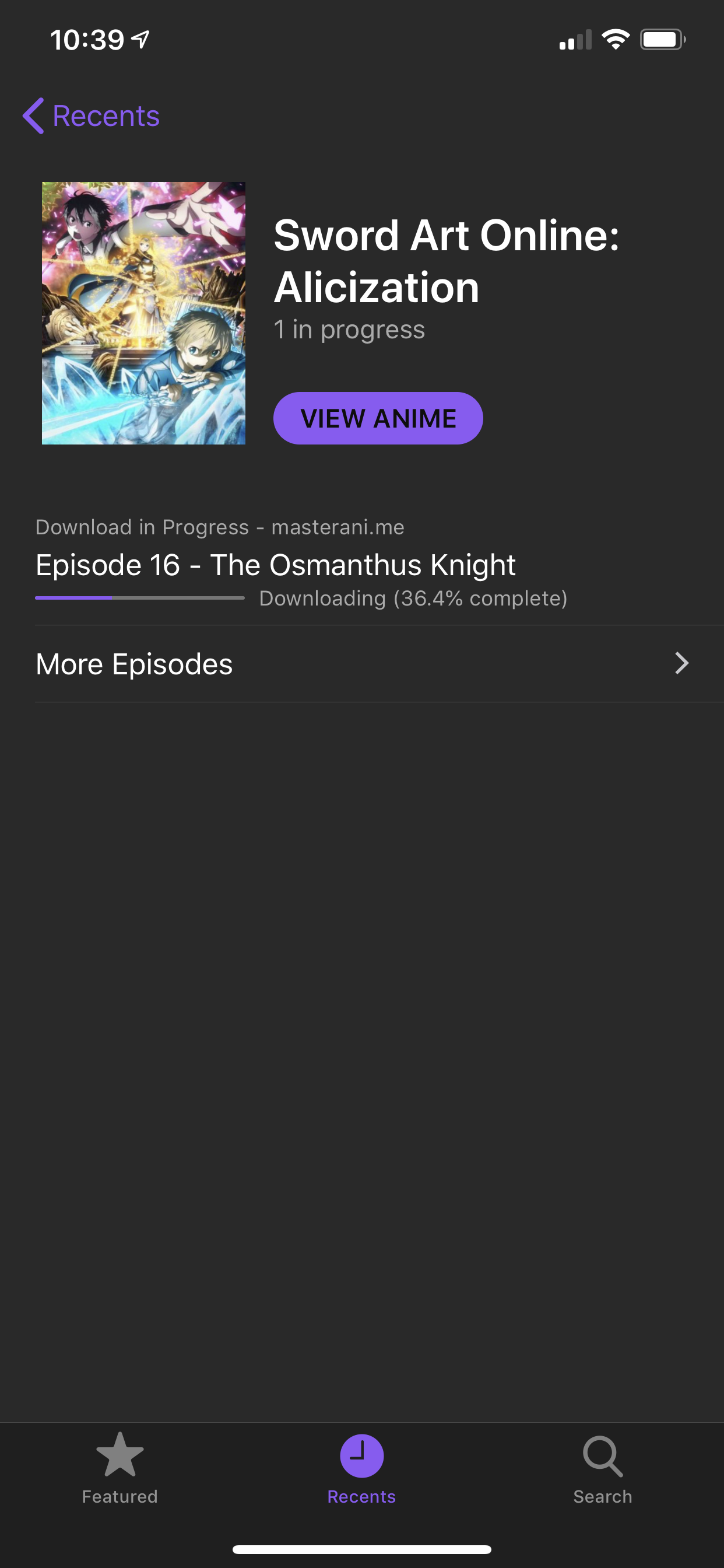 |
| Recents Anime (iPad) | Picture in Picture (iPad) |
|---|---|
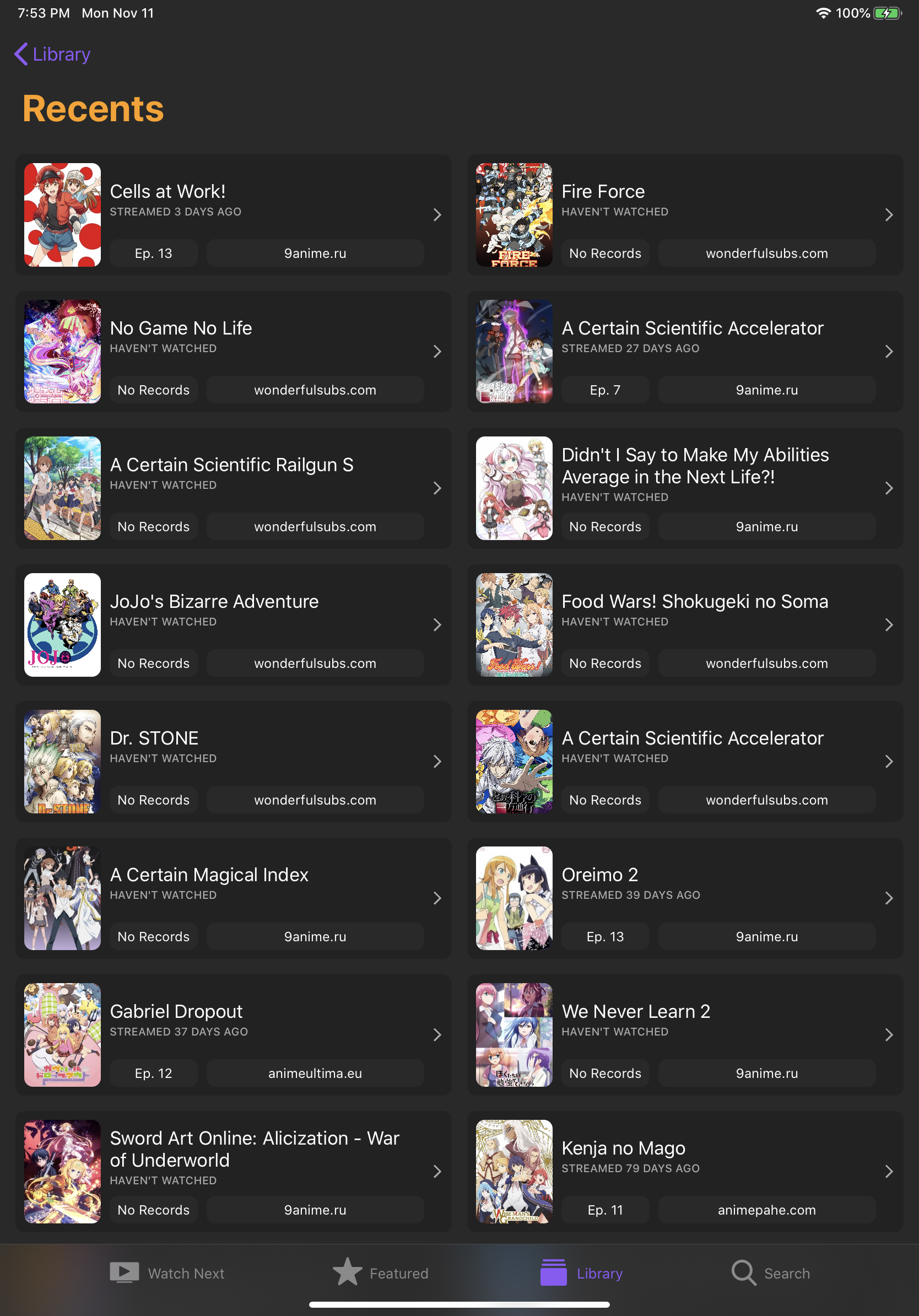 | 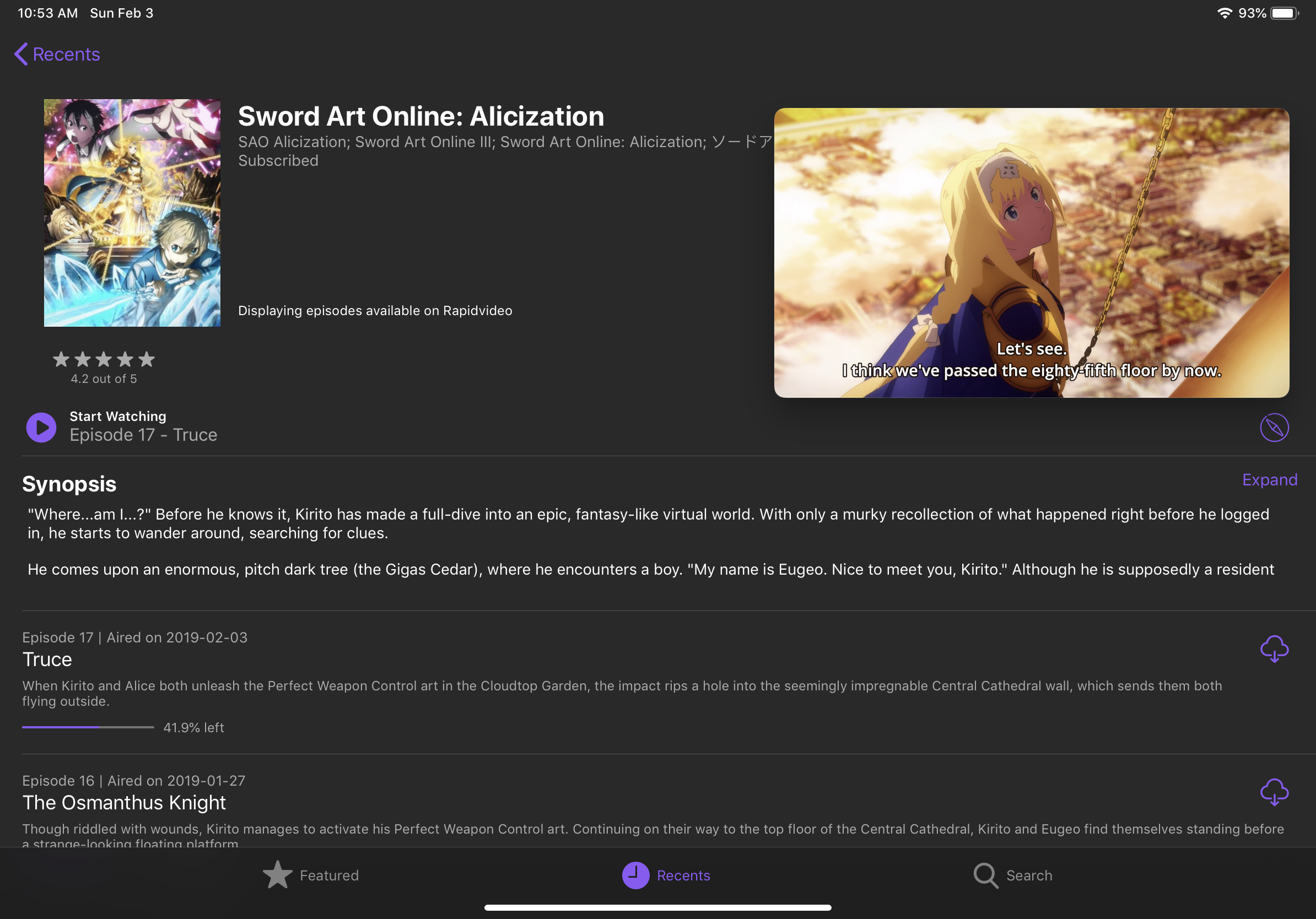 |
| Anime Information | Airing Schedule (iPad) |
|---|---|
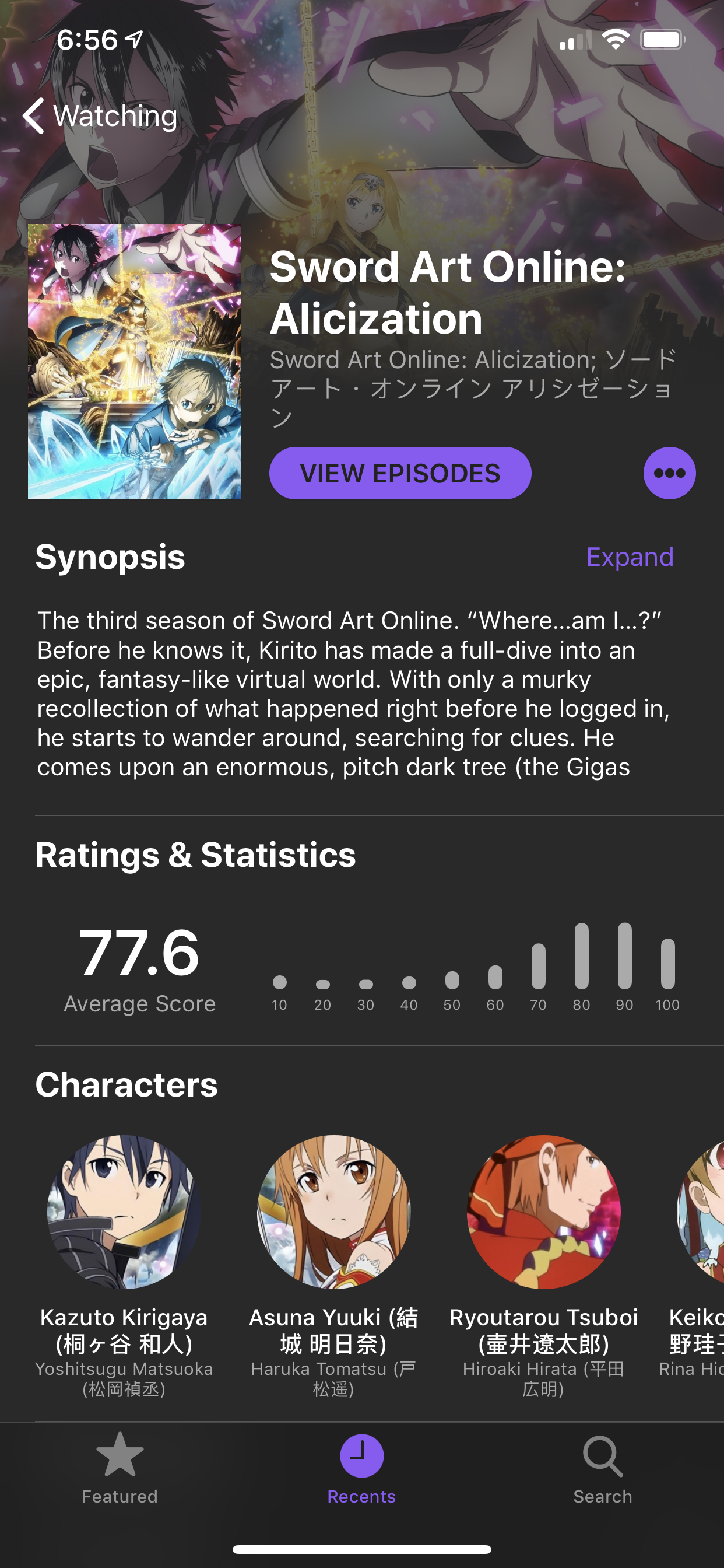 | 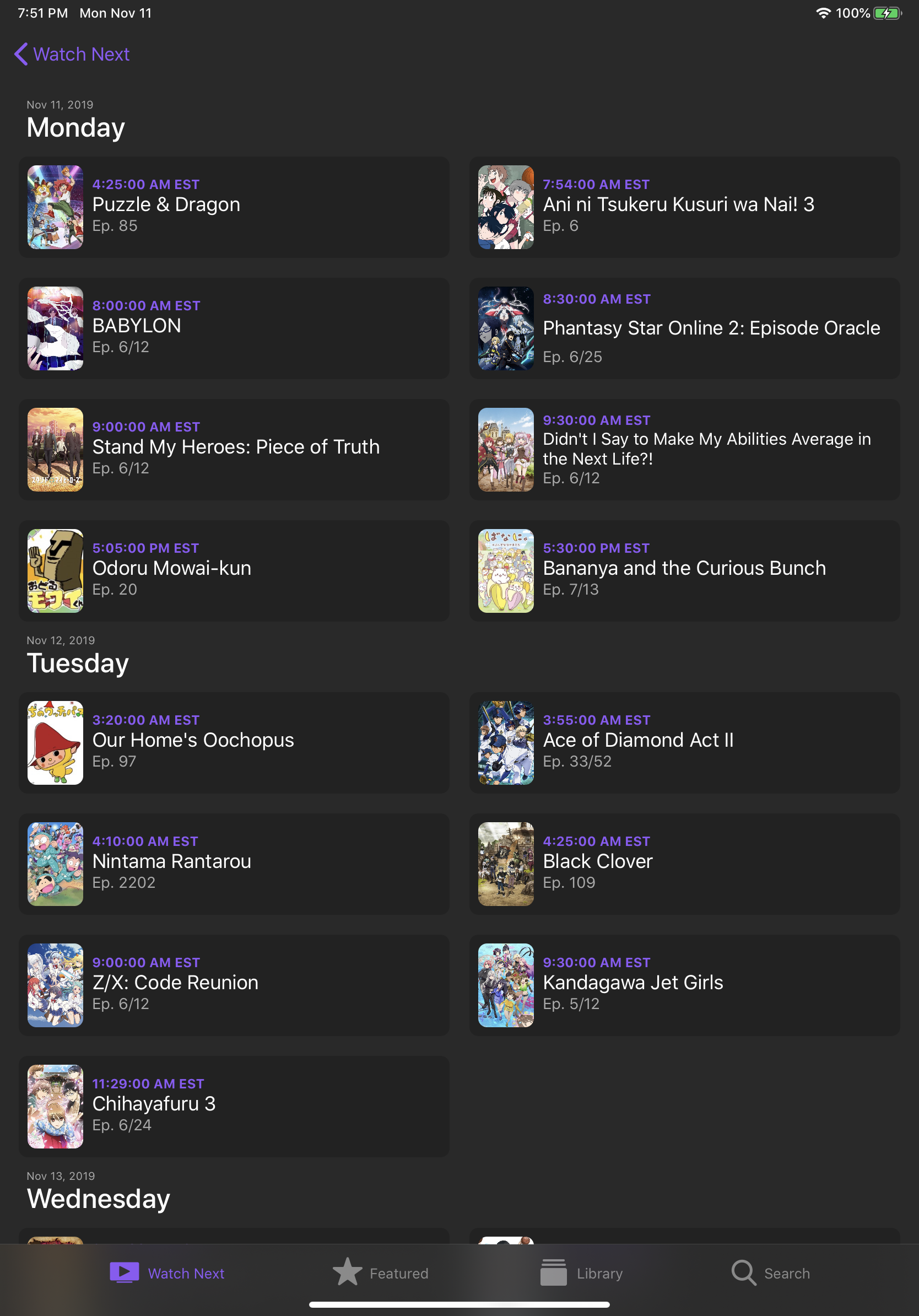 |
| Browse Episodes (macOS) |
|---|
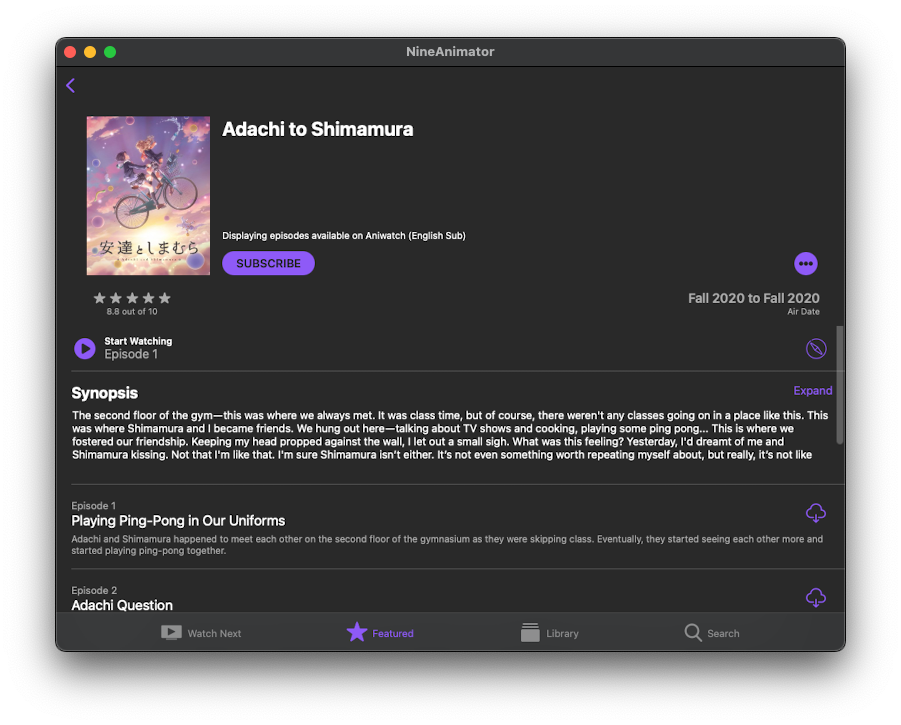 |
Light Appearance
| Watch Next | Library | Search |
|---|---|---|
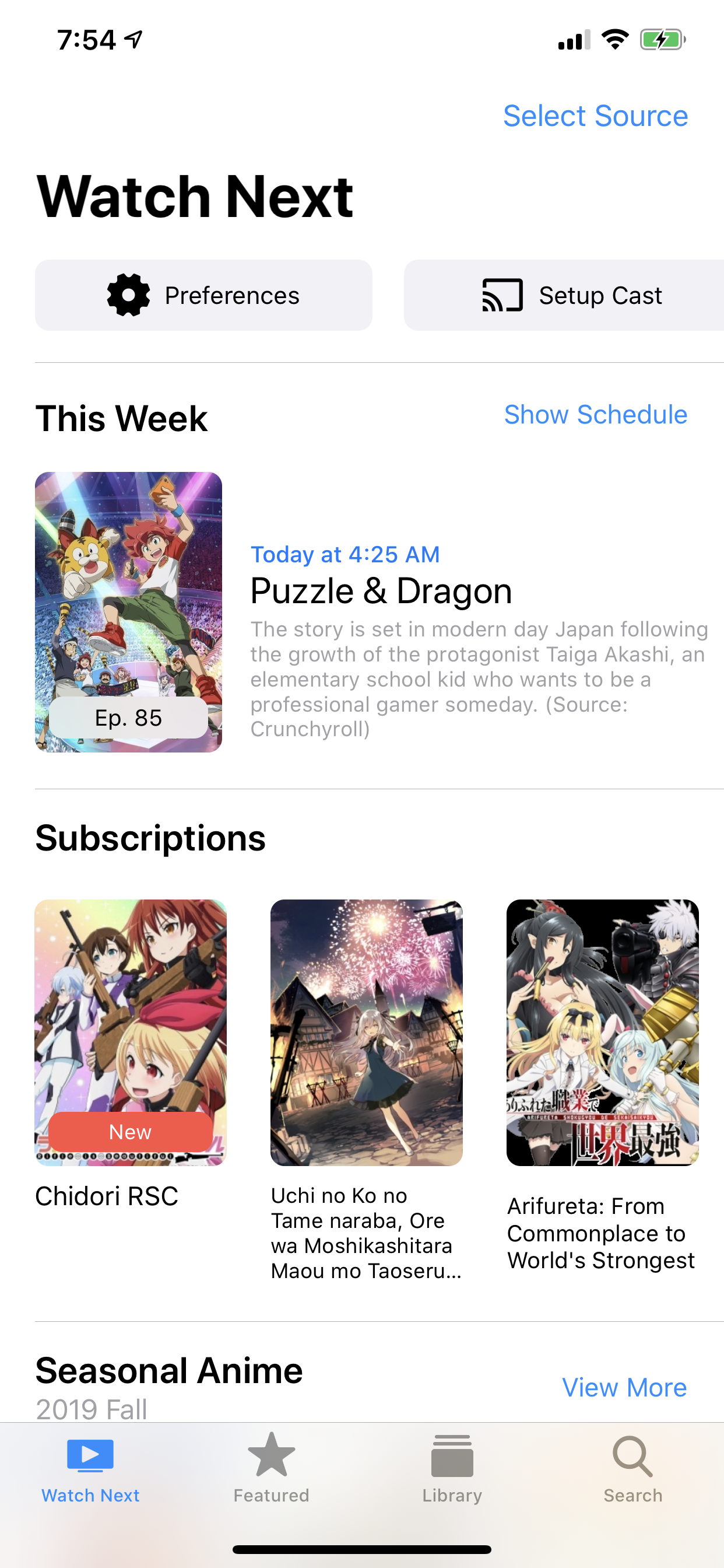 | 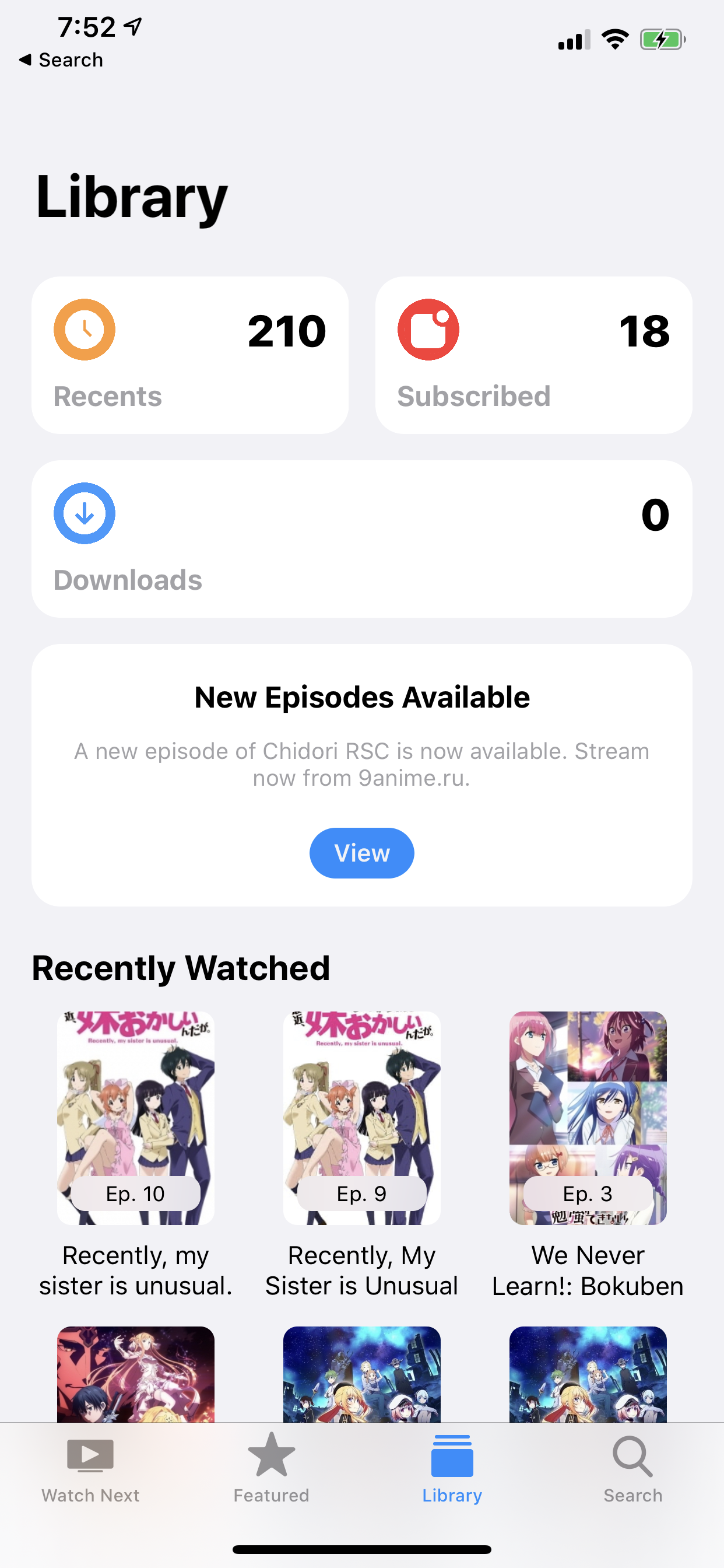 | 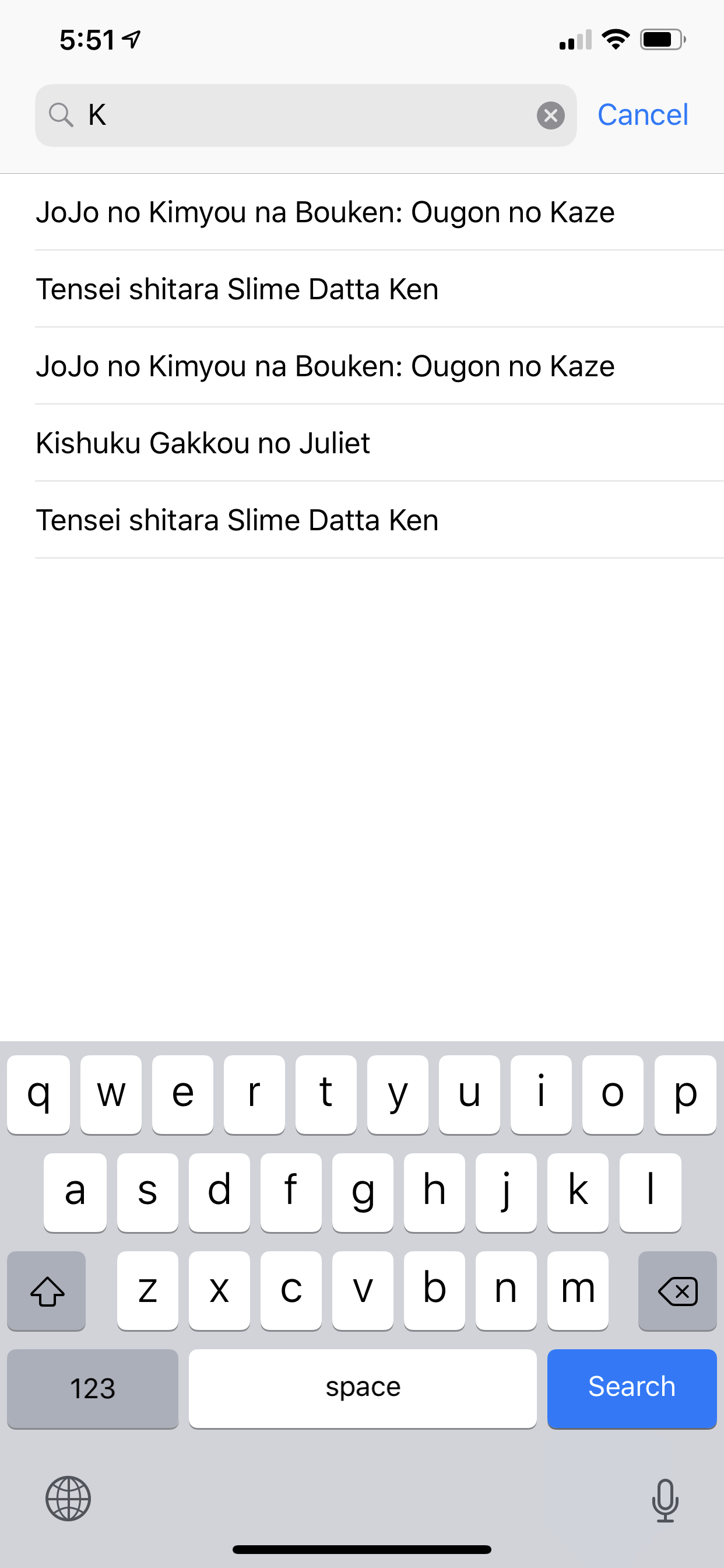 |
| Edit Lists | Choose Episodes | Downloads |
|---|---|---|
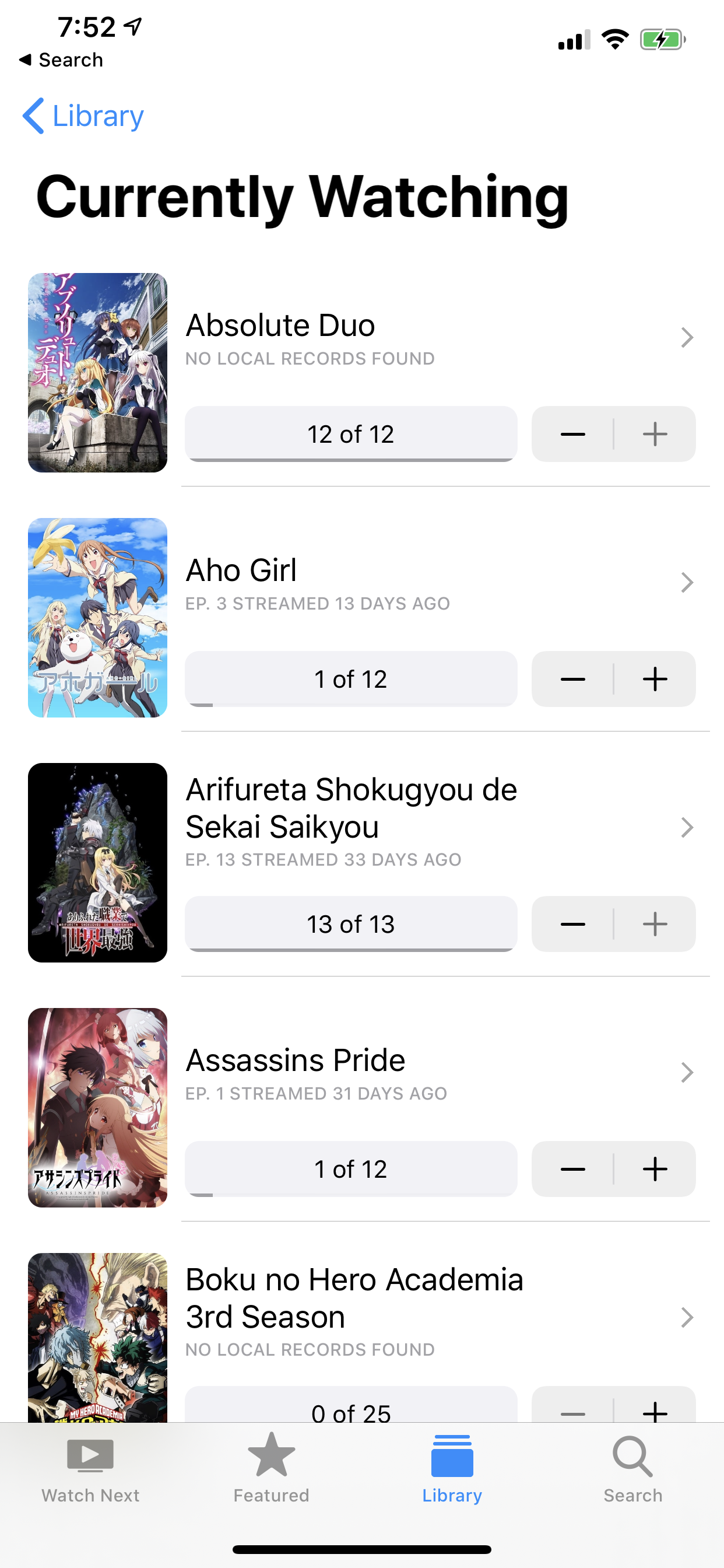 | 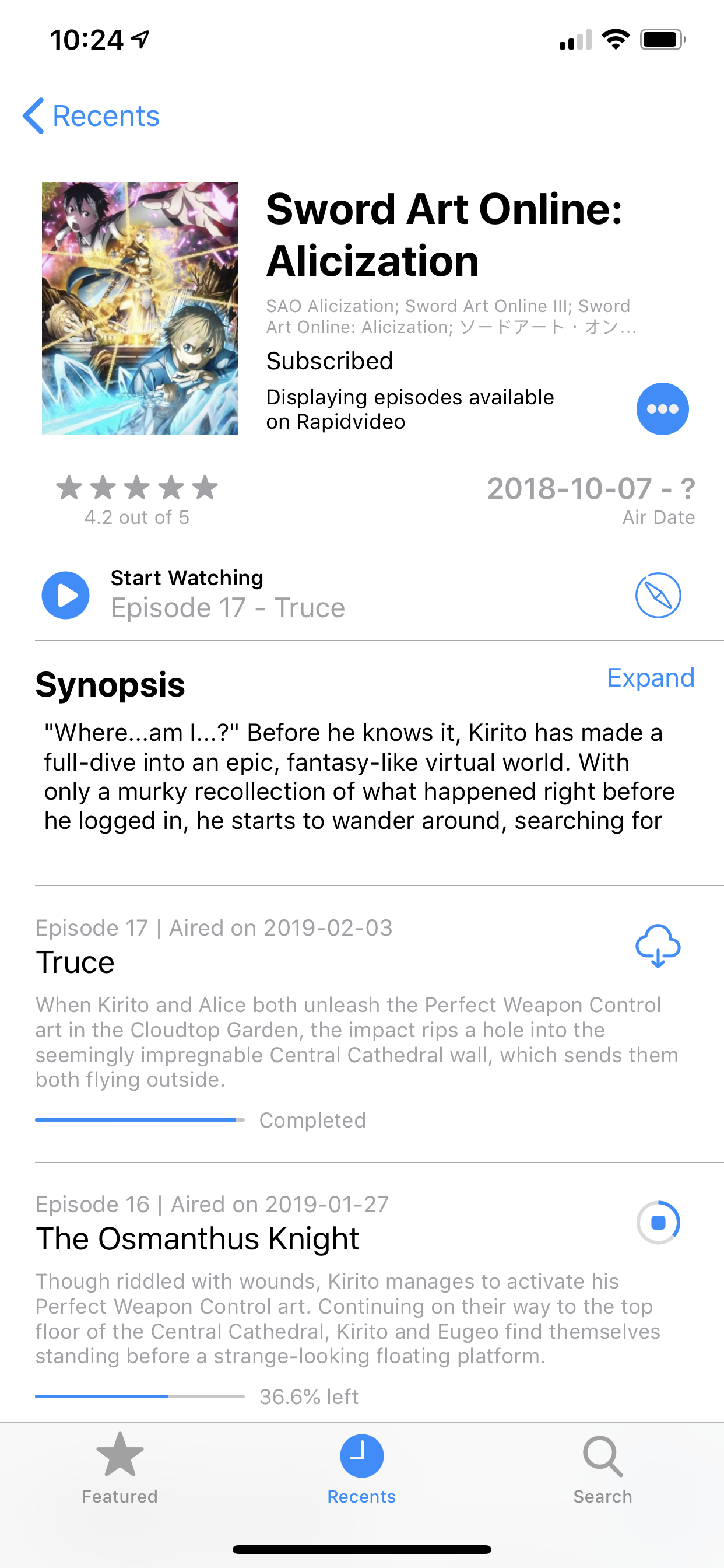 |  |
| Recents Anime (iPad) | Picture in Picture (iPad) |
|---|---|
 |  |
| Anime Information | Airing Schedule (iPad) |
|---|---|
 | 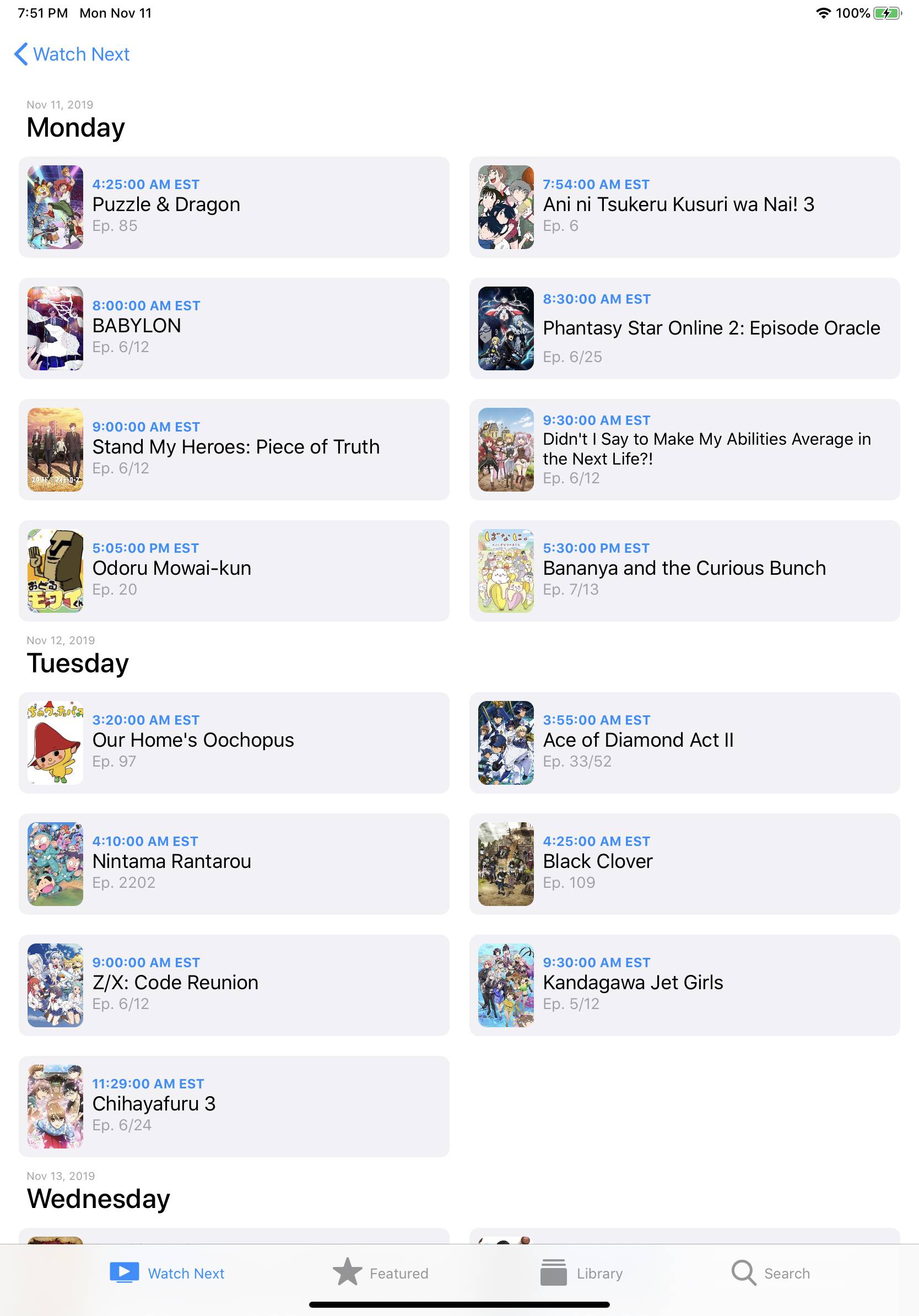 |
| Browse Episodes (macOS) |
|---|
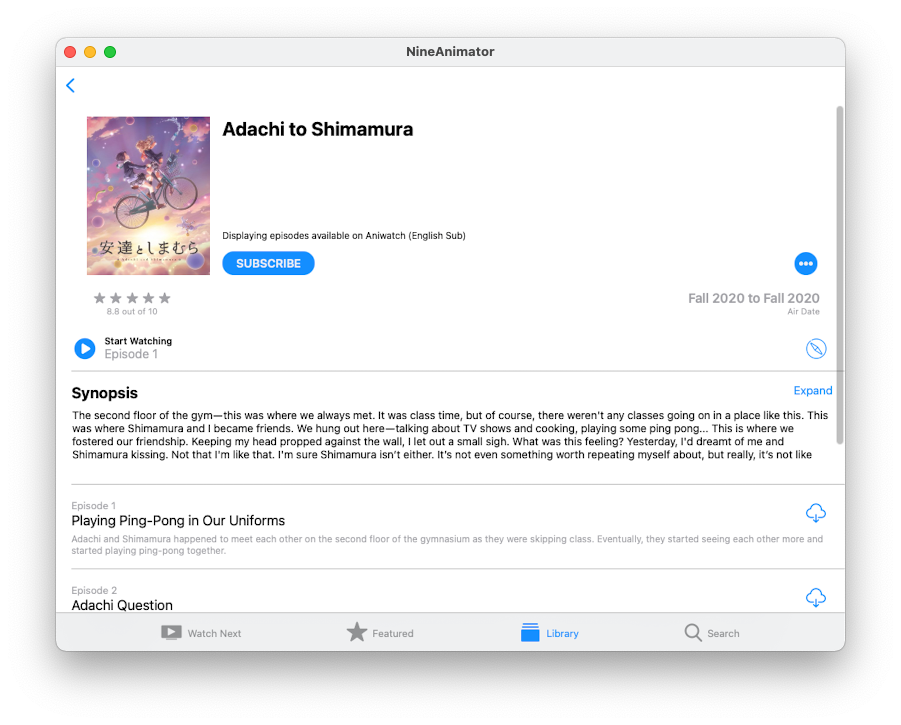 |
Google Cast
| Cast Playback Control | Cast Playback Control (iPad) |
|---|---|
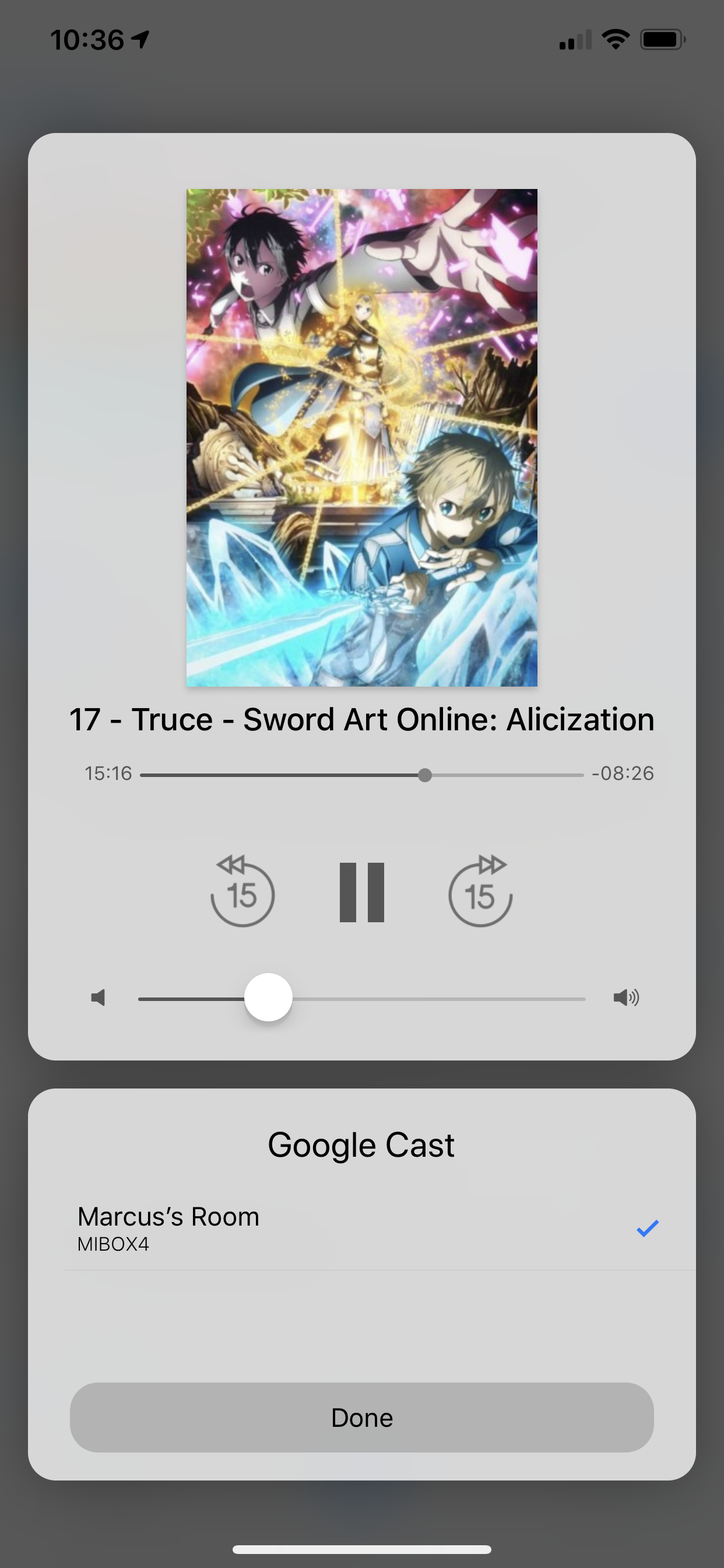 | 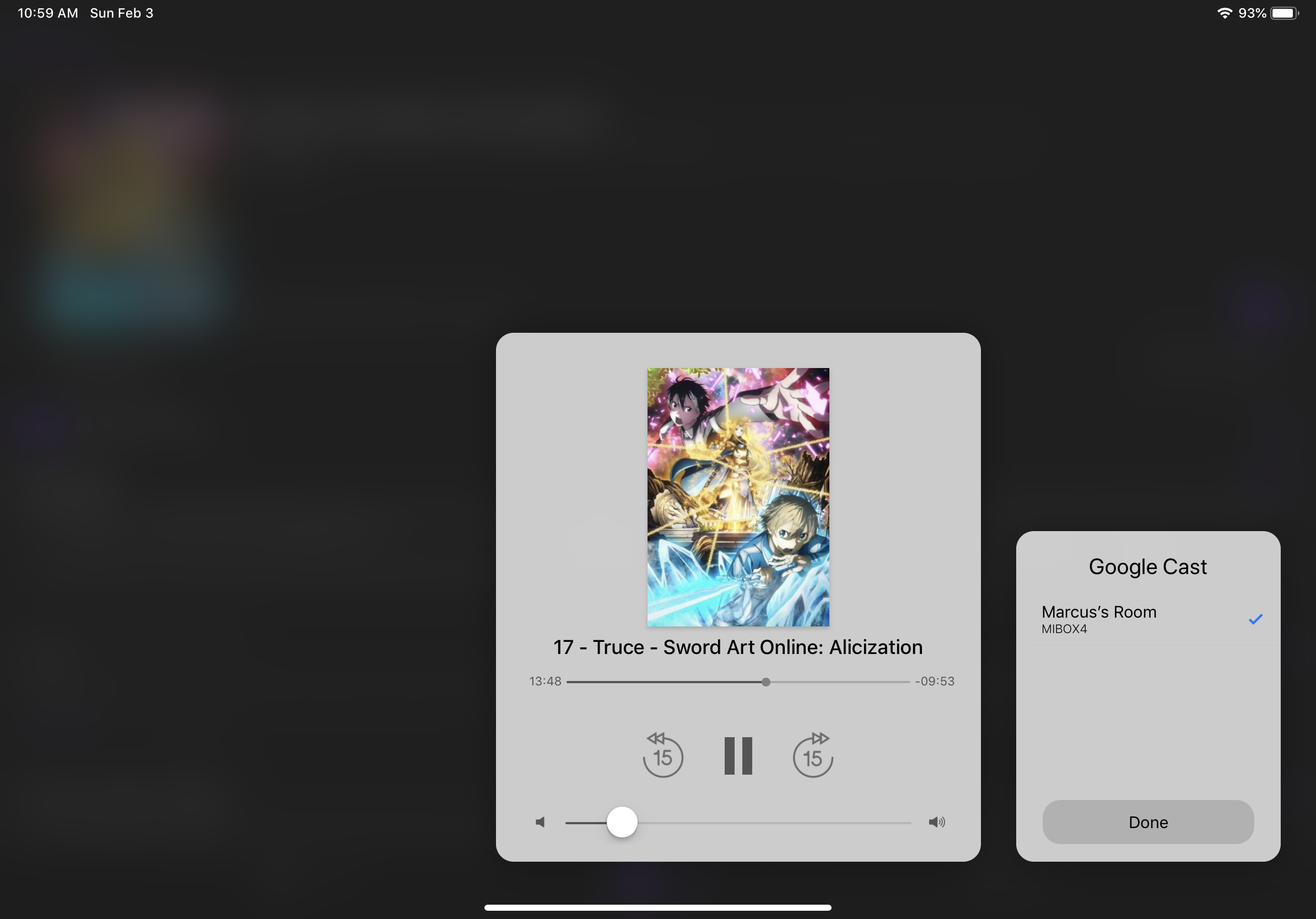 |
Contributors
Showing top 12 contributors by commit count.








Related Repositories

5rahim/seanime
Open-source media server with a web interface and desktop app for anime and manga.

MALSync/MALSync
Integrates MyAnimeList/AniList/Kitsu/Simkl into various sites, with auto episode tracking.

erengy/taiga
A lightweight anime tracker for Windows

metafates/mangal
📖 The most advanced (yet simple) cli manga downloader in the entire universe! Lua scrapers, export formats, anilist integration, fancy TUI and more!

manami-project/anime-offline-database
A JSON based anime dataset containing the most important meta data as well as cross references to various anime sites such as MAL, ANIDB, ANILIST, KITSU and more...

AniList/docs
AniList API documentation