

OMP
OMP is an open-source music player being developed for Linux. OMP is programmed in C++ using gtkmm, GStreamer, TagLib, clastfm, and g++.
OMP is an open-source music player being developed for Linux. It is programmed in C++ and some C using gtkmm3, GStreamer, TagLib, libconfig, libclastfm, and standard C and C++ libraries. It can play mp3, FLAC, Ogg, Ogg FLAC, ALAC, APE, WavPack, and AAC(m4a container). The project is written primarily in C++, distributed under the Other license, first published in 2017. Key topics include: alac, flac, flac-files, gapless, linux.
<img src="/Images/Icon.svg" title="OMP Logo" height=150 width=150 align="right">
OMP : Open Music Player
Version: 0.1.1 : February 10th, 2019
<br /> <br />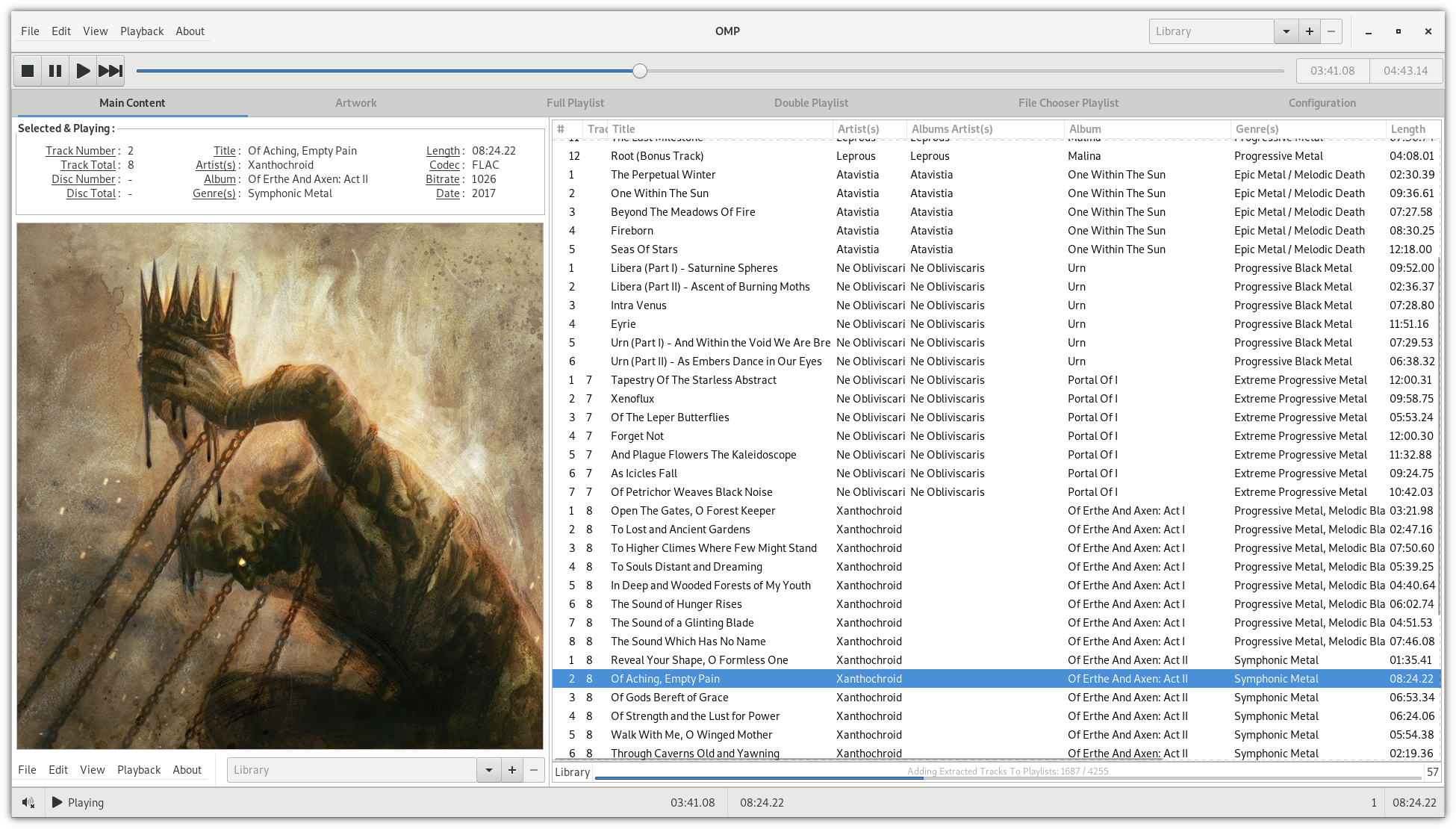
About OMP
OMP is an open-source music player being developed for Linux. It is
programmed in C++ and some C using gtkmm3, GStreamer, TagLib, libconfig,
libclastfm, and standard C and C++ libraries. It can play mp3, FLAC, Ogg,
Ogg FLAC, ALAC, APE, WavPack, and AAC(m4a container).
Next Main OMP Release
Version 0.1.2
Compiling and Installing
Dependencies
- GStreamer
- gstreamer
- gst-libav
- gst-plugins-bad
- gst-plugins-base
- gst-plugins-base-libs
- gst-plugins-good
- gst-plugins-ugly
- gtkmm3
- libclastfm
- libconfig
- sqlite
- taglib
Install Instructions
Method 1: Flatpak
OMP now has Flatpak support! That means any distribution that supports
Flatpak is now supported by OMP! An official Flathub package will be
provided soon. It is still being worked to meet Flathub's approval standards.
More news about it is coming in the near future. Check for mentions about it
in the Weekly News Updates on OMP's website at OpenMusicPlayer.com.
Until the official Flathub release, read the guide for installing OMP's Flatpak
at OMP's official website.
Method 2: Arch User Repository
You can install OMP via AUR with the official omp
AUR package for the stable build or the omp-git
AUR package for the latest git build.
Once compiled and installed, you can run omp as a command to open it.
Method 3 : Manual Dependency Retrieval and Makefile
You will need to manually install all of the dependencies before being able
to use the compile and install instructions for this method. OMP is currently
only tested as working with Arch Linux.
To compile and then install, run the following commands in a new folder
containing the source.
make
sudo make install
Once compiled and installed, you can run omp as a command to open it.<br />
Contributors
Showing top 4 contributors by commit count.


Related Repositories

pdeljanov/Symphonia
Pure Rust multimedia format demuxing, tag reading, and audio decoding library

enzo1982/freac
The fre:ac audio converter project

gchudov/cuetools.net
CD image processing suite with optimized lossless encoders in C#

rwnk-12/apmyx-gui
A python-qt based apple music downloader. Telegram: https://t.me/apmyx

jessielw/FFMPEG-Audio-Encoder
A powerful FFMPEG audio encoder GUI

gogglesmm/gogglesmm
Goggles Music Manager