

ALPR Database
Fully-Featured Automated License Plate Recognition Database Platform for Blue Iris + CodeProject AI Server 🚘
A Fully-Featured Automated License Plate Recognition Database for Blue Iris + CodeProject AI Server The project is written primarily in JavaScript, distributed under the MIT License license, first published in 2024. Key topics include: ai, alpr, anpr, blue-iris, blueiris.
ALPR Database
<h4 align="center">A Fully-Featured Automated License Plate Recognition Database for Blue Iris + CodeProject AI Server</h4>



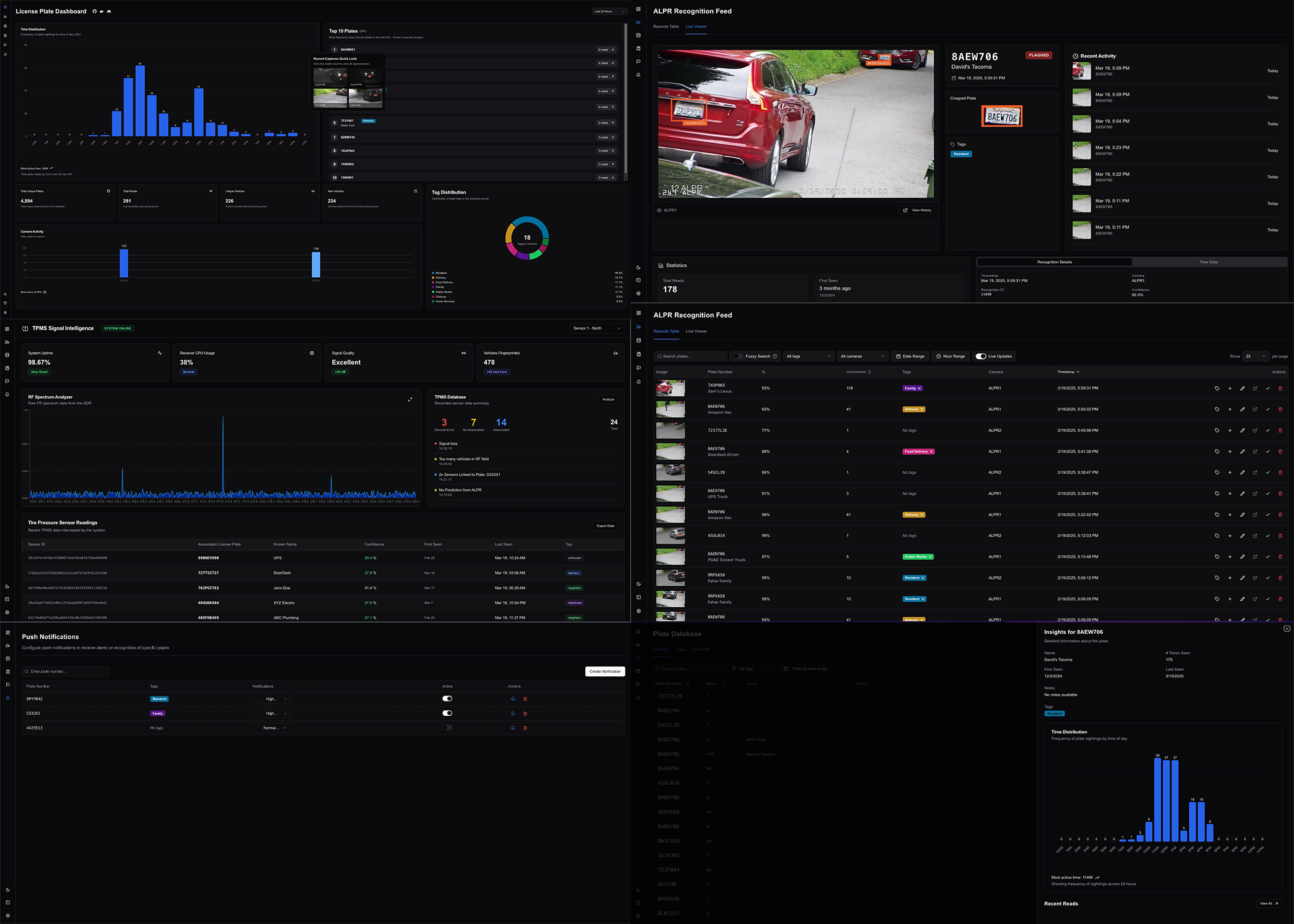
:star2: Overview
I've been using CodeProject AI with Mike Lud's license plate model on Blue Iris for a couple years now, but in this setup, the ALPR doesn't really do a whole lot. Really, you have more of a license plate camera with some OCR as a bonus, and no nice way to take advantage the data other than parsing Blue Iris logs or paying $600+/year for PlateMinder or Rekor ALPR.
This project serves as a complement to a CodeProject Blue Iris setup, giving you a full-featured database to store and actually use your ALPR data, completely for free. Complete with the following it has a very solid initial feature set and is a huge upgrade over the standard setup.
Features:
- Searchable database & fuzzy search
- Build labeled training sets from your traffic
- Live recognition feed
- Traffic Analytics
- Categorization and filtering
- Store information on known vehicles
- Push notifications
- Automation rules
- Customizable tagging
- Configurable retention
- Flexible API
- HomeAssistant integration
- Permissioned users
🔧 Installation

The application is packaged as a Docker image. This is the fastest and most reliable way to deploy. Below is a done-for-you installation script that will create a Docker stack with both the application and a PostgreSQL database. The installation script is recommended and more carefully maintained, but manual installation instructions are also available here.
<br>Prerequisites
In order to send data and use the application, you will need ALREADY WORKING ALPR within Blue Iris. If you are not getting plate numbers in your alert memos, please configure and ensure your ALPR is working before beginning the setup.
You will also need the following installed on your system.
- Docker
- Docker Compose
- Docker engine enabled and running
<br>[!TIP]
If unfamiliar with Docker, an easy way to check all three of these boxes at once is to install Docker Desktop, which has a GUI and bunch of nice tools.
Linux/MacOS
Create a new directory wherever you would like to store your ALPR data. Enter the directory in your terminal and paste in the below command. After that, everything will be set up automatically!
bashcurl -sSL https://raw.githubusercontent.com/algertc/ALPR-Database/main/install.sh | bash
Or, if you prefer:
<br>bashwget -qO- https://raw.githubusercontent.com/algertc/ALPR-Database/main/install.sh | bash
:bangbang: Note for Linux:
If your user is not in the Docker group, you will need to run with sudo using the command below:
<br>bashcurl -sSL https://raw.githubusercontent.com/algertc/ALPR-Database/main/install.sh | sudo bash
Windows
Create a new directory wherever you would like to store your ALPR data. Open PowerShell with administrator priveleges and cd into your new install directory.
Paste in the below commands. After that, everything will be set up automatically!
shellSet-ExecutionPolicy RemoteSigned
<br> <br>shellirm https://raw.githubusercontent.com/algertc/ALPR-Database/main/install.ps1 | iex
⚙️ Setup
Get Your API Key
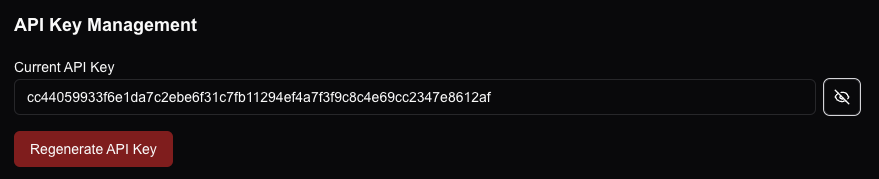
To start sending data, log in to the application and navigate to settings -> security in the bottom left hand corner. At the bottom of the page you should see an API key. Click the eye to reveal the key and copy it down for use in Blue Iris.
Set up an alert action within Blue Iris:
ALPR recognitions are sent to the api/plate-reads endpoint.
We can make use of the built-in macros to dynamically get the alert data and send it as our payload. It should look like this:
{ "ai_dump":&JSON, "Image":"&ALERT_JPEG", "camera":"&CAM", "ALERT_PATH": "&ALERT_PATH", "ALERT_CLIP": "&ALERT_CLIP", "timestamp":"&ALERT_TIME" }
Set your API key with the x-api-key header as seen below.
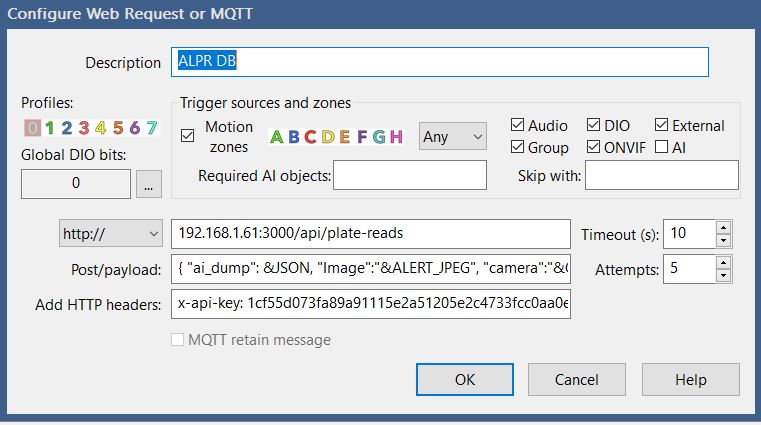
Thats it! You're now collecting and storing your ALPR data.
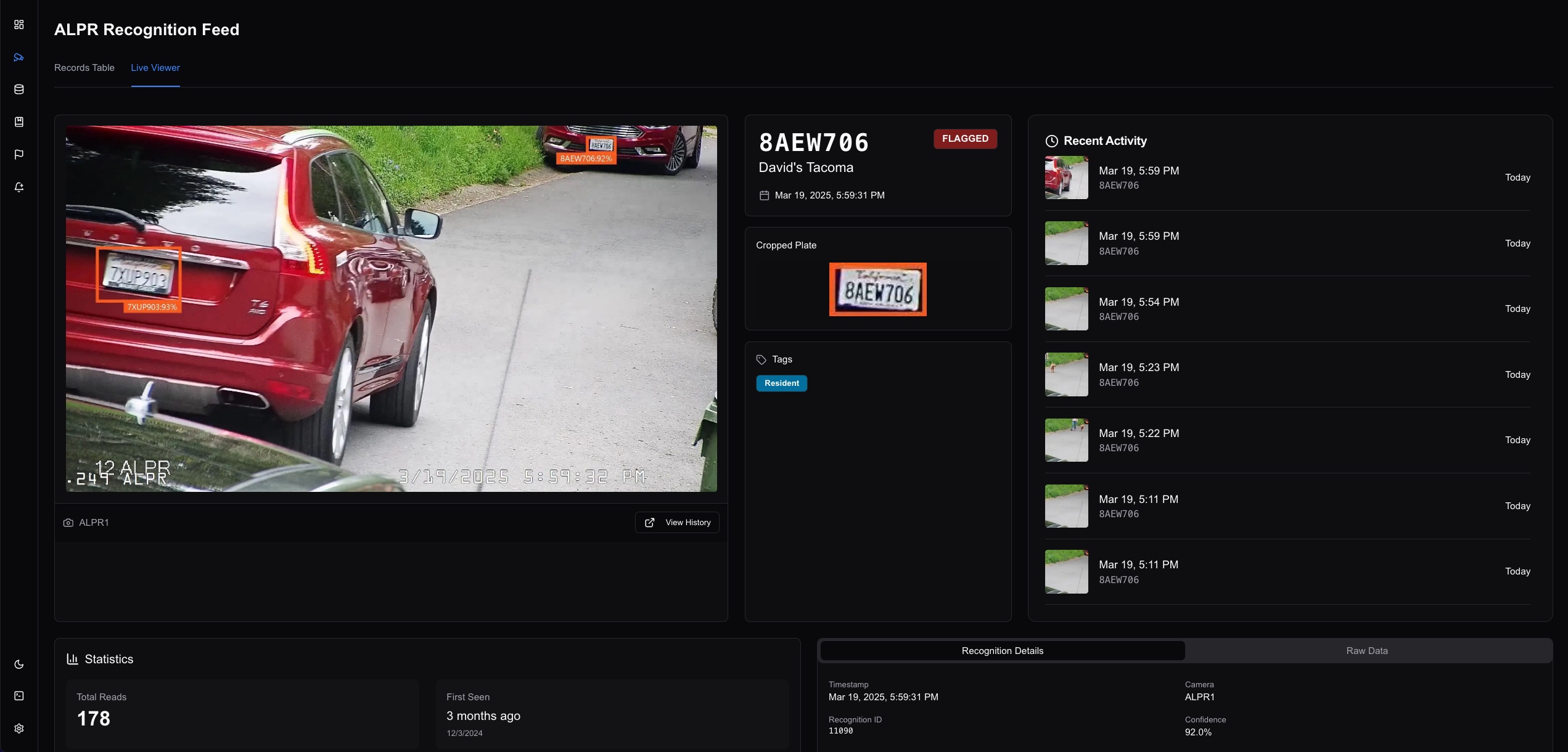
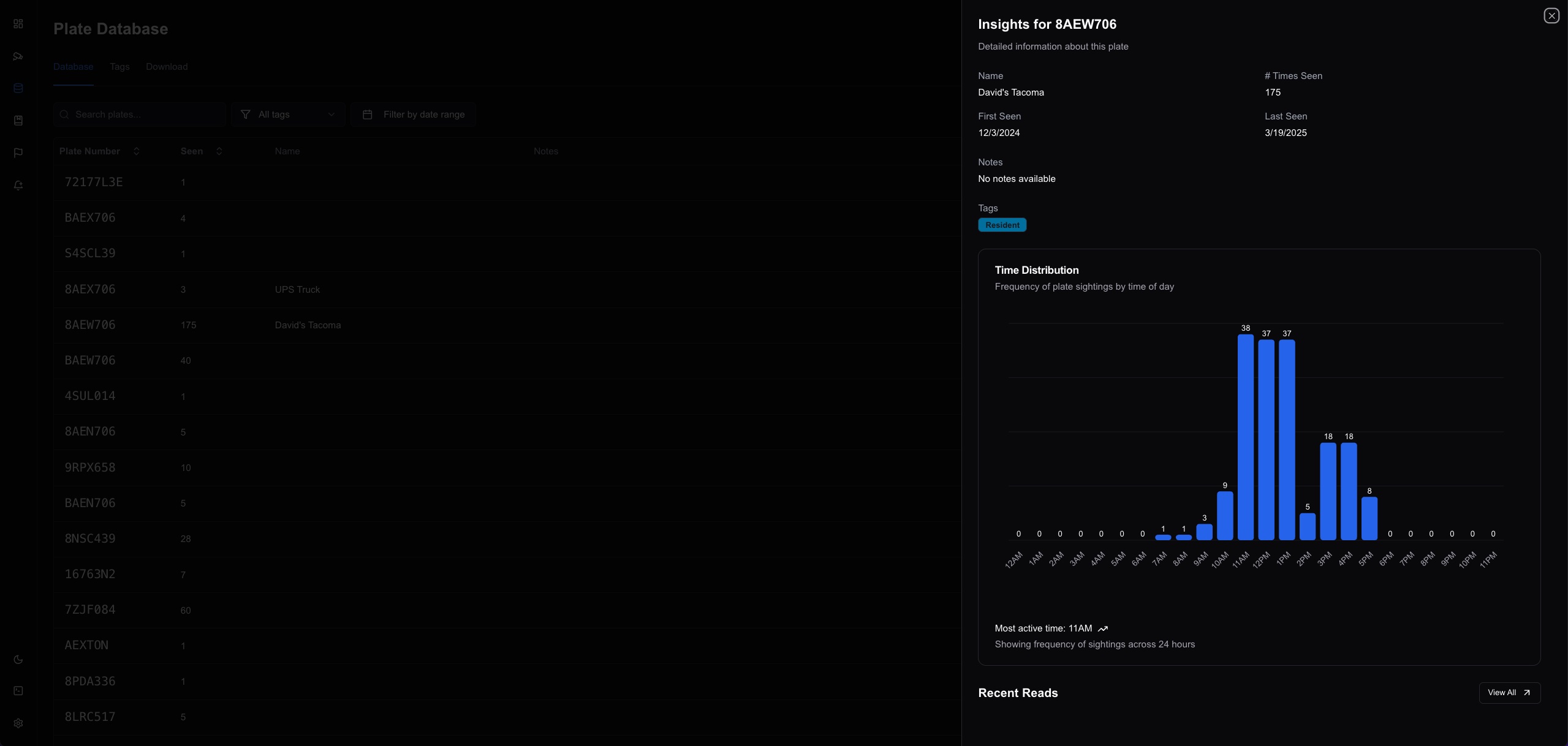
<br>:camera: Screenshots
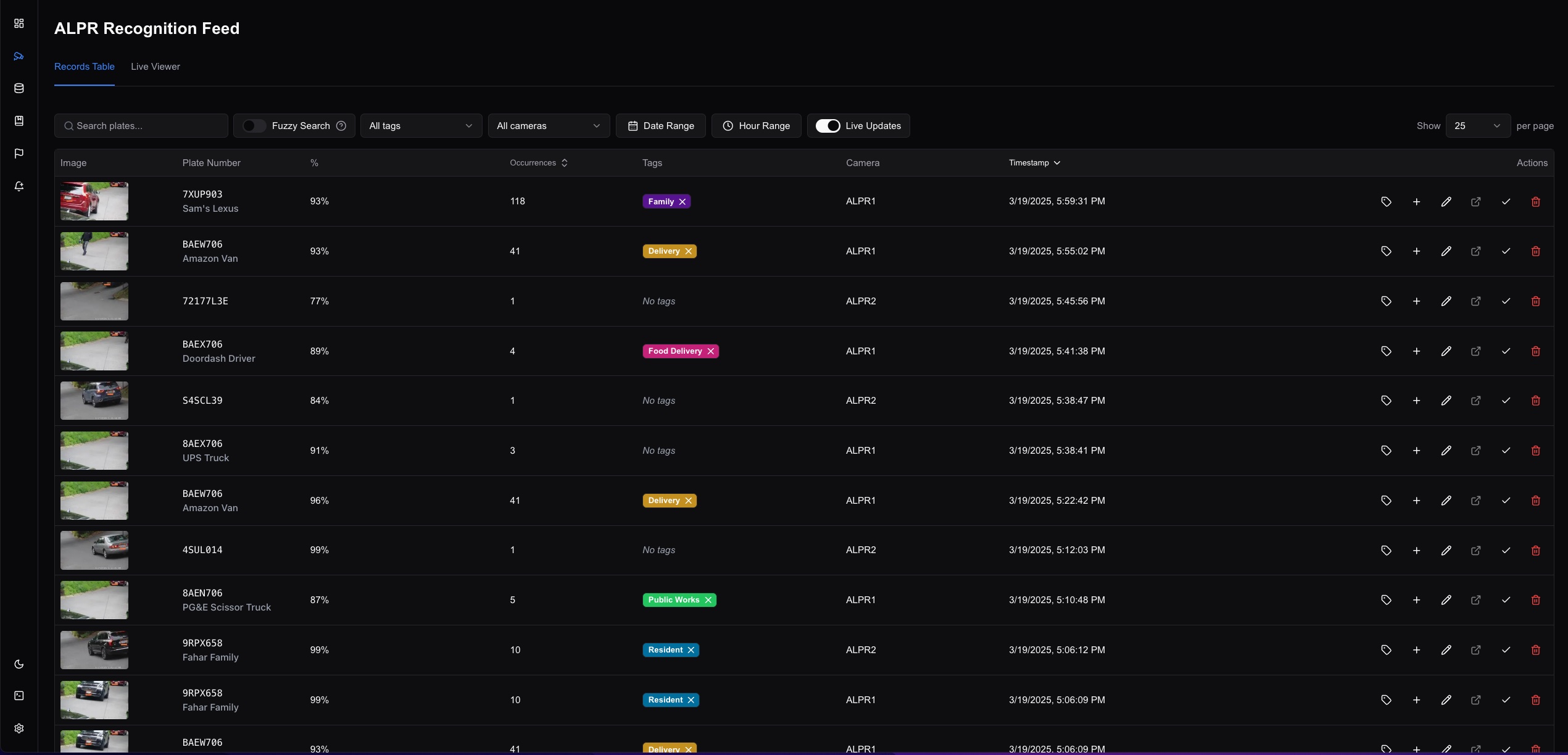
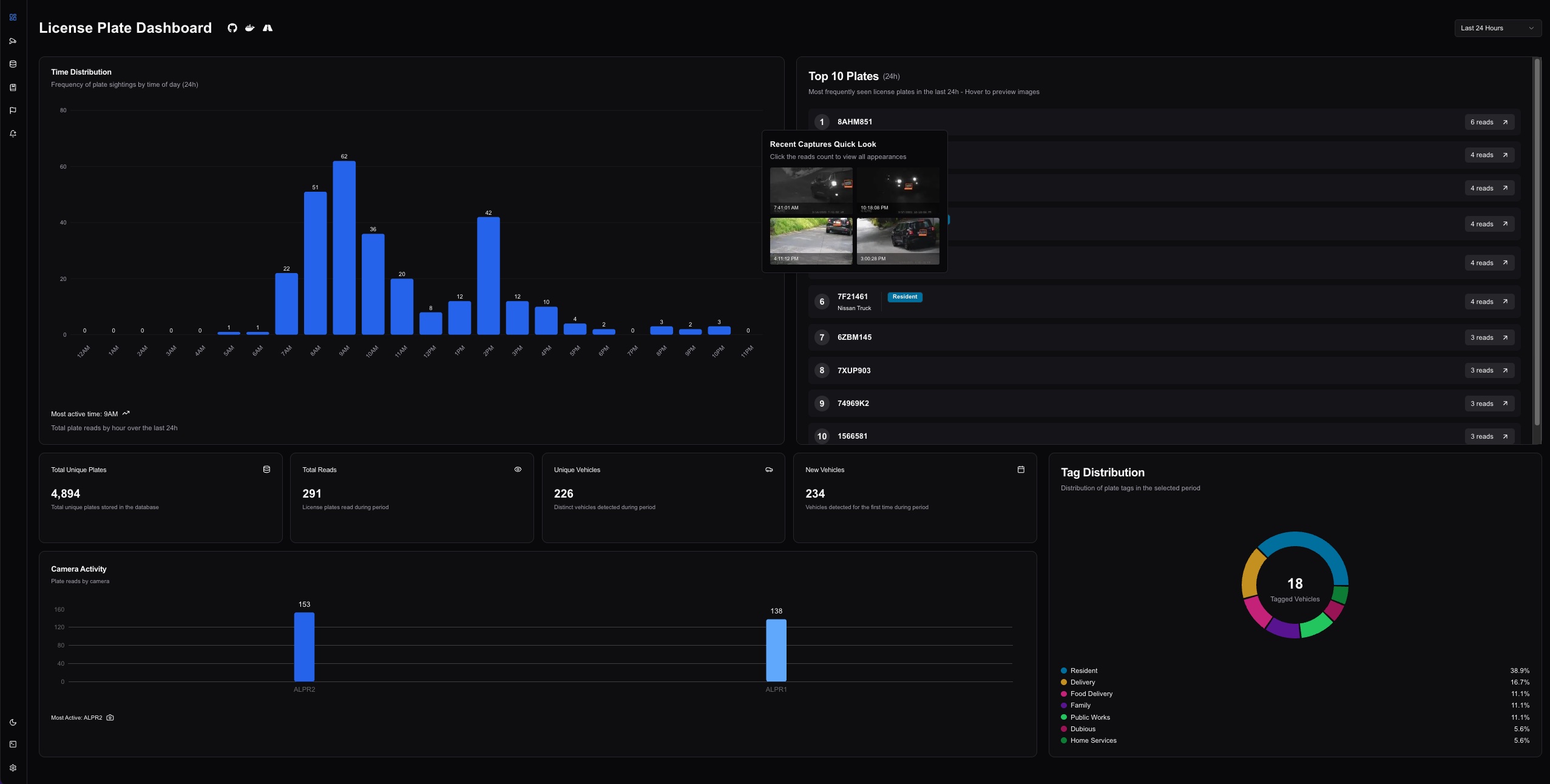
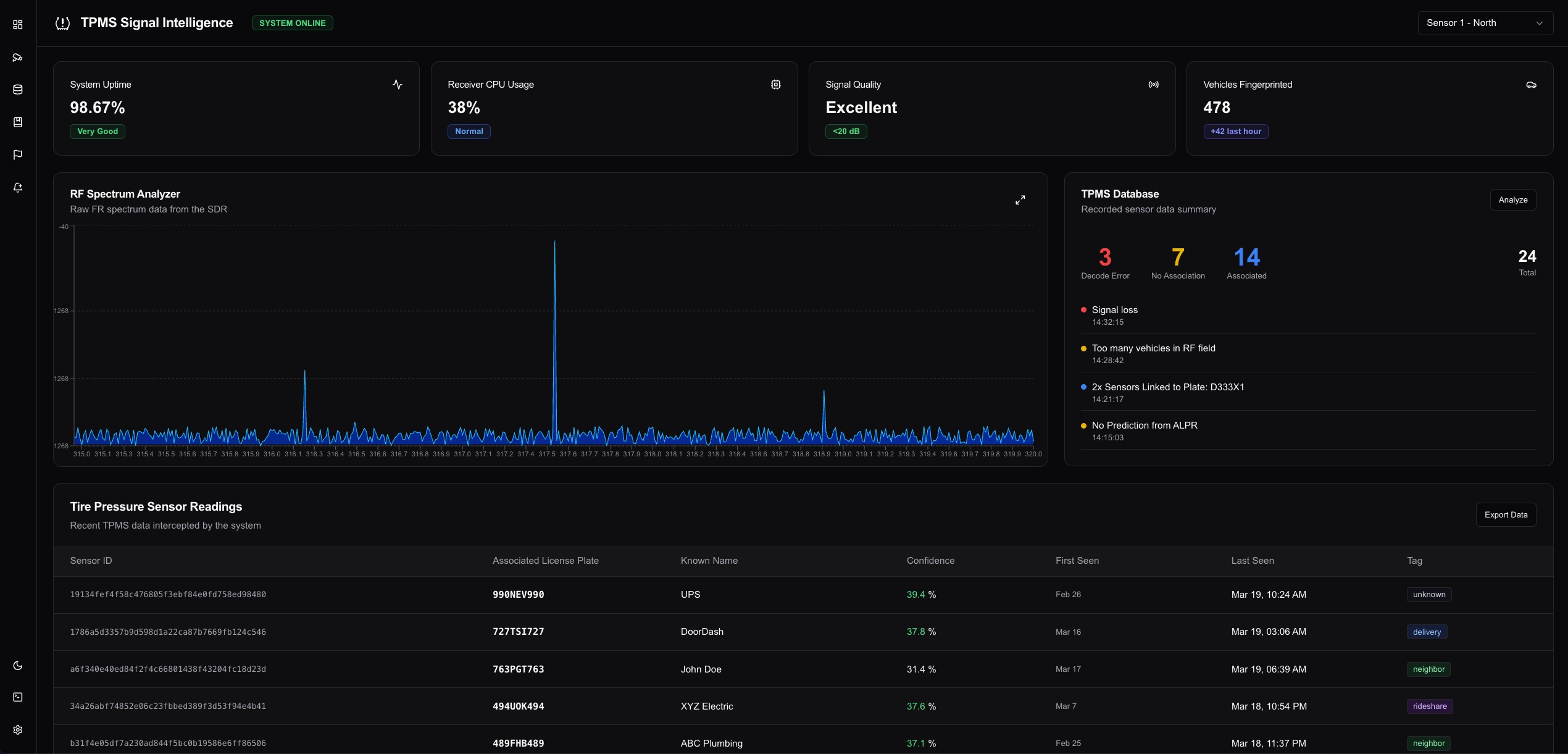
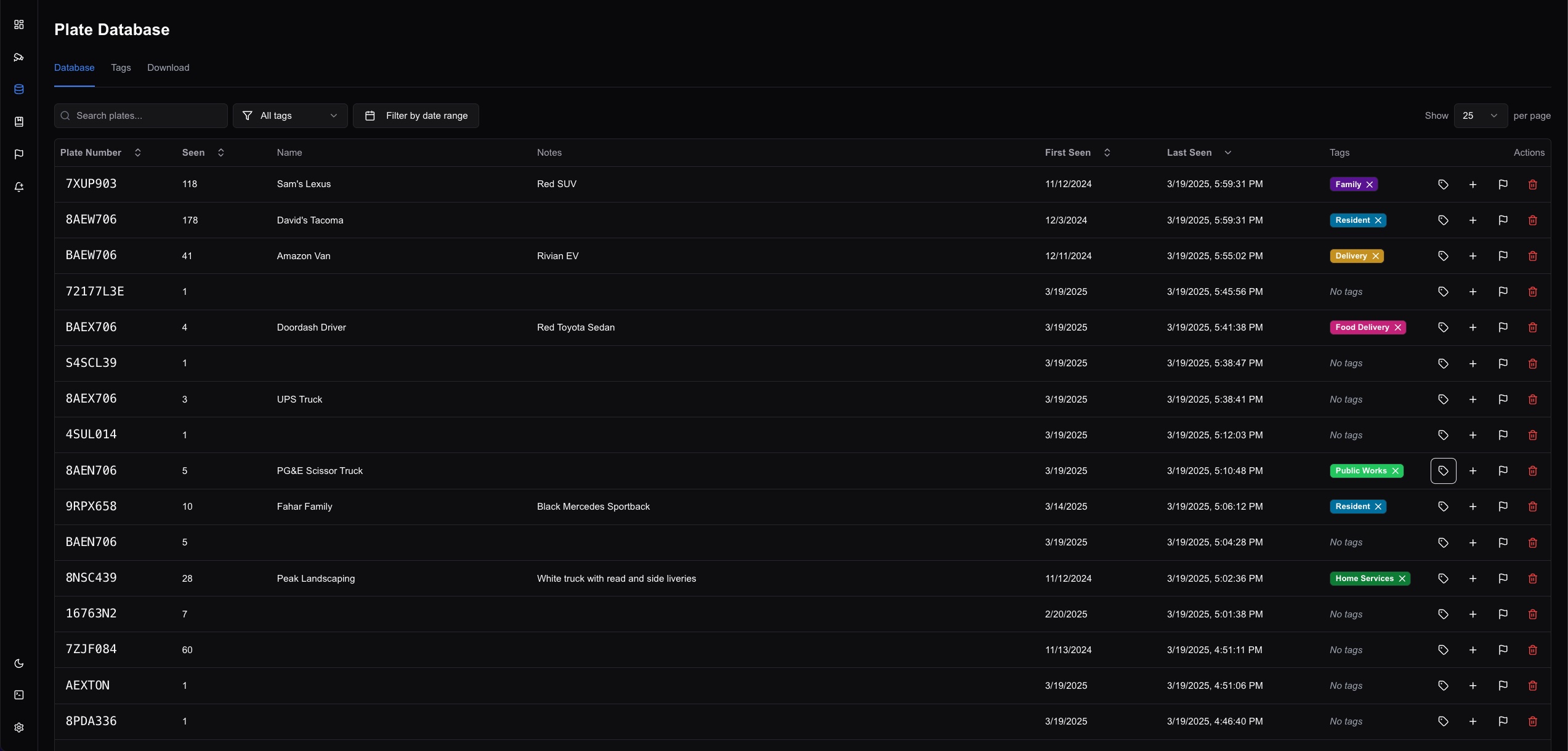
:warning: Disclaimer
This is meant to be a helpful project and is still a work-in-progress. There's a good amount of spaghetti vibe coding in here and random things left over from the initial release. Not to be relied on for anything critical.
Contributors
Showing top 5 contributors by commit count.


Related Repositories

openclaw/openclaw
Your own personal AI assistant. Any OS. Any Platform. The lobster way. 🦞

obra/superpowers
An agentic skills framework & software development methodology that works.

NousResearch/hermes-agent
The agent that grows with you

n8n-io/n8n
Fair-code workflow automation platform with native AI capabilities. Combine visual building with custom code, self-host or cloud, 400+ integrations.

Significant-Gravitas/AutoGPT
AutoGPT is the vision of accessible AI for everyone, to use and to build on. Our mission is to provide the tools, so that you can focus on what matters.

f/prompts.chat
f.k.a. Awesome ChatGPT Prompts. Share, discover, and collect prompts from the community. Free and open source — self-host for your organization with complete privacy.