

Discordo
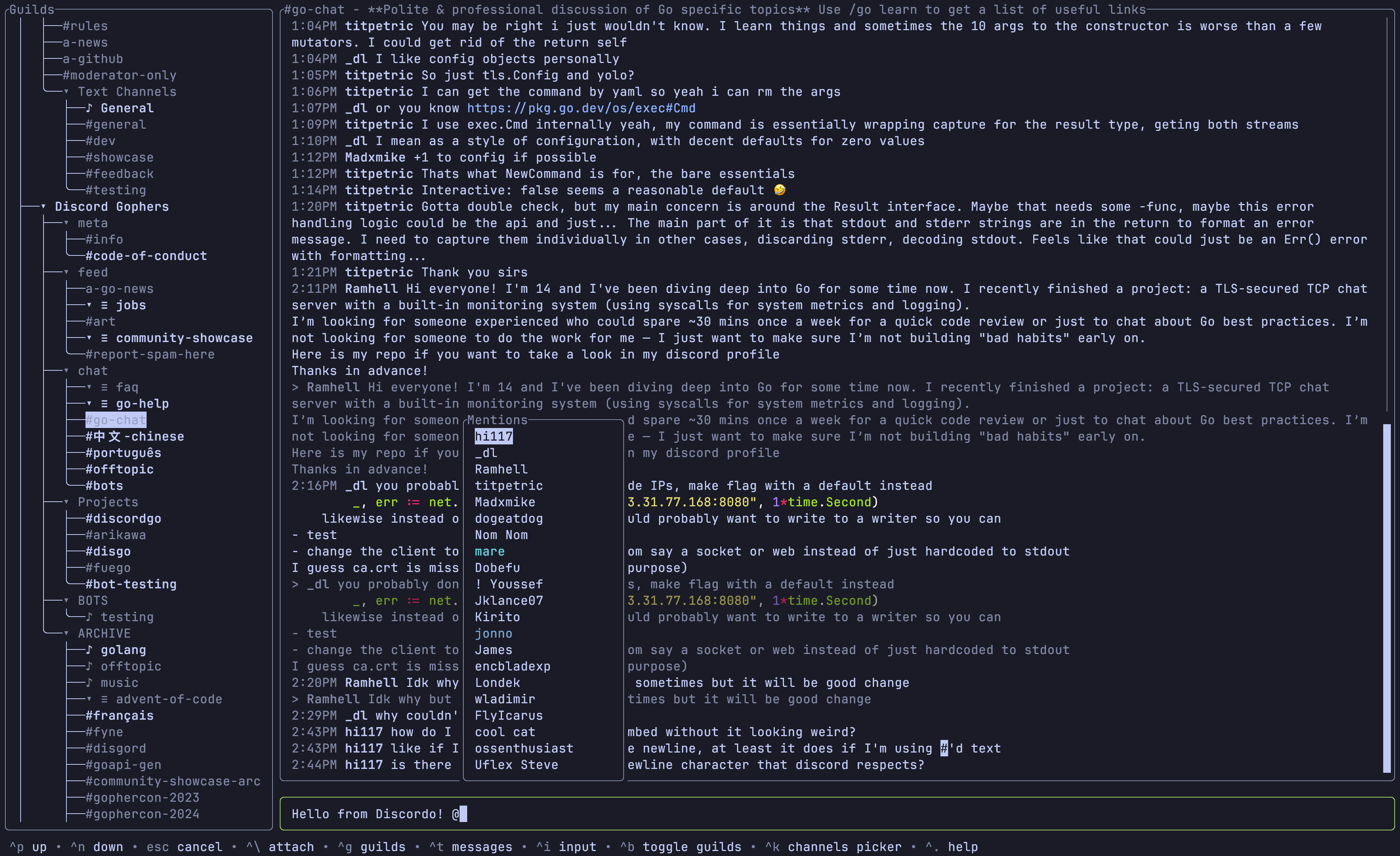
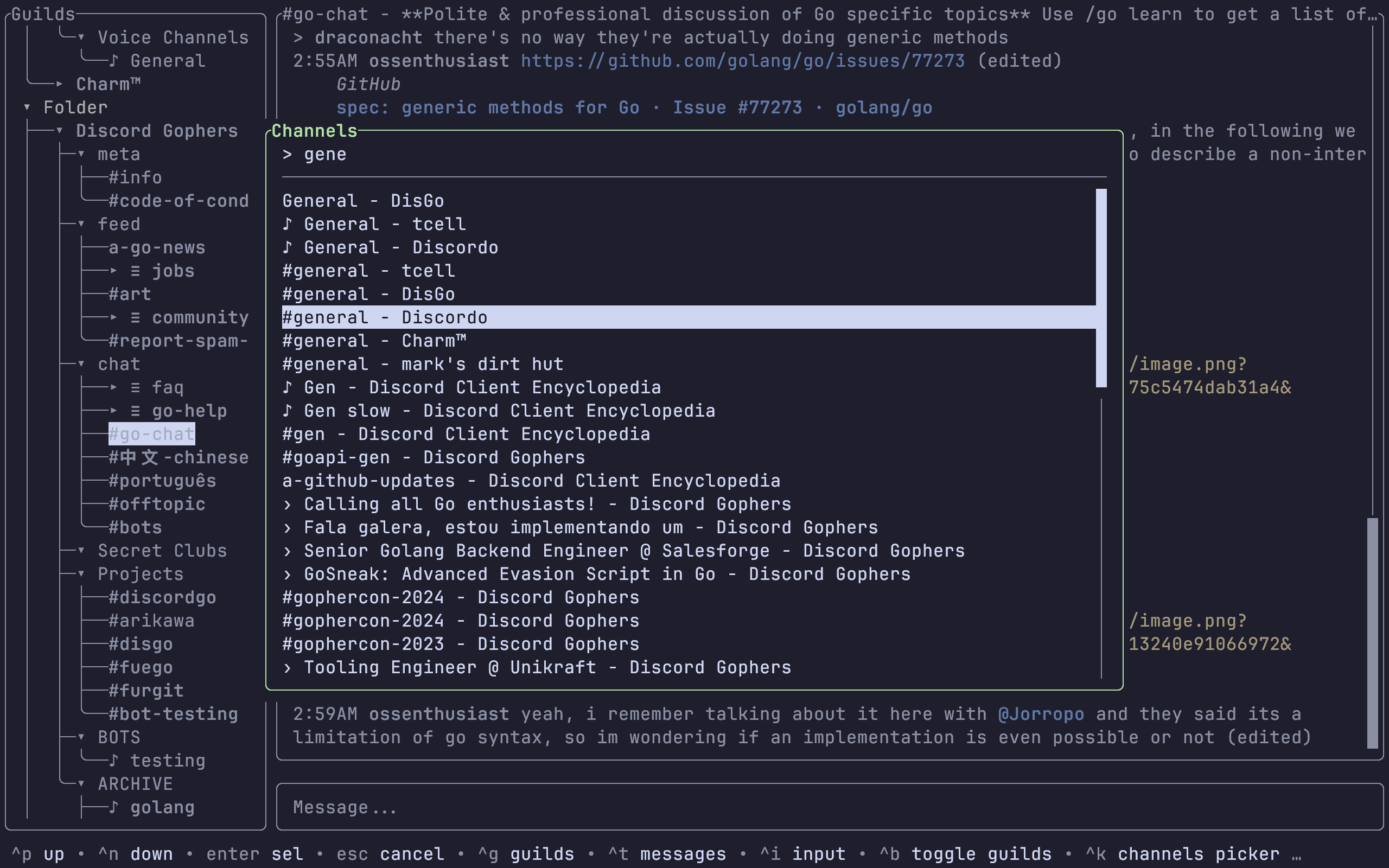
A lightweight, secure, and feature-rich Discord terminal (TUI) client.
Discordo is a lightweight, secure, and feature-rich Discord terminal client. Heavily work-in-progress, expect breaking changes. The project is written primarily in Go, distributed under the GNU General Public License v3.0 license, first published in 2021. It has gained significant community traction with 5,612 stars and 213 forks on GitHub. Key topics include: client, cross-platform, discord, discord-bot, discordo.
Discordo · 



Discordo is a lightweight, secure, and feature-rich Discord terminal client. Heavily work-in-progress, expect breaking changes.
Installation
Prebuilt binaries
You can download and install a prebuilt binary here for Windows, macOS, or Linux.
Package managers
-
Arch Linux:
yay -S discordo-git -
Gentoo (available on the guru repos as a live ebuild):
emerge net-im/discordo -
FreeBSD:
pkg install discordoor via the ports systemmake -C /usr/ports/net-im/discordo install clean. -
Nix: Add
pkgs.discordotoenvironment.systemPackagesorhome.packages. -
Windows (Scoop):
shscoop bucket add vvxrtues https://github.com/vvirtues/bucket scoop install discordo
Building from source
bashgit clone https://github.com/ayn2op/discordo cd discordo go build .
Usage
Token (UI, recommended)
-
Run the
discordoexecutable with no arguments. -
Enter your token and click on the "Login" button to save it.
Token (environment variable)
Set the value of the DISCORDO_TOKEN environment variable to the authentication token to log in with.
shDISCORDO_TOKEN="OTI2MDU5NTQxNDE2Nzc5ODA2.Yc2KKA.2iZ-5JxgxG-9Ub8GHzBSn-NJjNg" discordo
QR (UI)
-
Run the
discordoexecutable with no arguments. -
Click on the "Login with QR" button.
-
Follow the instructions in the QR Login screen.
Configuration
The configuration file allows you to configure and customize the behavior, keybindings, and theme of the application.
- Unix:
$XDG_CONFIG_HOME/discordo/config.tomlor$HOME/.config/discordo/config.toml - Darwin:
$HOME/Library/Application Support/discordo/config.toml - Windows:
%AppData%/discordo/config.toml
Discordo uses the default configuration if a configuration file is not found in the aforementioned path; however, the default configuration file is not written to the path. The default configuration can be found here.
[!IMPORTANT]
Automated user accounts or "self-bots" are against Discord's Terms of Service. I am not responsible for any loss caused by using "self-bots" or Discordo.
License
Copyright (C) 2025-present ayn2op
This project is licensed under the GNU General Public License v3.0 (GPL-3.0).
See the LICENSE file for the full license text.
Contributors
Showing top 12 contributors by commit count.


![dependabot[bot]](https://avatars.githubusercontent.com/in/29110?v=4)

Related Repositories

psf/requests
A simple, yet elegant, HTTP library.

curl/curl
A command line tool and library for transferring data with URL syntax, supporting DICT, FILE, FTP, FTPS, GOPHER, GOPHERS, HTTP, HTTPS, IMAP, IMAPS, LDAP, LDAPS, MQTT, MQTTS, POP3, POP3S, RTSP, SCP, SFTP, SMB, SMBS, SMTP, SMTPS, TELNET, TFTP, WS and WSS. libcurl offers a myriad of powerful features

httpie/cli
🥧 HTTPie CLI — modern, user-friendly command-line HTTP client for the API era. JSON support, colors, sessions, downloads, plugins & more.

kingToolbox/WindTerm
A professional cross-platform SSH/Sftp/Shell/Telnet/Tmux/Serial terminal.

Pawdroid/Free-servers
🚀 免费订阅地址,🚀 免费节点,🚀 6小时更新一次,共享节点,节点质量高可用,完全免费。免费clash订阅地址,免费翻墙、免费科学上网、免费梯子、免费ss/v2ray/trojan节点、谷歌商店、翻墙梯子。🚀 Free subscription address, 🚀 Free node, 🚀 Updated every 6 hours, shared node, high-quality node availability, completely free. Free clash subscription address, free ss/v2ray/trojan node.

googleapis/google-api-nodejs-client
Google's officially supported Node.js client library for accessing Google APIs. Support for authorization and authentication with OAuth 2.0, API Keys and JWT (Service Tokens) is included.