

Funky
Funky takes shell functions to the next level by making them easier to define, more flexible, and more interactive.
**Funky takes shell functions to the next level by making them easier to define, more flexible, and more interactive.** The project is written primarily in Python, distributed under the MIT License license, first published in 2017. Key topics include: aliases, bash, function, linux, shell.
funky 
Funky takes shell functions to the next level by making them easier to define, more flexible, and more interactive.











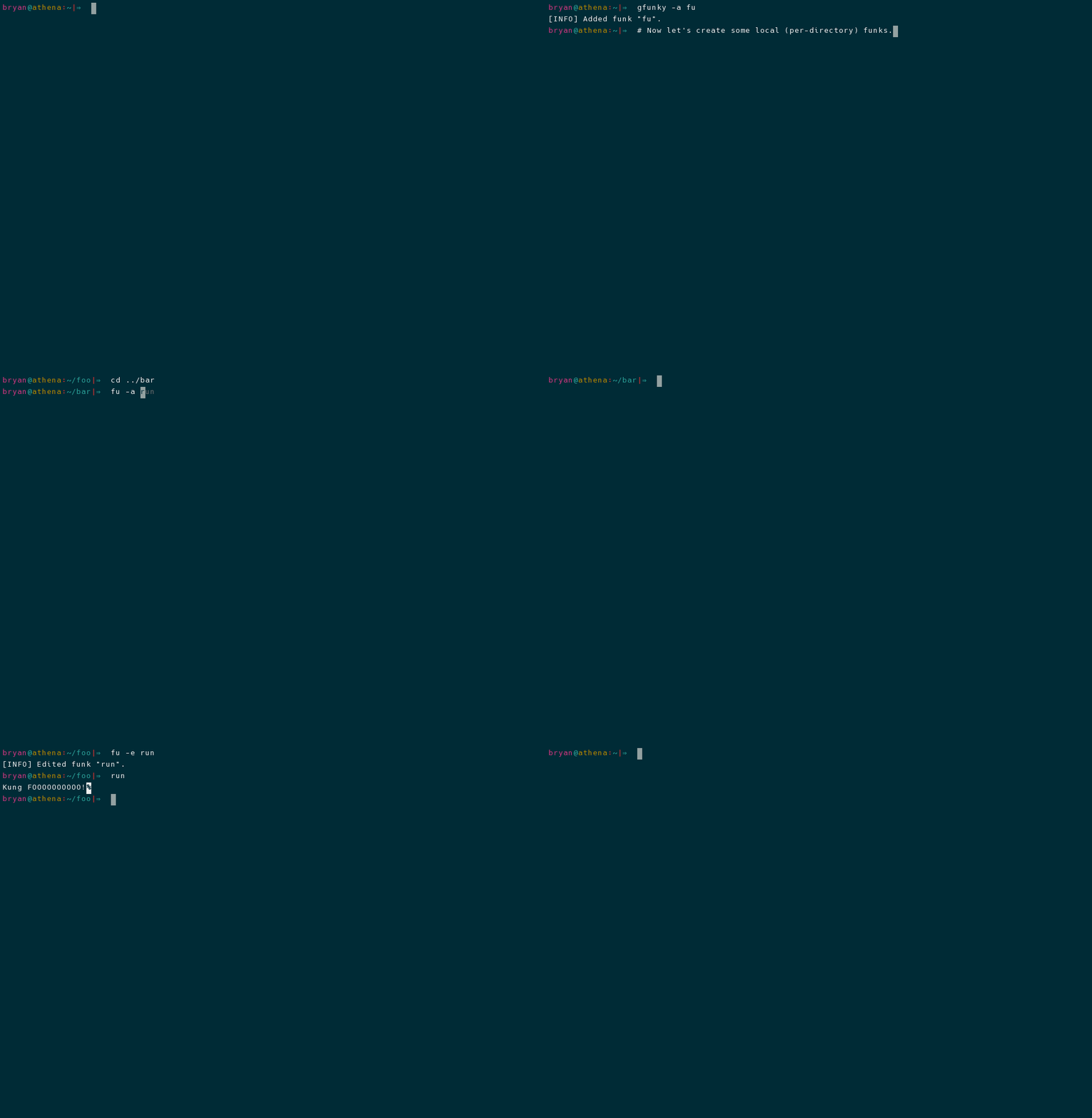
Table of Contents
Installation
Using pipx to Install (preferred)
This package could be installed using pip like any other Python package (in
fact, see the section below this one for instructions). Given that we only need
this package's entry points (e.g. the funky command), however, we recommend
that pipx be used instead (replace SHELL with either bash or zsh):
shell# install and setup pipx python3 -m pip install --user pipx python3 -m pipx ensurepath # install and setup funky pipx install pyfunky funky --setup-shell SHELL
Using pip to Install
To install funky using pip, run the following commands in your terminal
(replace SHELL with either bash or zsh):
shellpython3 -m pip install --user pyfunky # install funky funky --setup-shell SHELL # hook funky into your shell
If you don't have pip installed, this Python installation guide can guide
you through the process.
Building from Source
You can either clone the public repository:
shellgit clone git://github.com/bbugyi200/funky
Or download the tarball:
shellcurl -OL https://github.com/bbugyi200/funky/tarball/master
Once you have a copy of the source, you can install funky by running:
shellmake install
The last thing you need to do is hook funky into your preferred shell, which
can be accomplished with the following command (replace SHELL with either
bash or zsh):
shellfunky --setup-shell SHELL
Usage
Funks are manipulated using the funky and gfunky commands. These commands
have the same user interface. The difference between the two commands is
treated in the Local vs Global section.
Local vs Global
Local funks are stored using a hidden database file that is located in the
same directory where the funk was created. These can be manipulated using the
options described in the demo above (run funky -h to see descriptions of
these options). Once created, a local funk can be used just like any other
command or normal funk as long as you are inside of the directory where the
local funk was originally defined.
Global funks, on the other hand, are stored in your home directory
(/home/<user>) and can be used from any directory. Local funks can be used
to override global funk definitions.
Local and global funks can be manipulated (created, removed, edited, renamed,
etc.) by using the funky and gfunky commands, respectively.
Funk Definition Shortcuts
Normally when defining a funk, the provided raw definition (the final contents
of the temp file) is inserted directly into the generated function definition.
However, funky does try to make some alterations to the original funk
definition when doing so is convenient. These funky definition shortcuts can
make defining funks faster:
Special cd Funks
A funk definition of the form @./relative/path/to/directory will be automatically changed to
bashcd /absolute/path/to/directory/"$@" || return 1
Simulate Shell Variables
A funk definition of the form "Some string here..." will be automatically changed to
bashecho "Some string here..." "$@"
This allows you to use funks to simulate shell variables via command substitution.
The "$@" Special Parameter
This project originally used aliases. The decision to migrate to shell functions was made based on
the fact that shell functions are far more capable than aliases. Moreover, there is very little
benefit to using aliases over shell functions.
With that said, actual aliases do have one appeal over shell functions. When you use an alias, any
arguments that you pass to it are automatically passed to the command definition (at runtime,
aliases are just substituted with their definitions). For the purpose of emulating this behavior
when it would typically be desired, a funk defined using a single-line command definition
that does NOT already contain argument variables (e.g. does not contain $0, $1, ...,
$9, $*, or $@) will automatically have the "$@" special parameter appended to its
definition. This allows for the same automatic argument handling that you would expect from an
alias.
See the official Bash docs for more information on Bash's special parameters.
Articles / Blog Posts
With the goal of listing alternative sources of documentation / tutorials, this
section will be used to track any articles or blog posts which mention funky:
- 6 Command Line Tools for Productive Programmers (2021-07-23)
Similar Projects
- desk - A lightweight workspace manager for the shell.
- smartcd - Alter your bash (or zsh) environment as you cd.
- direnv - is an extension for your shell. It augments existing shells with a new feature that can load and unload environment variables depending on the current directory.
Contributions
Pull requests are welcome. See CONTRIBUTING.md for more information.
Contributors
Showing top 3 contributors by commit count.


Related Repositories

simple-login/app
The SimpleLogin back-end and web app

xero/dotfiles
rice 🍚 custom linux config files. as seen on r/unixporn #noricenolife neovim cultist. dotfiles are perpetual wip

MichaelAquilina/zsh-you-should-use
📎 ZSH plugin that reminds you to use existing aliases for commands you just typed

ilearnio/module-alias
Register aliases of directories and custom module paths in Node

iridakos/goto
Alias and navigate to directories with tab completion in Linux

spencerwooo/dotfiles-archive
Dotfiles for all :D