

React phone input 2
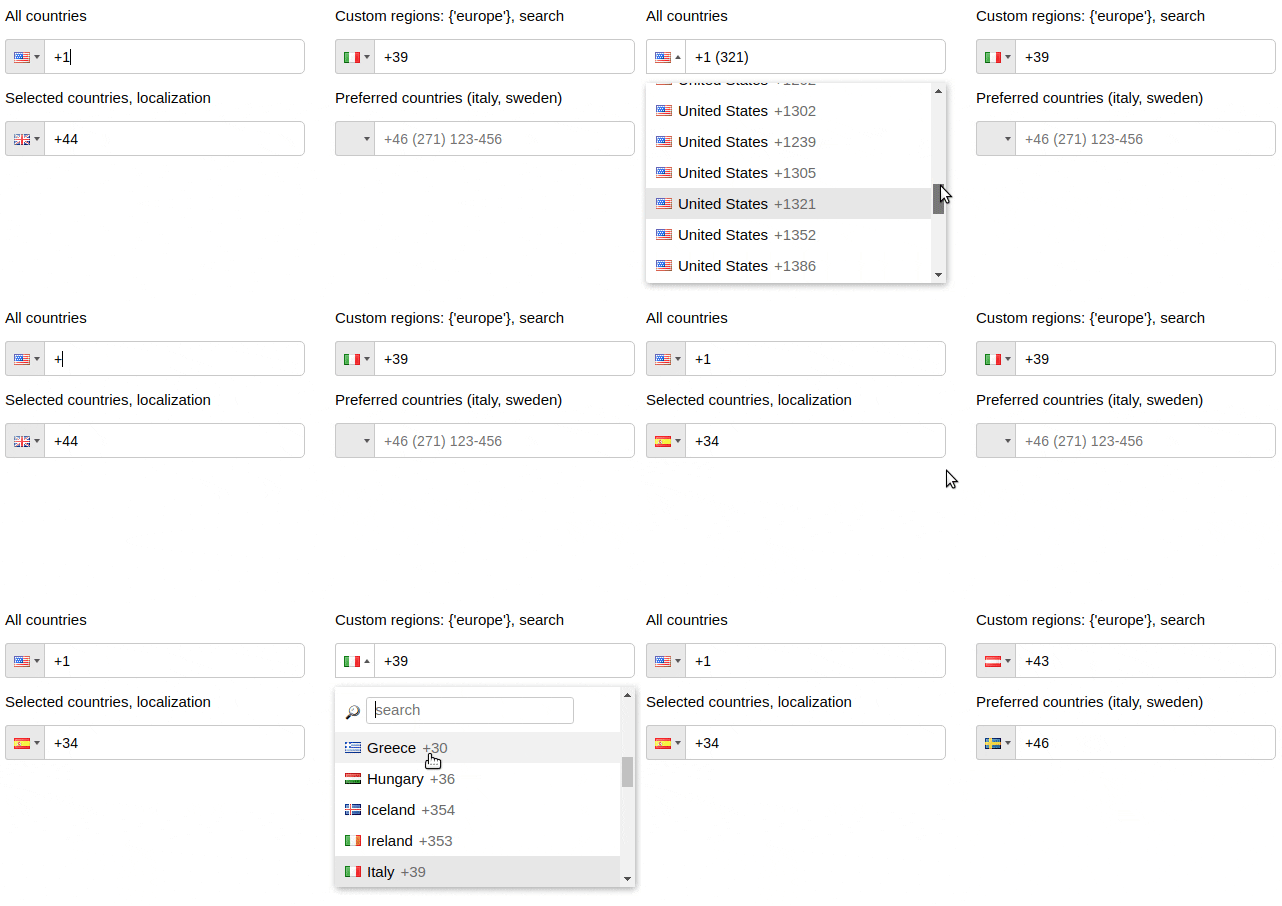
:telephone_receiver: Highly customizable phone input component with auto formatting
Highly customizable phone input component with auto formatting. The project is written primarily in JavaScript, distributed under the MIT License license, first published in 2017. It has gained significant community traction with 1,015 stars and 543 forks on GitHub. Key topics include: bootstrap, format, i18n, input, international.
React-Phone-Input-2
Highly customizable phone input component with auto formatting.




Installation
shellnpm install react-phone-input-2 --save
Usage
jsximport PhoneInput from 'react-phone-input-2' import 'react-phone-input-2/lib/style.css' <PhoneInput country={'us'} value={this.state.phone} onChange={phone => this.setState({ phone })} />
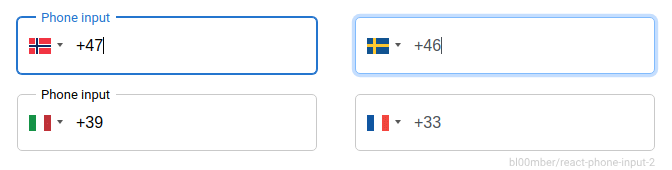
available styles - style • high-res • material • bootstrap • semantic-ui • plain
Demo 1 (UI) - Demo 2 (CSS)
Options
<table> <tr> <th> Name </th> <th> Type </th> <th> Description </th> <th> Example </th> </tr> <tr> <td> country </td> <td> string </td> <td> initial country </td> <td> 'us' | 1 </td> </tr> <tr> <td> value </td> <td> string </td> <td colspan="2"> input state value </td> </tr> <tr> <td> onlyCountries </td> <td> array </td> <td> country codes to be included </td> <td> ['cu','cw','kz'] </td> </tr> <tr> <td> preferredCountries </td> <td> array </td> <td> country codes to be at the top </td> <td> ['cu','cw','kz'] </td> </tr> <tr> <td> excludeCountries </td> <td> array </td> <td> array of country codes to be excluded </td> <td> ['cu','cw','kz'] </td> </tr> <tr> <td> placeholder </td> <td> string </td> <td colspan="2"> custom placeholder </td> </tr> <tr> <td> inputProps </td> <td> object </td> <td colspan="2"> props to pass into the input </td> </tr> </table> <table> <tr> <th> Booleans </th> <th> Default </th> <th> Description </th> </tr> <tr> <td> autoFormat </td> <td> true </td> <td> on/off phone formatting </td> </tr> <tr> <td> disabled </td> <td> false </td> <td> disable input and dropdown </td> </tr> <tr> <td> disableDropdown </td> <td> false </td> <td> disable dropdown only </td> </tr> <tr> <td> disableCountryCode </td> <td> false </td> <td> </td> </tr> <tr> <td> enableAreaCodes </td> <td> false </td> <td> enable local codes for all countries </td> </tr> <tr> <td> enableTerritories </td> <td> false </td> <td> enable dependent territories with population of ~100,000 or lower </td> </tr> <tr> <td> enableLongNumbers </td> <td> false </td> <td> boolean/number </td> </tr> <tr> <td> countryCodeEditable </td> <td> true </td> <td> </td> </tr> <tr> <td> enableSearch </td> <td> false </td> <td> enable search in the dropdown </td> </tr> <tr> <td> disableSearchIcon </td> <td> false </td> <td> hide icon for the search field </td> </tr> </table>jsx<PhoneInput inputProps={{ name: 'phone', required: true, autoFocus: true }} />
Contents
- Style
- Events
- Regions
- Localization
- Local area codes
- Custom masks
- Custom area codes
- Other props
- Custom localization
- Guides
- Contributing
- Support
Style
<table> <tr> <td> containerClass </td> <td> string </td> <td colspan="2"> class for container </td> </tr> <tr> <td> inputClass </td> <td> string </td> <td colspan="2"> class for input </td> </tr> <tr> <td> buttonClass </td> <td> string </td> <td colspan="2"> class for dropdown button </td> </tr> <tr> <td> dropdownClass </td> <td> string </td> <td colspan="2"> class for dropdown container </td> </tr> <tr> <td> searchClass </td> <td> string </td> <td colspan="2"> class for search field </td> </tr> <tr> <td> containerStyle </td> <td> object </td> <td colspan="2"> styles for container </td> </tr> <tr> <td> inputStyle </td> <td> object </td> <td colspan="2"> styles for input </td> </tr> <tr> <td> buttonStyle </td> <td> object </td> <td colspan="2"> styles for dropdown button </td> </tr> <tr> <td> dropdownStyle </td> <td> object </td> <td colspan="2"> styles for dropdown container </td> </tr> <tr> <td> searchStyle </td> <td> object </td> <td colspan="2"> styles for search field </td> </tr> </table>Events
<table> <tr> <td> onChange </td> <td> onFocus </td> <td> onBlur </td> <td> onClick </td> <td> onKeyDown </td> </tr> </table>onChange(value, country, e, formattedValue)
Country data object not returns from onKeyDown event
<table> <tr> <th> Data </th> <th> Type </th> <th> Description </th> </tr> <tr> <td> value/event </td> <td> string/object </td> <td> event or the phone number </td> </tr> <tr> <td> country data </td> <td> object </td> <td> country object { name, dialCode, countryCode (iso2) } </td> </tr> </table>Regions
<table> <tr> <th> Name </th> <th> Type </th> <th> Description </th> </tr> <tr> <td> regions </td> <td> array/string </td> <td> to show countries only from specified regions </td> </tr> </table> <table> <tr> <th> Regions </th> </tr> <tr> <td> ['america', 'europe', 'asia', 'oceania', 'africa'] </td> </tr> <tr> <th> Subregions </th> </tr> <tr> <td> ['north-america', 'south-america', 'central-america', 'carribean', 'eu-union', 'ex-ussr', 'ex-yugos', 'baltic', 'middle-east', 'north-africa'] </td> </tr> </table>jsx<PhoneInput country='de' regions={'europe'} /> <PhoneInput country='us' regions={['north-america', 'carribean']} />
Predefined localization
es Spanish, de Deutsch, ru Russian, fr French<br/>
jp Japanese, cn Chinese, pt Portuguese, it Italian<br/>
ir Iranian, ar Arabic, tr Turkish, id Indonesian<br/>
hu Hungarian, pl Polish, ko Korean
jsximport es from 'react-phone-input-2/lang/es.json' <PhoneInput localization={es} />
Local area codes
jsx<PhoneInput enableAreaCodes={true} enableAreaCodes={['us', 'ca']} enableAreaCodeStretch />
Flexible mask
If enableAreaCodeStretch is added, the part of the mask with the area code will not stretch to length of the respective section of phone mask.
Example: +61 (2), +61 (02)
Custom masks
jsx<PhoneInput onlyCountries={['fr', 'at']} masks={{fr: '(...) ..-..-..', at: '(....) ...-....'}} />
Custom area codes
jsx<PhoneInput onlyCountries={['gr', 'fr', 'us']} areaCodes={{gr: ['2694', '2647'], fr: ['369', '463'], us: ['300']}} />
Other props
<table> <tr> <td> defaultMask </td> <td> ... ... ... ... .. </td> </tr> <tr> <td> alwaysDefaultMask </td> <td> false </td> </tr> <tr> <td> prefix </td> <td> + </td> </tr> <tr> <td> searchPlaceholder </td> <td> 'search' </td> </tr> <tr> <td> searchNotFound </td> <td> 'No entries to show' </td> </tr> <tr> <td> copyNumbersOnly </td> <td> true </td> </tr> <tr> <td> renderStringAsFlag </td> <td> string </td> </tr> <tr> <td> autocompleteSearch </td> <td> false </td> </tr> <tr> <td> jumpCursorToEnd </td> <td> false </td> </tr> <tr> <td> priority </td> <td> {{ca: 0, us: 1, kz: 0, ru: 1}} </td> </tr> <tr> <td> enableClickOutside </td> <td> true </td> </tr> <tr> <td> showDropdown </td> <td> false </td> </tr> <tr> <td> defaultErrorMessage </td> <td> string </td> </tr> <tr> <td> specialLabel </td> <td> string </td> </tr> <tr> <td> disableInitialCountryGuess </td> <td> false </td> </tr> <tr> <td> disableCountryGuess </td> <td> false </td> </tr> </table>Custom localization
jsx<PhoneInput onlyCountries={['de', 'es']} localization={{de: 'Deutschland', es: 'España'}} /> <PhoneInput onlyCountries={['de', 'es']} localization={{'Germany': 'Deutschland', 'Spain': 'España'}} />
Preserve countries order
jsx<PhoneInput onlyCountries={['fr', 'at']} preserveOrder={['onlyCountries', 'preferredCountries']} />
Guides
Phone without dialCode
jsxhandleOnChange(value, data, event, formattedValue) { this.setState({ rawPhone: value.slice(data.dialCode.length) }) }
Check validity of the phone number
isValid(value, country, countries, hiddenAreaCodes)
jsx<PhoneInput isValid={(value, country) => { if (value.match(/12345/)) { return 'Invalid value: '+value+', '+country.name; } else if (value.match(/1234/)) { return false; } else { return true; } }} />
jsximport startsWith from 'lodash.startswith'; <PhoneInput isValid={(inputNumber, country, countries) => { return countries.some((country) => { return startsWith(inputNumber, country.dialCode) || startsWith(country.dialCode, inputNumber); }); }} />
Clear country
To clear country, pass null as value.
Dynamic placeholder
<details> <summary>Show</summary></details>jsxconst phoneCountryFormat = useMemo(() => phoneCountry?.format || undefined, [phoneCountry]); const placeholder = useMemo(() => { if (phoneCountryFormat) { const words = phoneCountryFormat.split(' '); words.shift(); // I'm using only local numbers so here I remove the country code from the format let text = words.join(' '); // first digit is special on french numbers, these 3 lines could be removed if (country === 'fr') { text = text.replace('.', '6'); } while (text.indexOf('.') > -1) { text = text.replace('.', `${Math.min(9, Math.max(1, Math.floor(Math.random() * 10)))}`); } return text; } return ''; }, [phoneCountryFormat, country]);
CDN
html<script src="https://unpkg.com/react-phone-input-2@2.x/dist/lib.js"></script>
Contributing
- Code style changes not allowed
- Do not create issues about incorrect or missing country masks (of already present countries) or absent area codes (they will be closed). Only create issues if the subject is an actual mechanism that is not present in the component. Otherwise create a PR with a link that proves the correctness of your newly suggested mask or list of area codes
- Do not send new languages
License

Based on react-phone-input
Make sure you donated for lib maintenance 
Contributors
Showing top 12 contributors by commit count.





Related Repositories

twbs/bootstrap
The most popular HTML, CSS, and JavaScript framework for developing responsive, mobile first projects on the web.

ColorlibHQ/AdminLTE
AdminLTE - Free admin dashboard template based on Bootstrap 5

tabler/tabler
Tabler is free and open-source HTML Dashboard UI Kit built on Bootstrap

mdbootstrap/mdb-ui-kit
Bootstrap 5 & Material Design UI KIT

react-bootstrap/react-bootstrap
Bootstrap components built with React
ColorlibHQ/gentelella
Free Bootstrap 5 Admin Dashboard Template