

Flutter splash screen
A splash screen for flutter, hide when application loaded ,it works on iOS and Android.
[ ](https://pub.dartlang.org/packages/flutter_splash_screen) [ ](https://github.com/crazycodeboy/flutter_splash_screen/pulls) [ ](https://github.com/crazycodeboy/GitHubPopular/releases) The project is written primarily in Kotlin, distributed under the MIT License license, first published in 2019. Key topics include: android, flutter, flutter-splash-screen, ios, splash-screen.
flutter_splash_screen



A splash screen API for flutter which can programatically hide and show the splash screen. Works on
Android and iOS.
Content
Changes
Examples
| Screenshots | Screenshots |
|---|---|
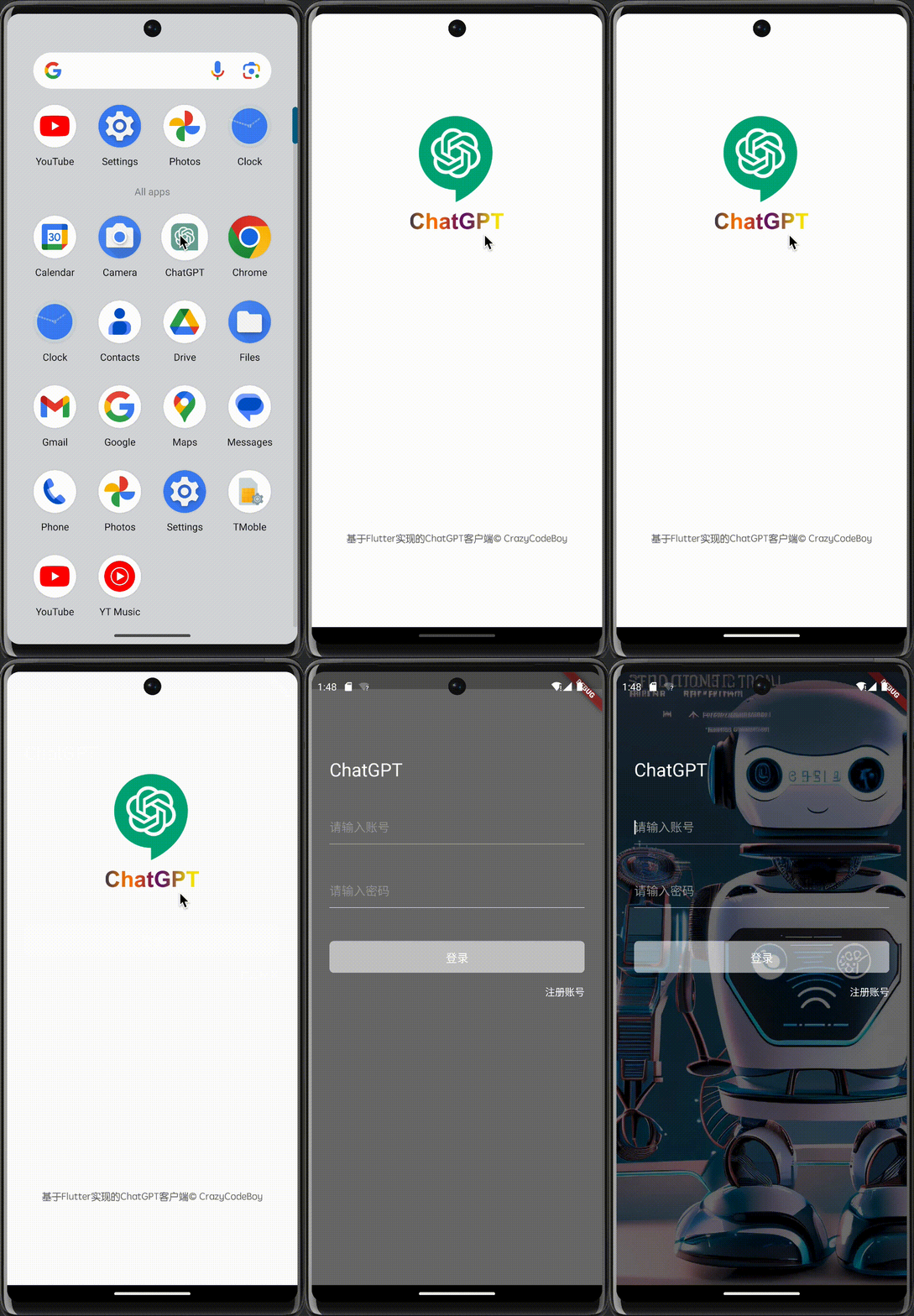 | 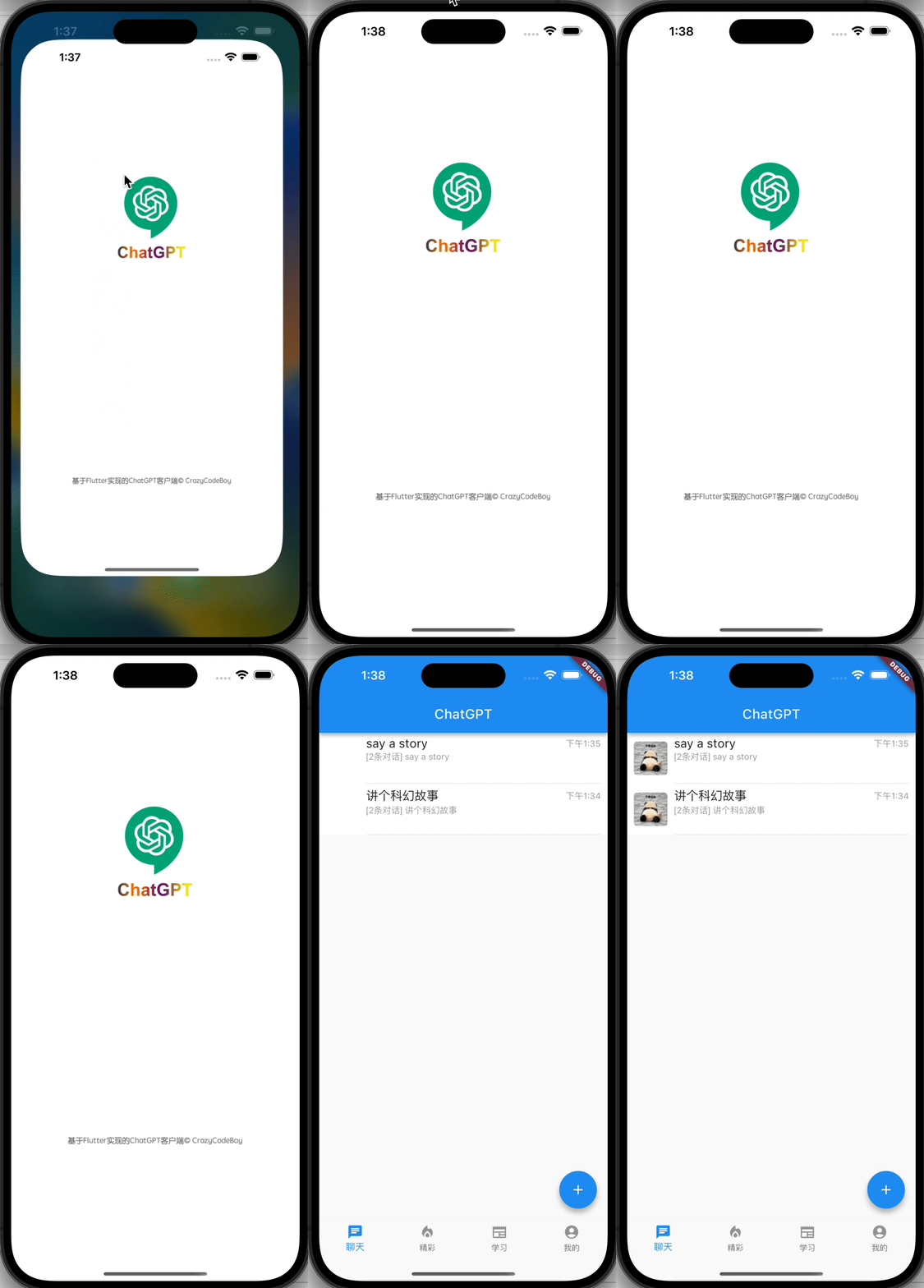 |
1. Installation
Depend on it
Run this command:
bashflutter pub add flutter_splash_screen
2. Plugin Configuration
Android
Update the MainActivity.kt
Update the MainActivity.kt to use flutter_splash_screen via the following changes:
kotlinpackage org.devio.flutter.splashscreen.example import android.os.Bundle import io.flutter.embedding.android.FlutterActivity import org.devio.flutter.splashscreen.SplashScreen // add class MainActivity : FlutterActivity() { override fun onCreate(savedInstanceState: Bundle?) { // SplashScreen.show(this) // or enable full screen SplashScreen.show(this, true) super.onCreate(savedInstanceState) } }
Create launch_screen.xml file
Create a file called launch_screen.xml in app/src/main/res/layout (create the layout-folder if
it doesn't exist). The contents of the file should be the following:
xml<?xml version="1.0" encoding="utf-8"?> <FrameLayout xmlns:android="http://schemas.android.com/apk/res/android" android:layout_width="match_parent" android:layout_height="match_parent" android:background="@android:color/white"> <ImageView android:layout_width="match_parent" android:layout_height="match_parent" android:layout_gravity="center|top" android:scaleType="centerCrop" android:src="@mipmap/launch_screen" /> </FrameLayout>
Customize your launch screen by creating a launch_screen.png-file and placing it in an
appropriate mipmap-folder. Android automatically scales drawable, so you do not necessarily need
to provide images for all phone densities.
You can create splash screens in the following folders:
mipmap-ldpimipmap-mdpimipmap-hdpimipmap-xhdpimipmap-xxhdpimipmap-xxxhdpi
Add a color called primary_dark in app/src/main/res/values/colors.xml
<?xml version="1.0" encoding="utf-8"?>
<resources>
    <color name="primary_dark">#000000</color>
</resources>
Optional steps:
If you want the splash screen to be transparent, follow these steps.
Open android/app/src/main/res/values/styles.xml and
add <item name="android:windowIsTranslucent">true</item> to the file. It should look like this:
xml<resources> <!-- Base application theme. --> <style name="AppTheme" parent="Theme.AppCompat.Light.NoActionBar"> <!-- Customize your theme here. --> <!--设置透明背景--> <item name="android:windowIsTranslucent">true</item> </style> </resources>
To learn more
see examples
If you want to customize the color of the status bar when the splash screen is displayed:
Create android/app/src/main/res/values/colors.xml and add
xml<?xml version="1.0" encoding="utf-8"?> <resources> <color name="status_bar_color"><!-- Colour of your status bar here --></color> </resources>
Create a style definition for this in android/app/src/main/res/values/styles.xml:
xml<?xml version="1.0" encoding="utf-8"?> <resources> <style name="SplashScreenTheme" parent="SplashScreen_SplashTheme"> <item name="colorPrimaryDark">@color/status_bar_color</item> </style> </resources>
Change your show method to include your custom style:
javaSplashScreen.show(this,R.style.SplashScreenTheme);
iOS
Customize your splash screen via LaunchScreen.storyboard,
Learn more to
see examples
Usage
Use like so:
dartimport 'dart:async'; import 'package:flutter/material.dart'; import 'package:flutter_splash_screen/flutter_splash_screen.dart'; void main() => runApp(MyApp()); class MyApp extends StatefulWidget { _MyAppState createState() => _MyAppState(); } class _MyAppState extends State<MyApp> { void initState() { super.initState(); hideScreen(); } ///hide your splash screen Future<void> hideScreen() async { Future.delayed(Duration(milliseconds: 1800), () { FlutterSplashScreen.hide(); }); } ...
API
| Method | Type | Optional | Description |
|---|---|---|---|
| show() | function | false | Open splash screen (Native Method ) |
| hide() | function | false | Close splash screen |
Testing
Contribution
Issues are welcome. Please add a screenshot of you bug and a code snippet. Quickest way to solve
issue is to reproduce it in one of the examples.
Pull requests are welcome. If you want to change the API or do something big it is best to create an
issue and discuss it first.
Contributors
Showing top 1 contributor by commit count.

Related Repositories

flutter/flutter
Flutter makes it easy and fast to build beautiful apps for mobile and beyond

Genymobile/scrcpy
Display and control your Android device

react/react-native
A framework for building native applications using React

rustdesk/rustdesk
An open-source remote desktop application designed for self-hosting, as an alternative to TeamViewer.

justjavac/free-programming-books-zh_CN
:books: 免费的计算机编程类中文书籍,欢迎投稿

Hack-with-Github/Awesome-Hacking
A collection of various awesome lists for hackers, pentesters and security researchers