

React graph vis
A react component to render nice graphs using vis.js
A React component to display beautiful network graphs using vis.js The project is written primarily in JavaScript, distributed under the MIT License license, first published in 2015. Key topics include: graph, javascript, react, rendered-graphs, visualisation.
React graph vis
A React component to display beautiful network graphs using vis.js
Show, don't tell: Demo
Make sure to visit visjs.org for more info.
Rendered graphs are scrollable, zoomable, retina ready, dynamic, and switch layout on double click.
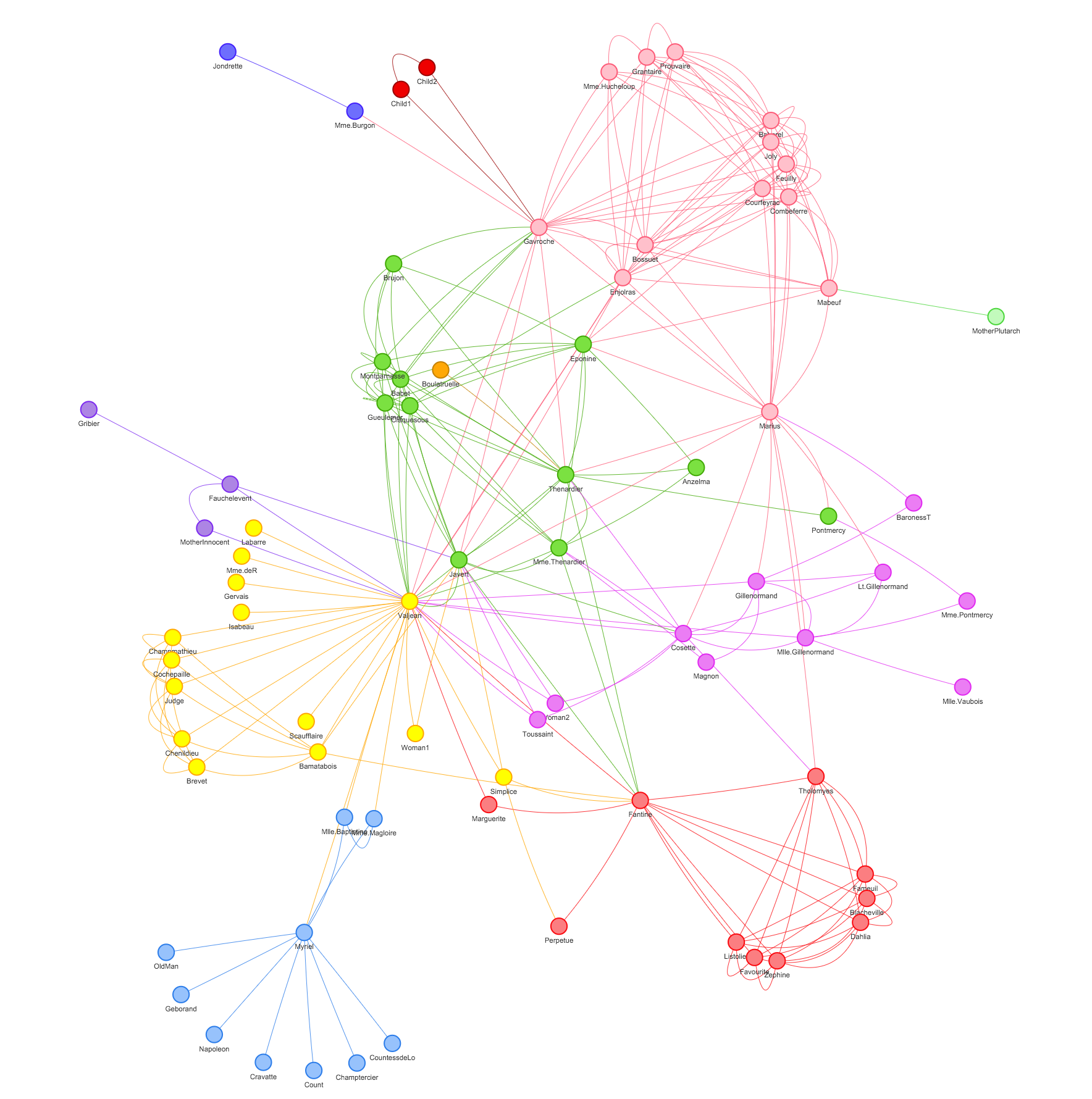
Due to the imperative nature of vis.js, updating graph properties causes complete redraw of graph and completely porting it to React is a big project itself!
This component takes three vis.js configuration objects as properties:
- graph: contains two arrays { edges, nodes }
- options: normal vis.js options as described here
- events: an object that has event name as keys and their callback as values
Usage
javascriptimport React from "react"; import ReactDOM from "react-dom"; import Graph from "react-graph-vis"; import "./styles.css"; // need to import the vis network css in order to show tooltip import "./network.css"; function App() { const graph = { nodes: [ { id: 1, label: "Node 1", title: "node 1 tootip text" }, { id: 2, label: "Node 2", title: "node 2 tootip text" }, { id: 3, label: "Node 3", title: "node 3 tootip text" }, { id: 4, label: "Node 4", title: "node 4 tootip text" }, { id: 5, label: "Node 5", title: "node 5 tootip text" } ], edges: [ { from: 1, to: 2 }, { from: 1, to: 3 }, { from: 2, to: 4 }, { from: 2, to: 5 } ] }; const options = { layout: { hierarchical: true }, edges: { color: "#000000" }, height: "500px" }; const events = { select: function(event) { var { nodes, edges } = event; } }; return ( <Graph graph={graph} options={options} events={events} getNetwork={network => { // if you want access to vis.js network api you can set the state in a parent component using this property }} /> ); } const rootElement = document.getElementById("root"); ReactDOM.render(<App />, rootElement);
You can also check out the demo in the example folder.
Contributors
Showing top 12 contributors by commit count.


Related Repositories

chartjs/Chart.js
Simple HTML5 Charts using the <canvas> tag

hashicorp/terraform
Terraform enables you to safely and predictably create, change, and improve infrastructure. It is a source-available tool that codifies APIs into declarative configuration files that can be shared amongst team members, treated as code, edited, reviewed, and versioned.

AykutSarac/jsoncrack.com
✨ Innovative and open-source visualization application that transforms various data formats, such as JSON, YAML, XML and CSV into interactive graphs.

logseq/logseq
A privacy-first, open-source platform for knowledge management and collaboration. Download link: http://github.com/logseq/logseq/releases. roadmap: https://logseq.io/p/NX4mc_ggEV

PhilJay/MPAndroidChart
A powerful 🚀 Android chart view / graph view library, supporting line- bar- pie- radar- bubble- and candlestick charts as well as scaling, panning and animations.

xyflow/xyflow
React Flow | Svelte Flow - Powerful open source libraries for building node-based UIs with React (https://reactflow.dev) or Svelte (https://svelteflow.dev). Ready out-of-the-box and infinitely customizable.