

Crystal tracker
A song and sound editor for pokecrystal-based sound engines.
A song and sound editor for [pokecrystal](https://github.com/pret/pokecrystal), [pokegold](https://github.com/pret/pokegold), [pokeyellow-crysaudio](https://github.com/dannye/pokeyellow-crysaudio), [pokered-crysaudio](https://github.com/dannye/pokered-crysaudio), and [pokepinball](https://github.com/pret/pokepinball). The project is written primarily in C++, distributed under the GNU Lesser General Public License v3.0 license, first published in 2022. Key topics include: 8-bit, audio, c-plus-plus, chiptune, editor.
Crystal Tracker
A song and sound editor for pokecrystal, pokegold, pokeyellow-crysaudio, pokered-crysaudio, and pokepinball.
Crystal Tracker provides the ability to directly create and modify pokecrystal-based asm song files, with in-app immediate playback by dynamically loading and synthesizing custom channel 3 waveforms and channel 4 drumkits.
The editor exports fully complete asm song files, so that you can "Save" your changes and then immediately make your project and instantly have a new ROM file with your modifications included — no additional conversion tools or steps required.
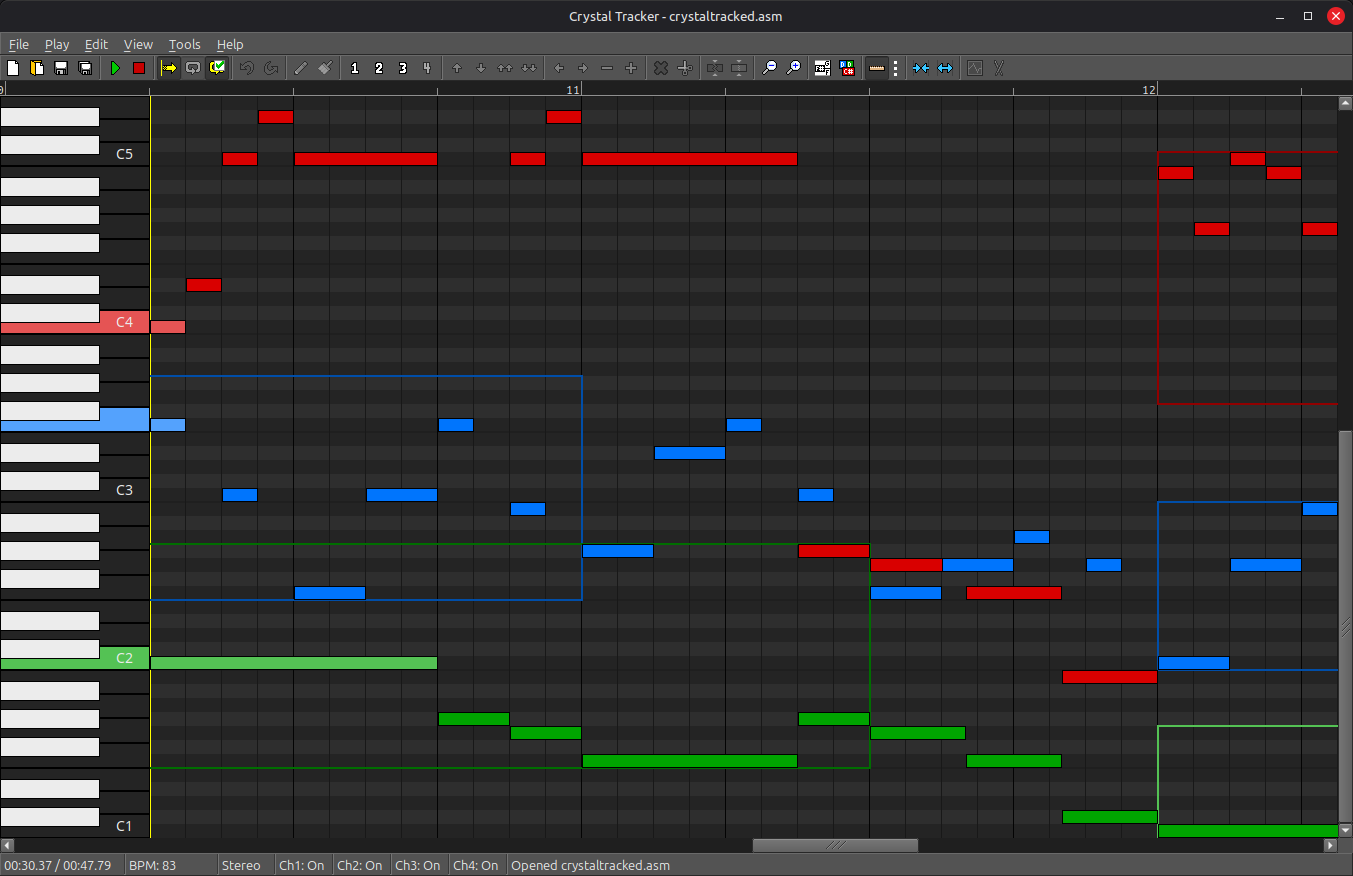
Getting Started
Windows
Download the latest Windows executable from the Releases section.
To build from source, see INSTALL.md.
Linux
See INSTALL.md to build from source or run the Windows executable via Wine.
Mac
Download the latest dmg from the Releases section or run the Windows executable via Wine.
To build from source, see INSTALL.md.
After installing from the dmg, launching the app may show an error that says that Crystal Tracker "cannot be opened because the developer cannot be verified" or "is damaged and can't be opened". To fix this, clear the "com.apple.quarantine" attribute from the app by running the following command:
shxattr -c "/Applications/Crystal Tracker.app"
The example/ directory contains crystaltracked.asm, an original composition by Mickey-A 42.
Be sure to see the Help menu for a full explanation on how to use the editor.
Upgrading a legacy project
If your project uses the "legacy" macros (pre-2020), you will need to upgrade your project.
Download tools/upgrade.py and put it at the root of your project.
Run the upgrade script on your music folder, like:
shpython3 upgrade.py -v audio/music/
It can also be used to upgrade individual files, like:
shpython3 upgrade.py -v audio/drumkits.asm
The script also works with python2. Run ./upgrade.py -h for all options.
Be sure to make adequate backups of your song files (via git or otherwise) before upgrading, just in case.
Then you must copy all modern audio macros from the latest macros/scripts/audio.asm and macros/legacy.asm into your project.
Special Thanks
This project takes a lot of inspiration (and a lot of backbone code structure) from Polished Map. A huge thank you to Rangi42!
Additional thanks to mid-kid for the Mac port.
Contributors
Showing top 2 contributors by commit count.


Related Repositories

TheOrcDev/8bitcn-ui
A set of retro-designed, accessible components and a code distribution platform. Open Source. Open Code.

PixelVision8/PixelVision8
Pixel Vision 8's core philosophy is to teach retro game development with streamlined workflows. PV8 is also a platform that standardizes 8-bit fantasy console limitations built on top of the open-source C# game engine based on MonoGame.

paladin-t/fantasy
A curated list of available fantasy consoles/computers.

sehugg/8bitworkshop
web-based IDE for 8-bit programming and Verilog development

Zhen-Dong/HAWQ
Quantization library for PyTorch. Support low-precision and mixed-precision quantization, with hardware implementation through TVM.

Fabrizio-Caruso/CROSS-LIB
CROSS LIB - A universal 8-bit library and some games built with it