

React beautiful color
react color picker you can actually customize
The most flexible and beautiful color picker for React. Built with compound components for maximum customization. The project is written primarily in TypeScript, distributed under the MIT License license, first published in 2025. Key topics include: alpha, color, color-picker, compound-components, hue.
react-beautiful-color
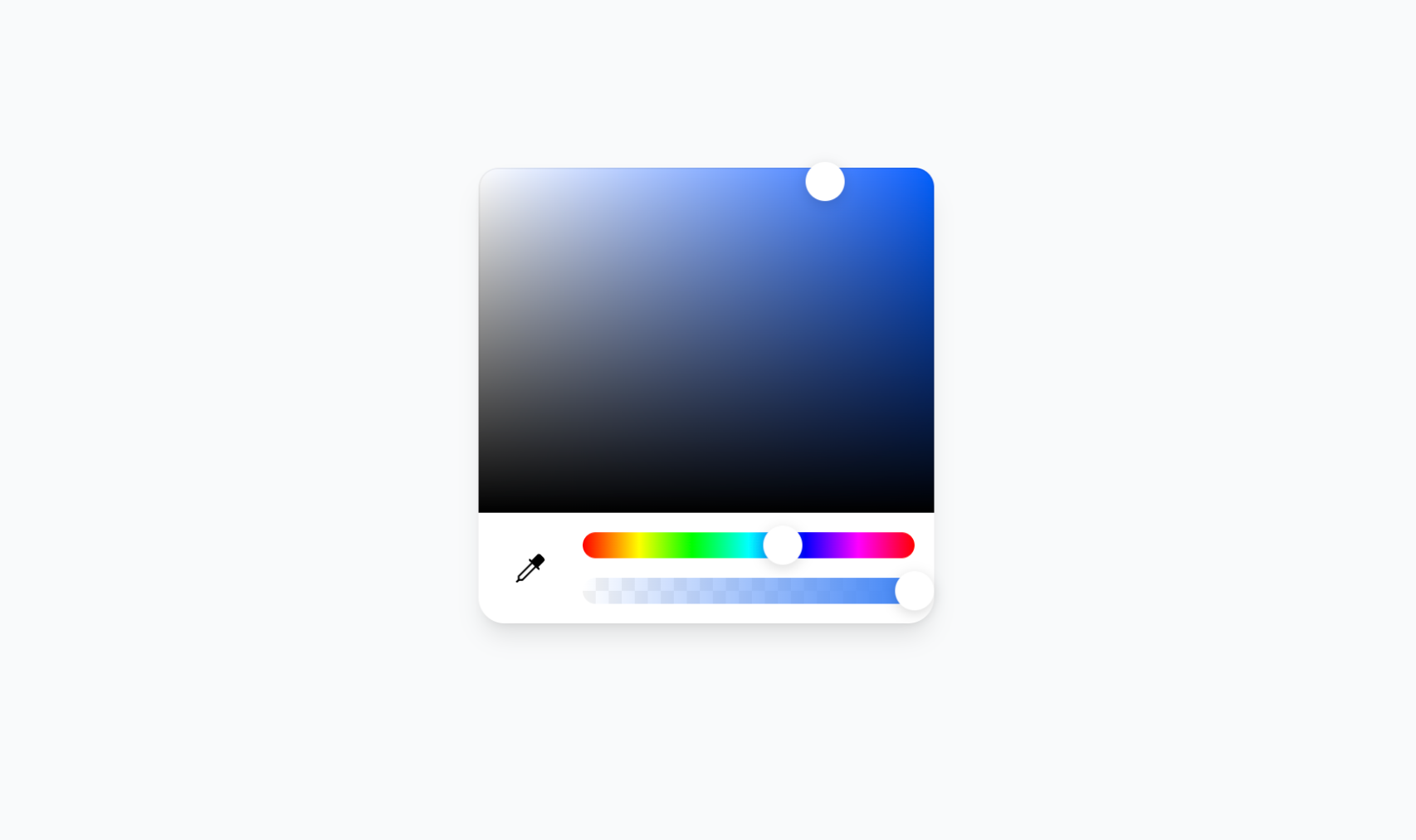
The most flexible and beautiful color picker for React. Built with compound components for maximum customization.
Why Choose This Over Others?
- 🧩 Compound Components - Compose your own layout, unlike rigid alternatives
- 🎨 Beautiful Design - Clean, modern UI that fits any design system
- ⚡ Smart Hook -
useColorStatepreserves your input format while providing all color formats instantly - 🛡️ Type-Safe API - Full TypeScript support with comprehensive type definitions
- 👁️ Eye Dropper Support - Built-in screen color picker (where browser supports it)
- 🎯 Format Preservation - Maintains your original color format throughout interactions
- 🌈 Universal Format Support - Hex, RGB/RGBA, HSL/HSLA, HSV/HSVA with alpha channel
- 🪶 Lightweight - Pure Tailwind CSS, no external dependencies
- 🛠️ Fully Customizable - Style and arrange components however you want
- 🔧 Rich Utilities - Comprehensive color conversion and manipulation utilities
Installation
bashbun add react-beautiful-color
Quick Start
1. Add CSS to your layout file:
tsx// app/layout.tsx (Next.js) or pages/_app.tsx or index.tsx import 'react-beautiful-color/dist/react-beautiful-color.css';
2. Use the component:
tsximport { ColorPicker, useColorState } from 'react-beautiful-color'; import { Pipette } from 'lucide-react'; function App() { const [{ colorInput, colorState }, setColor] = useColorState({ type: 'hex', value: '#3b82f6' }); return ( <ColorPicker color={colorInput} onChange={setColor}> <ColorPicker.Saturation className="flex-1 mb-3" /> <div className="flex items-center gap-3 p-3 pt-0"> <ColorPicker.EyeDropper> <Pipette /> </ColorPicker.EyeDropper> <div className="flex-1 flex flex-col gap-3"> <ColorPicker.Hue className="h-4" /> <ColorPicker.Alpha className="h-4" /> </div> </div> </ColorPicker> ); }
Components
🎨 ColorPicker
Compose your own layout with these sub-components:
ColorPicker.Saturation- Saturation and brightness selection areaColorPicker.Hue- Hue selection sliderColorPicker.Alpha- Alpha/transparency sliderColorPicker.EyeDropper- Eye dropper tool (browser-dependent)
📖 Learn more about ColorPicker →
⚡ useColorState Hook
Intelligent state management with format preservation:
tsxconst [{ colorInput, colorState }, setColor] = useColorState({ type: 'hsva', h: 334, s: 100, v: 100, a: 0.5 }); // colorInput preserves your format - always HSVA! console.log(colorInput); // { type: 'hsva', h: 334, s: 100, v: 100, a: 0.5 } // colorState provides ALL formats instantly console.log(colorState.hex); // "#ff6b9d" console.log(colorState.rgb); // { r: 255, g: 107, b: 157 } console.log(colorState.hsl); // { h: 334, s: 100, l: 71 } console.log(colorState.alpha); // 0.5
📖 Learn more about useColorState →
Utilities
Powerful color conversion and manipulation utilities:
tsximport { hexToRgb, rgbToHex, hexToHsl, hslToHex } from 'react-beautiful-color'; // Color conversions const rgb = hexToRgb('#ff6b9d'); // { r: 255, g: 107, b: 157 } const hex = rgbToHex(255, 107, 157); // "#ff6b9d" const hsl = hexToHsl('#ff6b9d'); // { h: 334, s: 100, l: 71 }
📖 View all utility functions →
Advanced Usage
Multiple Format Support
Set colors in any format with complete type safety:
tsxsetColor({ type: 'hex', value: '#ff0000' }); setColor({ type: 'rgb', r: 255, g: 0, b: 0 }); setColor({ type: 'hsl', h: 0, s: 100, l: 50 }); setColor({ type: 'rgba', r: 255, g: 0, b: 0, a: 0.5 }); setColor({ type: 'hsla', h: 0, s: 100, l: 50, a: 0.8 }); setColor({ type: 'hsva', h: 0, s: 100, v: 100, a: 0.9 });
Alternative without Hook
Use the Color class directly for more control:
tsximport { useState } from 'react'; import { ColorPicker, Color } from 'react-beautiful-color'; function App() { const [color, setColor] = useState(new Color({ type: 'hex', value: '#3b82f6' })); // Access color properties const rgba = color.getRgba(); const hex = color.getHex(); const hsl = color.getHsl(); return ( <ColorPicker color={color} onChange={setColor}> <ColorPicker.Saturation className="flex-1 mb-3" /> <div className="flex items-center gap-3 p-3 pt-0"> <ColorPicker.EyeDropper /> <div className="flex-1 flex flex-col gap-3"> <ColorPicker.Hue className="h-4" /> <ColorPicker.Alpha className="h-4" /> </div> </div> </ColorPicker> ); }
Documentation
- Getting Started - Installation and basic setup
- ColorPicker Component - Main component API
- useColorState Hook - Intelligent state management
- Individual Components - Saturation, Hue, Alpha components
- Utility Functions - Color conversion utilities
Support
<a href="https://www.buymeacoffee.com/ozergklp" target="_blank"><img src="https://www.buymeacoffee.com/assets/img/custom_images/orange_img.png" alt="Buy Me A Coffee" style="height: 41px !important;width: 174px !important;box-shadow: 0px 3px 2px 0px rgba(190, 190, 190, 0.5) !important;-webkit-box-shadow: 0px 3px 2px 0px rgba(190, 190, 190, 0.5) !important;" ></a>
Contributors
Showing top 4 contributors by commit count.


![vercel[bot]](https://avatars.githubusercontent.com/in/8329?v=4)
Related Repositories

paperswithbacktest/awesome-systematic-trading
A curated list of awesome libraries, packages, strategies, books, blogs, tutorials for systematic trading.

wangzhe3224/awesome-systematic-trading
A curated list of insanely awesome libraries, packages and resources for systematic trading. Crypto, Stock, Futures, Options, CFDs, FX, and more | 量化交易 | 量化投资

wangrui460/WRNavigationBar
超简单!!! 一行代码设置状态栏、导航栏按钮、标题、颜色、透明度,移动等 WRNavigationBar which allows you to change NavigationBar's appearance dynamically

lusaxweb/vuesax-next
Vuesax v4: framework components for Vuejs

chrispsn/mesh
Old version. Visualise data and edit JavaScript code using a spreadsheet interface.

ststeiger/PdfSharpCore
Port of the PdfSharp library to .NET Core - largely removed GDI+ (only missing GetFontData - which can be replaced with freetype2)