TelegraphKit
📜 The ultimate solution for showing ad hoc, server-editable web content (FAQs, Tutorials, Privacy Policy, etc.) in your iOS apps
**TelegraphKit** allows you to show web-content from [telegra.ph](https://telegra.ph) in a way that looks & feels native on an iOS device. The project is written primarily in Swift, distributed under the MIT License license, first published in 2021. Key topics include: ios, ios-swift, swift, telegraph.
TelegraphKit
<img src="_Media/icon.png" width="70">TelegraphKit allows you to show web-content from telegra.ph in a way that looks & feels native on an iOS device.
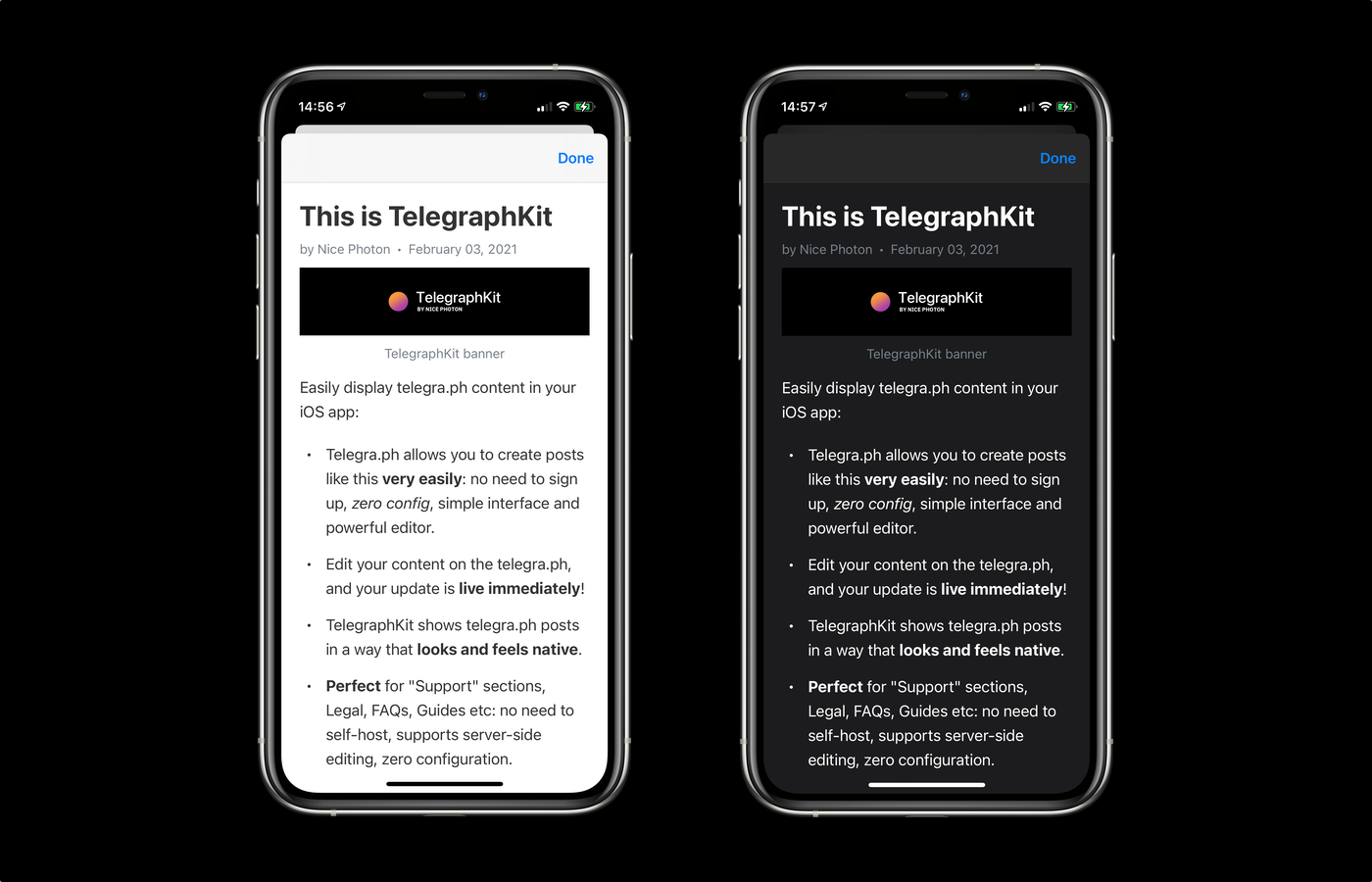
"Wait, what on Earth is telegra.ph?"
Telegraph is "a publishing tool that lets you create richly formatted posts with photos and all sorts of embedded stuff". It's main advantage is that you can create posts in seconds, with no need for an account and no configuration. And then using TelegraphKit you can easily show these posts in your app.
Maintainer: @dreymonde
Huge thanks to @danielpunkass for his post "Supporting Dark Mode: In-App Web Content", it helped us tremendously!
Usage
-
Create a post on telegra.ph. There is no need to create an account or configure anything. Tap "PUBLISH" and copy the link.
-
Add TelegraphKit to your project (see "Installation" section below)
-
Somewhere in your project:
swiftimport TelegraphKit let url = URL(string: "<your-telegraph-url>")! let telegraphVC = TelegraphViewController(url: url) let nvc = UINavigationController(rootViewController: telegraphVC) self.present(nvc, animated: true)
Guide
TelegraphKit is built on top of WKWebView that adds a few extra features specifically for telegra.ph articles:
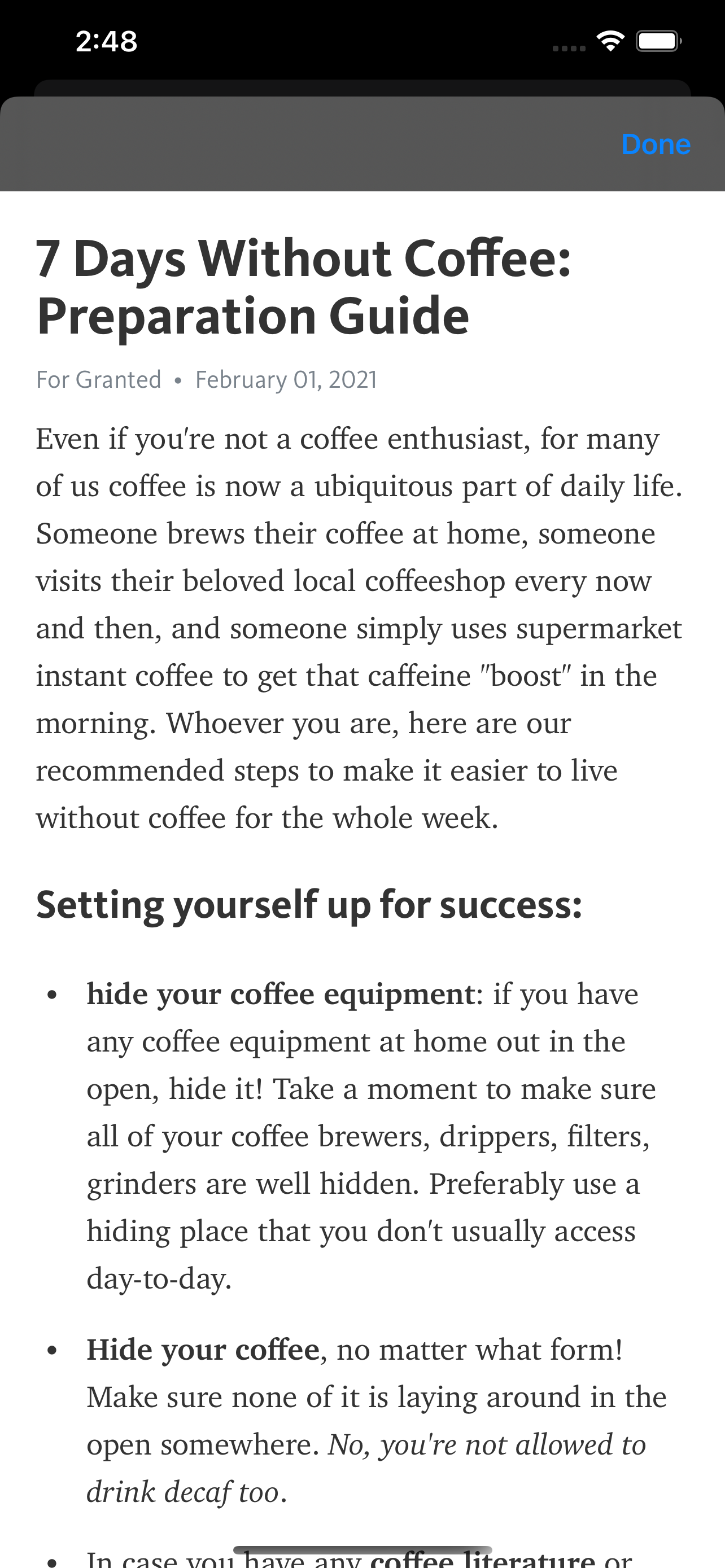
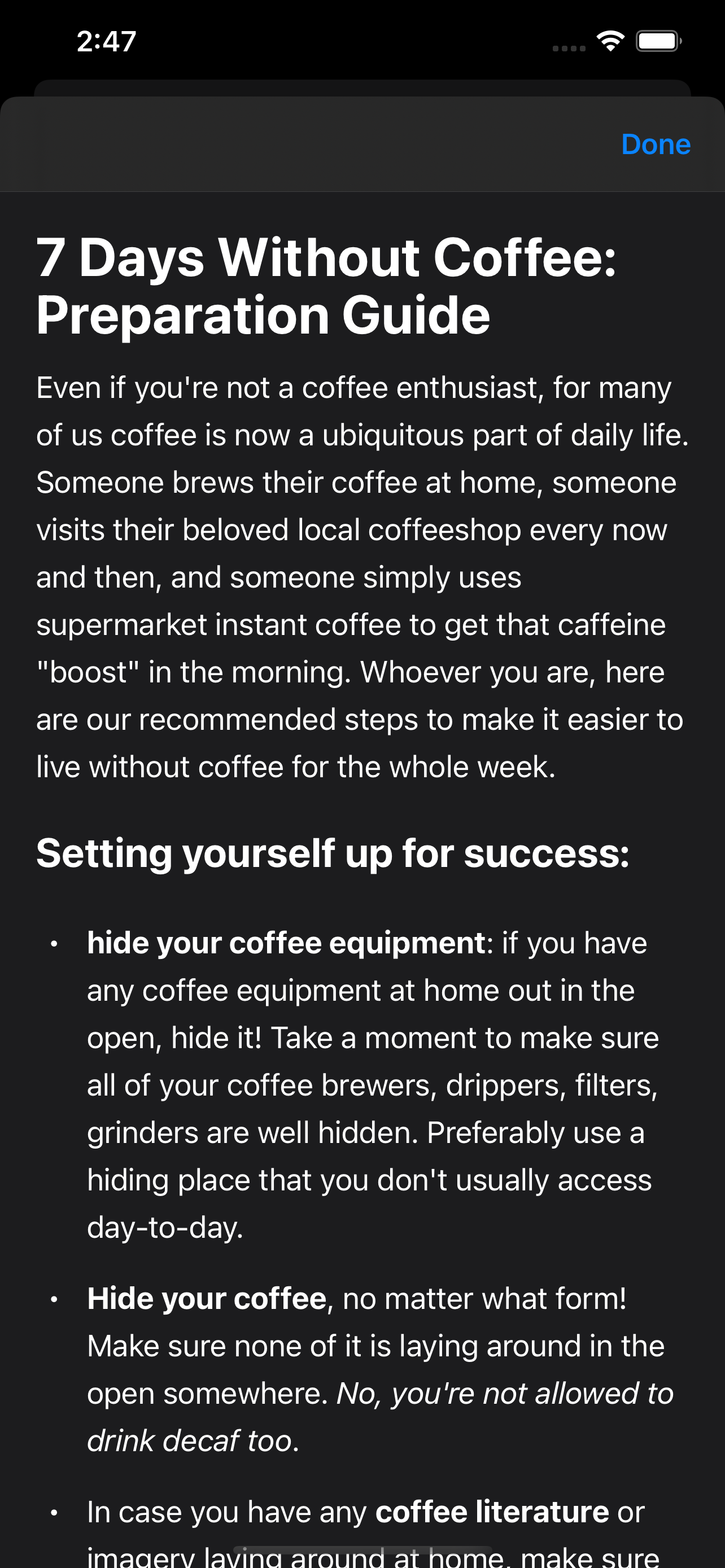
- Dark Mode support (Telegraph web-version only supports light mode)
- Native fonts: TelegraphKit substitutes Telegra.ph fonts for Apple system ones in order to achieve that "native look and feel" (this can be configured)
- Customization: select between system and telegra.ph font styles, hide the author & date section, disable text selection & more.
- Layout improvements: TelegraphKit makes slight adjustments to the layout of the page to make it look best inside iOS apps
| Default telegra.ph look | TelegraphKit version |
|---|---|
 |  |
Creating TelegraphViewController
swiftlet telegraphVC = TelegraphViewController(url: URL(string: "https://telegra.ph/This-is-TelegraphKit-02-03")!) // or let telegraphVC = TelegraphViewController(postID: "This-is-TelegraphKit-02-03")
Customizing the appearance
You can configure the appearance of your TelegraphViewController by using TelegraphViewController.Appearance struct:
swiftlet telegraphVC = TelegraphViewController(postID: "<your-post-id>", appearance: .appleSystem)
TelegraphKit provides you with two presets:
swiftTelegraphViewController.Appearance --->.appleSystem // (default) --->.telegraph --->.defaultAppearance // (equals .appleSystem by default)
You can fine-tune the appearance by creating it directly:
swiftTelegraphViewController.Appearance( fontStyle: TelegraphViewController.Appearance.FontStyle, // .appleSystem or .telegraph hideAuthor: Bool, darkModeSupport: Bool, // true by default disableImageInteraction: Bool, // true by default disableSelection: Bool // false by default )
To change the default appearance globally, you can modify TelegraphViewController.Appearance.defaultAppearance:
swift// Somewhere in AppDelegate.swift or similar: TelegraphViewController.Appearance.defaultAppearance = .telegraph
SwiftUI
Since version 0.1.0, TelegraphKit provides a TelegraphView for SwiftUI
swiftTelegraphView( postID: "<YOUR-POST-ID>", appearance: .appleSystem // optional )
To automatically add "Done" button at the top right of the screen, use .dismissable():
swiftTelegraphView( postID: "<YOUR-POST-ID>", appearance: .appleSystem // optional ) .dismissable() // will show "Done"
swift.dismissable(doneButtonTitle: "Cancel") // optional: customize done button title
Full usage example:
swiftstruct ExampleView: View { @State var showWebPage: Bool var body: some View { ZStack { Button("Open Telegraph") { showWebPage = true } } .sheet(isPresented: $showWebPage) { TelegraphView( postID: "<YOUR-POST-ID>", appearance: .appleSystem // optional ) .dismissable() } } }
Installation
Swift Package Manager
- Click File → Swift Packages → Add Package Dependency.
- Enter
http://github.com/dreymonde/TelegraphKit.git.
Contributors
Showing top 1 contributor by commit count.

Related Repositories

flutter/flutter
Flutter makes it easy and fast to build beautiful apps for mobile and beyond

facebook/react-native
A framework for building native applications using React

justjavac/free-programming-books-zh_CN
:books: 免费的计算机编程类中文书籍,欢迎投稿

rustdesk/rustdesk
An open-source remote desktop application designed for self-hosting, as an alternative to TeamViewer.

Solido/awesome-flutter
An awesome list that curates the best Flutter libraries, tools, tutorials, articles and more.

FiloSottile/mkcert
A simple zero-config tool to make locally trusted development certificates with any names you'd like.