

FogView Library
FogView is a android library that can show fog on any layout and the fog removes when user rubs it.
If you want use this library, you can download project and import it into your workspace and add the project as a library in your android project settings. The project is written primarily in Java, first published in 2016. Key topics include: android, android-library, custom-view, fog, rub.
Fog View Android Library



Min SDK 8 (Android 2.2–2.2.3 Froyo)
Screnshots
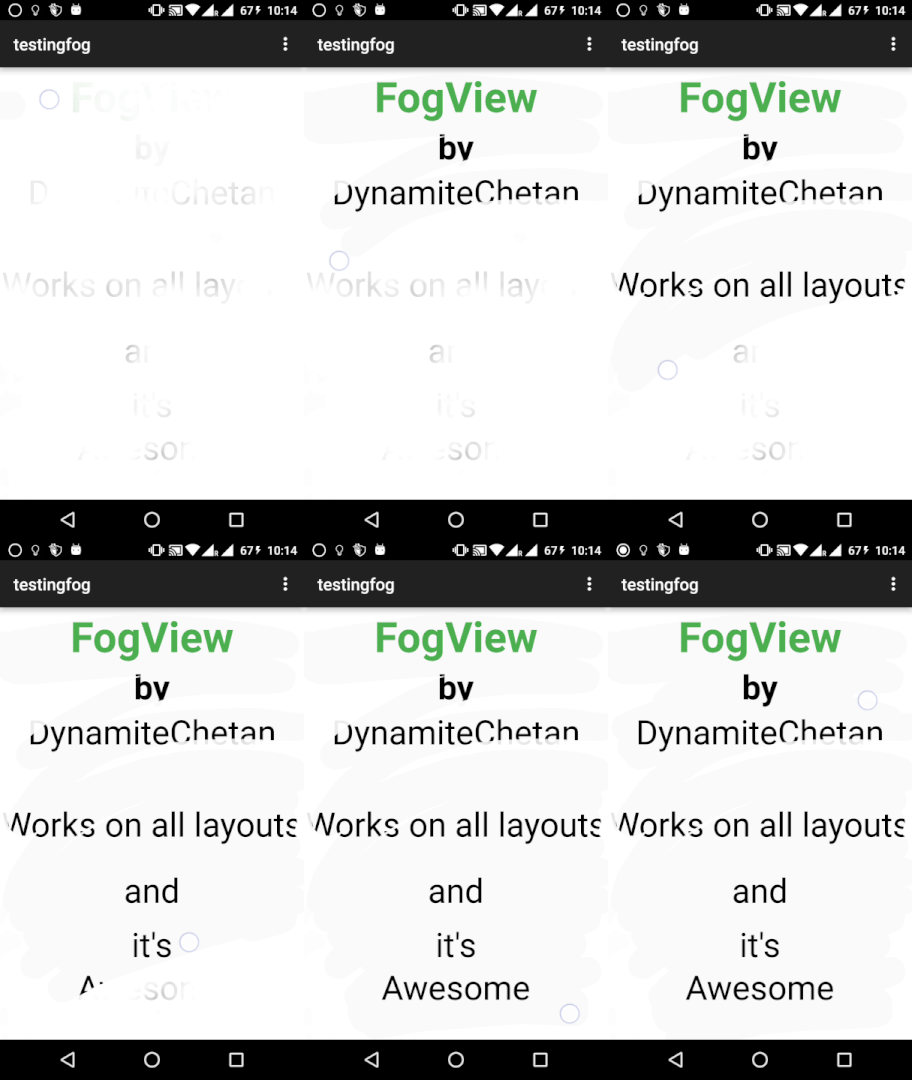
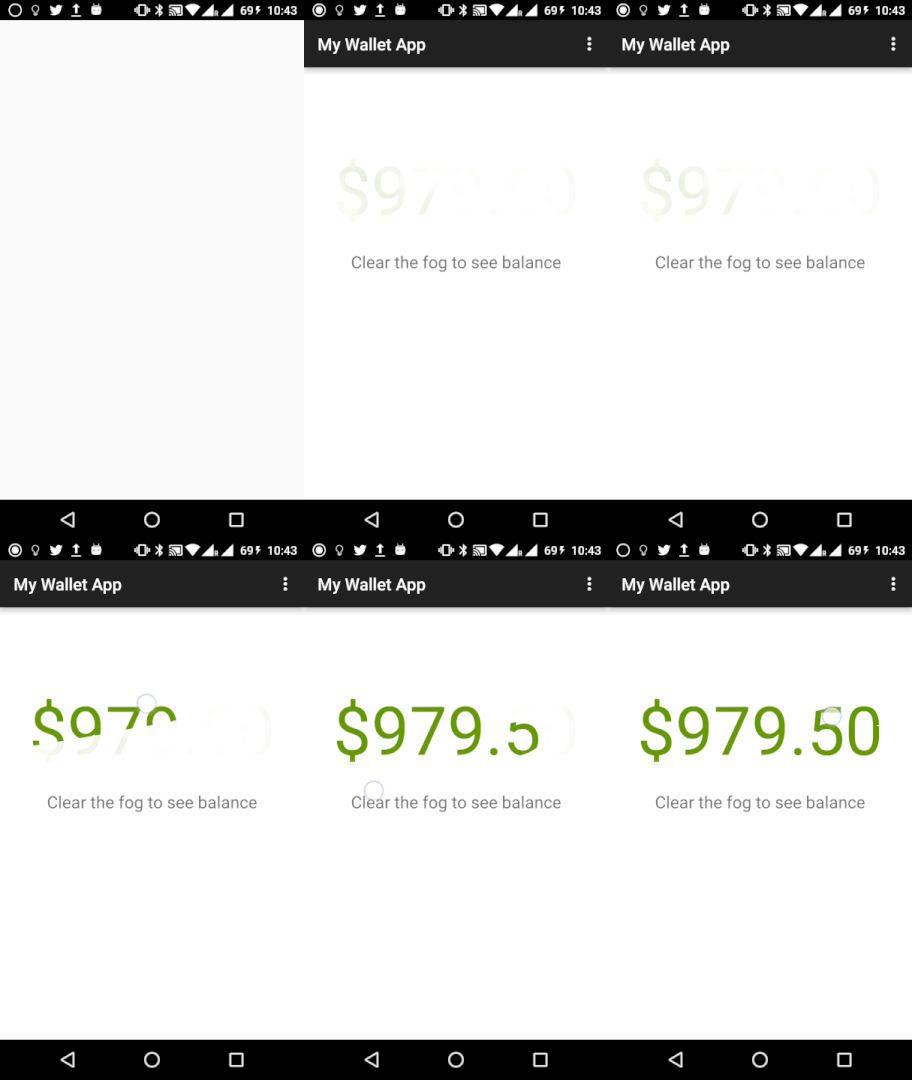
How to use
If you want use this library, you can download project and import it into your workspace and add the project as a library in your android project settings.
Or you can use the gradle dependency, you have to add these lines in your build.gradle file:
Method 1
xmlrepositories { jcenter() } dependencies { compile 'com.dynamitechetan.fogviewlibrary:FogViewLibrary:1.0.0' }
If the above code didn't worked try using Method 2
Method 2
xmlrepositories { maven { url 'https://dl.bintray.com/dynamitechetan/maven' } } dependencies { compile 'com.dynamitechetan.fogviewlibrary:FogViewLibrary:1.0.0@aar' }
or Using Maven:
xml<dependency> <groupId>com.dynamitechetan.fogviewlibrary</groupId> <artifactId>FogViewLibrary</artifactId> <version>1.0.0</version> <type>pom</type> </dependency>
BASIC USAGE
xml<com.dynamitechetan.fogviewlibrary.FogView android:id="@+id/RubFog" android:layout_width="match_parent" android:layout_height="match_parent" />
The FogView have some custom attributes, to use them , you must add this line in your xml file in the first component:
xml<RelativeLayout xmlns:android="http://schemas.android.com/apk/res/android" xmlns:fog="http://schemas.android.com/apk/res-auto" android:layout_width="match_parent" android:layout_height="match_parent" > </RelativeLayout>
USING A CUSTOM FOG IMAGE
xml<com.dynamitechetan.fogviewlibrary.FogView android:id="@+id/RubFog" android:layout_width="match_parent" android:layout_height="match_parent" fog:fog_image="@drawable/my_fog_image" />
Two fog images are provided with the library, to use them:
xmlfog:fog_image="@drawable/fog"
or
use this for a denser fog image
xmlfog:fog_image="@drawable/fog_dense"
USING A CUSTOM STROKE WIDTH
Default Stroke Width is 75
xmlfog:stroke_width="100"
License
Copyright (c) 2016 Chetan Kaushik
Licensed under the Apache License, Version 2.0
Contributors
Showing top 1 contributor by commit count.

Related Repositories

flutter/flutter
Flutter makes it easy and fast to build beautiful apps for mobile and beyond

Genymobile/scrcpy
Display and control your Android device

react/react-native
A framework for building native applications using React

justjavac/free-programming-books-zh_CN
:books: 免费的计算机编程类中文书籍,欢迎投稿

rustdesk/rustdesk
An open-source remote desktop application designed for self-hosting, as an alternative to TeamViewer.

Hack-with-Github/Awesome-Hacking
A collection of various awesome lists for hackers, pentesters and security researchers