

KotlinPleaseAnimate
Kotlin, please, can you animate my views ?
A Kotlin way to declare and run beautiful animations ! Please be gentle with Kotlin :) The project is written primarily in Kotlin, distributed under the Apache License 2.0 license, first published in 2018. Key topics include: animate, animation, animator, design, duration.
Kotlin Please Animate



Kotlin, please, can you animate my views ?
A Kotlin way to declare and run beautiful animations !
Please be gentle with Kotlin :)
kotlinplease { animate(avatar) toBe { bottomOfItsParent(marginDp = 36f) leftOfItsParent(marginDp = 16f) width(40, keepRatio = true, toDp = true) } }.start()
Download
<a href='https://ko-fi.com/A160LCC' target='_blank'><img height='36' style='border:0px;height:36px;' src='https://az743702.vo.msecnd.net/cdn/kofi1.png?v=0' border='0' alt='Buy Me a Coffee at ko-fi.com' /></a>
In your module 
groovyimplementation 'com.github.florent37:kotlinpleaseanimate:1.0.2'
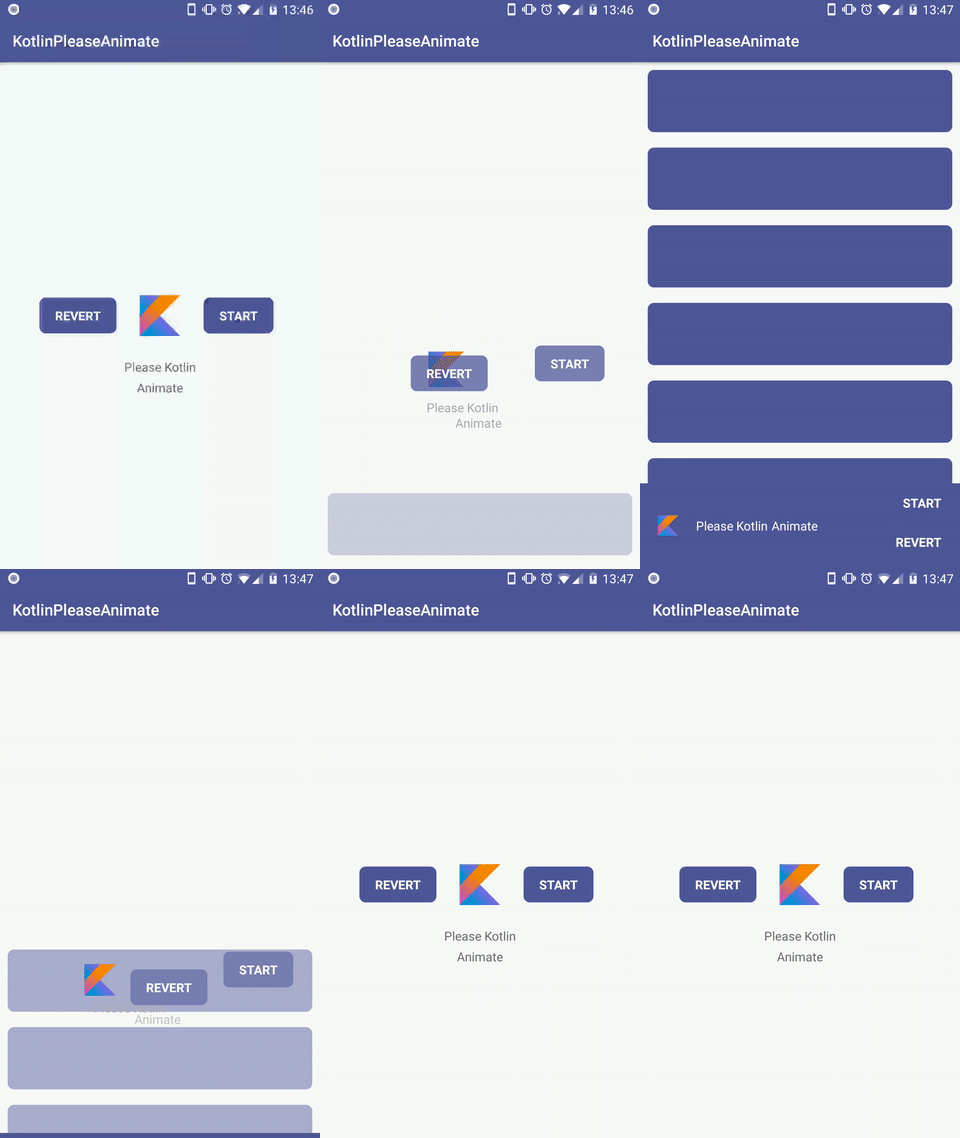
This code describe the video above
kotlinplease(duration = 1500L) { animate(avatar) toBe { bottomOfItsParent(marginDp = 36f) leftOfItsParent(marginDp = 16f) visible() width(40, keepRatio = true, toDp = true) } animate(name) toBe { rightOf(avatar, marginDp = 16f) sameCenterVerticalAs(avatar) textColor(Color.WHITE) } animate(subname) toBe { rightOf(name, marginDp = 5f) sameCenterVerticalAs(name) textColor(Color.WHITE) } animate(revert) toBe { rightOfItsParent(marginDp = 4f) bottomOfItsParent(marginDp = 12f) backgroundAlpha(0f) } animate(start) toBe { aboveOf(revert, marginDp = 4f) rightOfItsParent(marginDp = 4f) backgroundAlpha(0f) } animate(bottomLayout) toBe { originalPosition() } animate(content) toBe { originalPosition() visible() } }.start()
Follow scroll
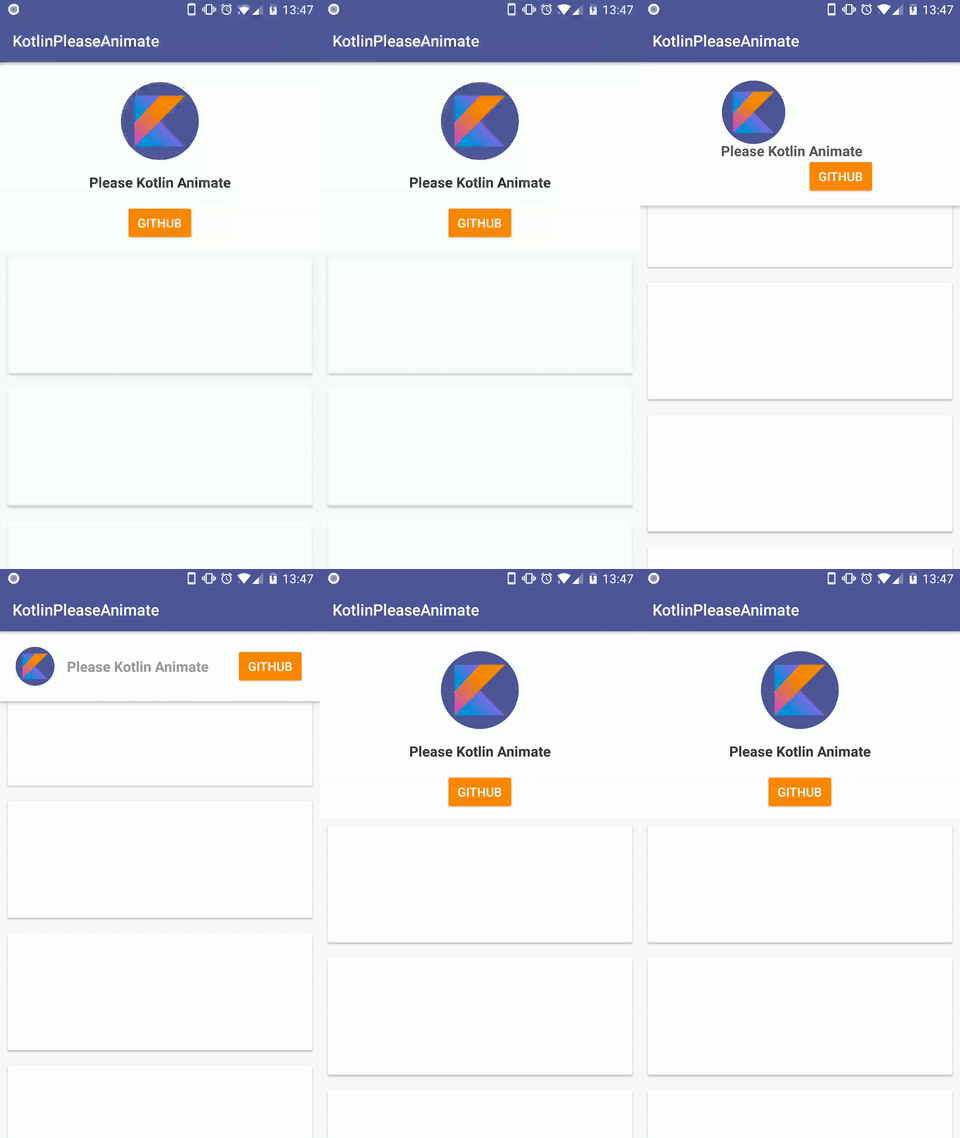
Use setPercent to apply modify the current step of the animation
Exemple with a scrollview
kotlinval animation = please { animate(avatar) toBe { topOfItsParent(marginDp = 20f) leftOfItsParent(marginDp = 20f) scale(0.5f, 0.5f) } animate(username) toBe { rightOf(avatar, marginDp = 16f) sameCenterVerticalAs(avatar) alpha(0.5f) } animate(revert) toBe { rightOfItsParent(marginDp = 20f) sameCenterVerticalAs(avatar) } animate(background) toBe { height(h, horizontalGravity = Gravity.LEFT, verticalGravity = Gravity.TOP) } } scrollview.setOnScrollChangeListener(NestedScrollView.OnScrollChangeListener { v, scrollX, scrollY, oldScrollX, oldScrollY -> val percent = scrollY * 1f / v.maxScrollAmount animation.setPercent(percent) })
Chain animations
Just ask the kotlin's animation if he wants to execute another animation after, using thenCouldYou animate
please(duration = 1000L) {
   animate(image, withCameraDistance = 500f) toBe {
      flippedHorizontally()
   }
}.thenCouldYou(duration = 500L) {
   animate(image, withCameraDistance = 1000f) toBe {
      alpha(0.5f)
   }
}.start()
Apply directly
If you want your animation to be applied directly, be bossy with kotlin and force it to apply it using now() !
kotlinplease { animate(view) toBe { outOfScreen(Gravity.BOTTOM) } }.now();
Reset
Use reset to return to the initial state of views
kotlinanimation.reset():
List of expectations
please {
  animate(view) { //toBe is optional

     rightOf(view, marginDp=)
     leftOf(view, marginDp=)
     belowOf(view, marginDp=)
     aboveOf(view, marginDp=)

     originalPosition()

     sameCenterAs(view, horizontal=, vertical=)
     sameCenterHorizontalAs(view)
     sameCenterVerticalAs(view)
     centerInParent(horizontal=, vertical=)
     centerVerticalInParent()
     centerHorizontalInParent()

     centerBetweenViews(view1, view2, horizontal, vertical)
     centerBetweenViewAndParent(otherView, horizontal, vertical, toBeOnRight, toBeOnBottom)

     topOfItsParent()
     rightOfItsParent()
     bottomOfItsParent()
     leftOfItsParent()

     alignBottom(otherView, marginDp=)
     alignTop(otherView)
     alignLeft(otherView)
     alignRight(otherView)

     outOfScreen(gravitiy)  //Gravity.LEFT / Gravity.RIGHT / Gravity.TOP / Gravity.BOTTOM

     alpha(alpha)
     sameAlphaAs(otherView)
     visible()
     invisible()

     custom(object: CustomAnimExpectation(){ ... })

     originalScale()

     scale(scaleX, scaleY)
     height(height, keepRatio=, useDp=)
     width(width, keepRatio=, useDp=)
     sameScaleAs(otherView)
     sameWidthAs(otherView)
     sameHeightAs(otherView)

     marginTop(margin)
     marginBottom(margin)
     marginRight(margin)
     marginLeft(margin)

     paddingTop(padding)
     paddingBottom(padding)
     paddingRight(padding)
     paddingLeft(padding)

     textColor(textColor)
     textSize(textSize)
     backgroundAlpha(alpha)

     rotated(rotation)
     vertical(bottomOfViewAtLeft)
     atItsOriginalRotation()
}
Credits
Author: Florent Champigny
Blog : http://www.tutos-android-france.com/
Fiches Plateau Moto : https://www.fiches-plateau-moto.fr/
Forked from ExpectAnim: https://github.com/florent37/ExpectAnim
<a href="https://goo.gl/WXW8Dc"> <img alt="Android app on Google Play" src="https://developer.android.com/images/brand/en_app_rgb_wo_45.png" /> </a> <a href="https://plus.google.com/+florentchampigny"> <img alt="Follow me on Google+" src="https://raw.githubusercontent.com/florent37/DaVinci/master/mobile/src/main/res/drawable-hdpi/gplus.png" /> </a> <a href="https://twitter.com/florent_champ"> <img alt="Follow me on Twitter" src="https://raw.githubusercontent.com/florent37/DaVinci/master/mobile/src/main/res/drawable-hdpi/twitter.png" /> </a> <a href="https://fr.linkedin.com/in/florentchampigny"> <img alt="Follow me on LinkedIn" src="https://raw.githubusercontent.com/florent37/DaVinci/master/mobile/src/main/res/drawable-hdpi/linkedin.png" /> </a>License
Copyright 2018 florent37, Inc.

Licensed under the Apache License, Version 2.0 (the "License");
you may not use this file except in compliance with the License.
You may obtain a copy of the License at

   http://www.apache.org/licenses/LICENSE-2.0

Unless required by applicable law or agreed to in writing, software
distributed under the License is distributed on an "AS IS" BASIS,
WITHOUT WARRANTIES OR CONDITIONS OF ANY KIND, either express or implied.
See the License for the specific language governing permissions and
limitations under the License.
Contributors
Showing top 3 contributors by commit count.


Related Repositories

sghall/react-move
React Move | Beautiful, data-driven animations for React

ivanvorobei/SwiftUI
Examples projects using SwiftUI released by WWDC2019. Include Layout, UI, Animations, Gestures, Draw and Data.

ibelick/motion-primitives
UI kit to make beautiful, animated interfaces, faster. Customizable. Open Source.

romboHQ/tailwindcss-motion
tailwindcss-motion is a Tailwind CSS Plugin made at RomboHQ. It’s a simple, yet powerful, animation library with a simple syntax.

Krupen/FabulousFilter
Android library to animate Floating Action Button to Bottom Sheet Dialog and vice-versa

beekai-oss/react-simple-animate
🎯 React UI animation made easy