Httpit
A rapid http(s) benchmark tool written in Go
`httpit` is a rapid http(s) benchmark tool which on top of [fasthttp](https://github.com/valyala/fasthttp). Also thanks to [cobra](https://github.com/spf13/cobra) and [bubbletea](https://github.com/charmbracelet/bubbletea). The project is written primarily in Go, distributed under the MIT License license, first published in 2021. Key topics include: benchmark, fast, go, golang, gonetx.
gonetx/httpit
<p align="center"> <a href="https://github.com/gonetx/httpit/actions?query=workflow%3ASecurity"> <img src="https://img.shields.io/github/workflow/status/gonetx/httpit/Security?label=%F0%9F%94%91%20gosec&style=flat&color=75C46B"> </a> <a href="https://github.com/gonetx/httpit/actions?query=workflow%3ATest"> <img src="https://img.shields.io/github/workflow/status/gonetx/httpit/Test?label=%F0%9F%A7%AA%20tests&style=flat&color=75C46B"> </a> <a href="https://codecov.io/gh/gonetx/httpit"> <img src="https://codecov.io/gh/gonetx/httpit/branch/main/graph/badge.svg?token=RABB5SC45Y"/> </a> <a href="https://github.com/gonetx/httpit#donate"> <img src="https://img.shields.io/badge/donate-bitcoin-yellow.svg"/> </a> </p>httpit is a rapid http(s) benchmark tool which on top of fasthttp. Also thanks to cobra and bubbletea.
Installation
Get binaries from releases or via
// go1.16+
go install github.com/gonetx/httpit@latest
// before go1.16
go get -u github.com/gonetx/httpit
Usage
bashUsage: httpit [url|:port|/path] [k:v|k:=v ...] [flags] Examples: httpit https://www.google.com -c1 -n5 => httpit -X GET https://www.google.com -c1 -n5 httpit :3000 -c1 -n5 => httpit -X GET http://localhost:3000 -c1 -n5 httpit /foo -c1 -n5 => httpit -X GET http://localhost/foo -c1 -n5 httpit :3000 -c1 -n5 foo:=bar => httpit -X GET http://localhost:3000 -c1 -n5 -H "Content-Type: application/json" -b='{"foo":"bar"}' httpit :3000 -c1 -n5 foo=bar => httpit -X POST http://localhost:3000 -c1 -n5 -H "Content-Type: application/x-www-form-urlencoded" -b="foo=bar" Flags: -c, --connections int Maximum number of concurrent connections (default 128) -n, --requests int Number of requests(if specified, then ignore the --duration) --qps int Highest qps value for a fixed benchmark (if specified, then ignore the -n|--requests) -d, --duration duration Duration of test (default 10s) -t, --timeout duration Socket/request timeout (default 3s) -X, --method string Http request method (default "GET") -H, --header strings HTTP request header with format "K: V", can be repeated Examples: -H "k1: v1" -H k2:v2 -H "k3: v3, k4: v4" --host string Override request host -a, --disableKeepAlives Disable HTTP keep-alive, if true, will set header Connection: close -b, --body string Http request body string -f, --file string Read http request body from file path -s, --stream Use stream body to reduce memory usage -J, --json Send json request by setting the Content-Type header to application/json -F, --form Send form request by setting the Content-Type header to application/x-www-form-urlencoded -k, --insecure Controls whether a client verifies the server's certificate chain and host name --cert string Path to the client's TLS Certificate --key string Path to the client's TLS Certificate Private Key --httpProxy string Http proxy address --socksProxy string Socks proxy address -p, --pipeline Use fasthttp pipeline client --follow Follow 30x Location redirects for debug mode --maxRedirects int Max redirect count of following 30x, default is 30 (work with --follow) -D, --debug Send request once and show request and response detail -h, --help help for httpit -v, --version version for httpit
Override host
Use --host to override Host header for the use case like curl "http://127.0.0.1" -H "Host: www.example.com" to bypass DNS resolving.
Proxy
Use --httpProxy and --socksProxy to specific proxies for some rare cases.
Pipeline
Use -p|--pipeline to specific fasthttp pipeline client.
Debug
Use -D|--debug to send a request once and view the whole info.
bashhttpit "http://httpbin.org/get" -JD Connected to httpbin.org(54.91.118.50:80) GET /get HTTP/1.1 User-Agent: fasthttp Host: httpbin.org Content-Type: application/json HTTP/1.1 200 OK Server: gunicorn/19.9.0 Date: Wed, 17 Mar 2021 04:33:00 GMT Content-Type: application/json Content-Length: 269 Connection: keep-alive Access-Control-Allow-Origin: * Access-Control-Allow-Credentials: true { "args": {}, "headers": { "Content-Type": "application/json", "Host": "httpbin.org", "User-Agent": "fasthttp", "X-Amzn-Trace-Id": "Root=1-6051867c-7effb4170f5e3057666ecb86" }, "origin": "54.91.118.50", "url": "http://httpbin.org/get" }
Examples
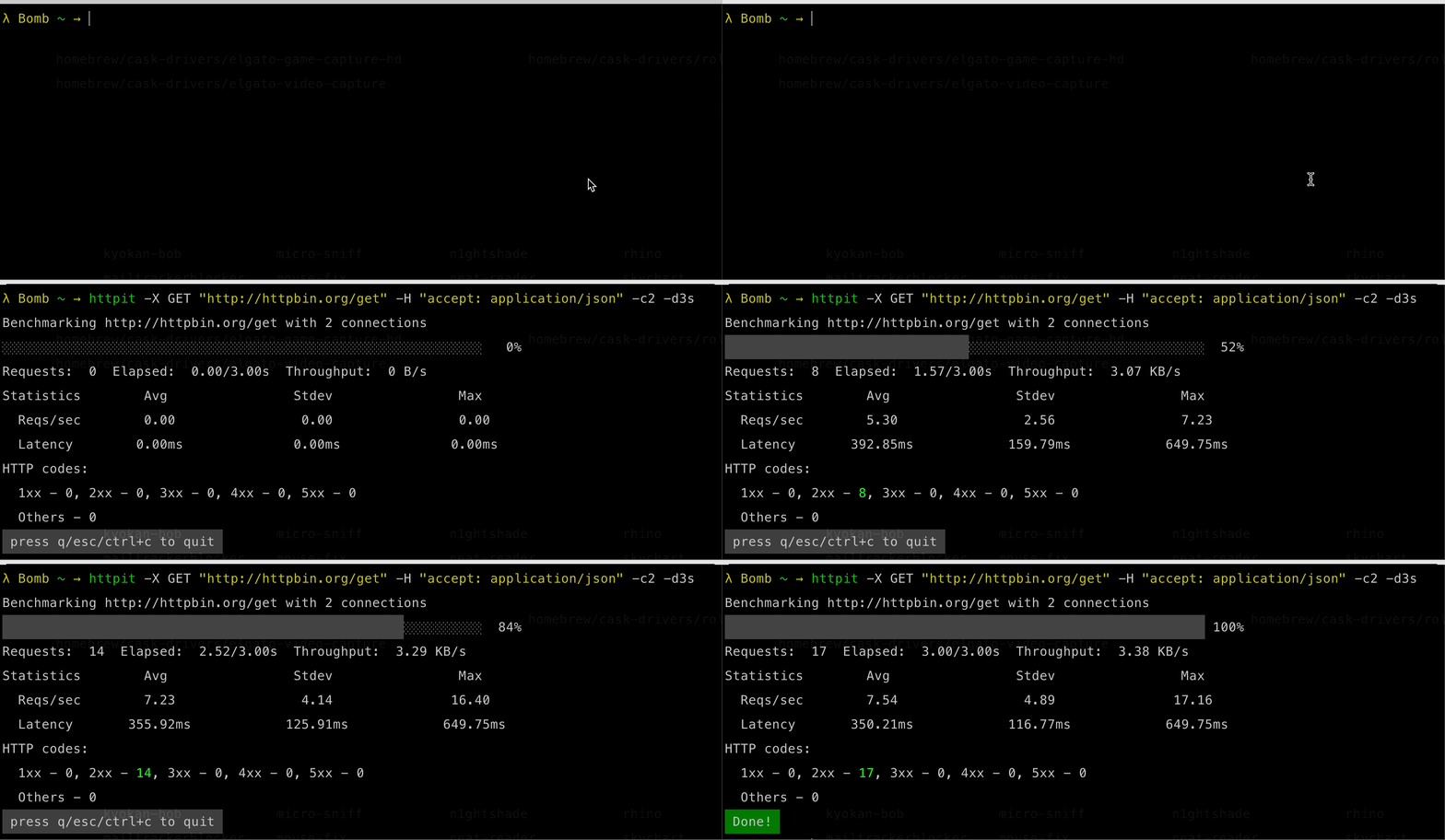
Use duration
httpit -X GET "http://httpbin.org/get" -H "accept: application/json" -c2 -d3s
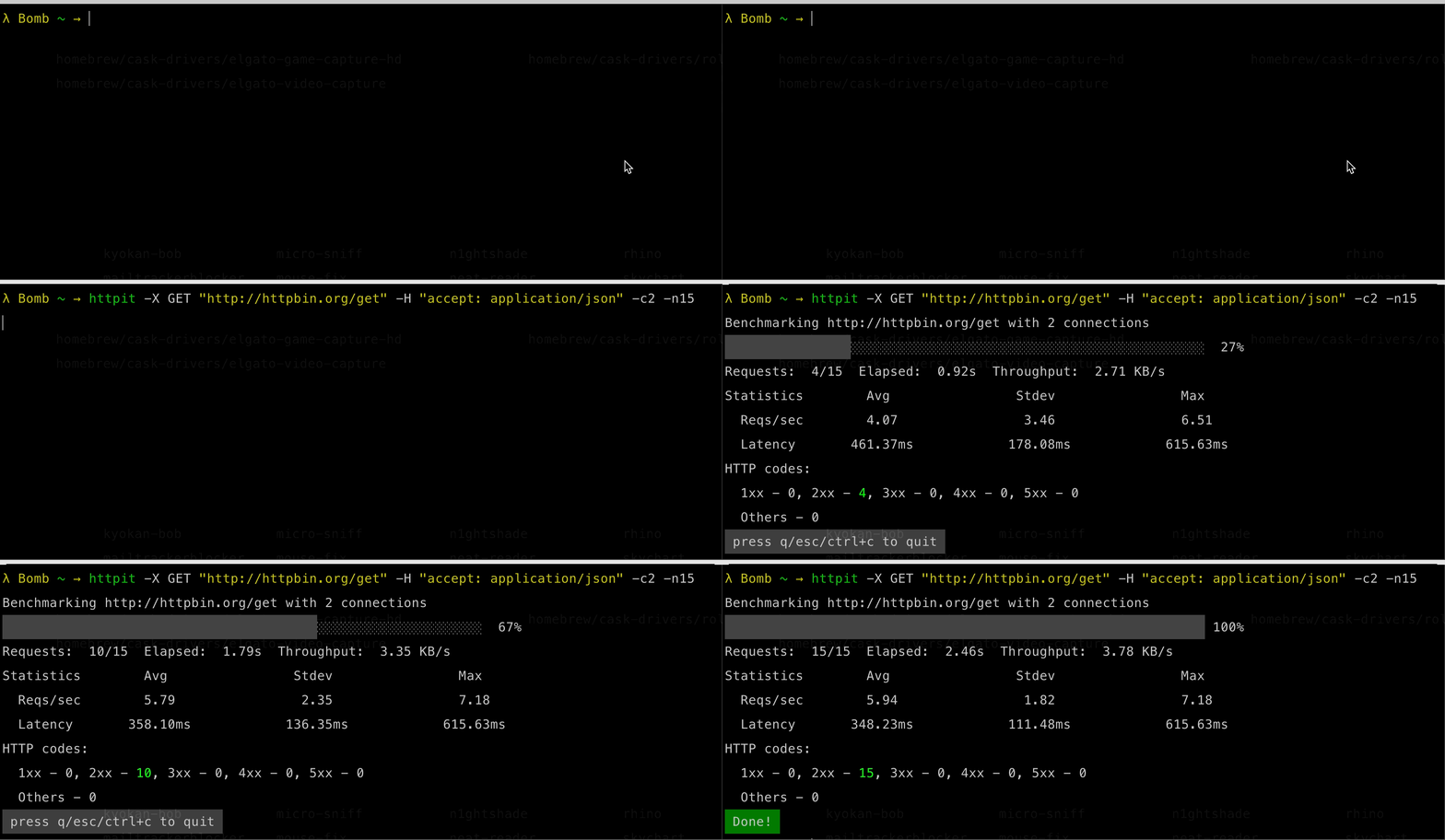
Use count
httpit -X GET "http://httpbin.org/get" -H "accept: application/json" -c2 -n15
Donate
If you use and love httpit, please consider sending some Satoshi to 3AJ3wgRP1mCxiFD8mqKkDZaCahwgDj3gSh.
In case you want to be mentioned as a sponsor, please let me know!

Support

Contributors
Showing top 3 contributors by commit count.

![dependabot[bot]](https://avatars.githubusercontent.com/in/29110?v=4)

Related Repositories

sharkdp/hyperfine
A command-line benchmarking tool

zalandoresearch/fashion-mnist
A MNIST-like fashion product database. Benchmark :point_down:

dotnet/BenchmarkDotNet
Powerful .NET library for benchmarking

mrgloom/awesome-semantic-segmentation
:metal: awesome-semantic-segmentation

hatoo/oha
Ohayou(おはよう), HTTP load generator, inspired by rakyll/hey with tui animation.

google/benchmark
A microbenchmark support library