

Network tech
Cisco config syntax and snippets for Sublime Text
Network Tech is a Package for Sublime Text providing Cisco config highlighting, auto completions and more. The project is written primarily in Python, distributed under the Apache License 2.0 license, first published in 2014. Key topics include: ace, asa, autocompletion, cisco, config.
Network Tech Documentation
Network Tech is a Package for Sublime Text providing Cisco config highlighting, auto completions and more.


Quick Start
-
Activate Package Control in Sublime Text
-
Install the package:
File Menu:
Tools→Command Pallet:keyboard:
Package Control: Install Package:keyboard:
<enter>:keyboard:
Network Tech:keyboard:
<enter> -
Enable the syntax highlighting
File Menu:
Tools→Command Pallet:keyboard:
Set Syntax: Cisco IOS:keyboard:
<enter>
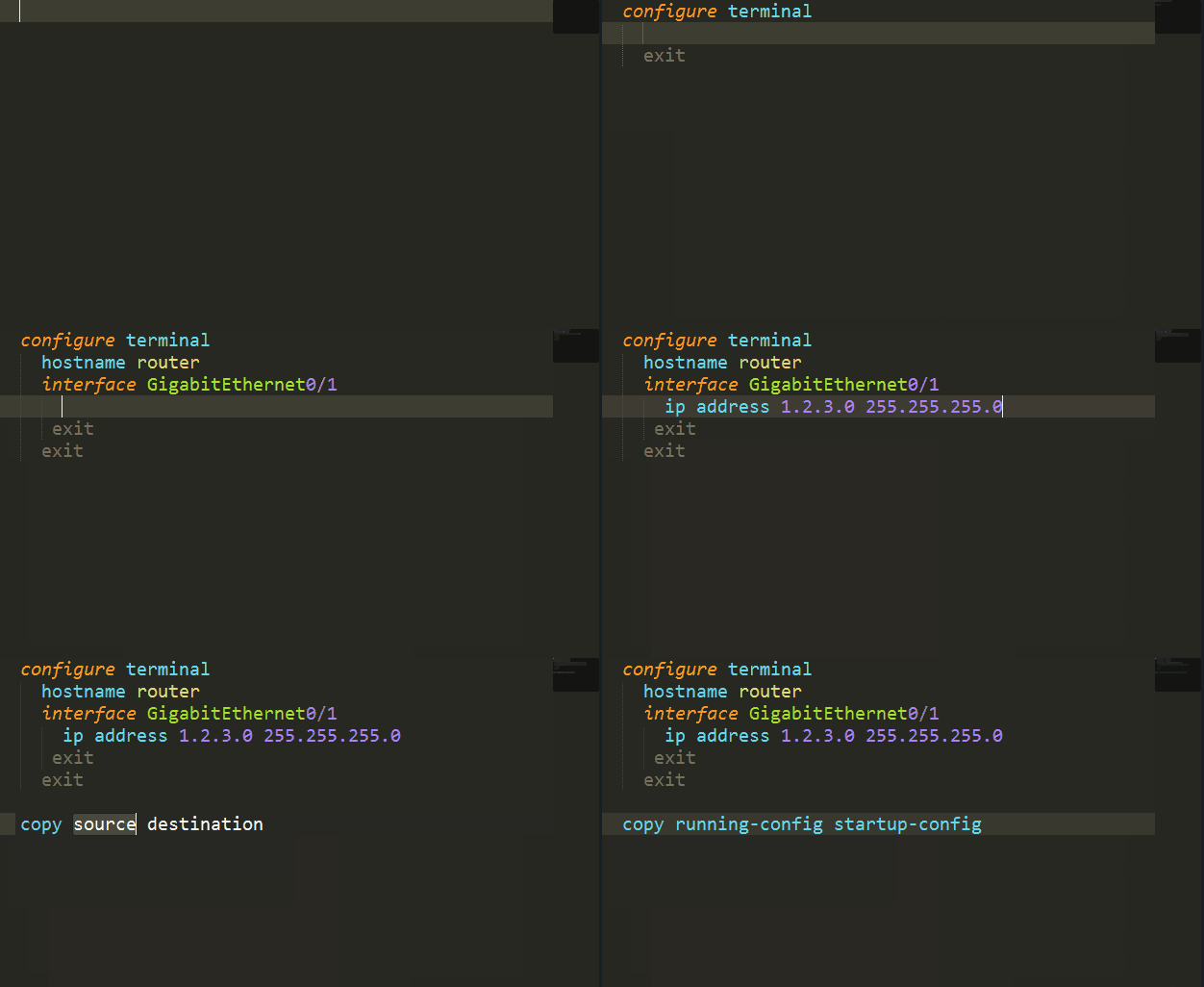
😎
Contributors
Showing top 5 contributors by commit count.


Related Repositories

securingsincity/react-ace
React Ace Component

acemod/ACE3
Open-source realism mod for Arma 3

agusmakmun/django-markdown-editor
🙌 Awesome Django Markdown Editor, supported for Bootstrap & Semantic-UI

DOCGroup/ACE_TAO
ACE and TAO

TruDan/dbdiagram-oss
Open-Source Implementation of the great dbdiagram.io

CrowdHailer/raxx
Interface for HTTP webservers, frameworks and clients