

Jetski
Authentication, analytics, and prompt visibility for MCP servers with zero code changes. Supports OAuth2.1, DCR, real-time logs, and client onboarding out of the box
Jetski is an **Open Source MCP Analytics and Authentication Platform** - part of HyprMCP. It solves the three biggest problems teams face when developing MCP servers with **zero code changes**: The project is written primarily in TypeScript, distributed under the MIT License license, first published in 2025. Key topics include: ai, angular, authentication, dynamic-client-registration, go.






🚤 What is Jetski?
Jetski is an Open Source MCP Analytics and Authentication Platform - part of HyprMCP.
It solves the three biggest problems teams face when developing MCP servers with zero code changes:
- Installation & Setup: Most users never make it past setup. They can't find client instructions or try to open your MCP URL in a browser and churn immediately.
- Authentication: Identifying users and giving them the right tools and responses is still painful to implement.
- Logs, Analytics & Visibility: No insight into how your MCP is used, which prompts trigger which tools, or why errors happen.
Our platform manages and deploys instances of our mcp-gateway that sits in front of your MCP server and handles the complexity.
It also collects and aggregates all analytics and metrics data captured by the gateway.
[!IMPORTANT]
Note that Jetski in under active development and is still in its infancy.
The APIs and command-line interface may change in a backwards incompatible manner.
🗄️ Table Of Contents
- What is Jetski?
- Features
- Quick Start
- Demo Video
- HyprMCP Components
- Architecture Diagram
- Need Help?
- Used Projects
- How to Contribute
- Contributors
- Activity
- License
✨ Features
| Comprehensive Prompt Analytics <br> See which prompts triggered which tools, from which clients, and what happened.<br>Gain complete visibility into your MCP server usage patterns and understand how users interact with your tools in real-time. | <img src=".readme/mcp-prompt-analytics.webp" alt="Prompt Analytics" style="width: 1000px"> |
| Auto-Generated Setup Instructions <br> Help users connect to the client effortlessly.<br>We automatically generate clear, step-by-step instructions for every supported MCP client, eliminating the #1 reason users churn during onboarding. | <img src=".readme/mcp-instructions.webp" alt="Setup Instructions" style="width: 1000px"> |
| Zero-Code Authentication <br> Identify and manage users securely without writing a single line of code.<br>Our proxy handles all authentication logic, allowing you to provide personalized tools and responses based on user identity. | <img src=".readme/mcp-authentication.webp" alt="Authentication" style="width: 1000px"> |
| Real-Time Debug Logs <br> Instantly debug issues and understand server behavior in real-time.<br>See detailed logs of every request, response, and error, making it easy to identify and fix problems quickly. | <img src=".readme/mcp-logs.webp" alt="Debug Logs" style="width: 1000px"> |
🚀 Quick Start - Get Started in Minutes
[!TIP]
Get started with our fully managed HyprMCP Cloud at https://app.hyprmcp.com.
HyprMCP uses mise to configure your development environment and execute development tasks.
1. Jetski Analytics Platform
Clone the repository:
bashgit clone https://github.com/hyprmcp/jetski.git cd jetski
Install dependencies:
bashmise trust mise install pnpm i cp .dex.secret.env.example .dex.secret.env docker compose up -d
Set host file entry:
bashecho -e "\n127.0.0.1 host.minikube.internal\n" | sudo tee -a /etc/hosts
Start the platform:
In Terminal 1, start the backend:
bashmise run serve
In Terminal 2, start the frontend:
bashpnpm run start
Generate demo data:
bashmise run generate
Access the frontend at http://localhost:4200 and log in with: admin@example.com / password
2. Jetski MCP Gateway Orchestration (Optional)
For Kubernetes orchestration, we recommend Minikube for local testing.
Setup Kubernetes:
bash# Start Minikube mise run minikube-start # Deploy metacontroller (⚠️ operates against current kubectl context) mise run serve -- --install-controller
🎬 HyprMCP Demo Video

🎯 HyprMCP Components
The HyprMCP platform is built on several open-source components that work together to provide a comprehensive MCP management solution:
Core Components
-
mcp-gateway - MCP OAuth Proxy with dynamic client registration (DCR), MCP prompt analytics. This proxy sits in front of your MCP server.
-
mcp-install-instructions-generator - Generate MCP Server Installation Instructions for Cursor, Visual Studio Code, Claude Code, and other MCP clients. Automatically creates user-friendly setup guides.
You can find all our components and contribute to them on github.com/hyprmcp.
Architecture Diagram
mermaidgraph LR Client([🤖 <b>MCP Client</b><br/>Claude, ChatGPT...<br/>.<br/>]) subgraph K8s["☸️ HyprMCP"] direction TB Platform[🚤 <b>Jetski Platform</b><br/>Kubernetes Client, Dashboards, etc.<br/>.<br/>] Gateway[🔄 <b>MCP Gateway</b><br/>Auth, proxy, analytics & logging<br/>.<br/>] Platform-.deploys & manages.->Gateway Gateway-.sends metrics & logs.->Platform end MCP[🚀 <b>Your MCP Server</b><br/>Runs unchanged, anywhere] Client <--> K8s K8s <--> MCP classDef client fill:#fff9c4,stroke:#f57f17,stroke-width:2px classDef cluster fill:#e3f2fd,stroke:#1565c0,stroke-width:2px classDef platform fill:#f3e5f5,stroke:#4a148c,stroke-width:2px classDef server fill:#e8f5e8,stroke:#2e7d32,stroke-width:2px class Client client class K8s cluster class Platform,Gateway platform class MCP server
How it works:
- MCP Client (Claude Desktop, Cline, etc.) sends requests to HyprMCP instead of directly to your server
- HyprMCP Proxy authenticates the user and validates permissions
- Request forwarding to your unchanged MCP server
- Response handling with automatic logging, analytics capture, and monitoring
- Real-time dashboard provides visibility into all operations
☝️ Need Help or Want to Provide Feedback?
If you encounter any problems, we will be happy to support you wherever we can on our Discord.
For bugs, issues or feature requests feel free to open an issue.
We are happy to assist you with anything related to the project.
📎 Used Projects
HyprMCP is built on top of many amazing open-source projects:
Core Technologies
- Go - Primary backend language for the platform
- Angular - Frontend framework for the dashboard UI
- Kubernetes - Container orchestration platform
- PostgreSQL - Primary database for storing analytics and metadata
MCP & Authentication
- MCP Go SDK - Official Go SDK for Model Context Protocol
- Dex - OpenID Connect (OIDC) identity provider for authentication
Kubernetes & Infrastructure
- Metacontroller - Lightweight Kubernetes controller framework
UI & Design System
- Spartan - Collection of UI components for Angular
🤝 How to Contribute to HyprMCP
Your feedback is invaluable to us as we continue to improve HyprMCP and Jetski. If you'd like to contribute, consider trying out the platform, reporting any issues, and sharing your suggestions. See the contributing guide for detailed instructions on how you can contribute.
Whether you want to:
- Report bugs or request features
- Contribute code improvements
- Improve documentation
- Share your MCP server use cases
- Help other users in the community
We welcome all contributions!
🤩 Thanks to all our Contributors
Thanks to everyone that is supporting this project. We are thankful for every contribution, no matter its size!
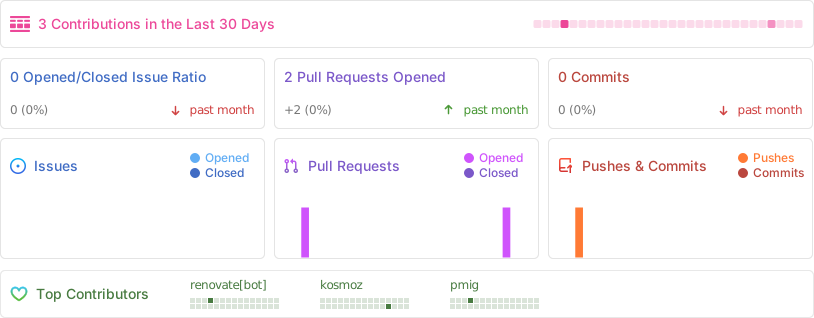
<a href="https://github.com/hyprmcp/jetski/graphs/contributors"> <img src="https://contrib.rocks/image?repo=hyprmcp/jetski" /> </a>👾 Activity
📘 License
Jetski is licensed under the MIT license. For more information check the LICENSE file for details.
Contributors
Showing top 6 contributors by commit count.
![renovate[bot]](https://avatars.githubusercontent.com/in/2740?v=4)


Related Repositories

openclaw/openclaw
Your own personal AI assistant. Any OS. Any Platform. The lobster way. 🦞

obra/superpowers
An agentic skills framework & software development methodology that works.

NousResearch/hermes-agent
The agent that grows with you

n8n-io/n8n
Fair-code workflow automation platform with native AI capabilities. Combine visual building with custom code, self-host or cloud, 400+ integrations.

Significant-Gravitas/AutoGPT
AutoGPT is the vision of accessible AI for everyone, to use and to build on. Our mission is to provide the tools, so that you can focus on what matters.

f/prompts.chat
f.k.a. Awesome ChatGPT Prompts. Share, discover, and collect prompts from the community. Free and open source — self-host for your organization with complete privacy.