

React paystack
ReactJS library for implementing paystack payment gateway
This is a react library for implementing paystack payment gateway The project is written primarily in TypeScript, distributed under the MIT License license, first published in 2017. Key topics include: javascript, payment-gateway, payment-integration, reactjs.
react-paystack
This is a react library for implementing paystack payment gateway
Demo
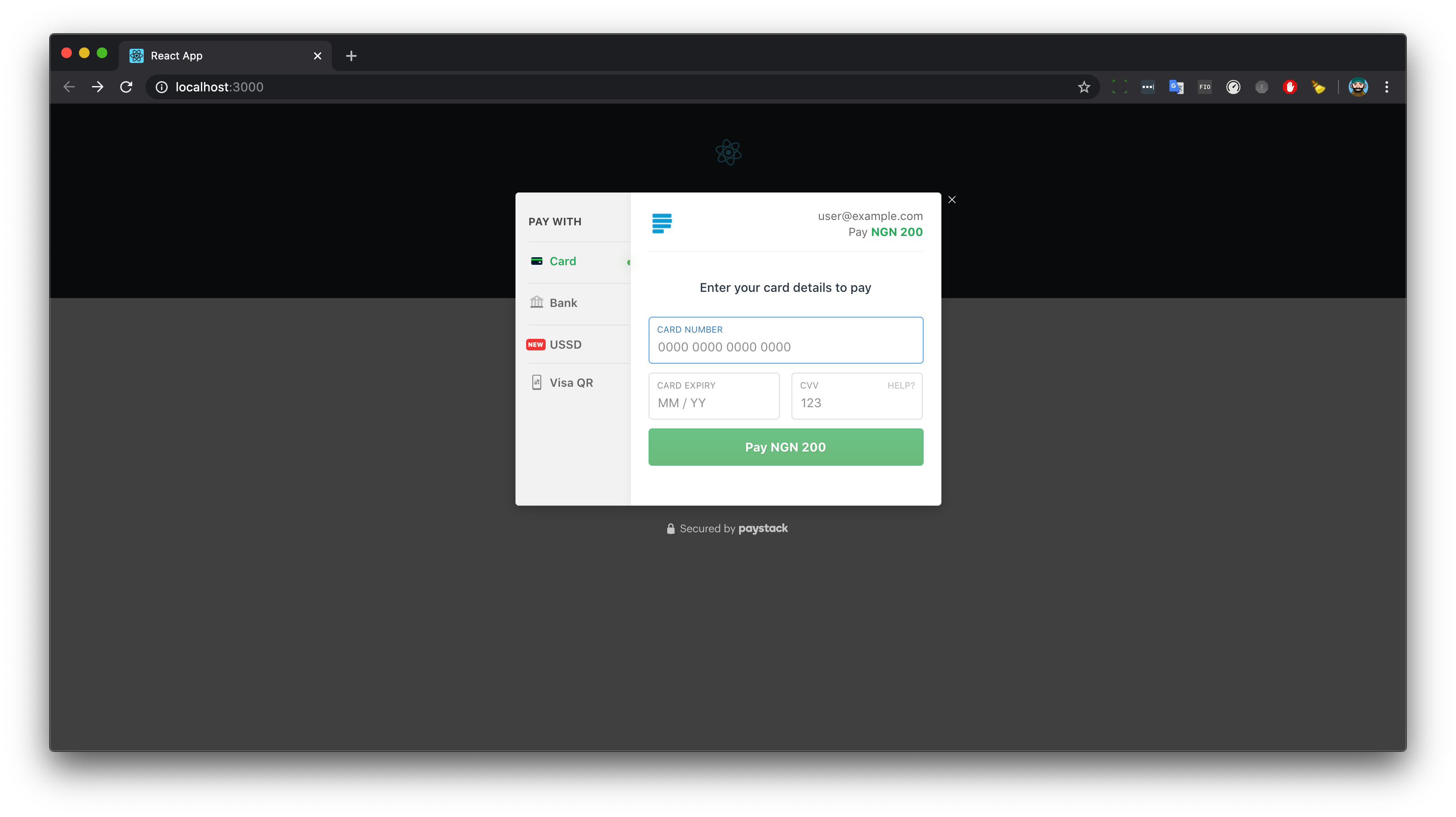
Get Started
This React library provides a wrapper to add Paystack Payments to your React application
Install
shnpm install react-paystack --save
or with yarn
shyarn add react-paystack
Usage
This library can be implemented into any react application in 3 different ways:
- By using hooks provided by the library
- By using a button provided by the library
- By using a context consumer provided by the library
Note that all 3 implementations produce the same results.
1. Using the paystack hook
javascriptimport React from 'react'; import logo from './logo.svg'; import { usePaystackPayment } from 'react-paystack'; import './App.css'; const config = { reference: (new Date()).getTime().toString(), email: "user@example.com", amount: 20000, //Amount is in the country's lowest currency. E.g Kobo, so 20000 kobo = N200 publicKey: 'pk_test_dsdfghuytfd2345678gvxxxxxxxxxx', }; // you can call this function anything const onSuccess = (reference) => { // Implementation for whatever you want to do with reference and after success call. console.log(reference); }; // you can call this function anything const onClose = () => { // implementation for whatever you want to do when the Paystack dialog closed. console.log('closed') } const PaystackHookExample = () => { const initializePayment = usePaystackPayment(config); return ( <div> <button onClick={() => { initializePayment(onSuccess, onClose) }}>Paystack Hooks Implementation</button> </div> ); }; function App() { return ( <div className="App"> <header className="App-header"> <img src={logo} className="App-logo" alt="logo" /> <p> Edit <code>src/App.js</code> and save to reload. </p> <a className="App-link" href="https://reactjs.org" target="_blank" rel="noopener noreferrer" > Learn React </a> </header> <PaystackHookExample /> </div> ); } export default App;
2. Using the paystack button
javascriptimport React from 'react'; import logo from './logo.svg'; import { PaystackButton } from 'react-paystack'; import './App.css'; const config = { reference: (new Date()).getTime().toString(), email: "user@example.com", amount: 20000, //Amount is in the country's lowest currency. E.g Kobo, so 20000 kobo = N200 publicKey: 'pk_test_dsdfghuytfd2345678gvxxxxxxxxxx', }; function App() { // you can call this function anything const handlePaystackSuccessAction = (reference) => { // Implementation for whatever you want to do with reference and after success call. console.log(reference); }; // you can call this function anything const handlePaystackCloseAction = () => { // implementation for whatever you want to do when the Paystack dialog closed. console.log('closed') } const componentProps = { ...config, text: 'Paystack Button Implementation', onSuccess: (reference) => handlePaystackSuccessAction(reference), onClose: handlePaystackCloseAction, }; return ( <div className="App"> <header className="App-header"> <img src={logo} className="App-logo" alt="logo" /> <p> Edit <code>src/App.js</code> and save to reload. </p> <a className="App-link" href="https://reactjs.org" target="_blank" rel="noopener noreferrer" > Learn React </a> </header> <PaystackButton {...componentProps} /> </div> ); } export default App;
3. using the Paystack consumer
Javascriptimport React from 'react'; import logo from './logo.svg'; import { PaystackConsumer } from 'react-paystack'; import './App.css'; const config = { reference: (new Date()).getTime().toString(), email: "user@example.com", amount: 20000, //Amount is in the country's lowest currency. E.g Kobo, so 20000 kobo = N200 publicKey: 'pk_test_dsdfghuytfd2345678gvxxxxxxxxxx', }; // you can call this function anything const handleSuccess = (reference) => { // Implementation for whatever you want to do with reference and after success call. console.log(reference); }; // you can call this function anything const handleClose = () => { // implementation for whatever you want to do when the Paystack dialog closed. console.log('closed') } function App() { const componentProps = { ...config, text: 'Paystack Button Implementation', onSuccess: (reference) => handleSuccess(reference), onClose: handleClose }; return ( <div className="App"> <header className="App-header"> <img src={logo} className="App-logo" alt="logo" /> <p> Edit <code>src/App.js</code> and save to reload. </p> <a className="App-link" href="https://reactjs.org" target="_blank" rel="noopener noreferrer" > Learn React </a> </header> <PaystackConsumer {...componentProps} > {({initializePayment}) => <button onClick={() => initializePayment(handleSuccess, handleClose)}>Paystack Consumer Implementation</button>} </PaystackConsumer> </div> ); } export default App;
Sending Metadata with Transaction
If you want to send extra metadata e.g. Transaction description, user that made the transaction. Edit your config like so:
tsconst config = { // Your required fields metadata: { custom_fields: [ { display_name: 'description', variable_name: 'description', value: 'Funding Wallet' } // To pass extra metadata, add an object with the same fields as above ] } };
Please checkout Paystack Documentation for other available options you can add to the tag
Deployment
REMEMBER TO CHANGE THE KEY WHEN DEPLOYING ON A LIVE/PRODUCTION SYSTEM
Contributing
- Fork it!
- Create your feature branch:
git checkout -b feature-name - Commit your changes:
git commit -am 'Some commit message' - Push to the branch:
git push origin feature-name - Submit a pull request 😉😉
How can I thank you?
Why not star the github repo? I'd love the attention! Why not share the link for this repository on Twitter or Any Social Media? Spread the word!
Don't forget to follow me on twitter!
Thanks!
Olusegun Ayeni.
License
This project is licensed under the MIT License - see the LICENSE.md file for details
Contributors
Showing top 12 contributors by commit count.





Related Repositories

freeCodeCamp/freeCodeCamp
freeCodeCamp.org's open-source codebase and curriculum. Learn math, programming, and computer science for free.

practical-tutorials/project-based-learning
Curated list of project-based tutorials

react/react
The library for web and native user interfaces.

vuejs/vue
This is the repo for Vue 2. For Vue 3, go to https://github.com/vuejs/core

trekhleb/javascript-algorithms
📝 Algorithms and data structures implemented in JavaScript with explanations and links to further readings

getify/You-Dont-Know-JS
A book series (2 published editions) on the JS language.