

Gke demo
Demonstration of complete, fully-featured CI/CD and cloud automation for microservices, done with GCP/GKE
> Demonstration of complete, fully-featured CI/CD and cloud automation for microservices, done with GCP/GKE The project is written primarily in HCL, distributed under the MIT License license, first published in 2019. Key topics include: argo-rollouts, argocd, canary, cd, ci.
Demonstration of complete, fully-featured CI/CD and cloud automation for microservices, done with GCP/GKE
<a name="features"></a>Features
- Multistage deployments (staging, prod)
- Canary deployments
- Horizontal pod/instance autoscaling
- Rollbacks, self-healing
- Distributed tracing, monitoring, logging, profiling, debugging
Setup/deployment is heavily automated so it will be easy for you to deploy it by yourself using GCP account with Free Trial
Contents
- Features
- Software
- How it works
- Quick start
- Looking around
- Cleanup
- Implementing this in the real-world
- Known issues
- Halp?
<a name="software"></a>Software
| What | For |
|---|---|
| Terraform, Terragrunt | Cloud automation |
| Kubernetes (GKE), Kustomize | Container orchestration |
| Google Cloud Build | CI |
| ArgoCD, Argo Rollouts | CD |
| Google Stackdriver | Monitoring, logging, tracing,<br>profiling, debugging |
| Cloud KMS, Container Registry,<br>Storage and other GCP goodies |
Also we are using 10 microservices from Google with built-in instrumentation for Stackdriver
<a name="how"></a>How it works (simplified)
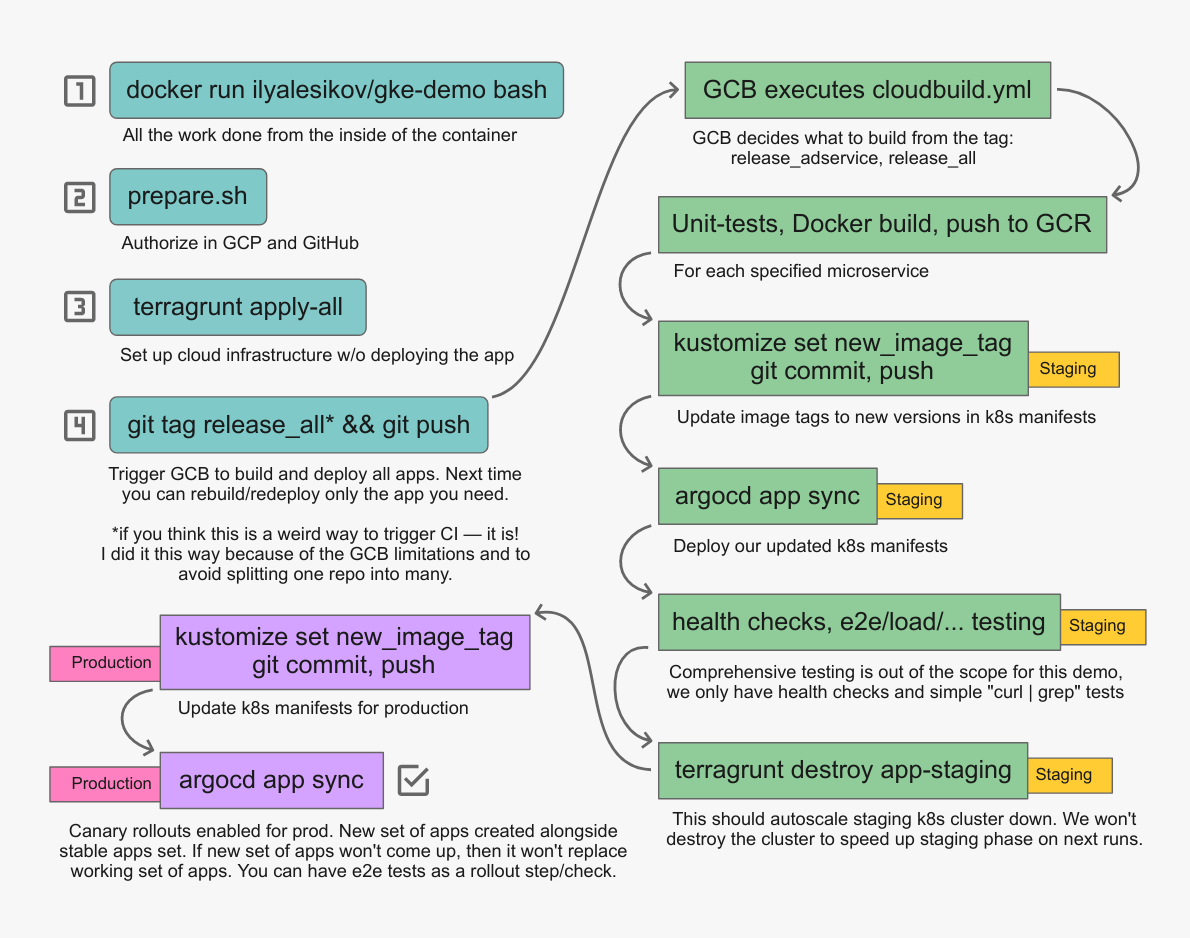
Quick start
-
You need GCP account with Free Trial activated
-
You need GitHub account
-
Fork this repo (we can't setup GCB triggers for repositories you don't own)
-
You need Docker installed (any OS)
-
Run and attach to the docker container:
bash# Change this to the owner of the forked "gke-demo" repo, don't leave it like this GITHUB_USERNAME=ilya-lesikov # Run container with all the tooling we need: # NOTE: you can change "TF_VAR_project_id" in this command to point to the existing GCP project docker run -d --name gke-demo \ -e TF_VAR_project_id=gke-demo-$GITHUB_USERNAME \ -e TF_VAR_github_demo_owner=$GITHUB_USERNAME \ ilyalesikov/gke-demo # Attach to the container docker exec -it gke-demo bash -
Prepare for cloud provisioning (this is run from the inside of the container):
bash# Clone the repo you forked git clone --recursive https://github.com/${TF_VAR_github_demo_owner}/gke-demo # Run this and follow the instructions on your screen. # This will authorize us to access your GCP account and the "gke-demo" repo you forked. ./gke-demo/scripts/prepare.sh && source /root/.bashrc -
Provision our cloud infrastructure with Terraform/Terragrunt:
On any transient errors (e.g. SSL/TLS errors or
remote server closed connection) just rerun theterragruntcommand. Terragrunt handles most of these automatically, but Terraform sucks so much it'll need 10 wrappers to be truly reliablebashcd gke-demo/terraform/environments terragrunt apply-all --terragrunt-non-interactive -
Build and deploy all of our applications:
bashgit tag -d release_all git push --delete origin release_all git tag release_all git push origin release_all # This will trigger our CI/CD -
Opening this page should start creation of Monitoring workspace and will activate Stackdriver: https://console.cloud.google.com/monitoring/dashboards
-
Now just wait for the build to complete: https://console.cloud.google.com/cloud-build/builds
<img src="./res/build.png" width="692" height="605"> -
Works now!
<a name="looking-around"></a>Looking around
First, switch to our production cluster:
bashkubectl config use-context "gke_${TF_VAR_project_id}_europe-west2-a_cluster-demo-prod"
Check if our app is synced and healthy:
bashargocd app get hipstershop-prod
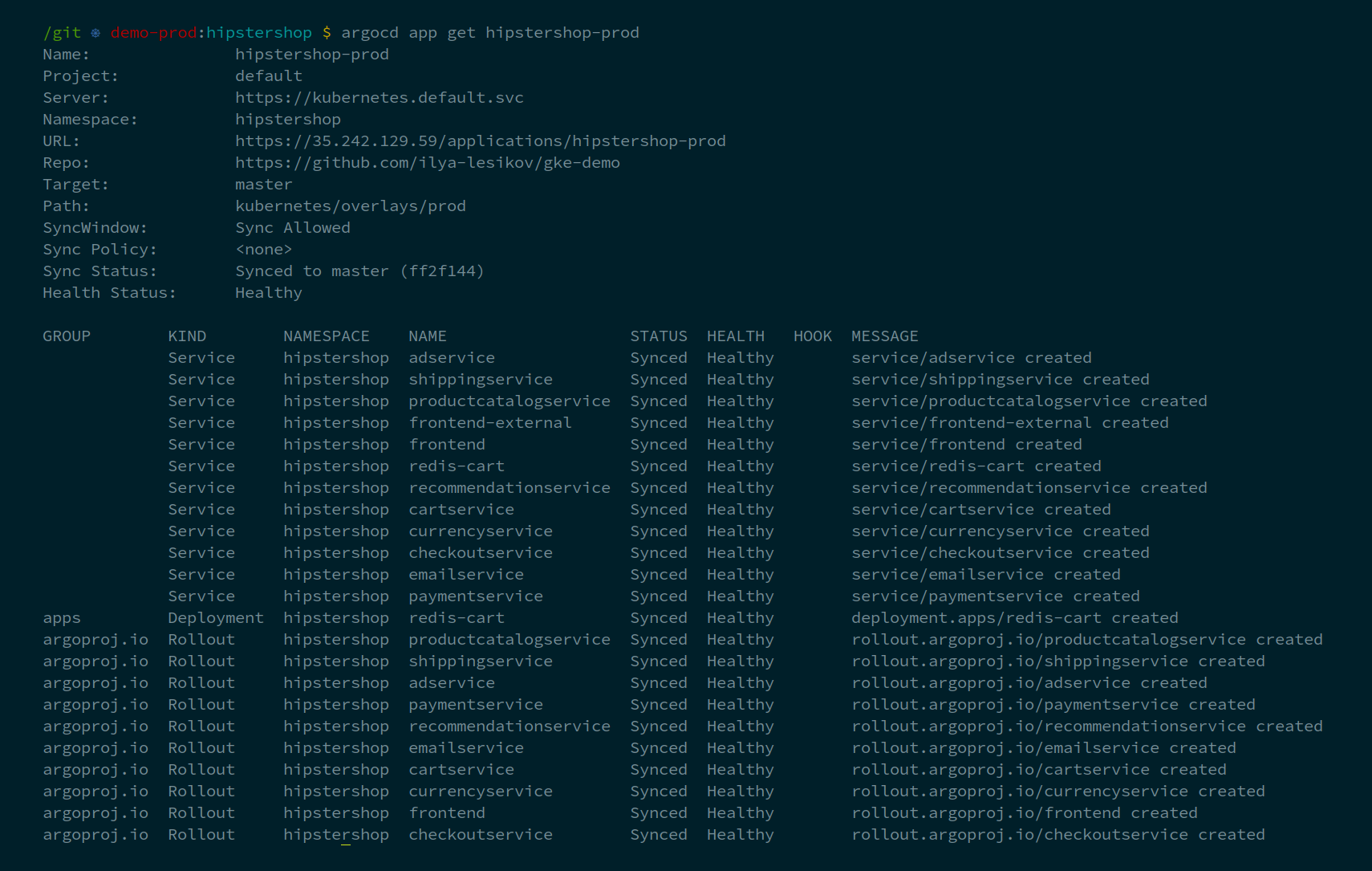
List our canary rollouts:
<img src="./res/list-rollouts.png" width="715" height="209">bashkubectl argo rollouts list rollouts
Check out details for some particular rollout/microservice:
<img src="./res/get-rollout-adservice.png" width="533" height="341">bashkubectl argo rollouts get rollout adservice
We even have a neat web-interface to manage our applications lifecycle, do rollbacks, etc:
bashIP="$(argocd context | awk 'NR==2 {print $3}')" PASS="$(kubectl get pods -n argocd -l app.kubernetes.io/name=argocd-server -o name | cut -d'/' -f2)" printf '\nThe web-interface is here: https://%s, username is "admin", password is "%s"\n\n' "$IP" "$PASS"
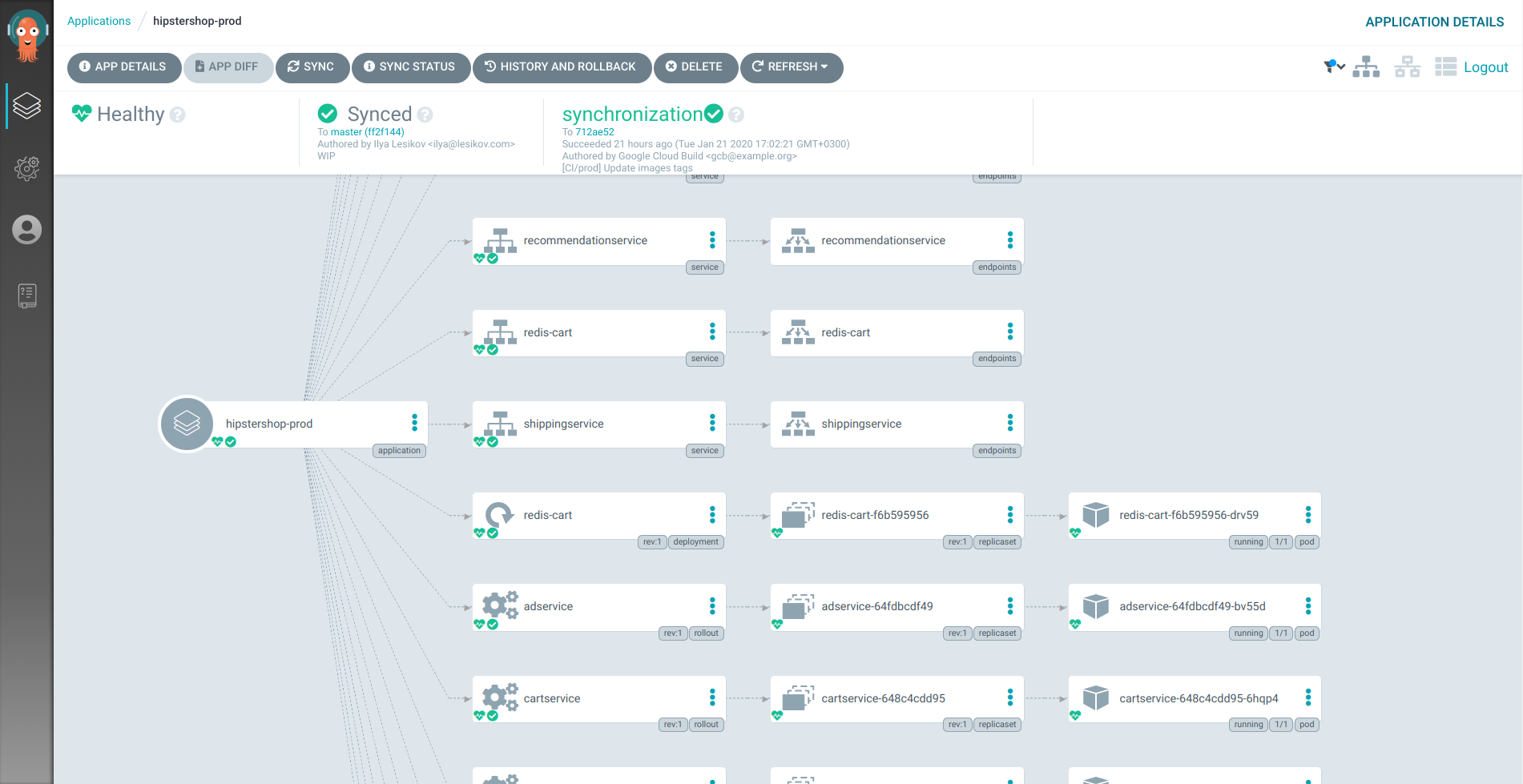
Now buy something in our "Hipstershop" application to produce some data for Stackdriver:
bashIP="$(kubectl get service frontend-external | awk 'NR==2 {print $4}')" printf '\nApplication is here: http://%s\n\n' "$IP"

Stackdriver
Monitoring
Simple k8s monitoring dashboard:
https://console.cloud.google.com/monitoring/dashboards/resourceList/kubernetes
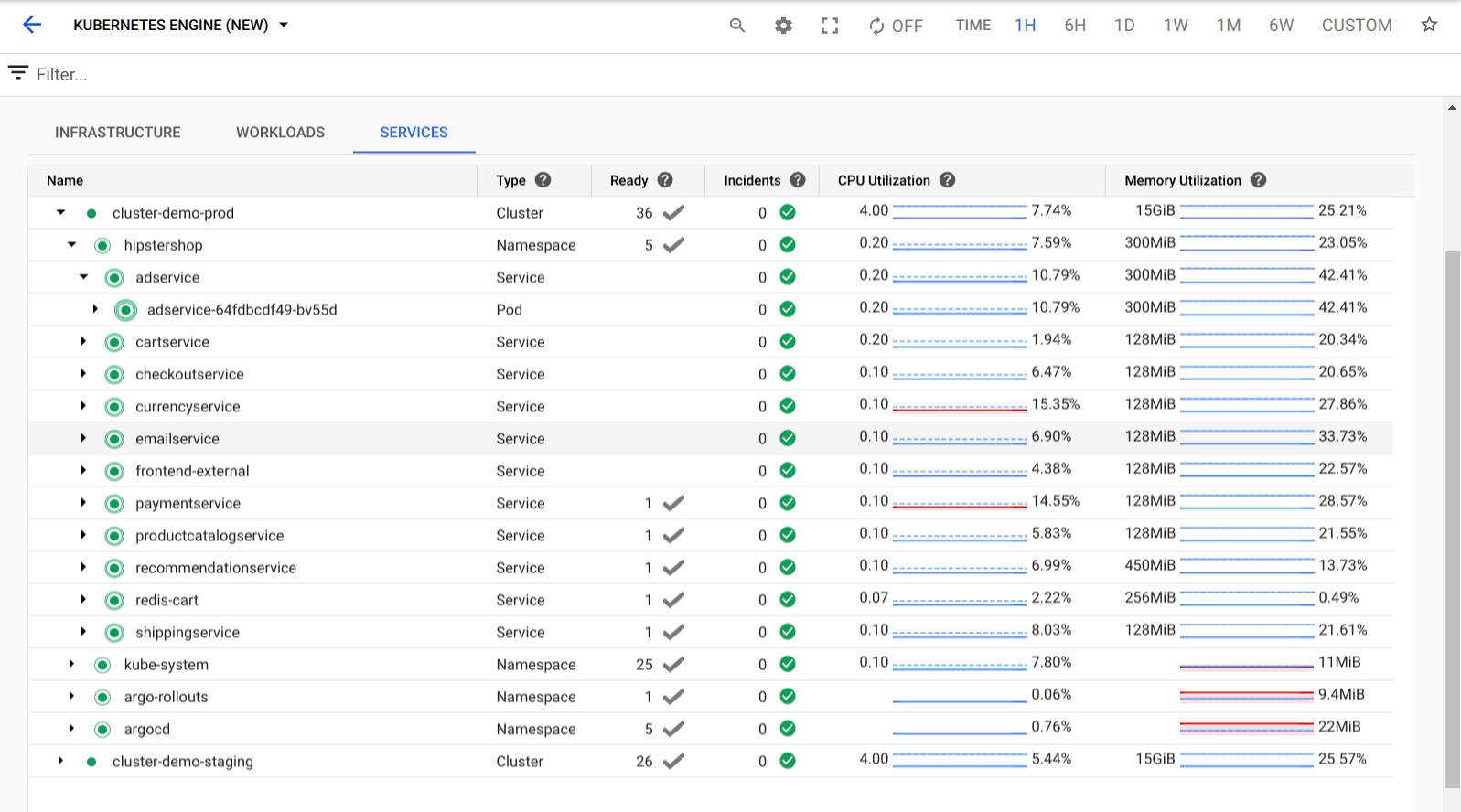
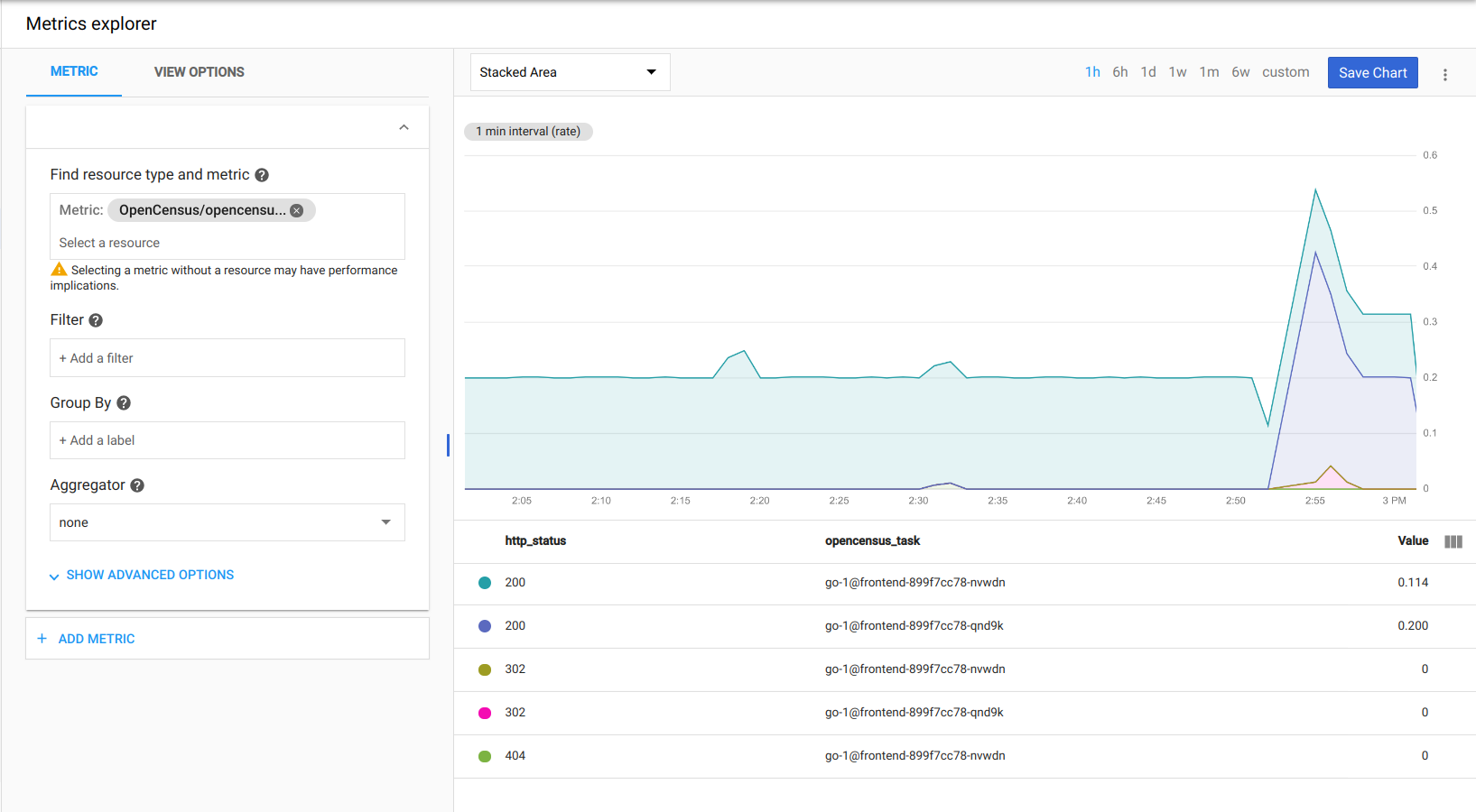
There are lots of metrics out of the box, thanks to GCP, GKE, Kubernetes, Istio and instrumentation on applications side:
https://console.cloud.google.com/monitoring/metrics-explorer
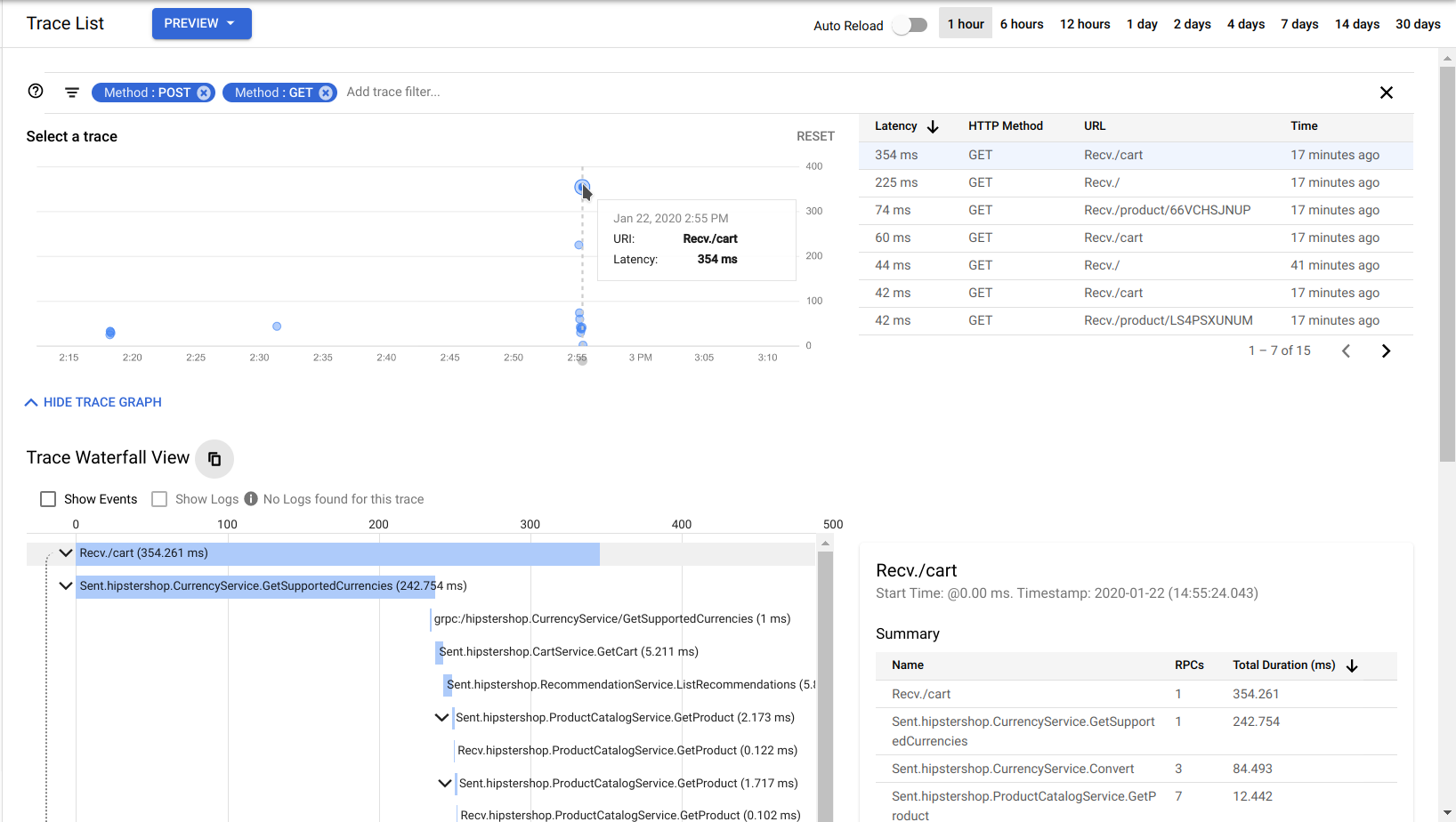
Distributed tracing
https://console.cloud.google.com/traces/list
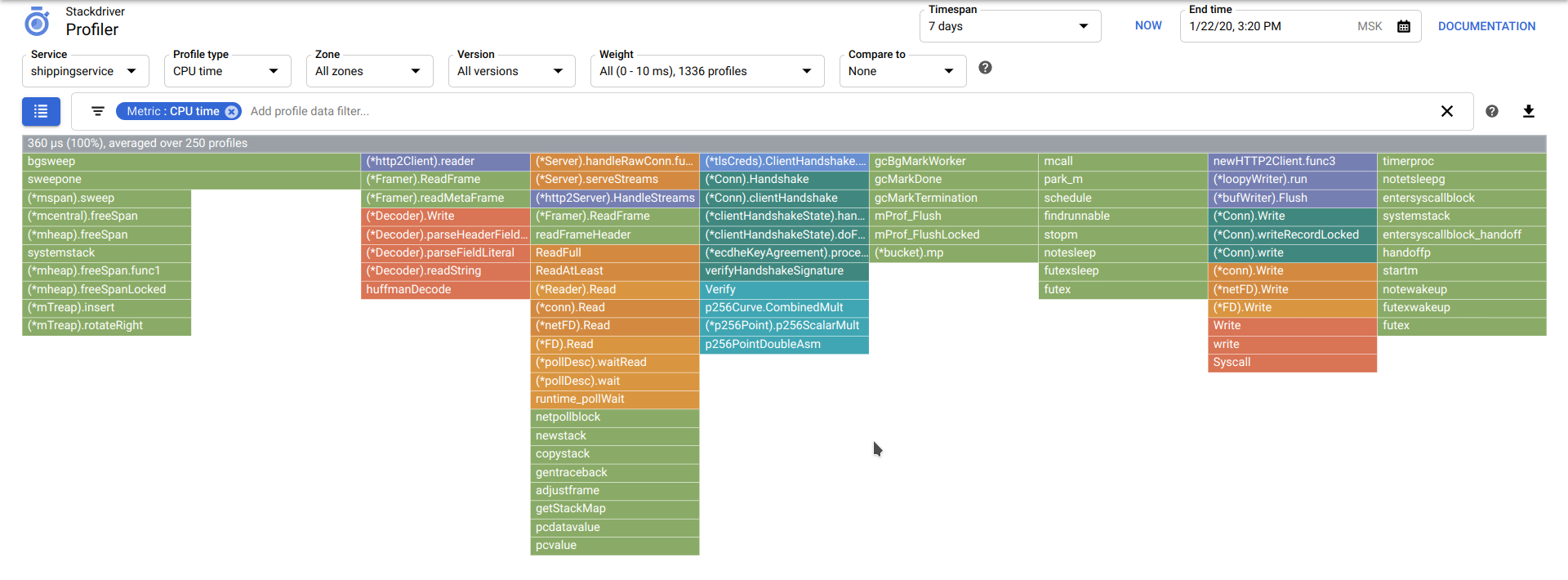
Profiling
https://console.cloud.google.com/profiler
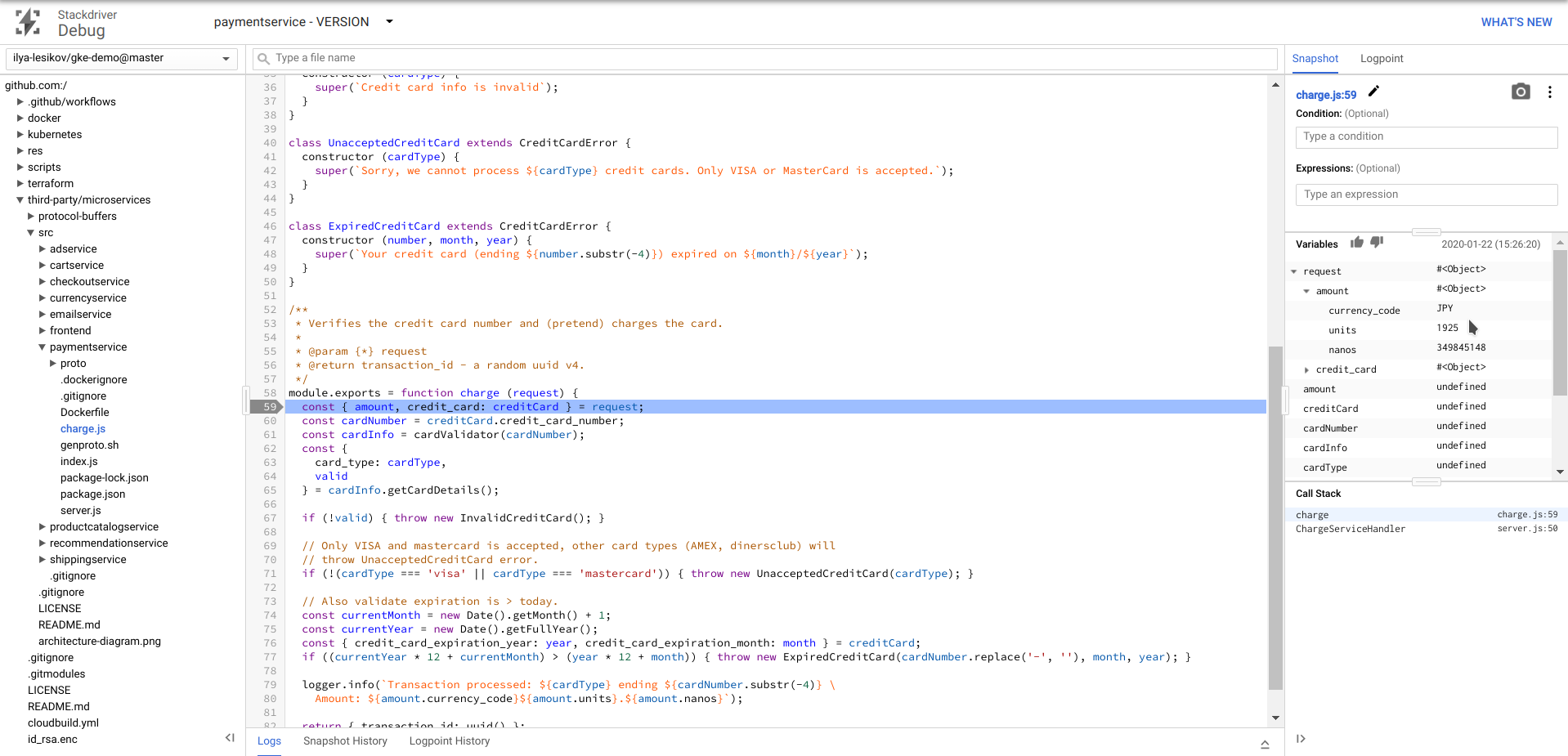
Debugging
https://console.cloud.google.com/debug
<a name="cleanup"></a>Cleanup
This should destroy everything, except Terraform remote state bucket and enabled services/APIs:
bashcd /git/gke-demo/terraform/environments terragrunt destroy-all --terragrunt-non-interactive
As an alternative, this will completely delete the project, cleaning up everything we've created:
bashgcloud projects delete $TF_VAR_project_id
Stop and remove the container with the tooling from your system (run this outside the container):
bashdocker rm -f gke-demo
You might want to remove GCB application from your GitHub account too.
<a name="real-world"></a>Implementing this in the real world
This project has some nice (and useful in production systems) things implemented, but this is nevertheless a demonstration. What I would do differently if this would be making me $$$:
-
Dump Google Cloud
AbominationBuild. The worst thing in this demo I worked with so far. In the end it feels more like a one big ugly shell script split into chunks, each of them executed in a separate container. When it works, it works, but... it doesn't even have dependencies between the builds and no sane way to handle concurrency. Almost no builders, existing ones are as sophisticated asRUN apt install terraform, ENTRYPOINT terraform.Check out Concourse, Drone CI, Spinnaker, or if you are going 100% Kubernetes try something like Argo stack, it was a breeze to work with ArgoCD/Rollouts.
-
The repo should be split at least in two — one for the shared infrastructure automation code (e.g. Terraform), the other one for microservices. I would say that you better split your microservices in different repos too, this will allow for cleaner CI, though I heard about people using monorepos. There is still some glue needed to avoid versioning mess and race conditions in your CI/CD when you have multiple microservices developed, tested and deployed simultaneously.
-
You'll need to streamline developers workflow on their local machines with something like Minikube and Skaffold. Developer should be able to deploy microservices and accompanying software (DBs) that is needed to properly develop/test his own microservice on his local machine, to minimize testing in staging environment (it's much slower and more expensive). It will be a sort of a replacement for
docker-compose.ymlfiles in the root of application repo that helps you deploy DBs and stuff and maybe even microservices you are heavily depend on. -
Versions are pinned as precisely as they could in all the places, this is just to keep this demo working without much maintenance. Updating these pinned versions programmatically is always a big PITA, but this is a right way and you need to figure it out. As a simplified workflow you can pin to the minor (not patch) version, so that patch updates applied automatically. This way you'll need to go through your code and repin minor versions manually from time to time. And of course uncontrolled patch updates can break things sometimes, but that will happen rarely, so it's a kind of a trade-off between reliable and simple.
-
For all of this to actually be reliable and resilient you need comprehensive testing on many levels, including E2E and load testing.
-
You might not want to instantly and without any confirmation deploy to production every thing that passed staging environment.
-
Industry-standard Prometheus might be a better choice than proprietary Stackdriver.
-
I didn't use more traditional CMS like Ansible, since all my needs were covered by Terraform and Kubernetes. It still might be useful when working with VMs, but with hosted K8S I didn't really need that.
-
There might be something else
that I didn't knowthat I forgotthat I didn't know. -
$ grep -RE 'TODO|FIXME'
<a name="known-issues"></a>Known issues
-
Missing required GCS remote state configuration project
Reason: sometimes Terragrunt can't parse few keys (e.g.project) inremote_state.config.
Workaround:/git/gke-demo/scripts/terragrunt-cleanup.sh -
Terragrunt/Terraform fails during init phase
Workaround:/git/gke-demo/scripts/terragrunt-reinit.sh
If didn't help:/git/gke-demo/scripts/terragrunt-cleanup.sh -
connection reset by peer,connection closed, SSL/TLS errors
Reason: Terraform sucks
Workaround: rerun failed command
<a name="halp"></a>Halp?
I tested it many times, but I could have missed something.
If you experience any problems, let me know and leave an issue, thanks.
Contributors
Showing top 3 contributors by commit count.


Related Repositories

argoproj/argo-rollouts
Progressive Delivery for Kubernetes

akuity/awesome-argo
A curated list of awesome projects and resources related to Argo (a CNCF graduated project)

argoproj-labs/rollouts-plugin-trafficrouter-gatewayapi
The Argo Rollouts plugin implementing the Kubernetes Gateway API specification for using different traffic providers in progressive delivery scenarios
argoproj-labs/argo-rollouts-manager
Kubernetes Operator for Argo Rollouts controller.

inno-devops-labs/DevOps-Core-Course
🚀 DevOps core course — 18 hands-on labs building a real service from Docker and CI/CD through Kubernetes, Helm, GitOps with ArgoCD, Argo Rollouts, observability (Prometheus/Grafana/Loki), Terraform, Ansible, secrets management, and Nix reproducible builds.

devopshobbies/argocd-tutorial
Tutorial & Examples For Learning Argo Projects