

V2exOS
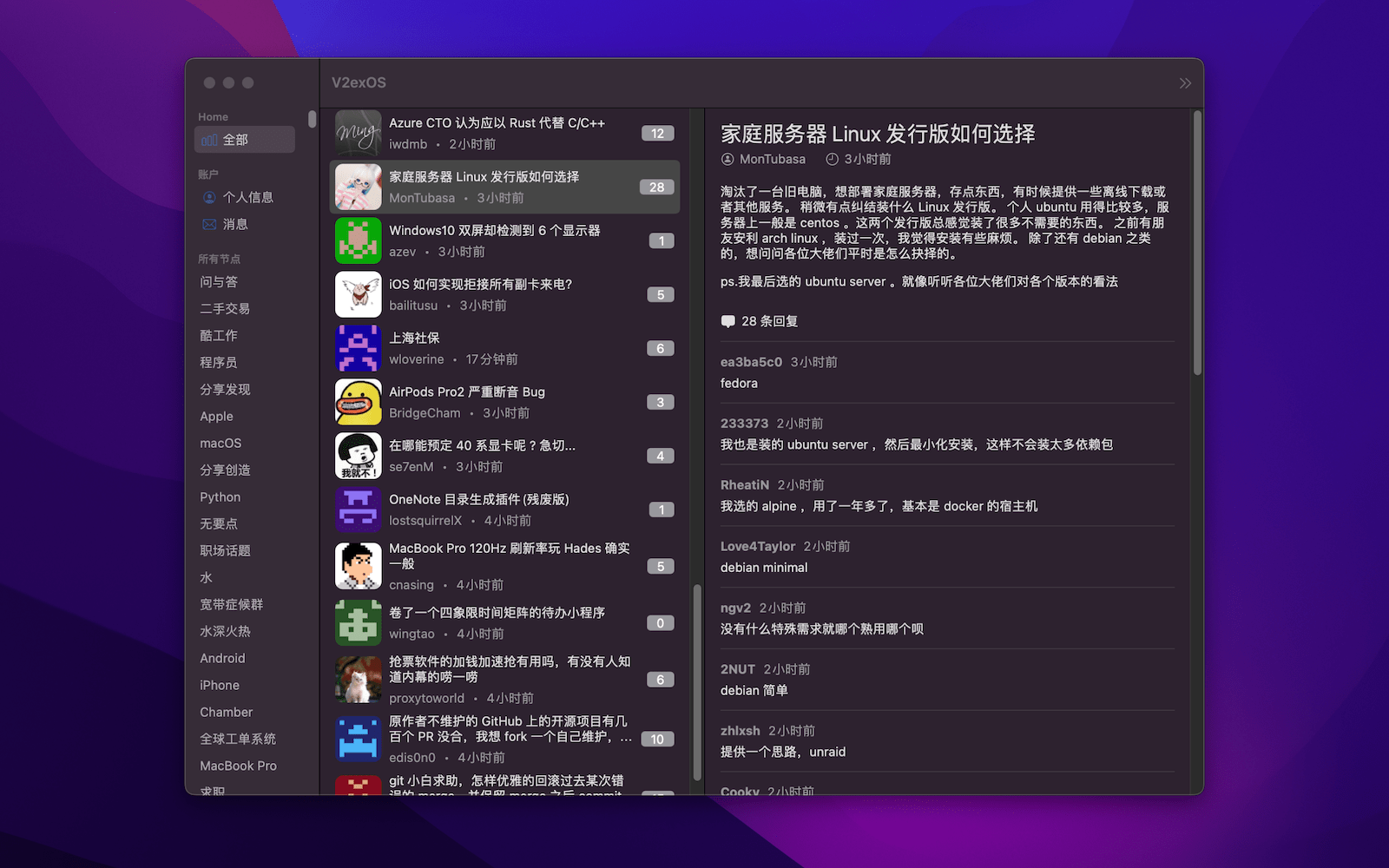
一个用 SwiftUI 编写的 V2ex macOS/iOS/tvOS 客户端 (A V2ex macOS/iOS/tvOS client written in SwiftUI)
- V2exOS 的 macOS 版本已经发布到 App Store,可以通过下面的链接直接下载,当然你也可以从 [Release](https://github.com/isaced/V2exOS/releases) 页面下载构建好的 `.app` 包,或者自己根据源代码构建。 - V2exOS 的 macOS/iOS/tvOS 版本都可以通过 [TestFlight](https://testflight.apple.com/join/MOtKdxHH) 进行最新版本的测试。 The project is written primarily in Swift, distributed under the MIT License license, first published in 2022. Key topics include: macos, macos-app, swift, swiftui, tvos.

下载
- V2exOS 的 macOS 版本已经发布到 App Store,可以通过下面的链接直接下载,当然你也可以从 Release 页面下载构建好的
.app包,或者自己根据源代码构建。 - V2exOS 的 macOS/iOS/tvOS 版本都可以通过 TestFlight 进行最新版本的测试。
关于
- 目标打造一个 macOS/iOS/tvOS 三平台原生极致体验的 V2ex 客户端
- 使用 SwiftUI 开发,尽量利用系统和语言新特性,最低适配 macOS 12+ / iOS 16+ / tvOS 15+
- 开发过程中抽象出可复用的 V2ex API 网络层为 Swift Package - V2exAPI
功能
基本功能
- Personal Access Token 授权登录
- 主题列表
- 评论列表
- 通知列表
- 深色模式
- 节点搜索/Google搜索
- 热门列表
- 收藏节点
- 发表主题/评论(暂无 API 支持 #4)
高级功能
- Proxy 代理
帮助
如何设置代理?
菜单: V2exOS -> Preferences (快捷键:<kbd>Command</kbd> + <kbd>,</kbd>)
<img src="https://user-images.githubusercontent.com/2088605/193294617-e027d1da-8bd7-44f4-9ade-11f2cf807d81.png" width="450">数据加载不出来有可能是需要挂代理,你懂的
如何登录 V2exOS?
在 V2ex 登录你的账号,进入 [设置 -> Tokens] 页面生成 Personal Access Token(建议有效期长一些),填入 V2exOS 即可,V2exOS 会将你的 Personal Access Token 保存到本地的 Keychain 钥匙串中,在需要访问 V2ex API 时进行使用。
当然部分不需要鉴权的功能不登陆也是可以直接使用的
贡献
直接通过 Xcode 打开本项目即可,如果遇到 SPM 依赖拉取不下来,可以尝试通过 xcodebuild 命令更新:
shellxcodebuild -resolvePackageDependencies -scmProvider system
感谢
本项目建立在以下开源库之上,感谢这些优秀的项目:
- V2exAPI - V2ex Open API 的 Swift 封装
- Kingfisher - 网络图片加载和缓存
- KeychainAccess - Keychain 便捷访问存储 Personal Access Token
- MarkdownUI - SwiftUI Markdown 渲染
- RedditOS - 一个 SwiftUI 写的 Reddit macOS 客户端,灵感来源之一
LICENSE
MIT
Contributors
Showing top 4 contributors by commit count.


Related Repositories

flutter/flutter
Flutter makes it easy and fast to build beautiful apps for mobile and beyond

jlevy/the-art-of-command-line
Master the command line, in one page

nodejs/node
Node.js JavaScript runtime ✨🐢🚀✨

rustdesk/rustdesk
An open-source remote desktop application designed for self-hosting, as an alternative to TeamViewer.

jaywcjlove/awesome-mac
This project is dedicated to collecting high-quality macOS software and organizing them systematically by different categories for easy search and use.

alacritty/alacritty
A cross-platform, OpenGL terminal emulator.