

Little coder
A harness optimized to smaller LLMs
**A coding agent tuned for small local models, built on top of [pi](https://pi.dev).** The project is written primarily in TypeScript, distributed under the Apache License 2.0 license, first published in 2026. It has gained significant community traction with 1,553 stars and 97 forks on GitHub. Key topics include: ai-coding-assistant, aider-polygot, benchmark, code-generation, coding-agent.
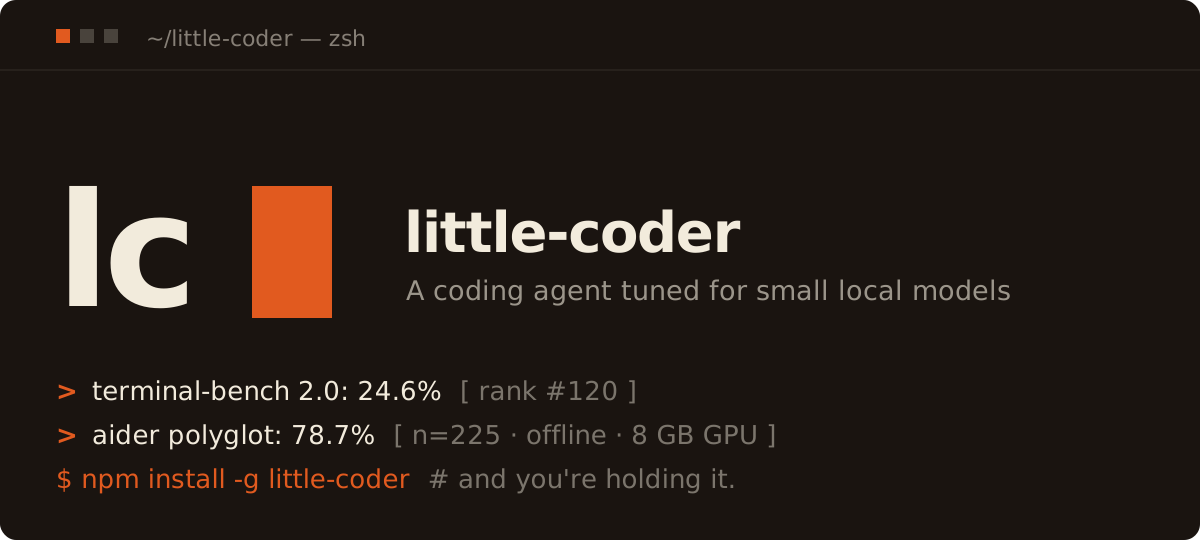
little-coder
A coding agent tuned for small local models, built on top of pi.
The research story behind all this — why scaffold–model fit matters, how a 9.7 B Qwen beat frontier entries on Aider Polyglot, and what the load-bearing mechanisms actually do — is written up on Substack: Honey, I Shrunk the Coding Agent. Start there if you want the "why"; stay here for the "how".
How it relates to pi
pi is the minimal substrate — agent loop, multi-provider API, TUI, session tree, compaction, extension model. Four built-in tools (read / write / edit / bash) and a ~1000-token system prompt.
little-coder is pi + 20 extensions + 30 skill markdown files + a Python benchmark harness. It doesn't fork pi or shadow its CLI — pi is a plain dependency in package.json, and everything little-coder-specific lives under .pi/extensions/, skills/, and benchmarks/. The launcher runs pi with --no-extensions and wires in exactly the bundled set, so you add your own extension by dropping a directory into .pi/extensions/ (or passing little-coder -e /path/to/ext/index.ts at launch) and remove one of ours by deleting its directory. Note this also means a globally pi install'd package won't load inside little-coder — pi install registers into pi's settings, which --no-extensions skips.
If you've never used pi, it's useful to skim pi.dev first — the rest of this doc assumes pi's model of --agent-import-path, --mode rpc, and .pi/extensions/ auto-discovery.
Install
One-line install (Node.js 22.19+ required):
bashcurl -fsSL https://raw.githubusercontent.com/itayinbarr/little-coder/main/install.sh | bash
Or with npm directly:
bashnpm install -g little-coder
Or with bun:
bashbun add -g little-coder
That's the whole install. No clone, no npm install in a workspace, no PATH fiddling. little-coder is now on your PATH and works from any directory.
Note for
bun add -gusers. The launcher (bin/little-coder.mjs) is a Node.js script with#!/usr/bin/env nodeat the top, so Node ≥ 22.19 still has to be on your PATH for the binary to start — bun is fine for installing/updating the package, but the runtime is Node. If you want a fully node-less setup, replace the shebang in$(bun pm bin -g)/little-coderwith#!/usr/bin/env bun.
Run
bashcd ~/your-project little-coder --model llamacpp/qwen3.6-35b-a3b
This is the canonical setup little-coder is tuned for: a local llama.cpp server hosting Qwen3.6-35B-A3B. See Local model setup (optional) below for how to serve it.
Cloud models work the same way:
bashlittle-coder --model anthropic/claude-haiku-4-5 little-coder --model openai/gpt-4o-mini "What does this codebase do?" little-coder --model ollama/qwen3.5 # local Ollama little-coder --model lmstudio/local-model # local LM Studio (whatever model you have loaded) little-coder --list-models # see everything pi knows about
The agent uses the directory you launched it from as its working directory — Read / Write / Edit / Bash operate on your project, not on little-coder's install path.
Interactive features
- Plan Mode — press alt+p to toggle (a
◆ PLAN MODEindicator shows below the input). Submit a request and little-coder researches it with sub-coders, asks you 1-3 clarifying questions (each with suggested answers and a free-text option), then writes a plan in the chat instead of editing anything. Esc cancels a plan mid-run. (shift+tab stays pi's thinking-level cycle.) - Prompt history — from an empty input, ↑ recalls your recent prompts (most-recent first), ↓ walks forward. History persists across sessions, so a fresh session can recall prompts from earlier runs.
- Sub-coders (
dispatch) — little-coder can spawn isolated child sessions to research a question (read the repo + browse online, read-only) and report back concisely, without cluttering the main conversation. A live panel above the input tracks them. Tune parallelism withLITTLE_CODER_SUBCODER_CONCURRENCY(default 2). - Sessions — each session is auto-named from your first prompt (rename with
/name) and shown in the terminal tab title. Use/resumeto list and reopen past sessions for the current directory. - Read-before-edit — editing a file requires reading it first, so edits match the file's exact current text.
For local providers (llama.cpp, Ollama, LM Studio) pi expects some value in the API-key env even though local servers ignore it:
bashexport LLAMACPP_API_KEY=noop export OLLAMA_API_KEY=noop export LMSTUDIO_API_KEY=noop
LLAMACPP_BASE_URL, OLLAMA_BASE_URL, and LMSTUDIO_BASE_URL override the defaults (http://127.0.0.1:8888/v1, http://127.0.0.1:11434/v1, http://127.0.0.1:1234/v1).
For cloud providers, set the standard env (ANTHROPIC_API_KEY, OPENAI_API_KEY, etc.) and pi will discover it.
Local model setup (optional)
Skip this section if you're using a cloud model.
Option A — llama.cpp (fastest for local; supports Qwen3.6-35B-A3B MoE):
bash# One-time: build llama.cpp with CUDA (sm_XXX = your GPU arch; Blackwell = 120) git clone https://github.com/ggml-org/llama.cpp && cd llama.cpp cmake -B build -DGGML_CUDA=ON -DCMAKE_CUDA_ARCHITECTURES=120 -DLLAMA_CURL=ON cmake --build build --config Release -j # Fetch the model GGUF and the matching vision projector. # The mmproj (~900 MB) is what lets the model see attached screenshots. pip install -U "huggingface_hub[cli]" hf download unsloth/Qwen3.6-35B-A3B-GGUF Qwen3.6-35B-A3B-UD-Q4_K_M.gguf --local-dir ~/models hf download unsloth/Qwen3.6-35B-A3B-GGUF mmproj-F16.gguf --local-dir ~/models # Serve it (MoE trick: experts in RAM, attention on GPU → 22 GB model on 8 GB VRAM) build/bin/llama-server -m ~/models/Qwen3.6-35B-A3B-UD-Q4_K_M.gguf \ --mmproj ~/models/mmproj-F16.gguf \ --host 127.0.0.1 --port 8888 --jinja \ -c 16384 -ngl 99 --n-cpu-moe 999 --flash-attn on
If you only need text and want to skip the projector download, drop the second hf download line and the --mmproj flag — little-coder still works text-only, but the TUI's image attachment will be rejected by the server with a 4xx.
Context window. -c sets the server's context (-c 16384 = 16K above — a conservative default for 8 GB VRAM). little-coder auto-detects the live n_ctx from llama.cpp's /props at startup and registers the model with it, so whatever you pass to -c is what the TUI shows and budgets against — no models.json edit needed. To run larger, relaunch the server with e.g. -c 131072 (128K) or -c 262144 (256K); the KV cache grows with it, so size it to your RAM/VRAM. (--list-models reflects the detected window.)
Option B — Ollama (simpler, but slower on MoE):
bashcurl -fsSL https://ollama.com/install.sh | sh ollama pull qwen3.5 # 9.7B — the paper's model # or: ollama pull qwen3.6:35b-a3b
Option C — LM Studio (GUI; OpenAI-compatible server on port 1234):
- Install LM Studio and download a model (e.g. Qwen3.6 35B A3B GGUF).
- Open the Developer / Local Server tab, load the model, and click Start Server (default
http://127.0.0.1:1234). - Run little-coder:
The shippedbashexport LMSTUDIO_API_KEY=noop little-coder --model lmstudio/local-modellmstudio/local-modelid routes to whatever model LM Studio currently has loaded — no extra config needed for the single-model case. If you serve on a non-default port, setLMSTUDIO_BASE_URL=http://127.0.0.1:<port>/v1. To target a specific model when you have several loaded, add an entry to~/.config/little-coder/models.json(see Configuring models below).
Serving from another machine on your LAN. Each provider's *_BASE_URL env var accepts any host, not just 127.0.0.1, so you can run inference on a beefier box and connect from a laptop or another device on the same WiFi.
On the server (the box with the GPU):
- llama.cpp: start
llama-serverwith--host 0.0.0.0(or your specific LAN interface) instead of127.0.0.1. Everything else from Option A unchanged. - LM Studio: in the Server tab, enable Serve on local network so it binds
0.0.0.0:1234instead of127.0.0.1:1234. - Ollama:
OLLAMA_HOST=0.0.0.0:11434 ollama serve(or setOLLAMA_HOST=0.0.0.0in the user systemd unit). - If
ufw/firewalldis active, allow your LAN subnet to the relevant port (e.g.sudo ufw allow from 192.168.0.0/16 to any port 8888 proto tcp). - Find the LAN IP with
hostname -I(Linux) oripconfig getifaddr en0(macOS).
On the client (the machine running little-coder):
bash# Pick the env vars matching whichever provider is running on the server export LLAMACPP_API_KEY=noop export LLAMACPP_BASE_URL=http://<server-lan-ip>:8888/v1 # Sanity check reachability before launching the agent curl -s http://<server-lan-ip>:8888/v1/models | head little-coder --model llamacpp/qwen3.6-35b-a3b
The streaming chat-completions adapter works over a local network the same way it does over loopback — no client code change, no proxy needed. The per-model profile in .pi/settings.json (context/thinking-budget/temperature) still applies because it's keyed by <provider>/<model-id>, which the client picks regardless of where the server lives.
All small-model-specific extensions auto-disable for large/cloud models so they don't interfere.
Configuring models
The shipped model list lives in models.json at the package root. The llama-cpp-provider extension reads it at startup and registers each provider via pi's registerProvider(). Editing this file in your global install does take effect — but it's overwritten on npm install -g little-coder@latest, so for anything you want to keep, use a user override file instead.
User override resolution (first match wins):
$LITTLE_CODER_MODELS_FILE— explicit path, useful for ad-hoc tests.$XDG_CONFIG_HOME/little-coder/models.json~/.config/little-coder/models.json
Merge semantics: each top-level provider key in your override file fully replaces the same key in the shipped models.json. Providers only in your file are added; providers only in the shipped file are kept. (We don't deep-merge per-model fields — you redeclare the whole provider entry, which avoids "your override silently inherited new fields from a future package release" surprises.)
Example — switch the llama.cpp port and bump qwen3.6-35b-a3b to a 150K context, leave ollama untouched:
json{ "providers": { "llamacpp": { "api": "openai-completions", "baseUrl": "http://127.0.0.1:1234/v1", "apiKey": "LLAMACPP_API_KEY", "models": [ { "id": "qwen3.6-35b-a3b", "name": "Qwen3.6-35B-A3B (local llama.cpp, 150K)", "reasoning": true, "input": ["text"], "contextWindow": 150000, "maxTokens": 4096, "cost": { "input": 0, "output": 0, "cacheRead": 0, "cacheWrite": 0 } } ] } } }
Then verify with little-coder --list-models — you should see your overridden entry.
LLAMACPP_BASE_URL, OLLAMA_BASE_URL, and LMSTUDIO_BASE_URL env vars still beat both files for those three providers.
Any OpenAI-compatible server (e.g. MLX / omlx)
little-coder registers providers from models.json — it doesn't pick up pi's standalone "picker" extensions. So a server isn't added by installing its pi picker; you add it by declaring a provider. Any OpenAI-compatible endpoint works this way, including Apple's MLX server (mlx_lm.server, often surfaced as omlx). Drop this into ~/.config/little-coder/models.json and pick it with little-coder --model omlx/<id>:
json{ "providers": { "omlx": { "api": "openai-completions", "baseUrl": "http://127.0.0.1:8000/v1", "apiKey": "IGNORED", "models": [ { "id": "Qwen3-32B-4bit", "name": "Qwen3.6-35B-A3B (local omlx, 150K)", "reasoning": true, "input": ["text"], "contextWindow": 150000, "maxTokens": 4096, "cost": { "input": 0, "output": 0, "cacheRead": 0, "cacheWrite": 0 } } ] } } }
Set id to whatever model your server reports, and baseUrl to its /v1 endpoint. Verify with little-coder --list-models.
.pi/settings.json is a separate concern: it controls per-model profiles (context_limit, thinking_budget, temperature, benchmark_overrides) referenced by the <provider>/<id> key. Profiles don't register or describe models — they only tune how little-coder runs against models that are already registered.
Permissions
little-coder gates Bash tool calls against a built-in safe-prefix whitelist (ls, cat, head, tail, git log/status/diff, find, grep, cp, mv, mkdir, touch, etc.) before pi's own confirmation flow ever sees them. rm and sudo are intentionally not on the list — add them via LITTLE_CODER_BASH_ALLOW per deployment if you really need them.
Two env vars control the gate:
| Env var | Values | Effect |
|---|---|---|
LITTLE_CODER_PERMISSION_MODE | auto (default) / accept-all / manual | auto: block any bash command not on the whitelist. accept-all: skip the gate entirely, every bash call passes (the benchmark runner sets this). manual: same as auto but with a different rejection message. |
LITTLE_CODER_BASH_ALLOW | comma-separated prefixes | Extra allow-prefixes merged with the built-in list. Trailing whitespace is meaningful: "make " allows make test but not makefoo; "make" allows both. |
Examples:
bash# Add 'make' (with word-boundary) and 'docker compose ps' on top of the defaults export LITTLE_CODER_BASH_ALLOW="make ,docker compose ps" # Skip the gate entirely (use this only inside controlled environments) export LITTLE_CODER_PERMISSION_MODE=accept-all
Write/Edit confirmations are pi's responsibility; little-coder doesn't intercept those.
Paper / benchmark results
| Release | Model | Benchmark | Result |
|---|---|---|---|
v0.0.2 (commit 1d62bde) — the paper | Qwen3.5-9B via Ollama | Aider Polyglot (225 exercises) | 45.56 % mean of two runs; matched-model vanilla Aider baseline 19.11 %. Paper: Honey, I Shrunk the Coding Agent on Substack. |
| v0.0.5 — pre-pi Python | Qwen3.6-35B-A3B via llama.cpp | Aider Polyglot | 78.67 %. Full narrative. |
| v0.1.4 — on pi | Qwen3.6-35B-A3B via llama.cpp | Terminal-Bench-Core v0.1.1 (80 tasks) | 40.0 % in 6 h 50 min. Write-up. |
| v0.1.13 — on pi, TB 2.0 leaderboard | Qwen3.6-35B-A3B via llama.cpp | Terminal-Bench 2.0 (89 tasks × 5 trials = 445) | 24.6 % ± 3.2 — accepted to the Terminal-Bench 2.0 leaderboard (rank 120). |
| v0.1.24 — on pi, TB 2.0 leaderboard, smaller model | Qwen3.5-9B (Q4_K_M) via llama.cpp (5.3 GB on GPU, 2× faster per-token than the 35B-A3B) | Terminal-Bench 2.0 (89 tasks × 5 trials = 445) | 9.2 % ± 2.4 — accepted to the Terminal-Bench 2.0 leaderboard (rank 142). |
| v0.1.27 — on pi, GAIA validation | Qwen3.6-35B-A3B via llama.cpp | GAIA validation set (165 tasks) | 40.00 % (66 / 165). L1 60.4 % / L2 37.2 % / L3 7.7 %. Test-split run pending. |
All runs used a consumer laptop: i9-14900HX, 32 GB RAM, 8 GB VRAM on RTX 5070 Laptop (Blackwell). No cloud inference at any point.
Roadmap
Phase 1 — wide benchmark baseline: complete. The paper established that scaffold–model fit moves a 9.7 B model from 19 % to 45 % on Aider Polyglot, and the goal of Phase 1 was to find out how wide that impact radius is. We now have a four-benchmark baseline on a single laptop-class GPU:
- Aider Polyglot — 45.56 % (paper, Qwen3.5-9B) and 78.67 % (v0.0.5, Qwen3.6-35B-A3B).
- Terminal-Bench-Core v0.1.1 — 40.0 % (v0.1.4).
- Terminal-Bench 2.0 — accepted to the official leaderboard: Qwen3.6-35B-A3B at 24.6 % ± 3.2 (rank 120) and Qwen3.5-9B at 9.2 % ± 2.4 (rank 142). The v0.1.24 prompt-repetition fix (re-add tool descriptions + concision guideline, validated by a 4 / 4 pilot on the previously-regressing
prove-plus-commtask) was the prompt for both submissions. - GAIA — validation set at v0.1.27: 40.00 % (66 / 165) on Qwen3.6-35B-A3B. Per-level L1 60.4 % / L2 37.2 % / L3 7.7 %.
That spans short coding exercises (Polyglot), interactive shell-bound tasks (Terminal-Bench), and tool-using research (GAIA), all on the same scaffold. The data needed to choose what to fix next is now in hand.
Phase 2 — operating real knowledge bases as day-to-day work: the current focus. The motivating question shifts from how wide is the impact radius? to can a small local model reliably operate and traverse a large, messy knowledge base? little-coder's day-to-day target is now real work over many markdown files at once — reading, cross-referencing, and updating sprawling note/log collections in the most token-efficient way a small local model can manage. Features are being implemented and tested across several real pipelines in parallel:
- Domains — medical, athletic, and educational knowledge bases, each with its own structure, vocabulary, and citation needs.
- Scale — 10+ years of logs, tens of thousands of entries of varied kinds, stressing retrieval, compaction, and the context-budgeting extensions on histories far longer than any single benchmark task.
- Messy real-world inputs — validation against conflicting OCR extractions of the same source, and multilingual content where the same fact recurs across languages.
This is where the scaffolding work now compounds: knowledge injection/selection, evidence handling, compaction fidelity, and the harness-intervention behaviors. Expect smaller, more frequent releases driven by what little-coder actually struggles with on this work rather than by a benchmark suite.
Benchmarks (deferred). The four-benchmark baseline above stands as the scaffold-fit reference point. Fresh runs — ProgramBench, SWE-bench Verified (multi-file real-world patches), a GAIA test split — come back into scope once the knowledge-base work has produced enough scaffolding signal to make a new measurement worth running.
Troubleshooting
little-coder: command not found — npm's global bin directory isn't on your PATH. Run npm config get prefix to see where it installed; add <prefix>/bin to your PATH. Or reinstall with sudo if your prefix needs root.
ECONNREFUSED 127.0.0.1:8888 — llama.cpp isn't running. Start llama-server first, or switch --model to an Ollama/cloud ID.
LAN client times out (no RST, just hangs) — the inference box's firewall is dropping the SYN. The usual cause is ufw with a default-deny policy that allow-lists only SSH / a few dev ports. From the server: sudo ufw status verbose to confirm; sudo ufw allow from <your-lan-subnet>/24 to any port 8888 proto tcp to fix (scoped to the LAN so you're not exposing the box). Docker-published ports bypass ufw via PREROUTING NAT, which is why a Docker container can be reachable while a plain llama-server on the same host isn't.
Image attachment is accepted but the request returns 4xx — your llama-server is running without a vision projector. Re-launch it with --mmproj ~/models/mmproj-F16.gguf (or another mmproj variant from the same GGUF repo). The --list-models images column reflects what the client will attempt to send, not what the server can answer; the projector is what gives the model eyes.
Failed to parse input at pos N: SomeTool(arg='…')]<|tool_call_end|> (LFM2 / Liquid models) — the model is emitting its native Pythonic tool calls (<|tool_call_start|>[Read(path='…')]<|tool_call_end|>), but llama.cpp's tool-call parser is choking on them — usually because the chat template doesn't match the parser. The GGUF's embedded template often renders tools as a plain List of tools: […] blob without the <|tool_list_start|> / <|tool_call_start|> special tokens the parser expects. Fix: serve with --jinja and the model's proper chat template, e.g. llama-server -m LFM2.5-8B-A1B-Q4_K_M.gguf --jinja --chat-template-file LFM2-8B-A1B.jinja (templates ship under llama.cpp/models/templates/). With the matching template, llama.cpp parses the calls into native tool_calls and tools execute normally — verified end-to-end with LFM2.5-8B-A1B. If your build still leaks the calls as plain text, little-coder's output-parser recognizes the format and surfaces this same diagnostic instead of a cryptic error (issue #42).
No API key env var warning — pi expects some key even for local providers. Export LLAMACPP_API_KEY=noop (or OLLAMA_API_KEY=noop) before launching.
No pi "Update Available" banner — that's intentional. little-coder defaults PI_SKIP_VERSION_CHECK=1 so the bundled pi runtime doesn't nag about updating itself; little-coder pins pi to a known-good version per release. If you actually want the banner back, export PI_SKIP_VERSION_CHECK=0 before launching.
Extension load failures on startup — run little-coder --list-models --verbose; extension errors surface there. If the install looks corrupt: npm uninstall -g little-coder && npm install -g little-coder.
Node version too old — little-coder needs Node ≥ 22.19.0 (matching the minimum of the bundled @earendil-works/pi-coding-agent v0.75+). Check with node --version. Easiest fix: nvm install 22 && nvm use 22.
Developing little-coder locally
If you want to hack on the extensions or skills:
bashgit clone https://github.com/itayinbarr/little-coder.git cd little-coder npm install npm link # makes the local checkout available as `little-coder` little-coder --model llamacpp/qwen3.6-35b-a3b
To unlink: npm unlink -g little-coder.
The benchmarks harness (benchmarks/) is dev-only and not shipped with the npm package. Run it from a clone with python3 benchmarks/aider_polyglot.py … etc.
Architecture
little-coder/
├── .pi/
│   ├── settings.json               # per-model profiles + benchmark_overrides (terminal_bench, gaia)
│   └── extensions/                 # 27 TypeScript extensions, auto-discovered by pi
│       ├── branding/               # little-coder startup header + terminal title + session auto-naming
│       ├── plan-mode/              # alt+p "research → ask → plan" flow (sub-coders + clarifying questions → written plan)
│       ├── subagent/              # `dispatch` tool: isolated read/browse-only sub-coders + live tracker (spawn.ts engine)
│       ├── prompt-history/         # up-arrow recall of recent prompts (from an empty input)
│       ├── llama-cpp-provider/     # data-driven provider registration from models.json — ships llamacpp, ollama, lmstudio (+ user override file)
│       ├── write-guard/            # Write refuses on existing files; rewrites root-bare /foo.md paths to cwd
│       ├── read-guard/             # trims a Read that would overflow the context window to its first 30 lines + a search-instead directive
│       ├── read-guard-edit/        # Edit refuses until the file has been Read this session
│       ├── extra-tools/            # glob, webfetch, websearch (pi ships grep/find)
│       ├── skill-inject/           # per-turn tool-skill selection (error > recency > intent)
│       ├── knowledge-inject/       # algorithm cheat-sheet scoring (word=1.0, bigram=2.0, threshold=2.0)
│       ├── output-parser/          # repair malformed ```tool, <tool_call>, bare JSON
│       ├── quality-monitor/        # empty / hallucinated / loop detection + correction follow-up
│       ├── thinking-budget/        # cap thinking tokens per turn, retry with thinking off
│       ├── permission-gate/        # bash whitelist (ls, cat, git log/status/diff, etc.)
│       ├── checkpoint/             # snapshot files before Write/Edit
│       ├── tool-gating/            # enforces _allowed_tools at exec + schema levels
│       ├── turn-cap/               # max_turns abort (Polyglot unbounded, TB 40, GAIA 30)
│       ├── benchmark-profiles/     # reads settings.json → systemPromptOptions + sets temperature
│       ├── shell-session/          # ShellSession[Cwd|Reset] — tmux-proxy + subprocess backends
│       ├── browser/                # Playwright BrowserNavigate/Click/Type/Scroll/Extract/Back/History
│       ├── evidence/               # EvidenceAdd/Get/List — per-session store, 1 KB snippet cap
│       └── evidence-compact/       # preserves evidence across pi's auto-compaction
├── skills/                         # 30 markdown files the extensions inject on demand
│   ├── tools/*.md                  #   14 tool-usage cards
│   ├── knowledge/*.md              #   13 algorithm cheat sheets
│   └── protocols/*.md              #    3 research/cite/decomposition workflows
├── benchmarks/
│   ├── rpc_client.py               # PiRpc — spawns `pi --mode rpc`, demuxes events + UI requests
│   ├── aider_polyglot.py           # Polyglot driver with per-language transforms
│   ├── tb_adapter/                 # Terminal-Bench 1.0 BaseAgent (tmux-proxy)
│   ├── harbor_adapter/             # Terminal-Bench 2.0 BaseAgent (async env.exec proxy)
│   ├── tb_pilot.sh / harbor_pilot.sh
│   ├── tb_status.sh / harbor_status.sh
│   └── test_rpc_client.py
├── AGENTS.md                       # project system prompt (pi discovers it automatically)
├── models.json                     # canonical provider registration (loaded by llama-cpp-provider; user override at $XDG_CONFIG_HOME/little-coder/models.json)
└── docs/
    ├── benchmark-*.md              # per-benchmark narratives
    └── architecture.md             # v0.0.5-era Python architecture (historical)
Key invariant. pi is a minimal base by design. Every little-coder mechanism ships as a pi extension that hooks pi's lifecycle events (before_agent_start, context, before_provider_request, tool_call, tool_result, turn_end, session_compact). Extensions are independent: the launcher discovers every .pi/extensions/*/index.ts and loads it explicitly with --extension, and pi runs with --no-extensions, so the bundled set is exactly what loads — no more, no less. If you don't want one, delete its directory; if you want to add another, drop it next to the existing ones (or pass -e <path> at launch).
Reproducing the paper (v0.0.2)
bashgit clone https://github.com/itayinbarr/little-coder.git cd little-coder git checkout v0.0.2 # Follow that version's README for its Python setup (pip install -e .)
The paper ran ollama/qwen3.5 through the Python little-coder at commit 1d62bde (tag v0.0.2). The 45.56 % mean figure is the average of two full 225-exercise runs on that exact codebase. For the 78.67 % headline, check out tag v0.0.5 — both are pre-pi Python and follow the pre-pi setup.
Citation
bibtex@misc{inbar2026littlecoder, title = {little-coder: A Coding Agent Optimized for Small Local Language Models}, subtitle = {Architectural Adaptation Lets a 9.7B Model Outperform Frontier Models on Aider Polyglot}, author = {Inbar, Itay}, year = {2026}, month = apr, howpublished = {\url{https://open.substack.com/pub/itayinbarr/p/honey-i-shrunk-the-coding-agent}}, note = {White paper} }
Attribution
little-coder v0.0.x was a derivative work of CheetahClaws / ClawSpring by SafeRL-Lab, Apache 2.0. That upstream provided the Python agent substrate, tool system, multi-provider support, and REPL.
little-coder v0.1.0+ replaces that substrate with pi by Mario Zechner — Apache 2.0 / MIT. The npm package was renamed from @mariozechner/pi-coding-agent to @earendil-works/pi-coding-agent in upstream's 0.74 release; little-coder v1.4.2+ ships with the new package. pi provides the agent loop, provider abstraction, TUI, and extension model. little-coder rebuilds its small-model adaptations on top of pi as extensions.
All little-coder-specific mechanisms — Write-vs-Edit invariant, skill / knowledge injection, thinking-budget cap, output-parser, quality-monitor, per-model profiles, per-benchmark overrides, ShellSession / Browser / Evidence tool families, evidence-aware compaction — are preserved across versions.
License
Apache 2.0 — see LICENSE for details. NOTICE tracks upstream attribution.
Contributors
Showing top 4 contributors by commit count.


Related Repositories

filipecalegario/awesome-vibe-coding
A curated list of vibe coding references, collaborating with AI to write code.

chaitin/MonkeyCode
企业级 AI 开发平台,内置了开发环境管理、AI 模型管理、AI 任务管理、项目需求管理等能力,是真正面向专业开发团队的 AI 助手

ai-for-developers/awesome-ai-coding-tools
A curated list of AI-powered coding tools

yigitkonur/cli-continues
resume any AI coding session in another tool — Claude Code, Copilot, Gemini, Codex, Cursor

withkynam/vibecode-pro-max-kit
Your AI forgets. This remembers. Spec-driven coding harness for vibecoders, product owners, CEOs and real builders — self-improving context memory, 15 agents, 33 skills working with /goal, agent-team, & workflow on autopilot loops with 0 need for human gate. Kills context rot, ships features, not spaghetti. Claude Code & Codex. Any stack

zhu1090093659/spec_driven_develop
Spec-driven development workflow for AI coding agents: architecture-first planning, task decomposition, GitHub Issue/PR tracking, Deep Discuss, and adaptive control for Claude Code, Codex, Cursor, and other Markdown-capable agents.