

Inkscape isometric projection
Inkscape extension for converting objects to an isometric projection
Inkscape extension: isometric projection converter ================================================== The project is written primarily in Python, distributed under the GNU General Public License v3.0 license, first published in 2016. Key topics include: inkscape-extension, isometric, svg.
Inkscape extension: isometric projection converter
This version of the extension is for Inkscape 1.2 or newer. For older versions of
Inkscape, please use v2.1 (for Inkscape 1.0.* and 1.1.*), or
v1.2 (for Inkscape versions before 1.0).
This Inkscape extension transforms objects drawn on a
two-dimensional plane to an isometric or dimetric projection.
Inkscape provides an axonometric
grid that by default is
configured for the isometric
projection (i.e., the
three axes are set at 120° angles). Drawing with this grid works quite well for
simple shapes, but sometimes it is easier to draw the details of an object
using a two-dimensional grid, and then scale, shear, and rotate the object to
set it on an isometric plane.
This extension conveniently automates these transformations.
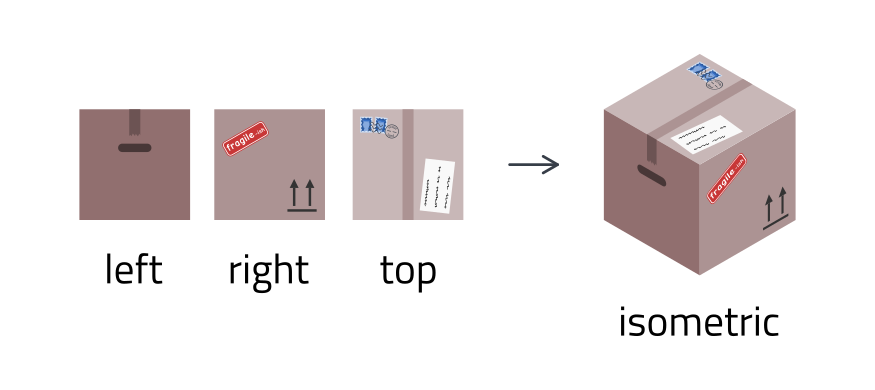
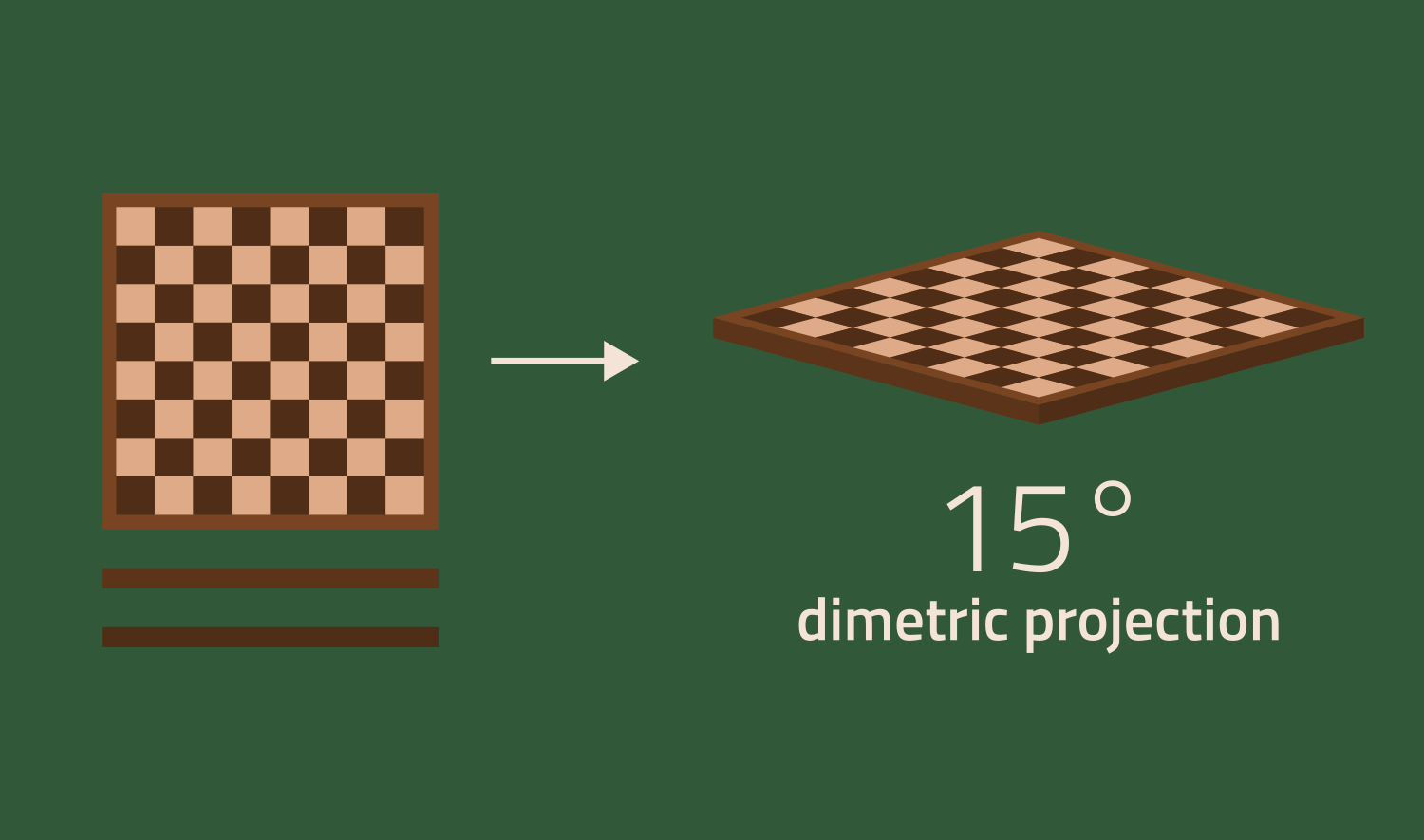
In addition to the isometric projection (a dimetric projection where both angles are 30°), the
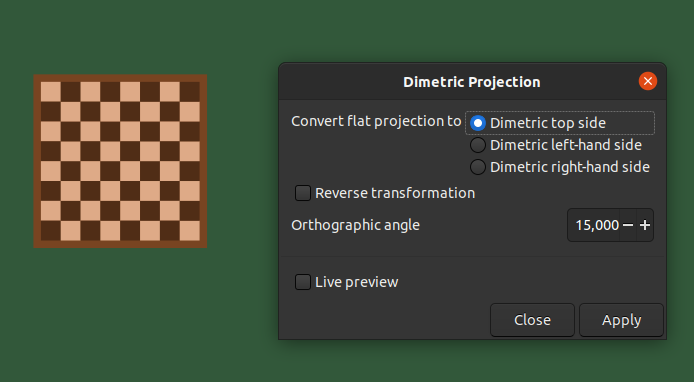
extension supports arbitrary angles as well (here the angles are set to 15°).
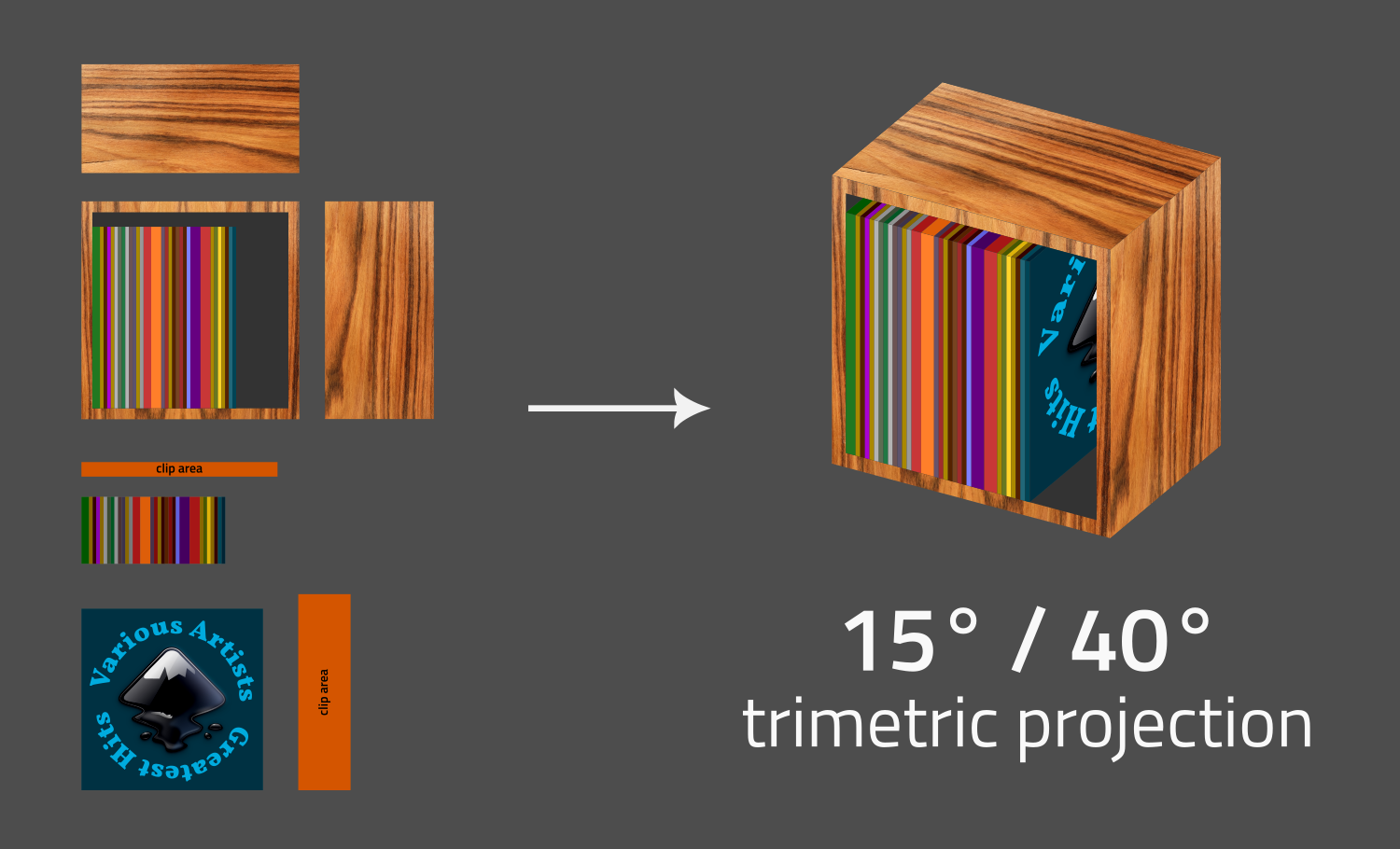
This example shows a trimetric projection with two different angles for the left and right hand sides.
Installation
Copy isometric_projection.inx, dimetric_projection.inx, and axonometric_projection.py to your
Inkscape extensions directory, listed at Edit » Preferences » System: User extensions. After a
restart of Inkscape, the new extension will be available.
Usage
The extension can now be found in the Extensions menu under Axonometric Projection. To convert a flat two-dimensional object
to one of the three visible isometric planes (i.e., top, left-hand side, and
right-hand side), select the object, and perform select the desired conversion
via the Isometric Projection… entry from that submenu.
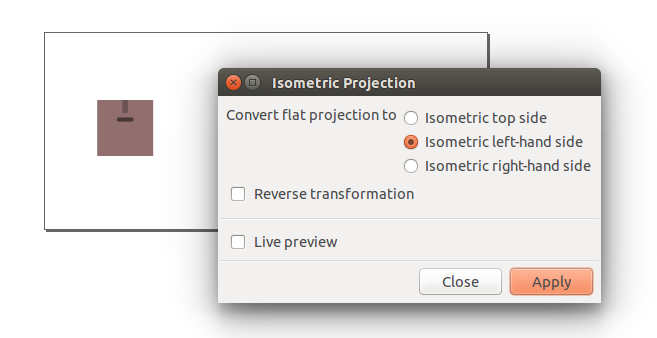
To perform the opposite action (i.e., convert from one of the isometric sides
to a flat two-dimensional object) select the appropiate isometric side, and
enable the Reverse transformation option.
For dimetric projections using an angle other than 30°, use Axonometric Projection » Dimetric Projection…, and set the angle to an appropriate value.
For trimetric projections using different angles for the left and right hand sides, use
Axonometric Projection » Trimetric Projection…, and set both angles to appropriate values.
Further reading
More information about the transformations and maths used by this extension can
be found in this
write-up.
Contributors
Showing top 3 contributors by commit count.


Related Repositories

inkstitch/inkstitch
Ink/Stitch: an Inkscape extension for machine embroidery design

damienBloch/inkscape-raytracing
An extension for Inkscape that makes it easier to draw optical diagrams.

Klowner/inkscape-applytransforms
An Inkscape extension which removes all matrix transforms by applying them recursively to shapes

wanglongqi/WriteTeX
An Inkscape extension: Latex/Tex editor for Inkscape

leechwort/knob-scale-generator
Inkscape extension for generation of knob scales

Shriinivas/inkscapestrokefont
Inkscape Extensions For Creating and Using Stroke Fonts