

Gimp hidpi
A theme for HiDPI displays
A theme to for HiDPI displays (Macbook Pro Retina / X1 Carbon). The project is distributed under the ISC License license, first published in 2016. Key topics include: gimp, gimp-hidpi, gnome, hidpi, hidpi-screen.
Gimp HiDPI
A theme to for HiDPI displays (Macbook Pro Retina / X1 Carbon).
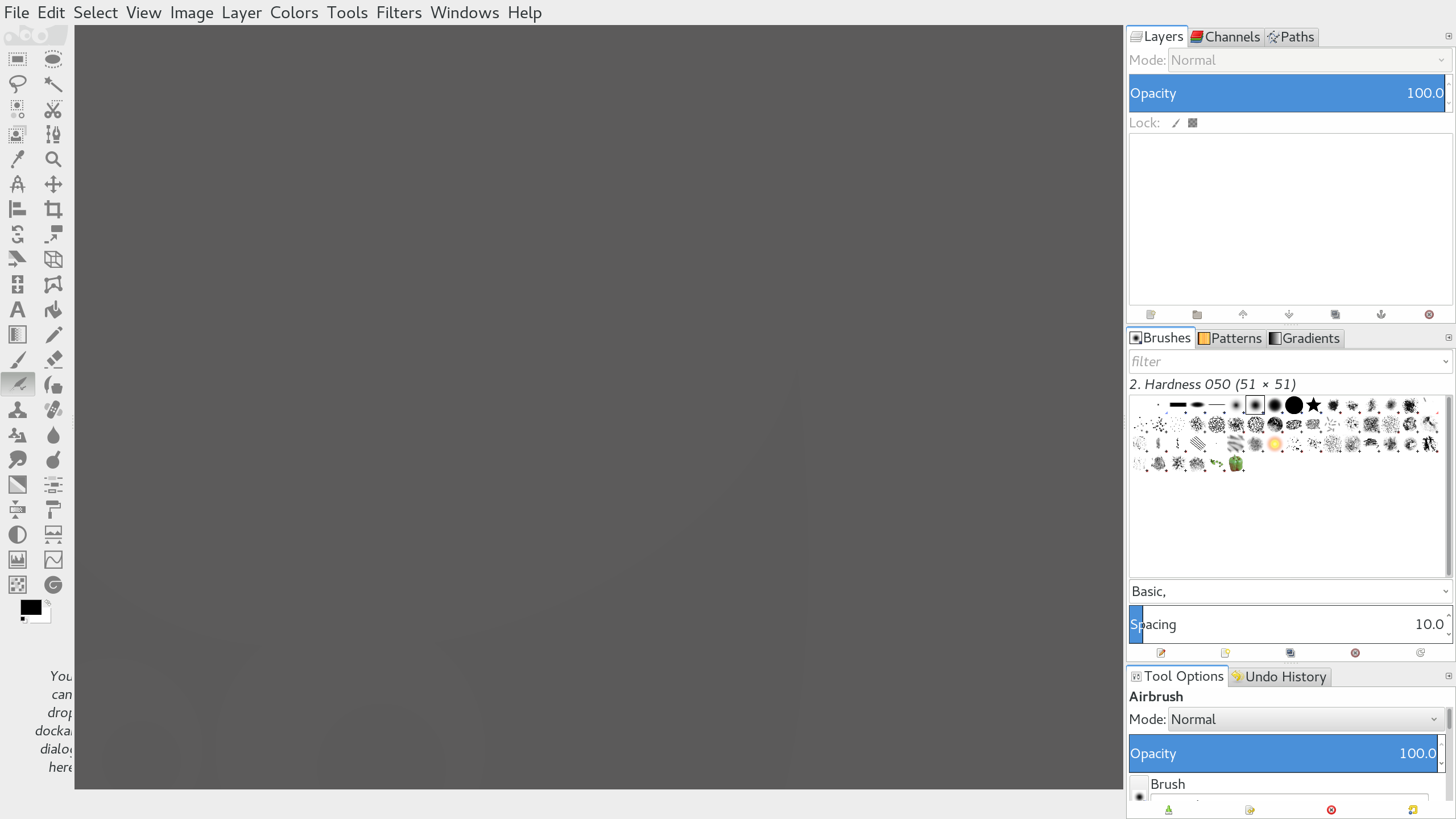
I am (at the time of writing) running Gnome 3.18 and Gimp 2.8. Gnome handles
scaling the UI pretty well but Gimp is lacking with the icons.
In summary, I just replaced the icons with flat-style SVGs and changed the
background color.
Installation
1.) First, download the zip file of this
repo.
2.) Then unzip it into your local Gimp themes folder:
bash$ unzip gimp-hidpi-master.zip -d ~/.gimp-2.8/themes/ $ mv ~/.gimp-2.8/themes/gimp-hidpi-master/ ~/.gimp-2.8/themes/gimp-hidpi/
3.) Then choose the theme in Gimp via Edit > Preferences.
Inspiration
sv32
The imagerc file was inspired by the sv32 icon theme:
Toolbar icons
The icons are from the GNOME Project. Specifically I
found them here:
Background color
- http://doctormo.deviantart.com/art/Gimp-2-8-Photoshop-Tweaks-432736644
- https://github.com/doctormo/GimpPs
License
This repo: ISC
The icons: CC BY-SA 3.0
Contributors
Showing top 2 contributors by commit count.


Related Repositories

Gictorbit/photoshopCClinux
Photoshop CC v19 installer for Gnu/Linux
owl4ce/dotfiles
:cherry_blossom: Aesthetic OpenboxWM Environment

kritiksoman/GIMP-ML
AI for GNU Image Manipulation Program

alessandrofrancesconi/gimp-plugin-bimp
BIMP. Batch Image Manipulation Plugin for GIMP.
Gictorbit/illustratorCClinux
Illustrator CC v17 installer for Gnu/Linux

andy-portmen/native-client
Native Messaging component for Windows, Linux, and Mac OS that is written in NodeJS.