

Luci theme argon
Argon is a clean and tidy OpenWrt LuCI theme that allows users to customize their login interface with images or videos. It also supports automatic and manual switching between light and dark modes.
[license]: /LICENSE [license-badge]: https://img.shields.io/github/license/jerrykuku/luci-theme-argon?style=flat-square&a=1 [prs]: https://github.com/jerrykuku/luci-theme-argon/pulls [prs-badge]: https://img.shields.io/badge/PRs-welcome-brightgreen.svg?style=flat-square [issues]: https://github.com/jerrykuku/luci-theme-argon/issues/new [issues-badge]: https://img.shields.io/badge/Issues-welcome-brightgreen.svg?style=flat-square [release]: https://github.com/jerrykuku/luci-theme-argon/releases [r... The project is written primarily in Less, distributed under the Apache License 2.0 license, first published in 2019. It has gained significant community traction with 5,347 stars and 933 forks on GitHub. Key topics include: lede, luci, openwrt, theme.
A brand new OpenWrt LuCI theme
Argon is a clean and tidy OpenWrt LuCI theme that allows<br/>
users to customize their login interface with images or videos.
It also supports automatic and manual switching between light and dark modes.






English |
简体中文
Key Features •
Branch •
Version History •
Getting started •
Screenshots •
Contributors •
Credits
Key Features
- Clean Layout.
- Adapted to mobile display.
- Customizable theme colors.
- Support for using Bing images as login background.
- Support for custom uploading of images or videos as login background.
- Automatically switch between light and dark modes with the system, and can also be set to a fixed mode.
- Settings plugin with extensions luci-app-argon-config
**Upcoming Version **
"The current theme uses Less for CSS construction, and the method for switching between light and dark modes is relatively primitive. Meanwhile, the official theme has already switched to the UT template. I am exploring a way to build the theme template using modern front-end development tools, initially settling on a solution using Vite + UnoCSS. This approach will utilize a proxy server for debugging and also support HMR (Hot Module Replacement), significantly improving development speed. Currently, the basic development framework has been set up, but due to a busy schedule, I still need some time to migrate the existing styles. Stay tuned!"
Branch Introduction
There are currently two main branches that are adapted to different versions of the OpenWrt source code.
The table below will provide a detailed introduction:
| Branch | Version | Description | Matching source |
|---|---|---|---|
| master | v2.x.x | Support the latest version of LuCI | Official OpenWrt • ImmortalWrt |
| 18.06 (deprecated) | v1.x.x | Support the 18.06 version of LuCI | Lean's LEDE |
Version History
The latest version is v2.4.3 Click here to view the full version history record.
Getting started
Build for Lean's LEDE project (deprecated)
bashcd lede/package/lean rm -rf luci-theme-argon git clone -b 18.06 https://github.com/jerrykuku/luci-theme-argon.git luci-theme-argon make menuconfig #choose LUCI->Theme->Luci-theme-argon make -j1 V=s
Build for OpenWrt official SnapShots and ImmortalWrt
bashcd openwrt/package git clone https://github.com/jerrykuku/luci-theme-argon.git make menuconfig #choose LUCI->Theme->Luci-theme-argon make -j1 V=s
Install for LuCI 18.06 ( Lean's LEDE )
bashwget --no-check-certificate https://github.com/jerrykuku/luci-theme-argon/releases/download/v1.8.2/luci-theme-argon_1.8.2-20230609_all.ipk opkg install luci-theme-argon*.ipk
Install for OpenWrt official SnapShots and ImmortalWrt
bashopkg install luci-compat opkg install luci-lib-ipkg wget --no-check-certificate https://github.com/jerrykuku/luci-theme-argon/releases/download/v2.3.2/luci-theme-argon_2.3.2-r20250207_all.ipk opkg install luci-theme-argon*.ipk
Install luci-app-argon-config
bashwget --no-check-certificate -O luci-app-argon-config_0.9_all.ipk https://github.com/jerrykuku/luci-app-argon-config/releases/download/v0.9/luci-app-argon-config_0.9_all.ipk opkg install luci-app-argon-config*.ipk
Notice
- Chrome browser is highly recommended. There are some new css3 features used in this theme, currently only Chrome has the best compatibility.
- Microsoft has officially retired Internet Explorer, RIP IE🙏<del>Currently, the mainline version of the IE series has bugs that need to be addressed.</del>
- FireFox does not enable the backdrop-filter by default, see here for the opening method.
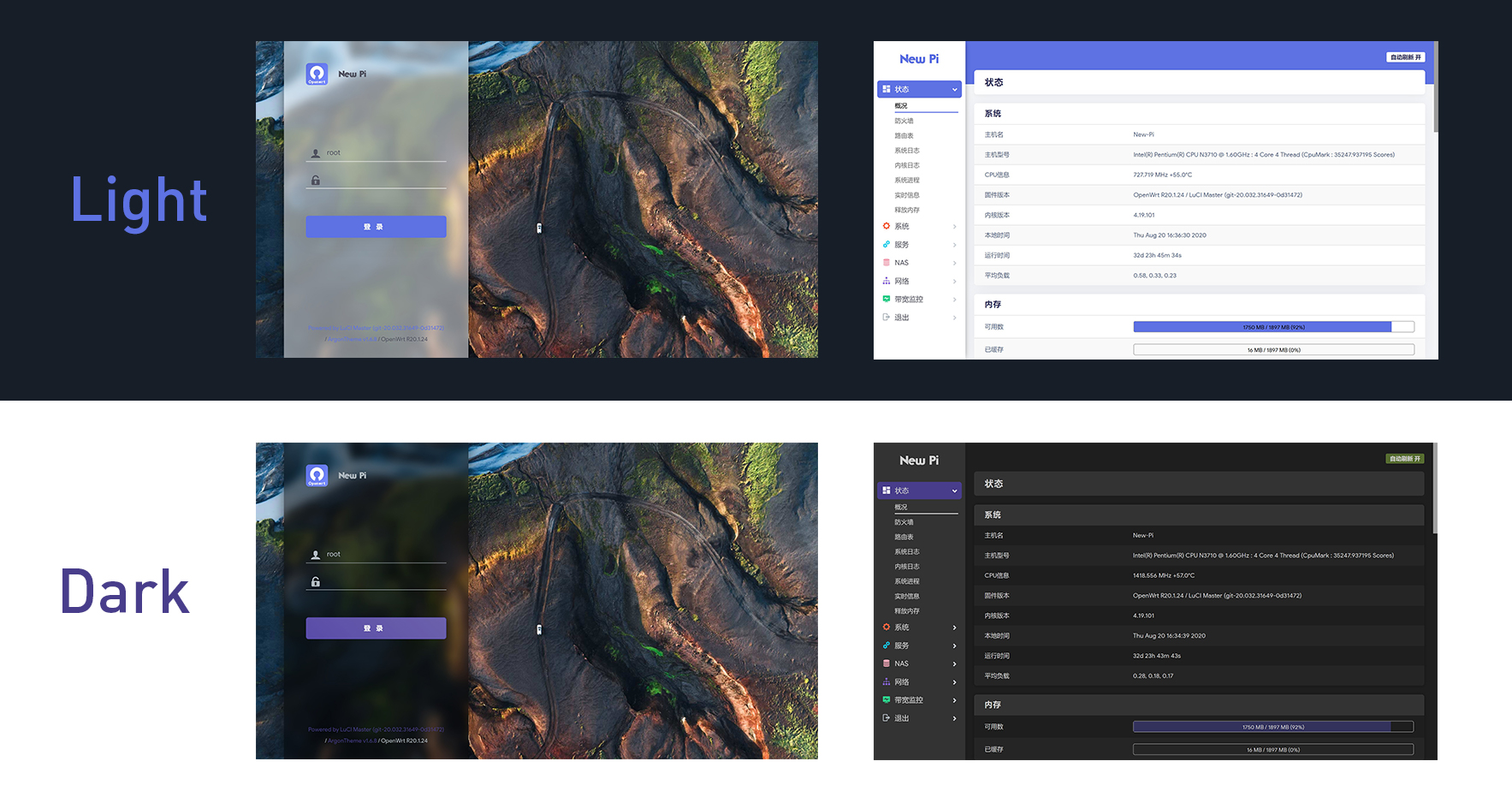
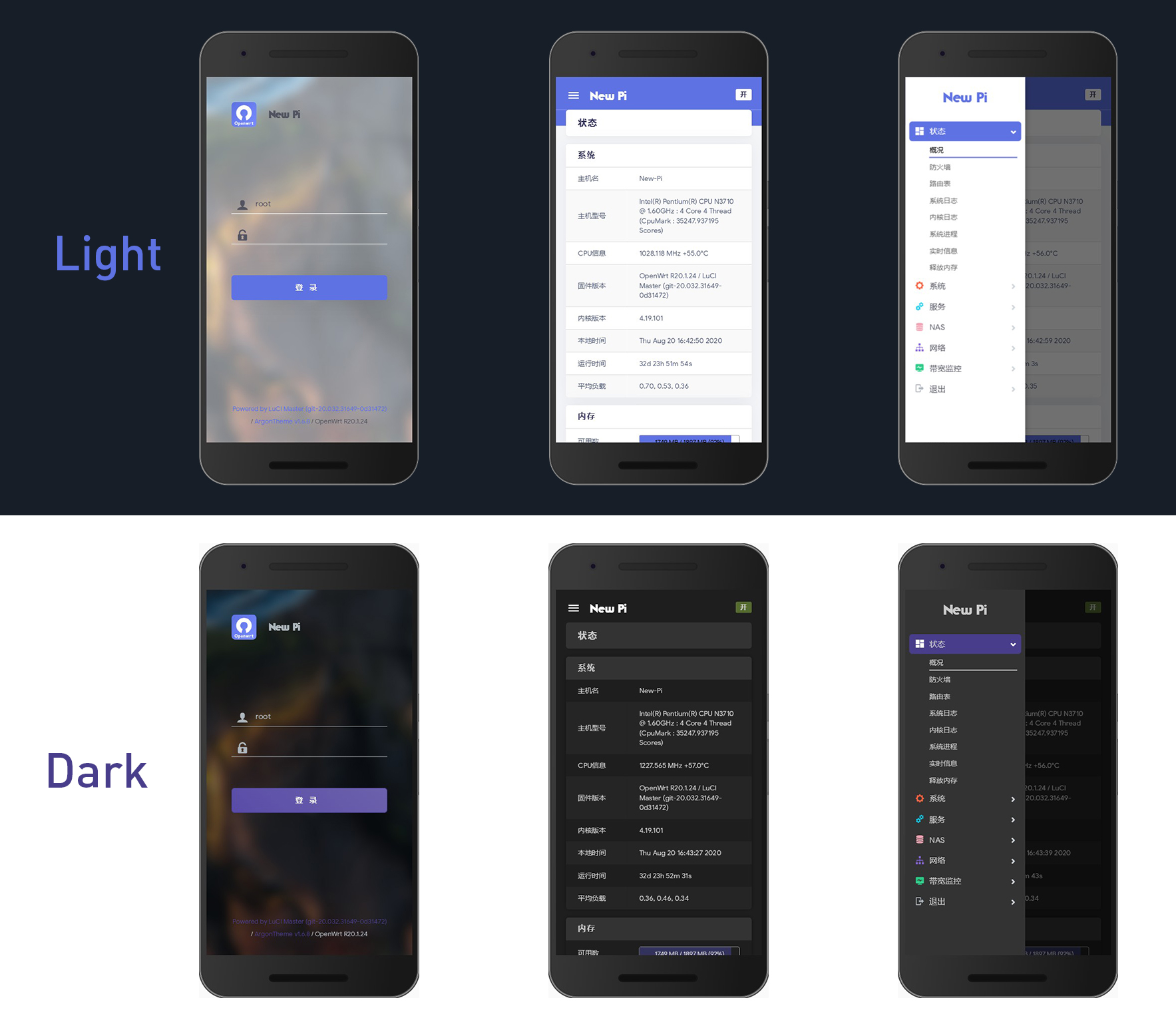
Screenshots
Contributors
<a href="https://github.com/jerrykuku/luci-theme-argon/graphs/contributors"> <img src="https://contrib.rocks/image?repo=jerrykuku/luci-theme-argon&v=2" /> </a>Made with contrib.rocks.
Related Projects
- luci-app-argon-config: Argon theme config plugin
- openwrt-package: My OpenWrt package
- CasaOS: A simple, easy-to-use, elegant open-source Personal Cloud system (My current main project)
Credits
Contributors
Showing top 12 contributors by commit count.


Related Repositories

coolsnowwolf/lede
Lean's LEDE source

P3TERX/Actions-OpenWrt
A template for building OpenWrt with GitHub Actions | 使用 GitHub Actions 在线云编译 OpenWrt 固件

shadowsocks/openwrt-shadowsocks
Shadowsocks-libev for OpenWrt/LEDE

Ysurac/openmptcprouter
OpenMPTCProuter is an open source solution to aggregate multiple internet connections using Multipath TCP (MPTCP) on OpenWrt

KFERMercer/OpenWrt-CI
OpenWrt CI 在线集成自动编译环境
shadowsocks/luci-app-shadowsocks
OpenWrt/LEDE LuCI for Shadowsocks-libev