

Bitmagnet Next Web
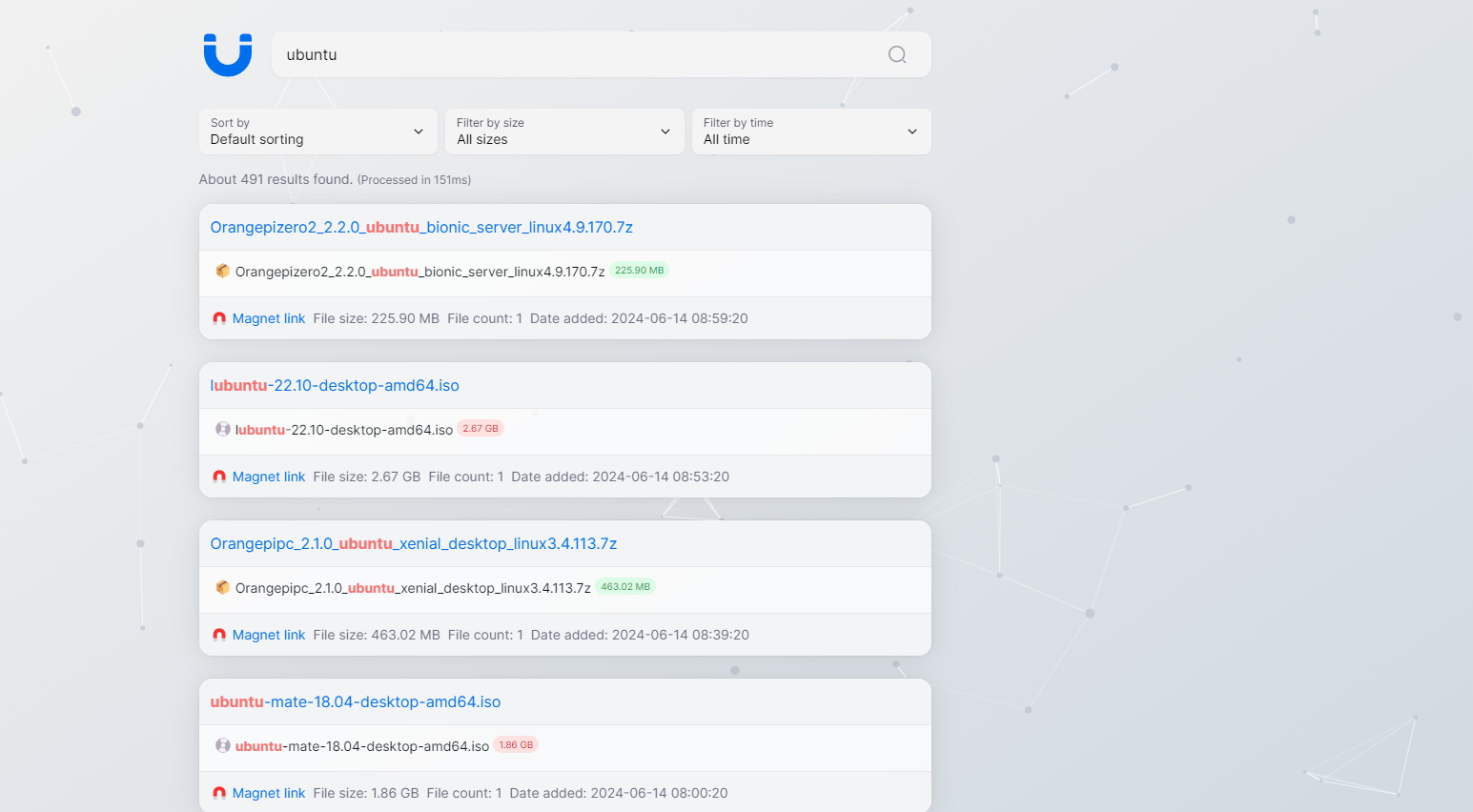
🧲 A modern BitTorrent indexer, powered by Bitmagnet - 一个更现代的磁力搜索列表程序,由 Bitmagnet 强力驱动
A more modern magnet search website program, developed using [Next.js 14](https://nextjs.org/docs/getting-started) + [NextUI v2](https://nextui.org/), with the backend powered by [Bitmagnet](https://github.com/bitmagnet-io/bitmagnet). The project is written primarily in TypeScript, distributed under the MIT License license, first published in 2024. Key topics include: bittorrent, dht, magnet, magnet-link, nextjs.
English / 中文文档
A more modern magnet search website program, developed using Next.js 14 + NextUI v2, with the backend powered by Bitmagnet.

Deployment Instructions
Container Deployment
The most convenient way to deploy is using Docker Compose. Refer to the docker-compose.yml
Running with docker run
If not using Docker Compose, you can run each container separately using the following commands:
- Run the PostgreSQL container:
bashdocker run -d \ --name bitmagnet-postgres \ -p 5432:5432 \ -e POSTGRES_PASSWORD=postgres \ -e POSTGRES_DB=bitmagnet \ -e PGUSER=postgres \ -v ./data/postgres:/var/lib/postgresql/data \ --shm-size=1g \ postgres:16-alpine
- Run the Bitmagnet container:
bashdocker run -d \ --name bitmagnet \ --link bitmagnet-postgres:postgres \ -p 3333:3333 \ -p 3334:3334/tcp \ -p 3334:3334/udp \ -e POSTGRES_HOST=postgres \ -e POSTGRES_PASSWORD=postgres \ ghcr.io/bitmagnet-io/bitmagnet:latest \ worker run --keys=http_server --keys=queue_server --keys=dht_crawler
- Run the Bitmagnet-Next-Web container:
bashdocker run -d \ --name bitmagnet-next-web \ --link bitmagnet-postgres:postgres \ -p 3000:3000 \ -e POSTGRES_DB_URL=postgres://postgres:postgres@postgres:5432/bitmagnet \ journey0ad/bitmagnet-next-web:latest
Full-Text Search Optimization
The search capability relies on the torrents.name and torrent_files.path columns. The original Bitmagnet does not index these columns, so it's recommended to create indexes to improve query efficiency:
sqlcreate extension pg_trgm; -- Enable pg_trgm extension -- Create indexes on `torrents.name` and `torrent_files.path` CREATE INDEX idx_torrents_name_1 ON torrents USING gin (name gin_trgm_ops); CREATE INDEX idx_torrent_files_path_1 ON torrent_files USING gin (path gin_trgm_ops);
Development Guide
Before starting development, create a .env.local file in the project root directory and fill in the environment variables:
bash# .env.local POSTGRES_DB_URL=postgres://postgres:postgres@localhost:5432/bitmagnet
It's recommended to use pnpm as the package manager.
Install Dependencies
bashpnpm install
Run Development Environment
bashpnpm run dev
Build & Deploy
bashpnpm run build pnpm run serve
Credits
License
Licensed under the MIT license.
Contributors
Showing top 1 contributor by commit count.

Related Repositories

ngosang/trackerslist
Updated list of public BitTorrent trackers

agalwood/Motrix
A full-featured download manager.

aria2/aria2
aria2 is a lightweight multi-protocol & multi-source, cross platform download utility operated in command-line. It supports HTTP/HTTPS, FTP, SFTP, BitTorrent and Metalink.

qbittorrent/qBittorrent
qBittorrent BitTorrent client

XIU2/TrackersListCollection
🎈 Updated daily! A list of popular BitTorrent Trackers! / 每天更新!全网热门 BT Tracker 列表!

webtorrent/webtorrent
⚡️ Streaming torrent client for the web