

Eartag
[MIRROR] Small and simple audio file tag editor; report bugs/send MRs to GNOME GitLab instead
Ear Tag is a simple audio file tag editor. It is primarily geared towards making quick edits or bulk-editing tracks in albums/EPs. Unlike other tagging programs, Ear Tag does not require the user to set up a music library folder. The project is written primarily in Python, distributed under the MIT License license, first published in 2022. Key topics include: eyed3, gnome, gtk, mp3, mutagen.
Ear Tag
Small and simple audio file tag editor
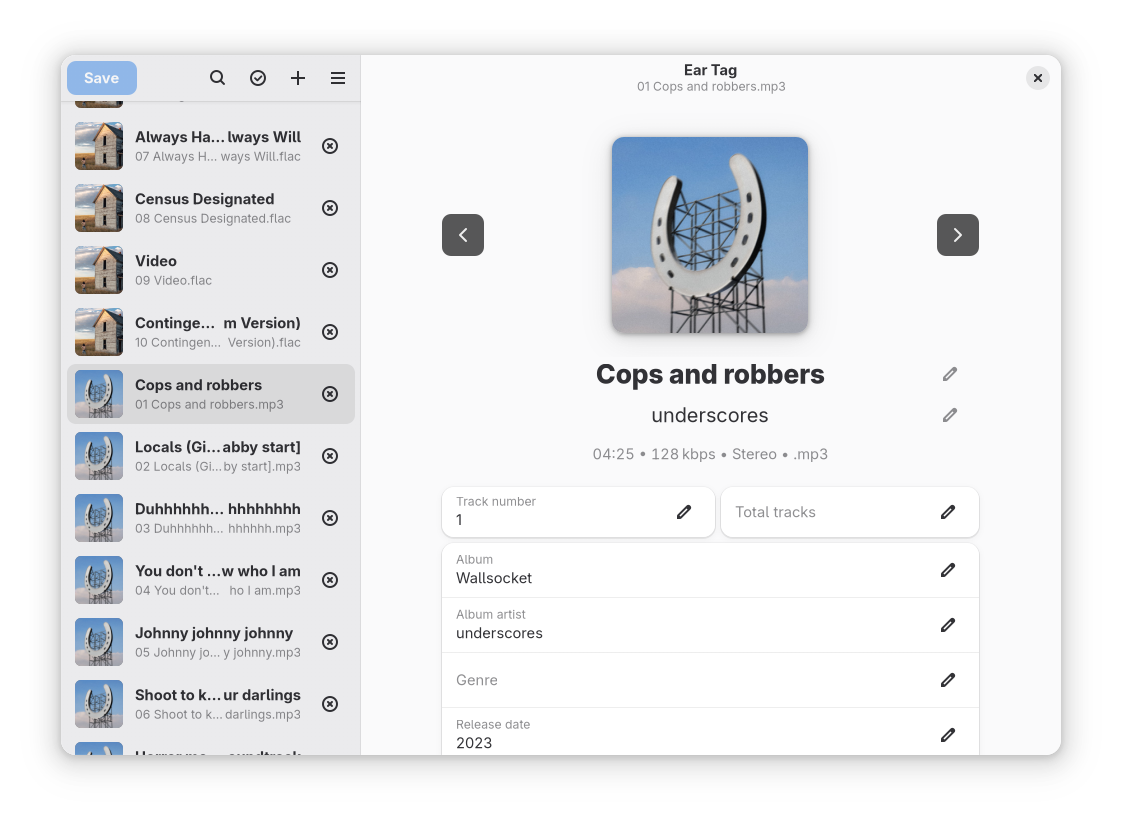
About
Ear Tag is a simple audio file tag editor. It is primarily geared towards making quick edits or bulk-editing tracks in albums/EPs. Unlike other tagging programs, Ear Tag does not require the user to set up a music library folder.
Ear Tag supports both desktop and mobile form factors.
Installing
Ear Tag is available on Flathub, as well as the following software repositories:

Dependencies
Ear Tag is written in Python, and uses GTK4 and libadwaita for the UI. The following dependencies are required:
- Python >= 3.11
- GTK4 >= 4.16.0
- libadwaita >= 1.8.0
- pygobject >= 3.49.0 (3.51.0 or higher is highly recommended)
- pillow (used for some picture operations)
- mutagen (used for file tagging)
- filetype (used for MIME type detection)
- pyacoustid (used for Identify Selected Files option)
- audioread or fpcalc as the sound data reading backend
- aiohttp (used for the downloader used by the Identify Selected Files option)
- aiohttp-retry (see above)
- aiofiles (used during file loading)
- xxhash (used during album cover caching and comparisons)
The following packages are required to run tests:
- appstreamcli
- desktop-file-utils
- glib-compile-schemas
- pytest
- pytest-asyncio
ruff is used for linting/formatting the code.
Building
We use the meson build system. The build process is as follows:
meson output
meson compile -C output
meson install -C output
For development purposes, this is automated in the provided run script.
Contributing
Project development happens on GNOME's GitLab instance. For starters, check out the open issues.
Translations can be submitted through Damned Lies (l10n.gnome.org).
If you make modifications to the code, run ruff check and ruff format to ensure that everything is formatted correctly. For convenience, you can also use pre-commit install to install a pre-commit hook that runs these commands automatically.
You are expected to follow the GNOME Code of Conduct when participating in project spaces.
Commit style
Please follow the following commit style:
- All commits have a prefix that contains the area of the code that has been changed:
- For the README.md file, build files (meson.build) and things like .gitignore, this is
meta: - For anything in the data directory, this is
data: - For anything related to translations or the po directory, this is
po: - For the actual code, this is the filename of the main file you've edited, e.g.
fileview:
- For the README.md file, build files (meson.build) and things like .gitignore, this is
- Commit messages are in all lowercase, except for class names, filenames (if they're capitalized - like README, COPYING etc.) and project names (e.g. Musicbrainz).
TODO
While Ear Tag is ready to use as-is, there are a few nice features that may be added in the near future. You can find them in our bug tracker.
The project's fully open-source, so if you feel like you could try to implement one of these features, feel free to do so and send a patch to us!
Contributors
Showing top 12 contributors by commit count.


